Welcome to ROSMASTER M1 PRO repository
11.Navigation2 Multi Point Navigation
Navigation2 Multi-Point Navigation
Navigation2 Multi-Point Navigation1. Course Content2. Preparation3. Running the Cases4. Principle Analysis4.1 Viewing Waypoint Data4.2 Data Sending and Execution
1. Course Content
Run the example program, manually mark multiple waypoints to achieve sequential navigation and obstacle avoidance between multiple marked points.
2. Preparation
Referring to the prerequisite course [Navigation2 Single Point Navigation], first start the Nav2 navigation function and initialize the robot's position in the map
3. Running the Cases
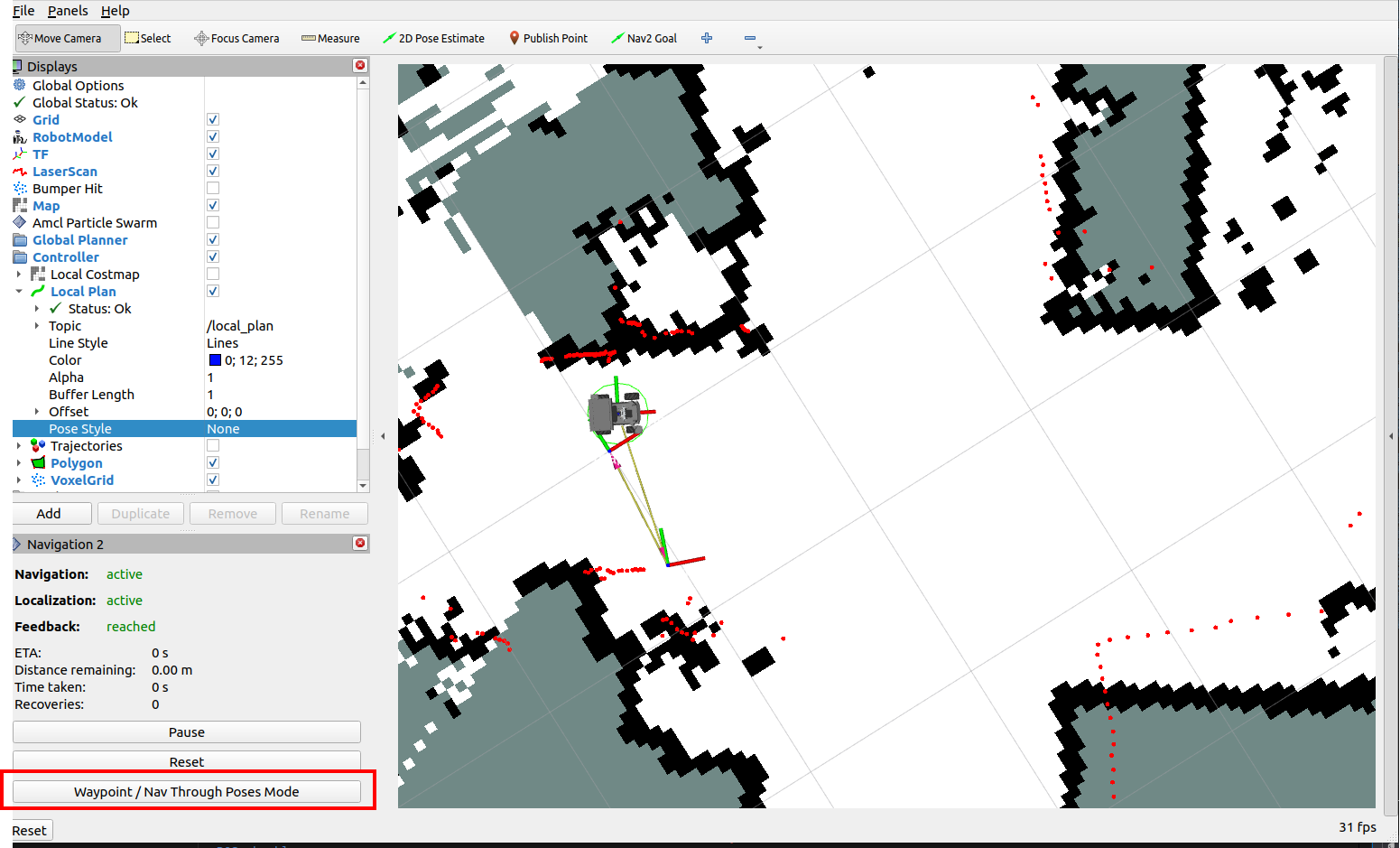
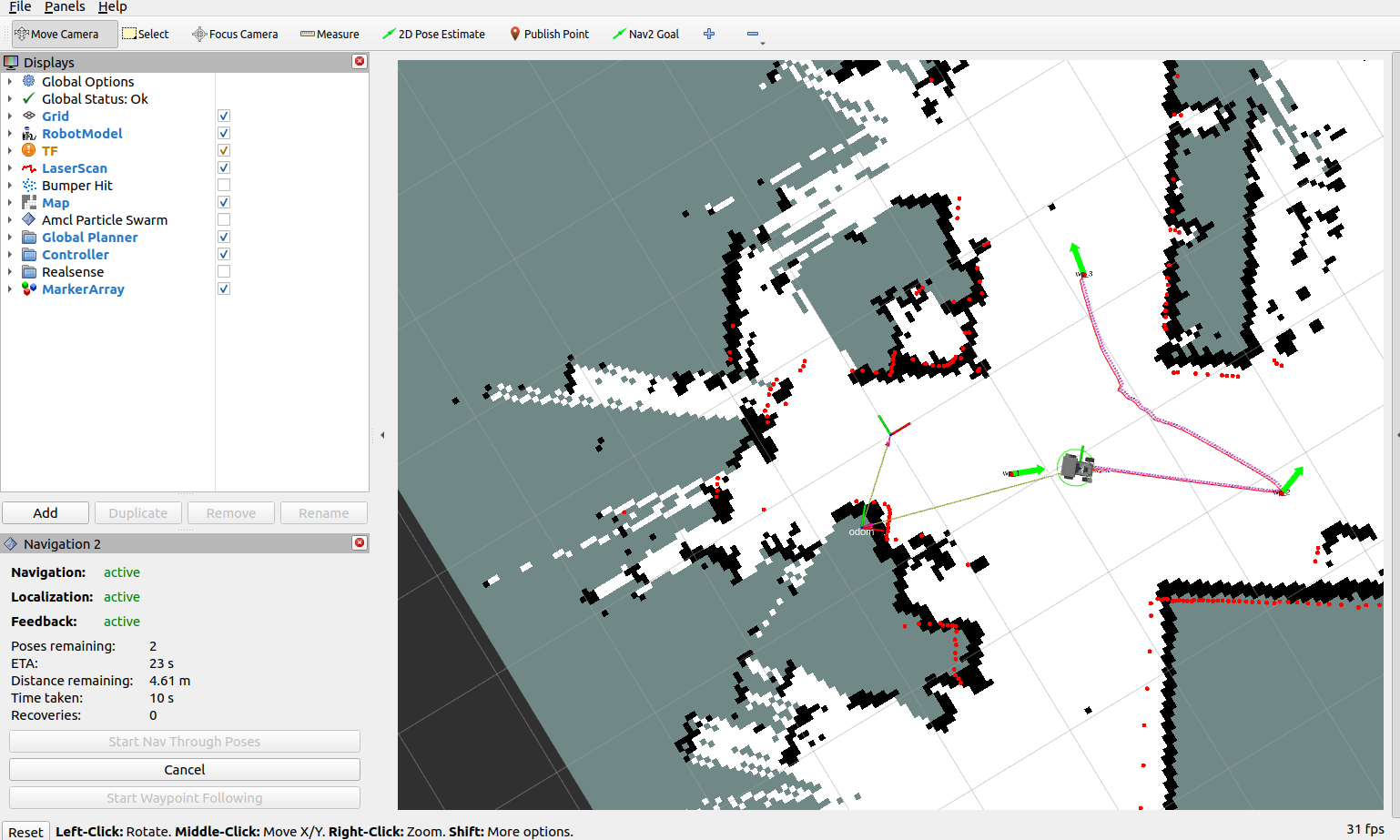
Click [Waypoint/Nav Through PoseMode] in the lower-left corner to enter multi-point navigation mode
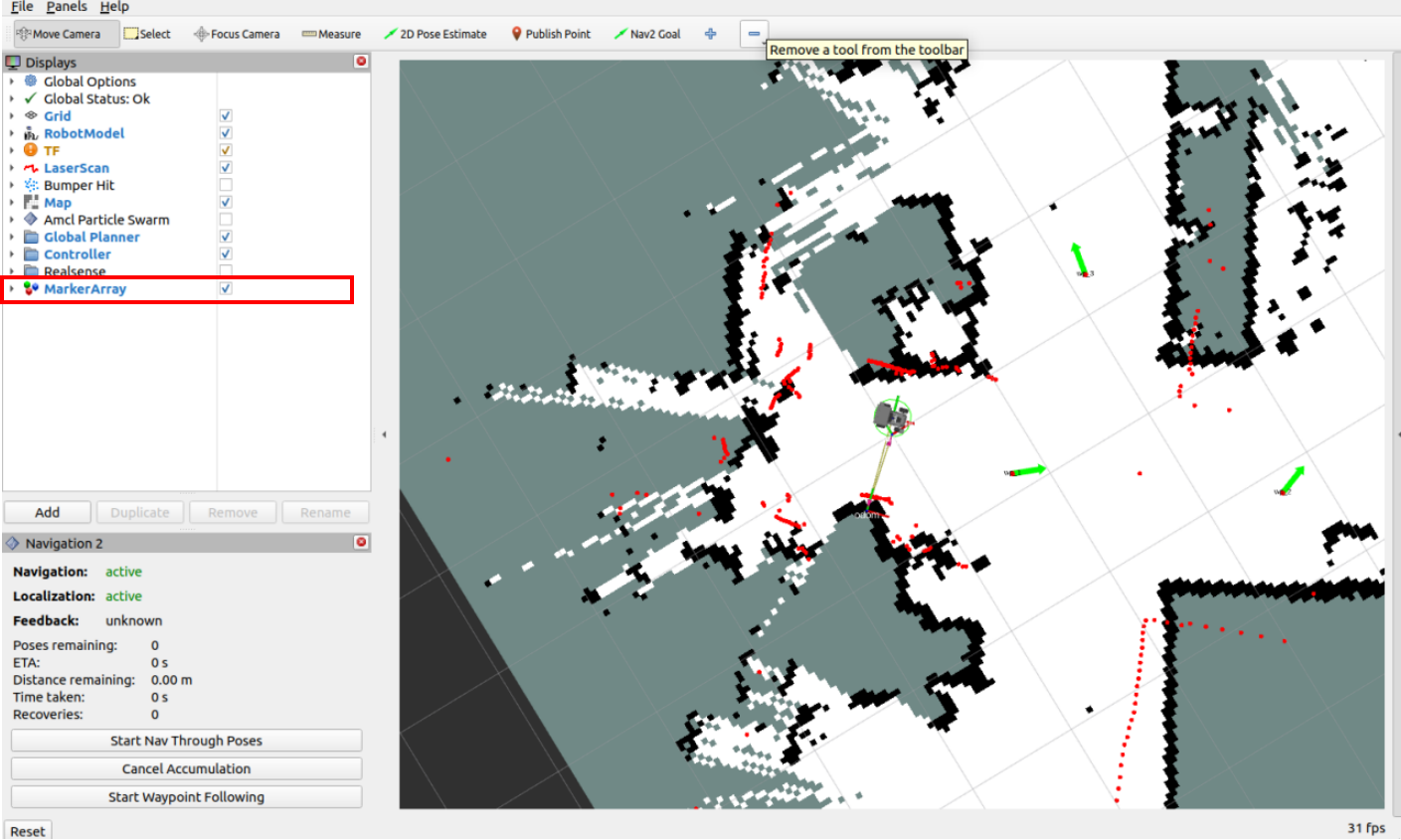
Check MarkerArray in the left option bar to turn on the marker display, then click Nav2 Goal and use the mouse to mark multiple goal points on the map
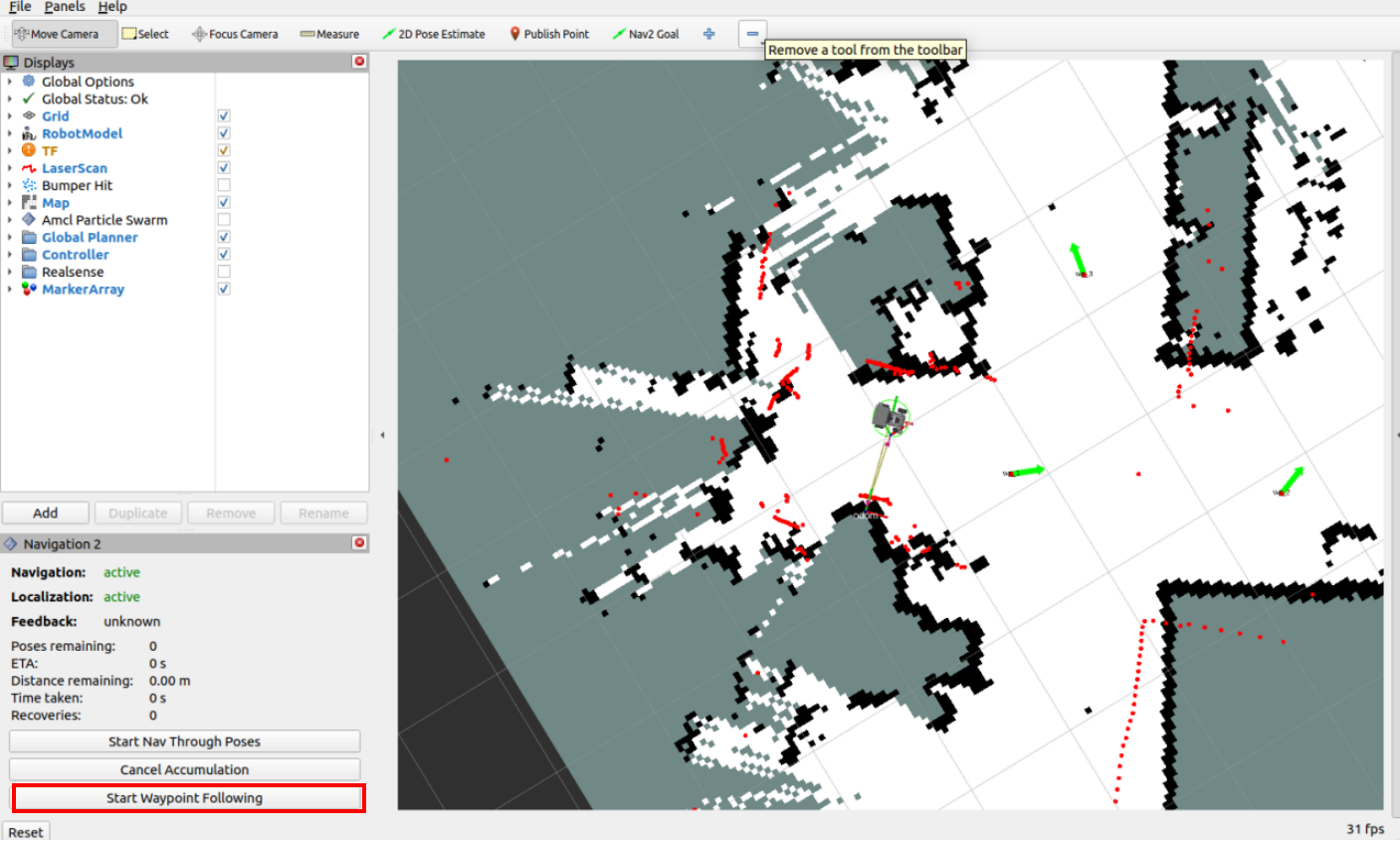
Click Start Waypoint Following in the lower-left corner to start multi-point navigation
The robot car navigates to the marked points one by one in order
4. Principle Analysis
4.1 Viewing Waypoint Data
After the user opens [Waypoint/Nav Through PoseMode] and enters multi-point navigation mode, the point information marked by the user will be published to the /waypoints topic (the rviz waypoint navigation plugin adds some extra waypoints along the path between goal waypoints to smooth the path). We can view this waypoint data through the rqt interface
Startup command in the terminal:
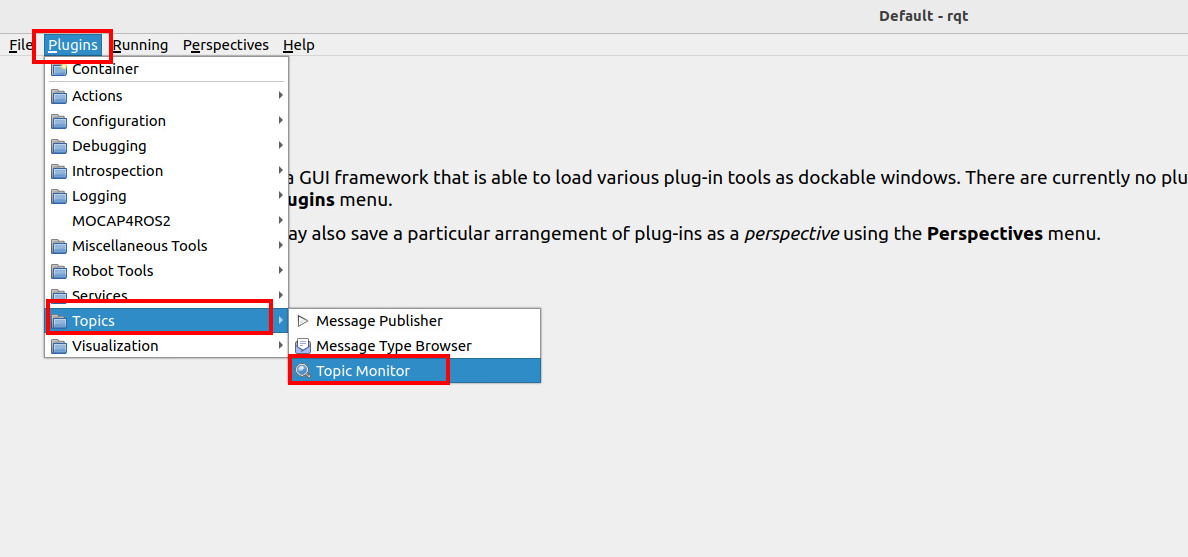
rqtClick Plugins——>Topic——>Topic Monitor
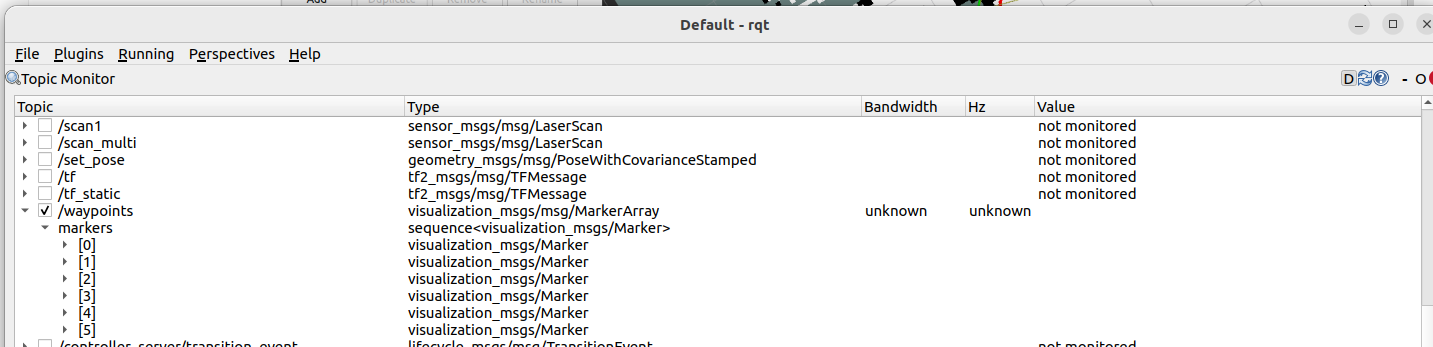
In the rqt interface you can see the /waypoints topic; after checking it, you can observe the data on the topic (you need to check the topic first, then publish waypoints in the rviz interface)
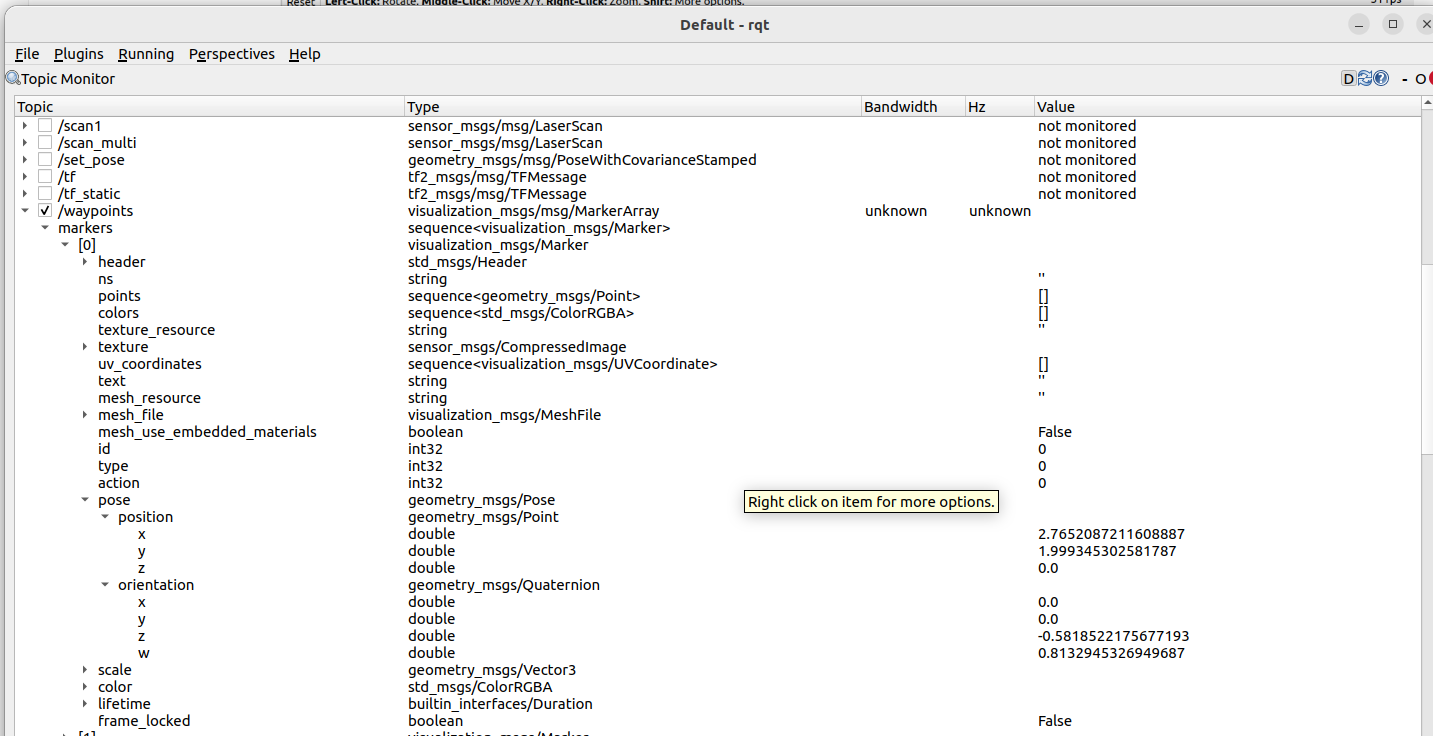
The waypoints we manually mark in rviz will be published to this topic. Expand one of the waypoints to view the waypoint data; here we take [0] as an example, in which pose is the coordinate data
4.2 Data Sending and Execution
After the waypoint coordinates are set, when you click Start Waypoint Following, the rviz plugin packages the waypoint coordinate sequence into a
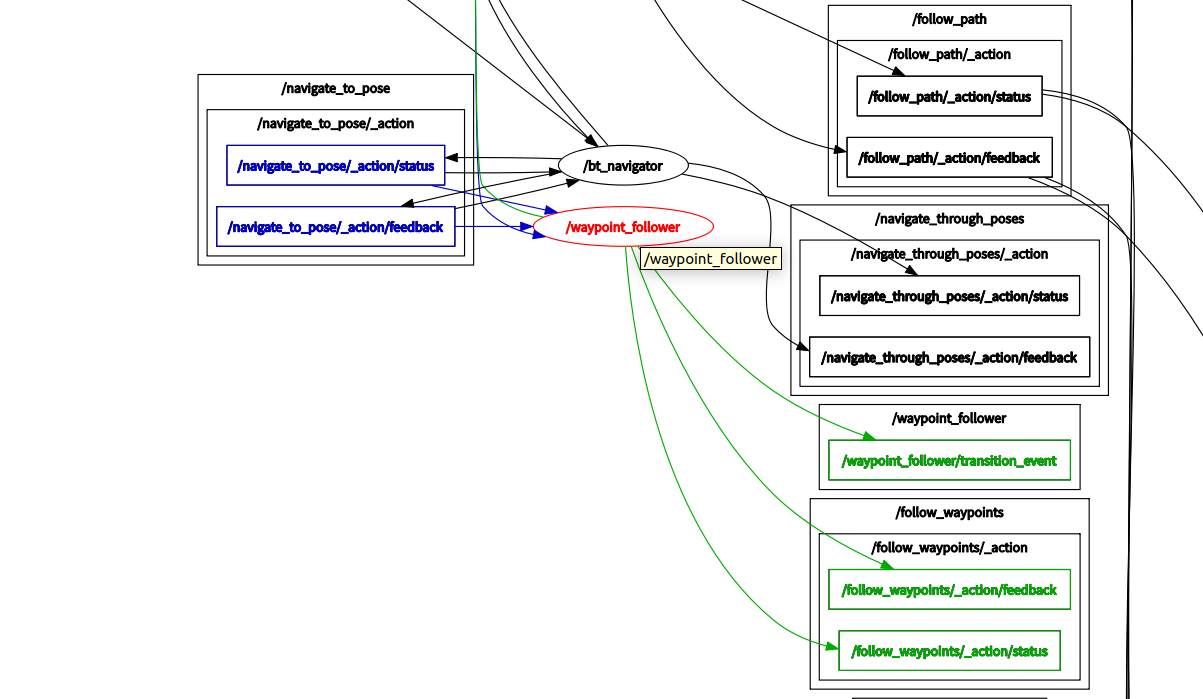
FollowWaypointsaction request and sends it to the /follow_waypoint action server, which executes all the waypoints one by oneView the node graph
xxxxxxxxxxrqt_graphIn the node graph you can see the /follow_waypoint action server; this action server receives the waypoint sequence and then navigates to them one by one.