Welcome to ROSMASTER M1 PRO repository
6.Robot URDF Model
Robot URDF Model
Robot URDF Model1. Course Content2. Running the Cases2.1 Synchronized Pose Display2.2 Robotic Arm Joint Synchronization3. Source Code Analysis
1. Course Content
Basic: Learn how to view the robot's model. Combined with IMU data, view the model's pose and the motion of the robotic arm's joints.
Advanced: Understand the composition of a URDF description file.
2. Running the Cases
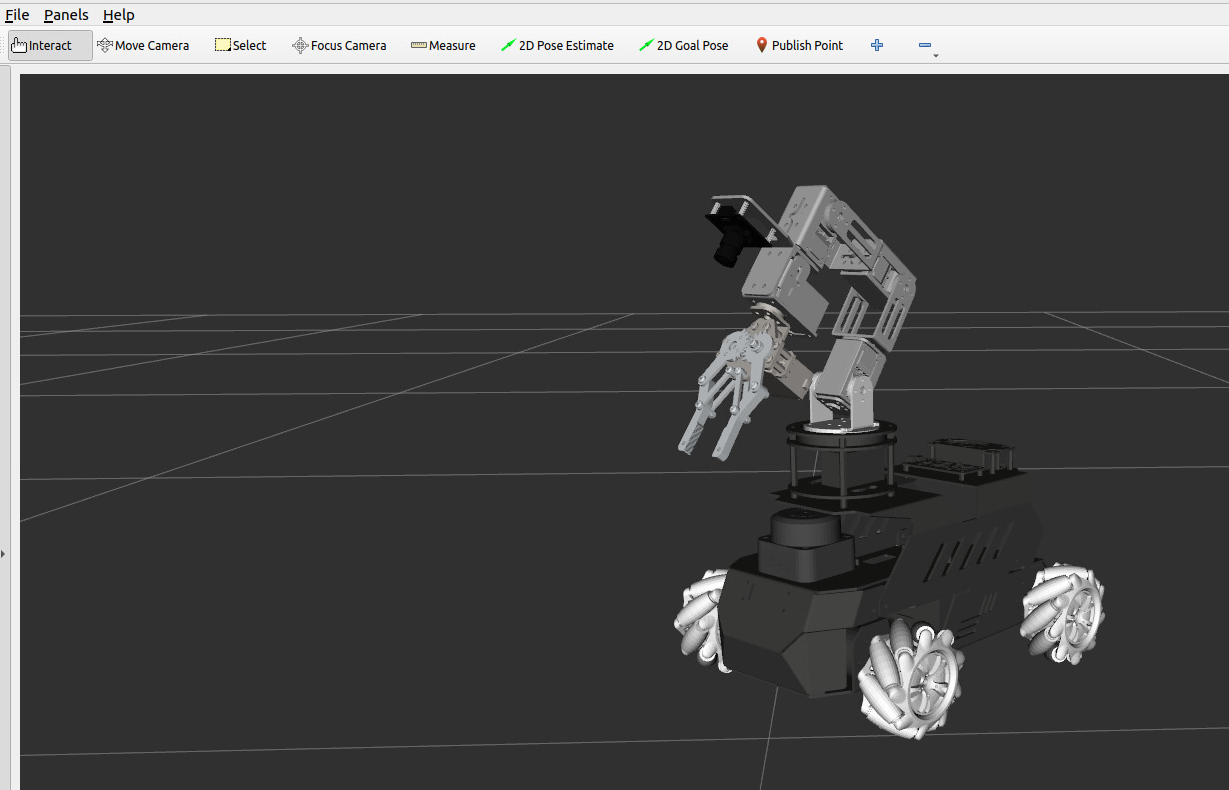
xxxxxxxxxxros2 launch yahboomcar_bringup display.launch.py
The startup interface is as follows, in which the camera and LiDAR models automatically switch according to the actual model
2.1 Synchronized Pose Display
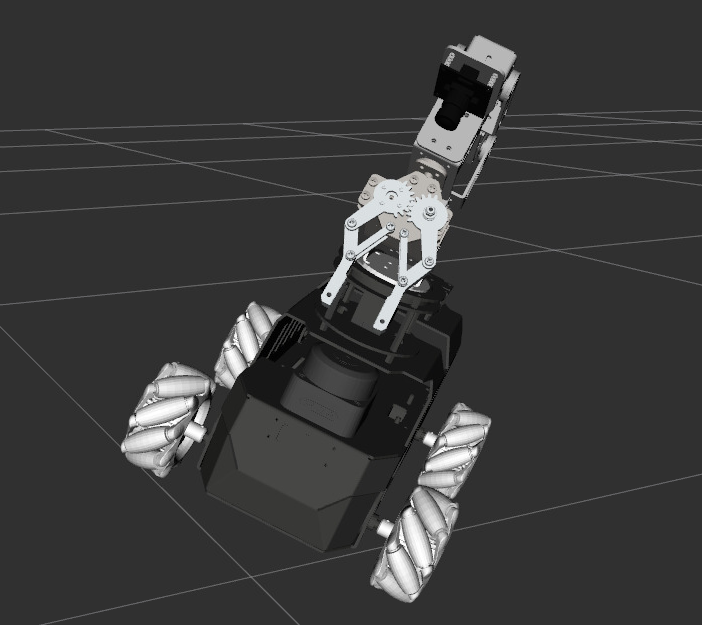
When you adjust the car's pose, the actual pose is displayed synchronously in RVIZ
2.2 Robotic Arm Joint Synchronization
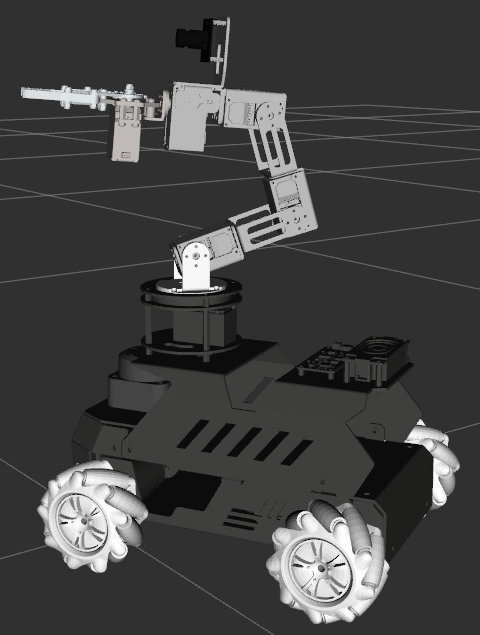
Run handle or keyboard control to control the robotic arm's movement (here, handle control is used as an example for demonstration); when you control the robotic arm's movement, RVIZ displays the robotic arm's state synchronously
3. Source Code Analysis
Robot model description file path:
xxxxxxxxxx~/yahboomcar_ros2_ws/yahboomcar_ws/src/yahboomcar_description/urdf/rosmaster_m1pro.urdf.xacro
<robot>: defines the robot nameROSMASTER_M1Proand declares the xacro namespace<xacro:arg>: declares configurable parameterslaser_type(LiDAR type),camera_type(camera type), andnamespace(namespace), which can be passed in dynamically at startup<xacro:include>: imports external xacro macro files, including the LiDARlidar.xacroand cameracamera.xacro<xacro:LiDAR>: instantiates the LiDAR macro, passing in the LiDAR type and namespace parameters<link name="base_link">: defines the chassis base link, which contains three parts:<inertial>: inertial parameters, including center-of-mass offsetorigin xyz, massmass, and inertia matrixinertia<visual>: visualization attributes, which reference the STL mesh modelmeshand set the colorcolor<collision>: collision attributes, which use the same mesh model as the visualization for collision detection
xxxxxxxxxx <robot name="ROSMASTER_M1Pro" xmlns:xacro="http://www.ros.org/wiki/xacro"> <!-- Define laser_type parameter --> <xacro:arg name="laser_type" default="c1" /> <!-- Define camera_type parameter --> <xacro:arg name="camera_type" default="nuwa" />
<!-- namespace: distinguish different robots, default empty --> <xacro:arg name="namespace" default="" /> <xacro:property name="prefix" value="${'$(arg namespace)/' if '$(arg namespace)' != '' else ''}"/> <!-- Include lidar.xacro --> <xacro:include filename="$(find yahboomcar_description)/urdf/lidar.xacro" /> <!-- Include camera.xacro --> <xacro:include filename="$(find yahboomcar_description)/urdf/camera.xacro" /> <!-- Instantiate LiDAR macro with laser_type parameter --> <xacro:LiDAR laser_type="$(arg laser_type)" namespace="$(arg namespace)" />
<link name="${prefix}base_link"> <inertial> <origin xyz="0.00652124406965167 -4.81461854005861E-05 0.0546466698727942" rpy="0 0 0" /> <mass value="1.34523402856418" /> <inertia ixx="0.00192912613509845" ixy="-1.83403463191661E-06" ixz="-3.61456795373574E-06" iyy="0.00384624602235933" iyz="2.00220926127181E-07" izz="0.00518550954527514" /> </inertial> <visual> <origin xyz="0 0 0" rpy="0 0 0" /> <geometry> <mesh filename="package://yahboomcar_description/meshes/base_link.STL" /> </geometry> <material name=""> <color rgba="0.278431373 0.278431373 0.274509804 1" /> </material> </visual> <collision> <origin xyz="0 0 0" rpy="0 0 0" /> <geometry> <mesh filename="package://yahboomcar_description/meshes/base_link.STL" /> </geometry> </collision> </link>
Robot pose publishing node:
Source code path
xxxxxxxxxx~/yahboomcar_ros2_ws/yahboomcar_ws/src/common_demo/common_demo/urdf_display/model_display.py
euler_to_quaternion: converts Euler angles (roll, pitch, yaw) to a quaternion (x, y, z, w)quaternion_to_euler: converts a quaternion to Euler angles, including gimbal lock protection (takes ±π/2 whensinp >= 1)ModelDisplayNode: on node initialization, creates aTransformBroadcasterto publish TF and subscribes to the/imu/data_rawtopicimu_callback: receives the IMU quaternion data, first converts it to Euler angles, then recomposes it into a quaternion according to(p, r, -y)(to handle the IMU's inverted mounting and data flipping), and finally builds aTransformStampedto publish theodom → measureTF transform, in which the z-axis has a fixed offset of 0.017m
xdef euler_to_quaternion(roll, pitch, yaw): cy = math.cos(yaw * 0.5) sy = math.sin(yaw * 0.5) cp = math.cos(pitch * 0.5) sp = math.sin(pitch * 0.5) cr = math.cos(roll * 0.5) sr = math.sin(roll * 0.5) w = cr * cp * cy + sr * sp * sy x = sr * cp * cy - cr * sp * sy y = cr * sp * cy + sr * cp * sy z = cr * cp * sy - sr * sp * cy return x, y, z, w
def quaternion_to_euler(x, y, z, w): sinr_cosp = 2 * (w * x + y * z) cosr_cosp = 1 - 2 * (x * x + y * y) roll = math.atan2(sinr_cosp, cosr_cosp) sinp = 2 * (w * y - z * x) if abs(sinp) >= 1: pitch = math.copysign(math.pi / 2, sinp) else: pitch = math.asin(sinp) siny_cosp = 2 * (w * z + x * y) cosy_cosp = 1 - 2 * (y * y + z * z) yaw = math.atan2(siny_cosp, cosy_cosp) return roll, pitch, yaw
class ModelDisplayNode(Node): def __init__(self): super().__init__('model_display') self.tf_broadcaster = TransformBroadcaster(self) self.imu_sub = self.create_subscription( Imu, '/imu/data_raw', self.imu_callback, 5) self.get_logger().info('model_display started: /imu -> tf(odom->base_link)')
def imu_callback(self, msg: Imu): r, p, y = quaternion_to_euler( msg.orientation.x, msg.orientation.y, msg.orientation.z, msg.orientation.w) # why do this? To address the issues of inverted mounting of the chassis IMU and data flipping qx, qy, qz, qw = euler_to_quaternion(p, r, -y)
t = TransformStamped() t.header.stamp = self.get_clock().now().to_msg() t.header.frame_id = 'odom' t.child_frame_id = 'measure' t.transform.translation.x = 0.0 t.transform.translation.y = 0.0 t.transform.translation.z = 0.017 t.transform.rotation.x = qx t.transform.rotation.y = qy t.transform.rotation.z = qz t.transform.rotation.w = qw self.tf_broadcaster.sendTransform(t)