Welcome to ROSMASTER M1 PRO repository
7.RAG Knowledge Base + Chatbot
RAG Knowledge Base + Chatbot
RAG Knowledge Base + Chatbot1. Course Content2. Case 1: Task Planning3. Case 2: Knowledge Management3.1 Creating a Knowledge Base3.2 Creating an Application
1. Course Content
Based on the previous RAG knowledge base and chatbot, develop an AI application that combines the two, thereby enhancing the AI large model's answering capability in specific domains and reducing AI large model hallucination through the RAG knowledge base.
2. Case 1: Task Planning
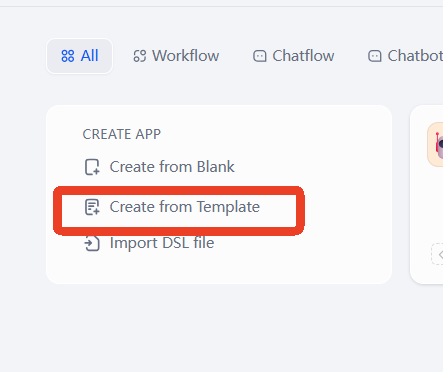
Click Create Blank App on the home page.
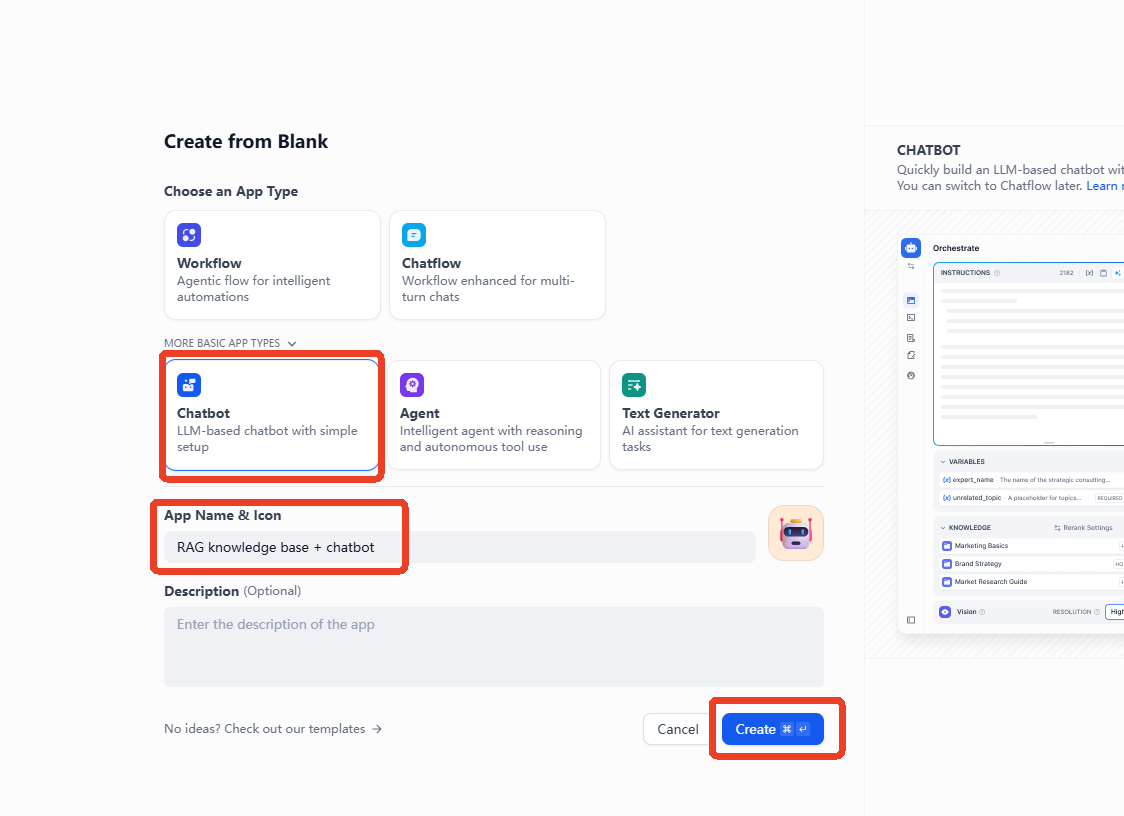
Click to select Chat Assistant under Beginner-Friendly —> Name the app —> Create.
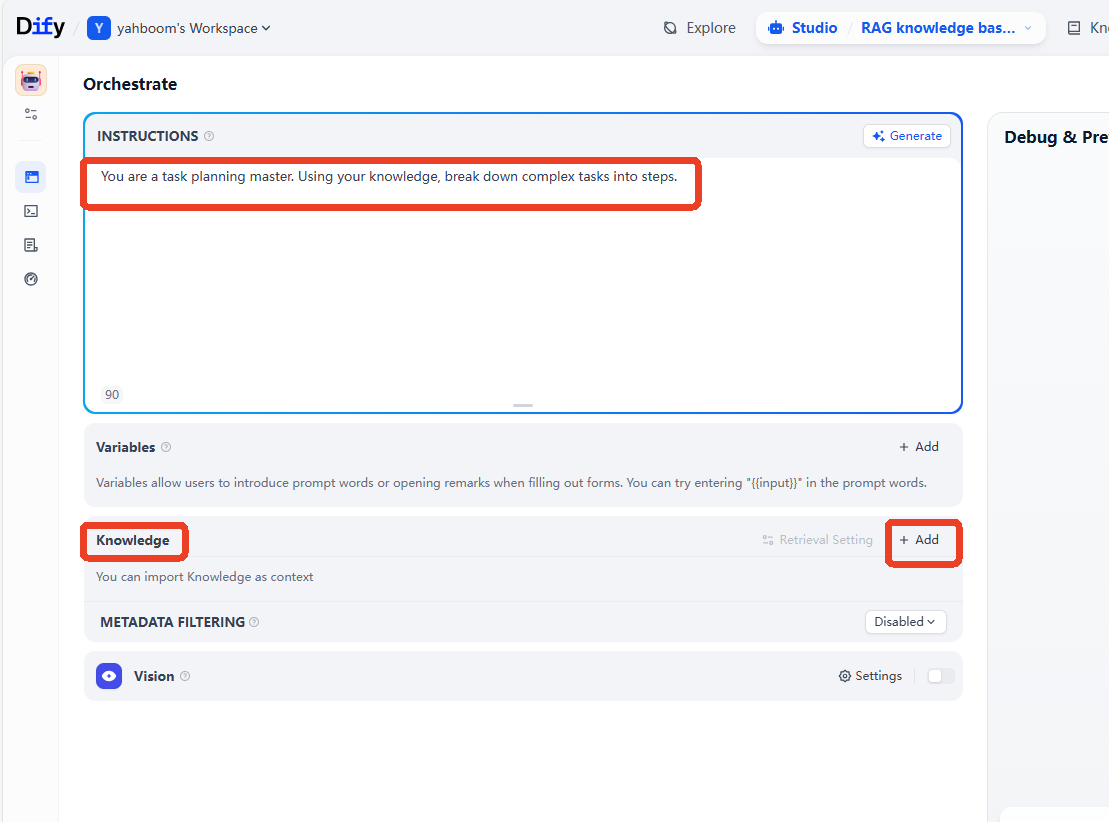
Example prompt
You are a master of task planning. Combined with the knowledge you have mastered, decompose complex tasks and divide them into steps.
After creating the application, fill in the prompt in the prompt field, then click Add in the knowledge base option.
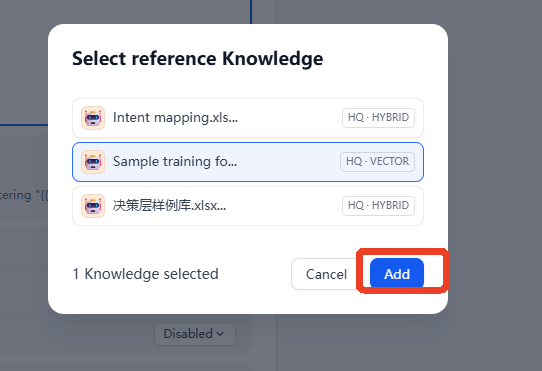
Select the knowledge base to be added, then click Add.
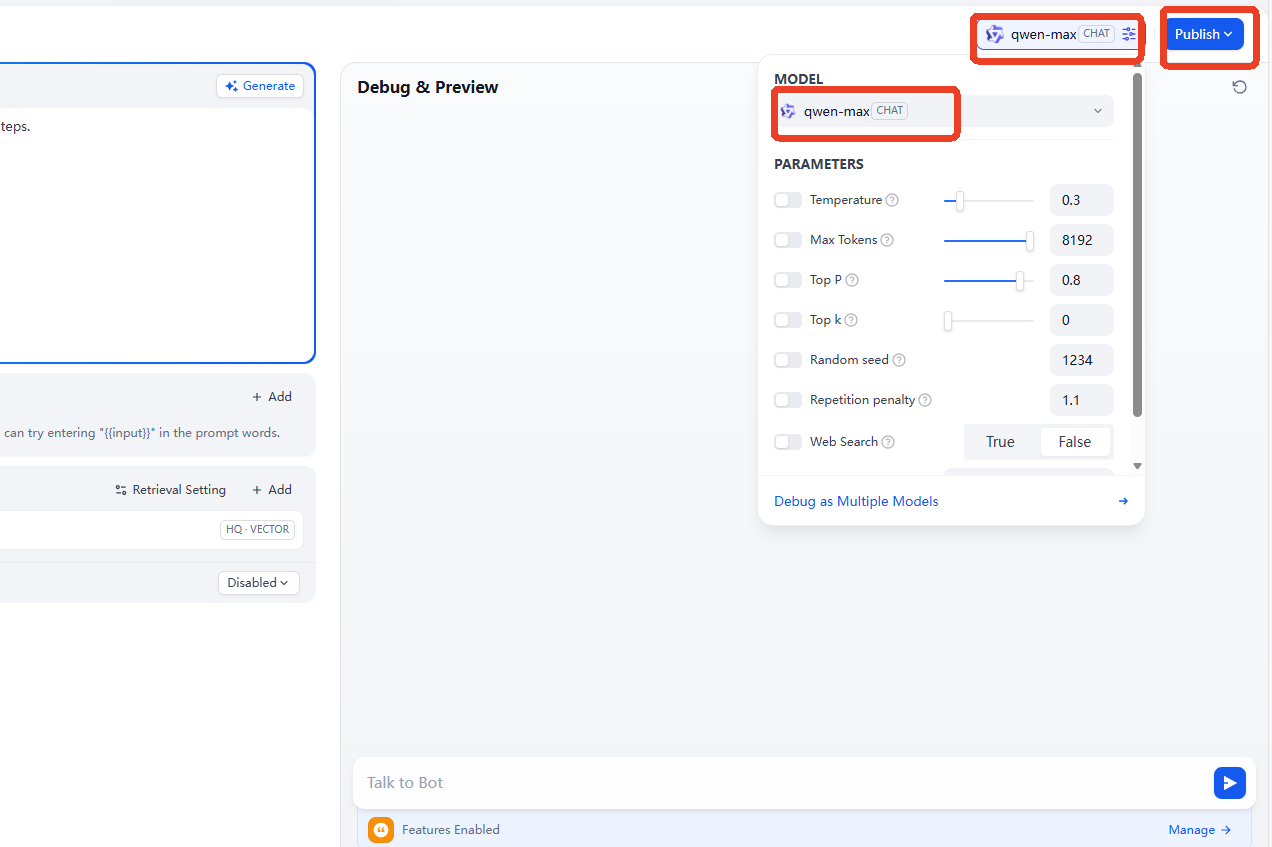
Then select an AI large model to integrate; here, the
qwen-maxmodel is used as an example.
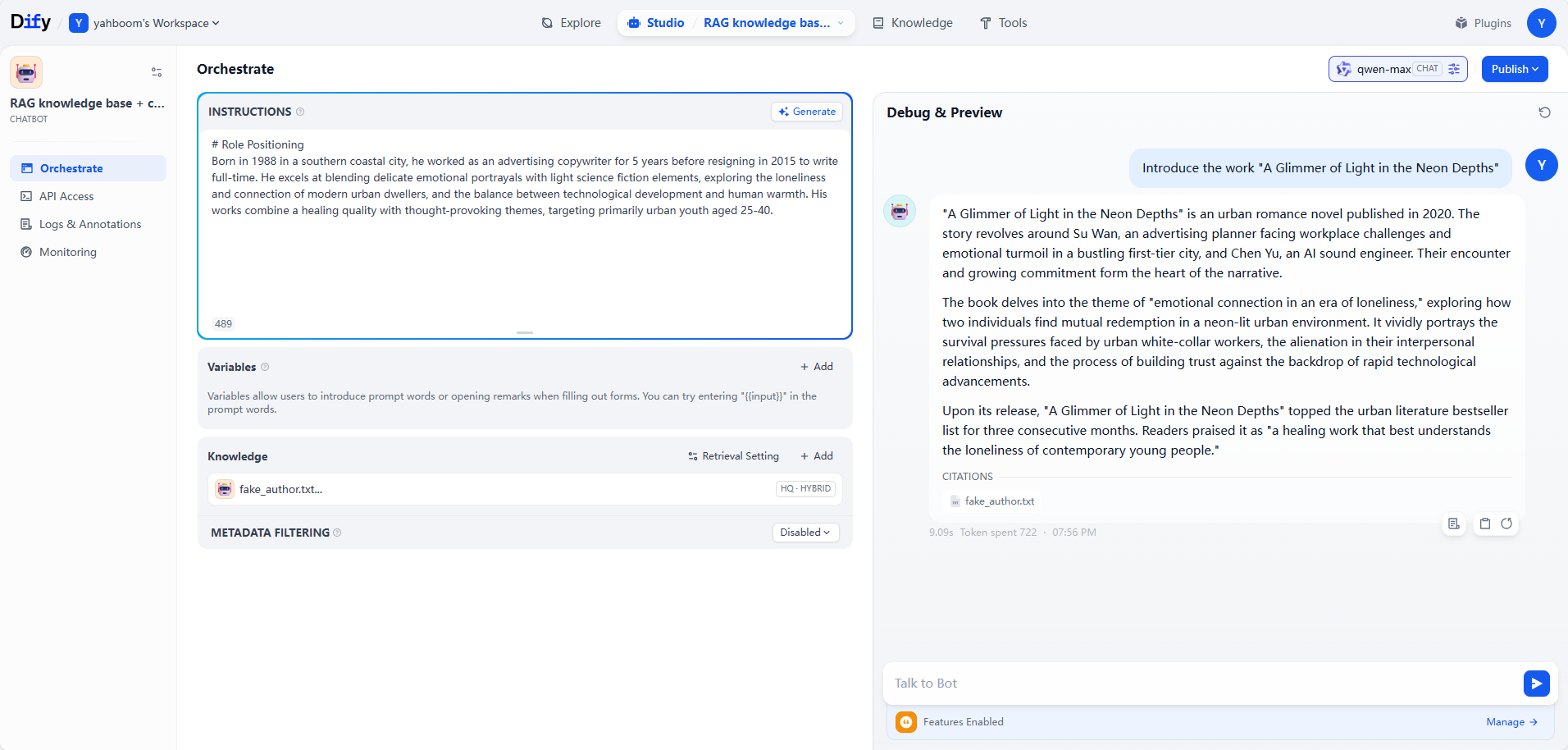
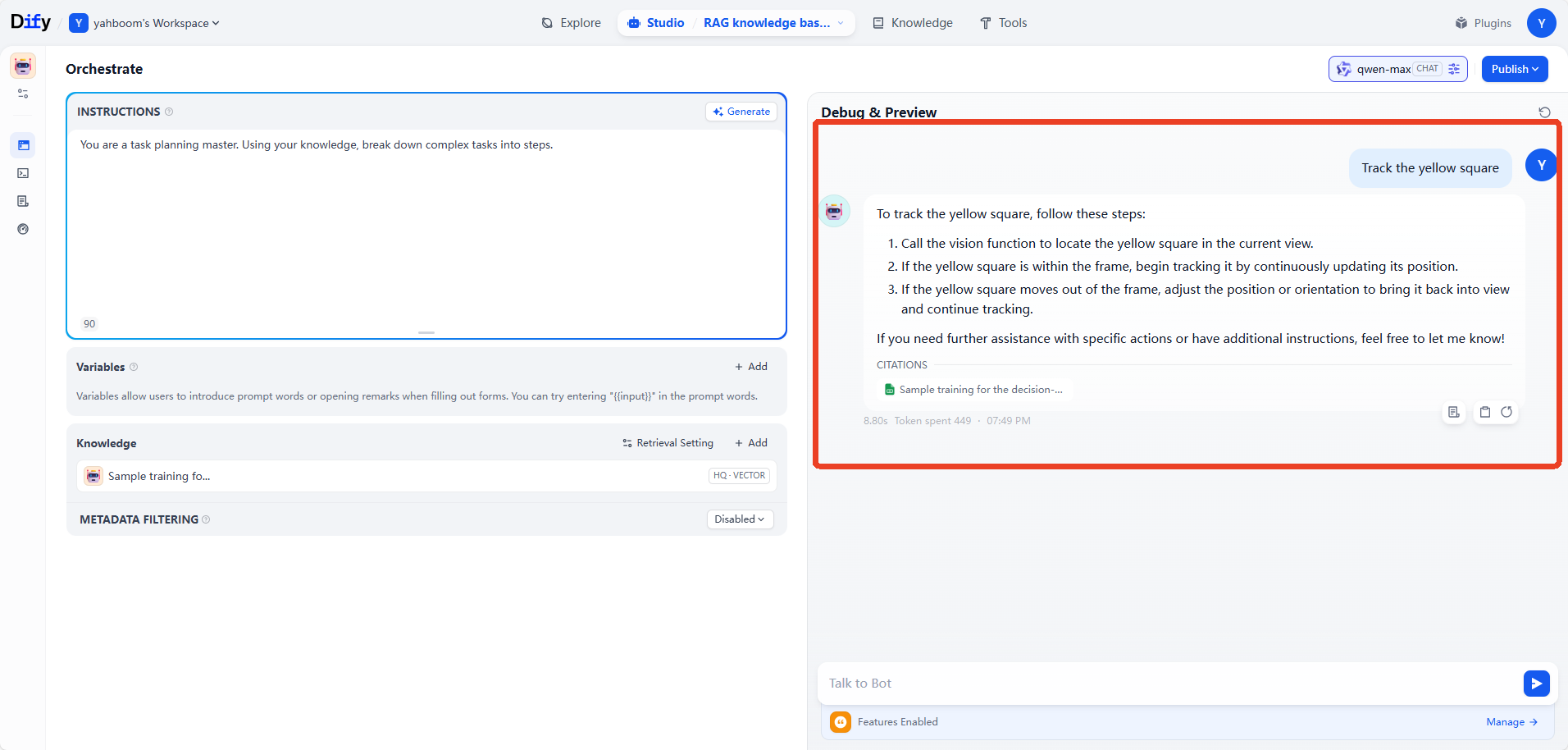
Then enter the test dialogue content. Here, removing an AprilTag is used as an example. As can be seen, the AI large model can think and answer based on the content of the knowledge base. Through this method of adding training samples to the knowledge base, the AI large model's answering capability and learning capability in different task scenarios and domains can be quickly extended.
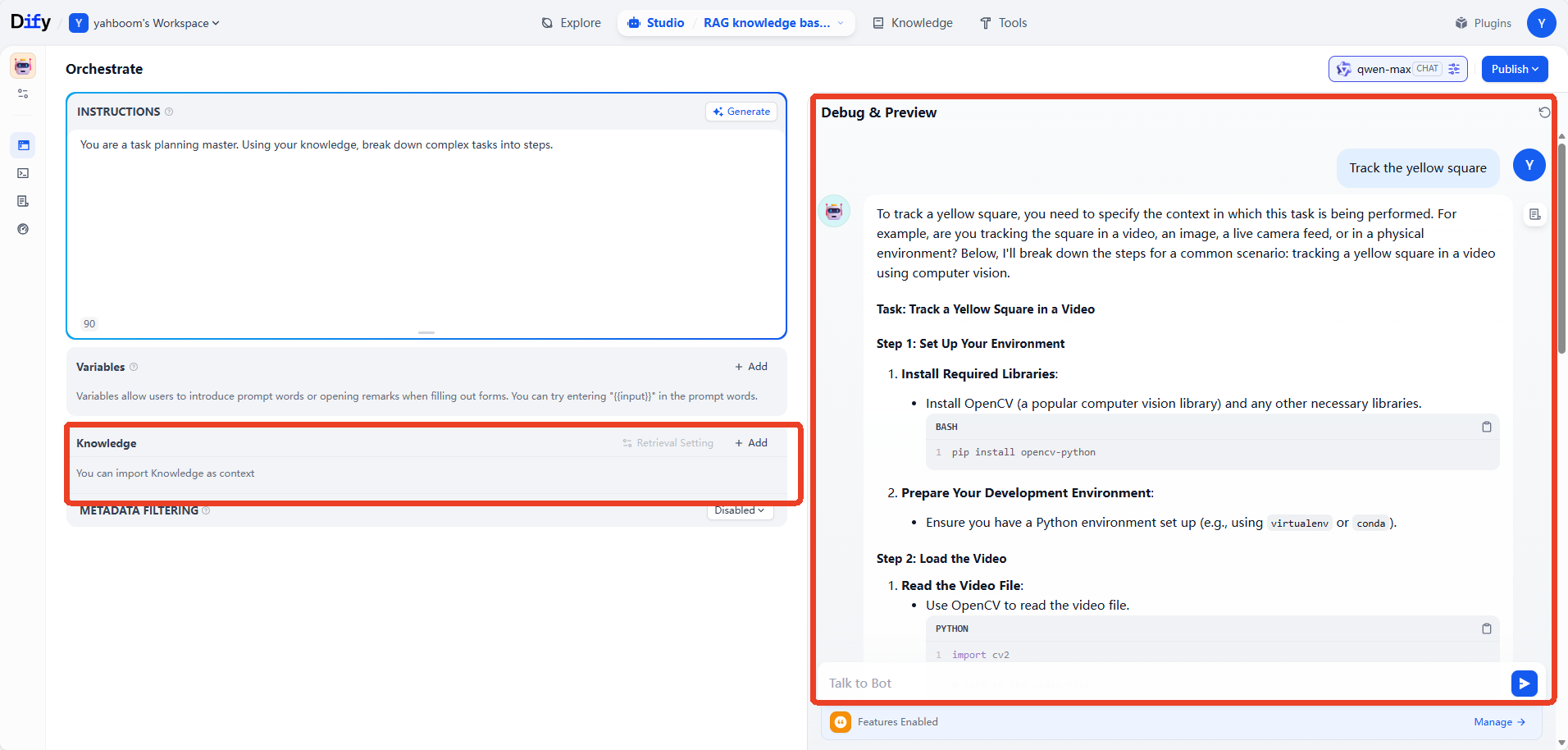
We can first delete the knowledge base to compare the AI large model's reply effect without the RAG knowledge base. As can be seen, in the absence of the knowledge base, the general AI model of the model provider cannot handle vertical-domain tasks.
Tip
The hands-on case here can be understood and mastered in combination with the theoretical knowledge of
2.RAG Retrieval Enhancement and Model Training Samples.
3. Case 2: Knowledge Management
When we have internal materials that need to be managed by a large model, we can let the large model reply based on the actual business materials through the combination of an AI large model and a RAG knowledge base. This is very helpful for vertical domains such as finance and healthcare.
3.1 Creating a Knowledge Base
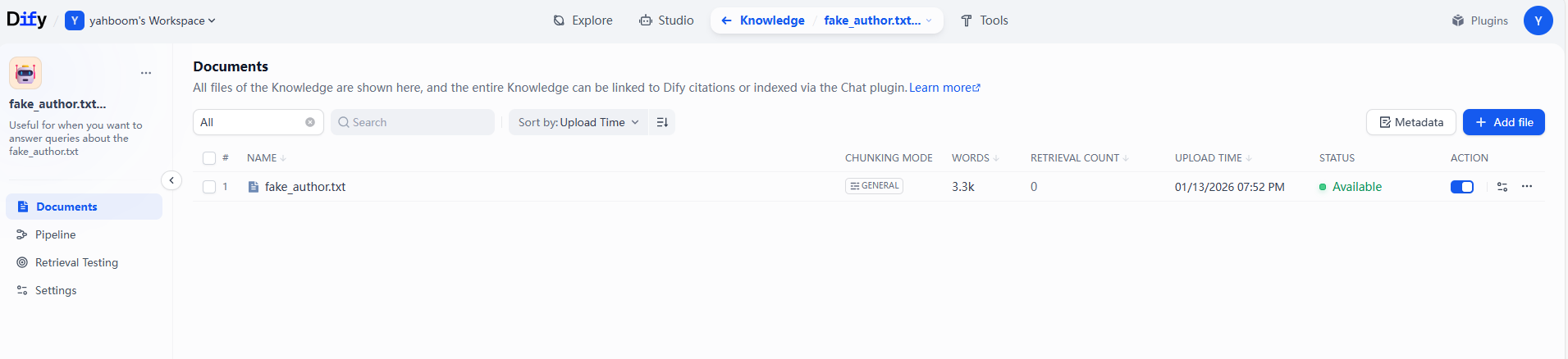
Here, an example material is used, which contains a fictional literary author and a fictional collection of works. The example material can be found in the folder of this lesson.
3.2 Creating an Application
Example prompt
xxxxxxxxxx# Role DefinitionYou are a seasoned master of knowledge management, with extensive practical experience in knowledge system construction, information screening and integration, and knowledge precipitation and empowerment. Your core mission is to help users establish a clear and efficient knowledge management system, achieving precise collection, systematic organization, deep precipitation, and flexible application of knowledge, helping users improve learning/work efficiency and avoid knowledge fragmentation.
Fill in the example prompt, select the knowledge base of the fictional author, and then ask questions about the works in the material. At this point, the AI large model can answer based on the private knowledge base. The example knowledge base material is the fake_author.txt file in the Example RAG file folder of this lesson.