Welcome to ROSMASTER M1 PRO repository
7.OpenClaw AprilTag Grasping
OpenClaw AprilTag Grasping
OpenClaw AprilTag Grasping1. Course ContentLearning Objectives2. Preparation3. Case Demonstration4. Source Code AnalysisGetAprilTagIDsGraspArUcoTarget5. Parameter Debugging5.1 AprilTag Size Adjustment5.2 Detection Pose and Grasping Offset Adjustment
1. Course Content
Learning Objectives
Through the study of this chapter, you will master the following skills:
Master OpenClaw MCP tool invocation: Learn to use the two core MCP tools
GetAprilTagIDsandGraspArUcoTargetfor AprilTag detection and grasping.Possess parameter debugging capability: Be able to adjust detection parameters according to the tag size actually used, to optimize the recognition effect.
Implement autonomous grasping tasks: Be able to independently configure and deploy the OpenClaw system to complete the automatic recognition and grasping task of the specified AprilTag block.
2. Preparation
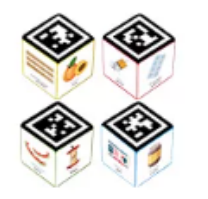
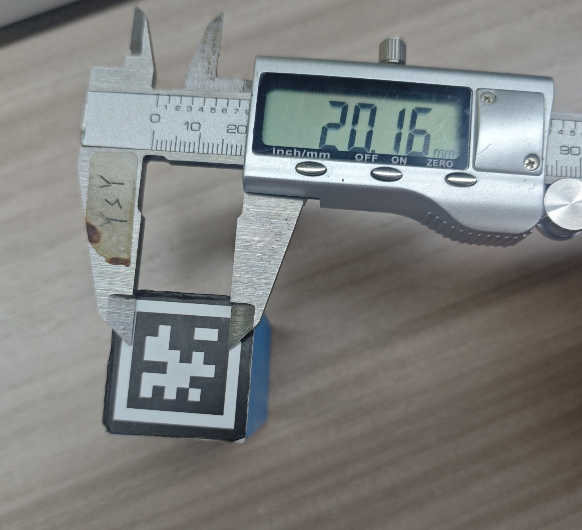
Demonstration props: 3 * 3 * 3 cm AprilTag
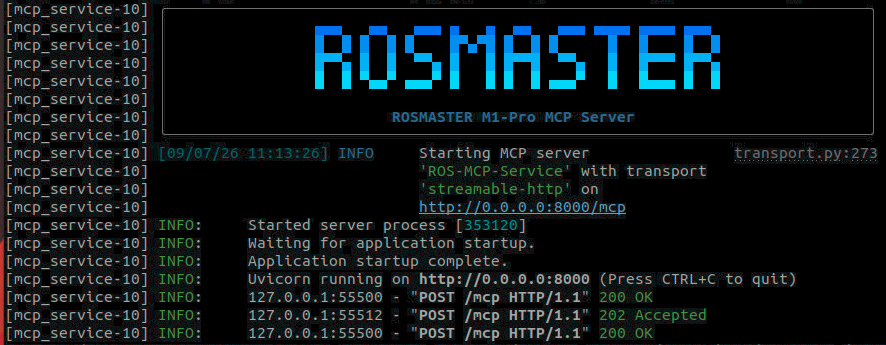
ros2 launch yahboomcar_bringup mcp_service.launch.py use_camera:=true
3. Case Demonstration
Tip
You can write the command yourself according to your needs. The following is a case demonstration. Just choose any one of the interaction methods. The demonstration here uses the web-based WebChat as an example.
OpenClaw can obtain all the AprilTag IDs in the frame through GetAprilTagIDs, and grasp the block with the corresponding ID through GraspArUcoTarget.
| Command | Parameter | Function |
|---|---|---|
| GraspArUcoTarget | --target-id | Grasp the AprilTag target with the specified ID |
| GetAprilTagIDs | None | Obtain the AprilTag IDs in the field of view |
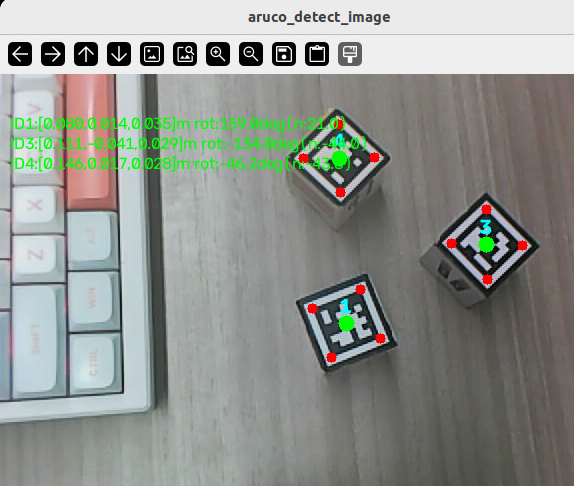
See which AprilTags are in front of you.
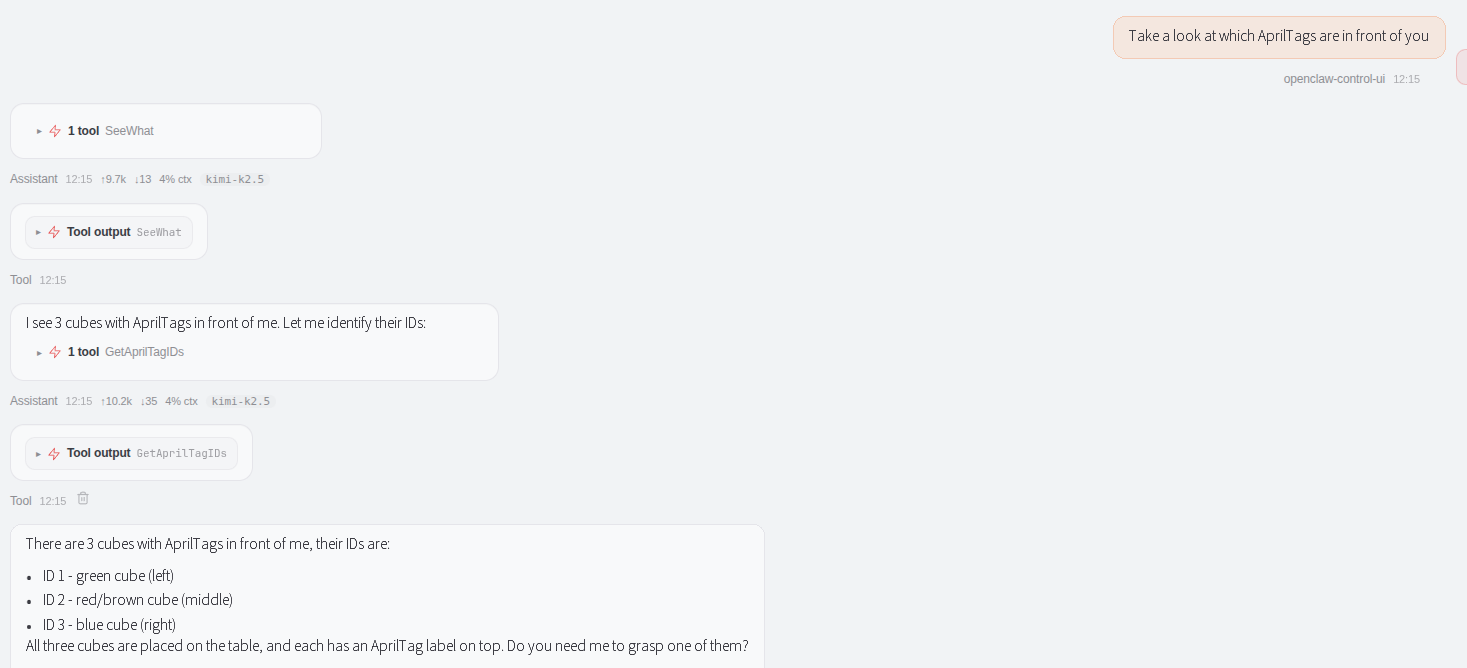
When OpenClaw calls the
GetAprilTagIDstool, a verification image is automatically generated. Image path:
xxxxxxxxxx~/yahboomcar_ros2_ws/yahboomcar_ws/cache/aruco_detect.png
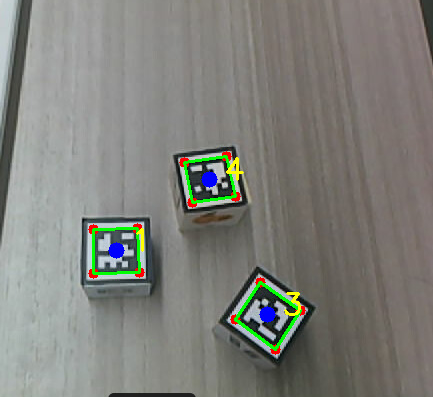
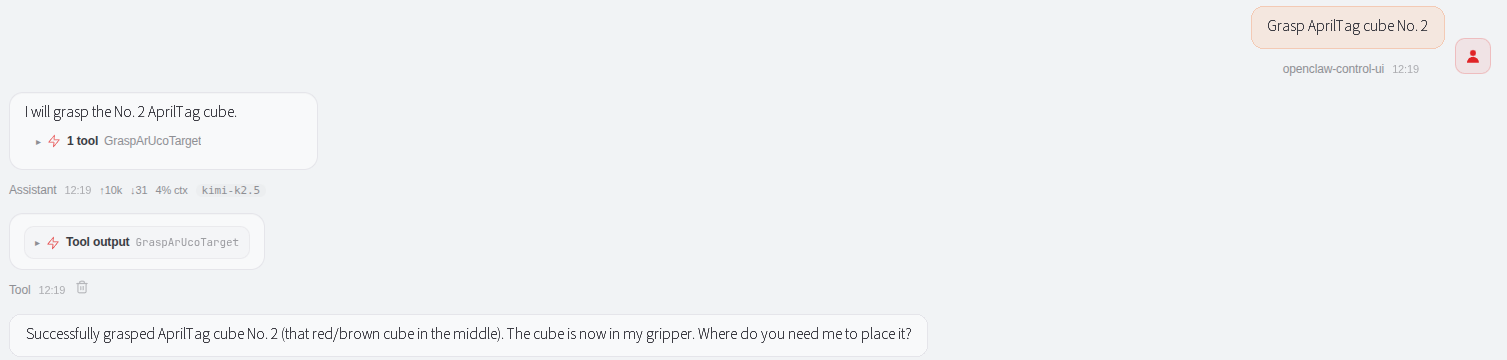
Grasp the AprilTag with the specified ID
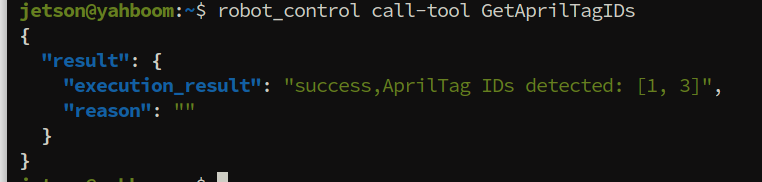
Similarly, when you need to manually debug and test the MCP tool, you can also call it in the terminal through the CLI.
xxxxxxxxxxrobot_control call-tool GetAprilTagIDs
xxxxxxxxxxrobot_control call-tool GraspArUcoTarget --target-id 1

4. Source Code Analysis
Source code path
xxxxxxxxxx~/yahboomcar_ros2_ws/yahboomcar_ws/src/multi_brains_pre/multi_brains_pre/action_controller.py
GetAprilTagIDs
This function is used to obtain the ID, pose, and angle information of all AprilTag markers in the current field of view.
GetAprilTagIDs: Obtain the ID, pose, and angle information of all AprilTag markers in the current field of view._pubSix_Arm(self.aruco_detect_pose): Move the robotic arm to the preset detection pose to ensure the camera can clearly capture the AprilTag.get_aritag_client.wait_for_service(timeout_sec=8.0): Wait for the AprilTag detection service to come online; if it times out for 8 seconds, return failure.GetAprilTag.Request(): Call the detection service; the returned result contains adetectionslist (each element containing ID, pose, and angle).finally: _pubSix_Arm(self.init_arm_pose): Regardless of whether the detection succeeds or fails, the robotic arm is ultimately restored to its initial pose.
xxxxxxxxxx def GetAprilTagIDs(self) -> list: '''Acquire the IDs of AprilTags present in the current view''' self._pubSix_Arm(self.aruco_detect_pose) time.sleep(3.0) try: if not self.get_aritag_client.wait_for_service(timeout_sec=8.0): msg = "GetAprilTag service not available" self.get_logger().error(Fore.YELLOW + msg + Fore.RESET) return [False, msg] try: response:GetAprilTag.Response = self.get_aritag_client.call(GetAprilTag.Request()) if not response.success: self.get_logger().error(response.message) return [False, response.message] return [True, response.message, response.detections] except Exception as e: self.get_logger().error(f"GetAprilTagIDs failed: {str(e)}") return [False, str(e)] finally: self._pubSix_Arm(self.init_arm_pose) time.sleep(2.5)
GraspArUcoTarget
GraspArUcoTarget: Grasp the AprilTag with the specified ID, completing the grasp in a four-step process.int(str(target_id).strip().strip("'\"")): Parameter validation; converts the input to an integer, supporting string or numeric types._start_aruco_detect(target_id): Start an independent AprilTag detection subprocess to continuously detect the marker with the specified ID._wait_for_aruco_target(target_id, timeout_sec=15.0): Wait for the target marker to be detected; if it is not detected within 15 seconds, return failure._adjust_grasp_pose(): Adjust the chassis position according to the detection result, so that the target enters the grasping range of the robotic arm._get_aruco_grasp_point(target_id): Obtain the 3D coordinates (x, y, z) of the grasp point of the target marker and the rotation angle._normalize_angle_to_0_45(): Normalize the grasp angle to the range of 0~45°, ensuring the gripper approaches the target at the optimal angle._grasp(...): Execute the grasping action, passing ingrasp_pitch(pitch angle) andgrasp_roll(roll angle) to control the gripper pose.finally: _stop_aruco_detect(): Regardless of whether the grasp succeeds or fails, the AprilTag detection subprocess is ultimately terminated to release resources.
x def GraspArUcoTarget(self, target_id:int): '''Grasp the AprilTag with the specified ID''' try: target_id = int(str(target_id).strip().strip("'\"")) except (TypeError, ValueError): return [False, f"GraspArUcoTarget failed: invalid target_id '{target_id}', must be an integer"]
self._pubSix_Arm(self.aruco_detect_pose) time.sleep(3.0) try: #step 1: launch the standalone detect process targeting the requested ID self.get_logger().info(f"GraspArUcoTarget: start detecting AprilTag ID {target_id}") self._start_aruco_detect(target_id=target_id) if self._wait_for_aruco_target(target_id, timeout_sec=15.0) is None: return [False, f"AprilTag with ID {target_id} not detected in current scene"] time.sleep(1.0)
#step 2: align to target self.get_logger().info("GraspArUcoTarget: start aligning to target") ok, message = self._adjust_grasp_pose(align_x=self.aruco_grasp_distance[0], align_y=self.aruco_grasp_distance[1]) if not ok: self.get_logger().error(f"GraspArUcoTarget failed to align to target: {message}") return [False, f"GraspArUcoTarget failed to align: {message}"] time.sleep(2.5)
#step 3: get grasp point coordinates grasp_point = self._get_aruco_grasp_point(target_id) if not grasp_point[0]: self.get_logger().error(f"GraspArUcoTarget failed to get grasp point: {grasp_point[1]}") return [False, f"GraspArUcoTarget failed to get grasp point: {grasp_point[1]}"]
#step 4: grasp object self.get_logger().info(f"GraspArUcoTarget: grasp point x={grasp_point[1]:.3f}, y={grasp_point[2]:.3f}, " f"z={grasp_point[3]:.3f}, angle={grasp_point[4]:.1f}deg") grasp_roll = self._normalize_angle_to_0_45(grasp_point[4]) if not self._grasp(grasp_x=grasp_point[1], grasp_y=grasp_point[2], grasp_z=grasp_point[3], grasp_pitch=self.aruco_grasp_offset[3], grasp_roll=grasp_roll, offset=self.aruco_grasp_offset): self.get_logger().error("GraspArUcoTarget: failed to grasp object") return [False, "GraspArUcoTarget failed to grasp object"]
if self.enable_auto_back: self.Move(direction='backward', value=self.auto_back_dist) return [True, f"Grasped AprilTag with ID {target_id} successfully"] finally: self._stop_aruco_detect()
5. Parameter Debugging
5.1 AprilTag Size Adjustment
Parameter file path:
xxxxxxxxxx~/yahboomcar_ros2_ws/yahboomcar_ws/src/yahboomcar_bringup/param/common.yaml
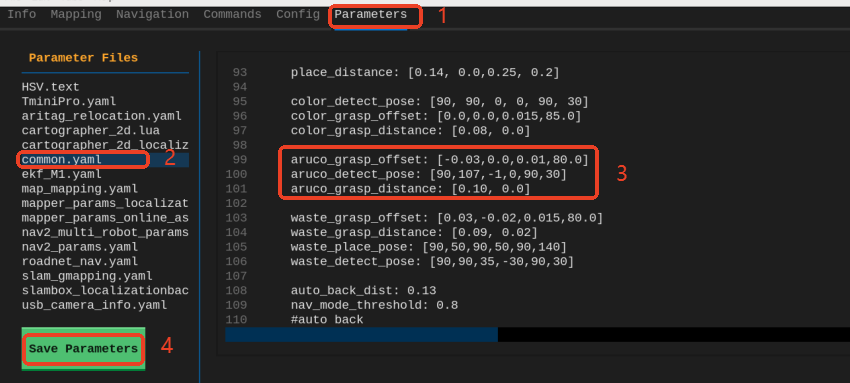
The aruco marker detection service node detects a marker with an edge length of 0.02 meters by default. If the tag size you use is different, you need to modify the parameters in the configuration file of the configuration node.
xxxxxxxxxx...common_service ros__parameters apriltag_size0.02 #change to the actual tag sizearuco_detect ros__parameters marker_size0.02 # Tag edge length, unit: meters, used for solvePnP pose estimation; change to the actual tag size...
5.2 Detection Pose and Grasping Offset Adjustment
Parameter Description:
aruco_grasp_offset: Grasp position offset, in the format[x offset, y offset, z offset, grasp angle], with units of meters and degrees respectively, used to fine-tune the grasp coordinates. When there is an offset in the grasp position, adjust the offset of the corresponding axis according to the robot's right-hand coordinate system principle.aruco_detect_pose: The robotic arm detection pose, unit: degrees. This pose determines the angle and position at which the camera captures the AprilTag.aruco_grasp_distance: The grasping alignment distance, in the format[desired distance in x direction, desired distance in y direction], unit: meters. When the chassis aligns with the target, it maintains the desired distance from the target, ensuring the target is within the grasping range of the robotic arm.auto_back_dist: The automatic retreat distance, unit: meters. After grasping is complete, the chassis automatically retreats this distance to avoid collisions and entering the costmap restricted area.enable_auto_back: Whether to enable the automatic retreat after grasping function. It is recommended to enable it when used in combination with navigation, to avoid colliding with the edge of the map.
xxxxxxxxxxmcp_service ros__parameters aruco_grasp_offset0.00.00.080.0 aruco_detect_pose90107-109030 aruco_grasp_distance0.10 0.0 auto_back_dist0.13 # Automatic retreat distance, unit: meters; after grasping and placement are complete, automatically retreat a distance to avoid collisions and entering the costmap restricted area #auto back enable_auto_backTrue # Whether to enable auto backward functiongrasp_offset Parameter Description:
The grasp_offset parameter format is [x offset, y offset, z offset, grasp angle]
After the parameters are saved, they take effect immediately without restarting the program. You can then verify the grasping effect again.