Welcome to ROSMASTER M1 PRO repository
13.Slam-Toolbox Localization Navigation
slam_toolbox Localization Navigation
slam_toolbox Localization Navigation1. Course Content2. Principle Introduction2.1 Introduction2.2 Differences Between the Two Localization Methods3. Preparation5. Quick Relocalization5.1 Odometry Accumulated Error5.2 Robot Kidnapping and Transportation6. Source Code Analysis6.1 Viewing the TF Tree6.2 Launch File
1. Course Content
Run the example program to navigate using slam_toolbox localization mode, and quickly recover the robot's precise localization after the robot is kidnapped.
2. Principle Introduction
2.1 Introduction
The default localization algorithm of Navigation 2 is AMCL (Adaptive Monte Carlo Localization). Here the default AMCL localization method is replaced with slam_toolbox pure localization, while other navigation functions remain unchanged.
2.2 Differences Between the Two Localization Methods
AMCL: suitable for scenarios with a known map. For example, in an indoor environment where a map has already been built, the robot can use AMCL to determine its own position when performing repetitive tasks or navigation.
slam_toolbox: compared with AMCL's particle-filter localization, which must estimate the position through a probability distribution while moving, slam_toolbox pure localization can use the pose map to perform fast scan-map matching and solve for a precise global position.
3. Preparation
A grid map and a pose map in posegraph format are required. To build a pose map in posegraph format, refer to the 【Slam-Toolbox Mapping】 chapter
Method 1 — Start navigation through the UI panel:
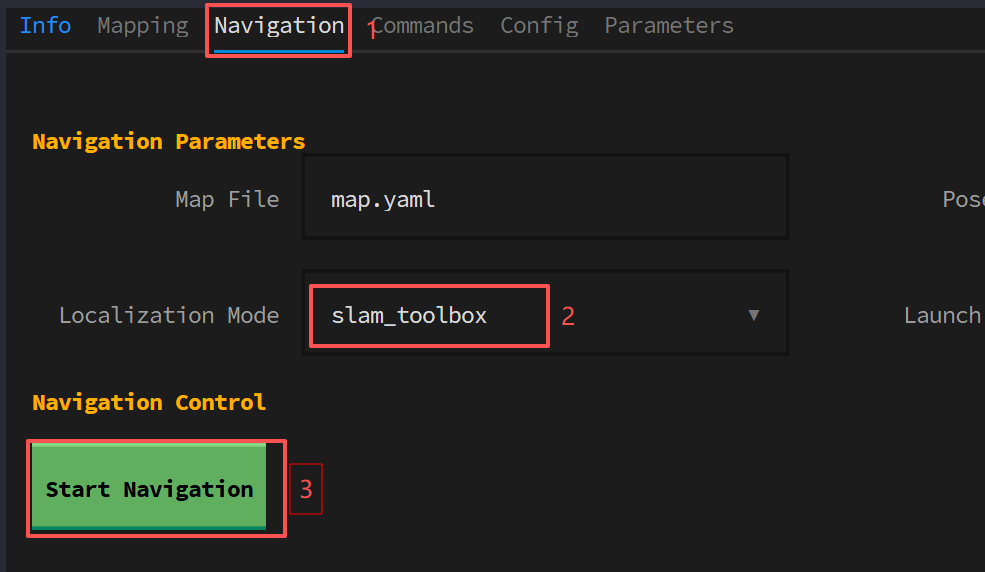
Method 2 — Start navigation through the CLI command line:
xxxxxxxxxxros2 launch yahboomcar_bringup nav2.launch.py localization_mode:=slam_toolbox
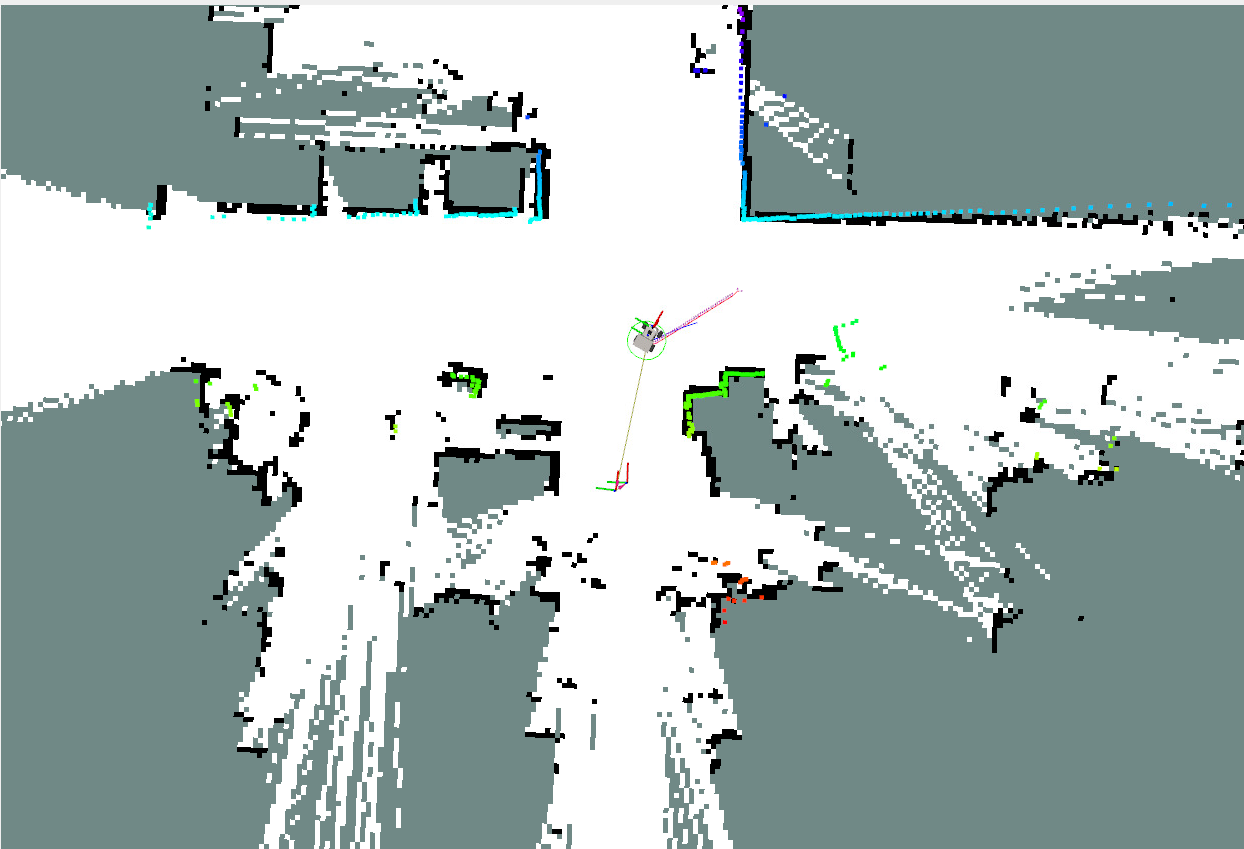
Near the map origin, localization can be completed without giving an initial position
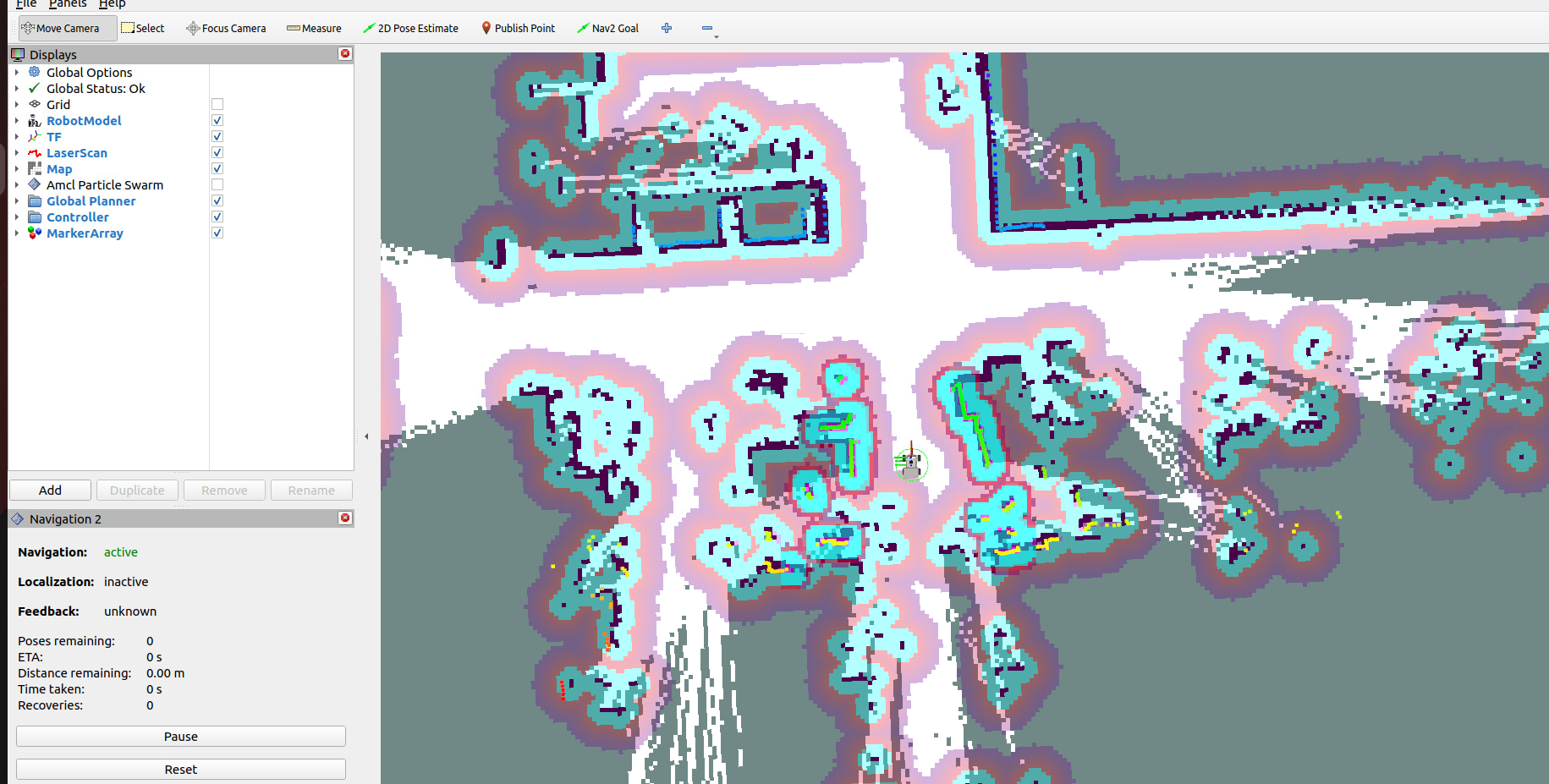
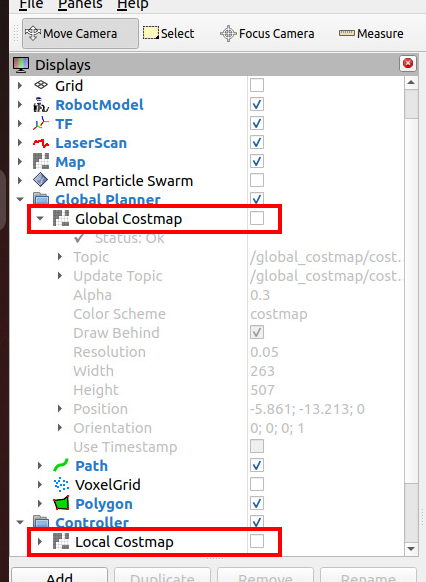
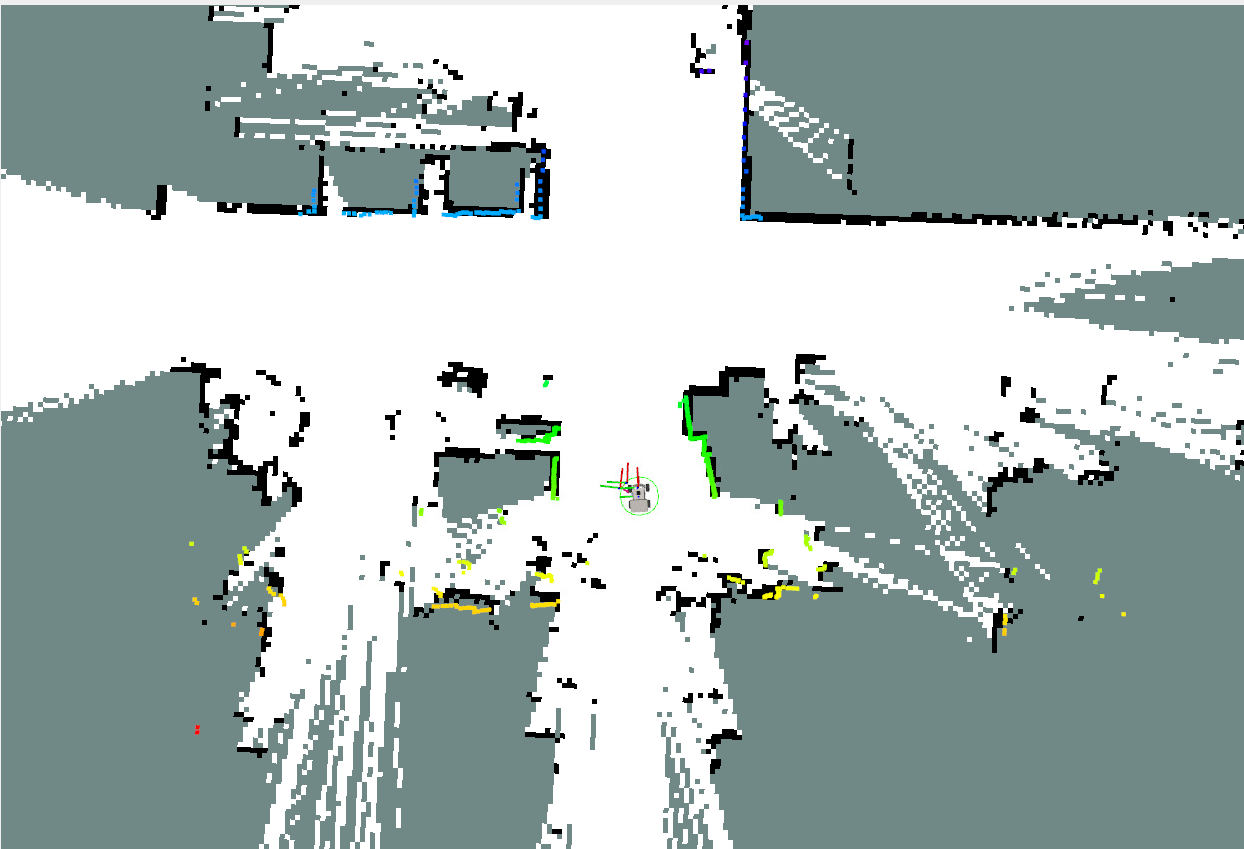
In the left toolbar, you can uncheck the global costmap and local costmap to observe the laser point cloud and environmental contours more clearly
The navigation method still specifies the goal pose through
Nav2 goal
5. Quick Relocalization
5.1 Odometry Accumulated Error
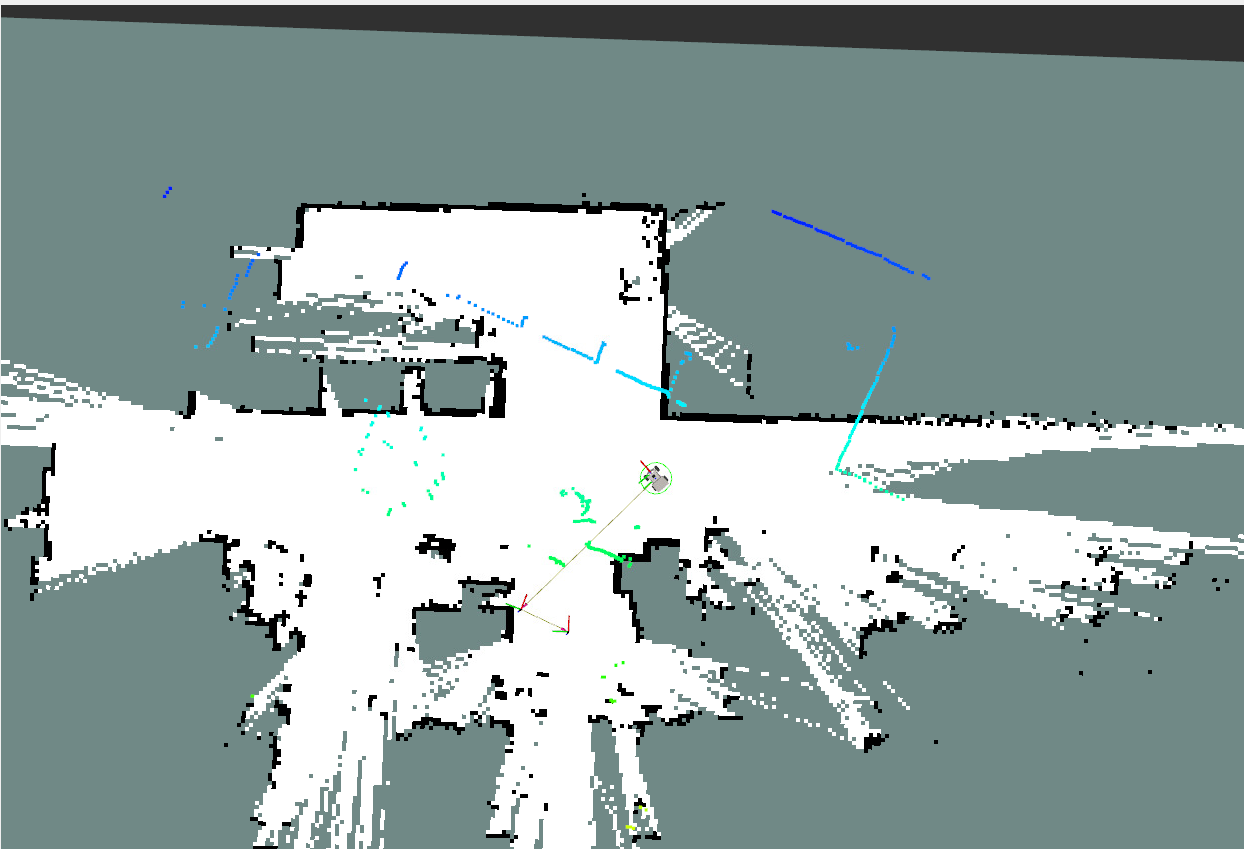
The odometry may cause local localization errors due to accumulated error or wheel slippage; at this point the laser point cloud and the environmental contours no longer match, as shown below:
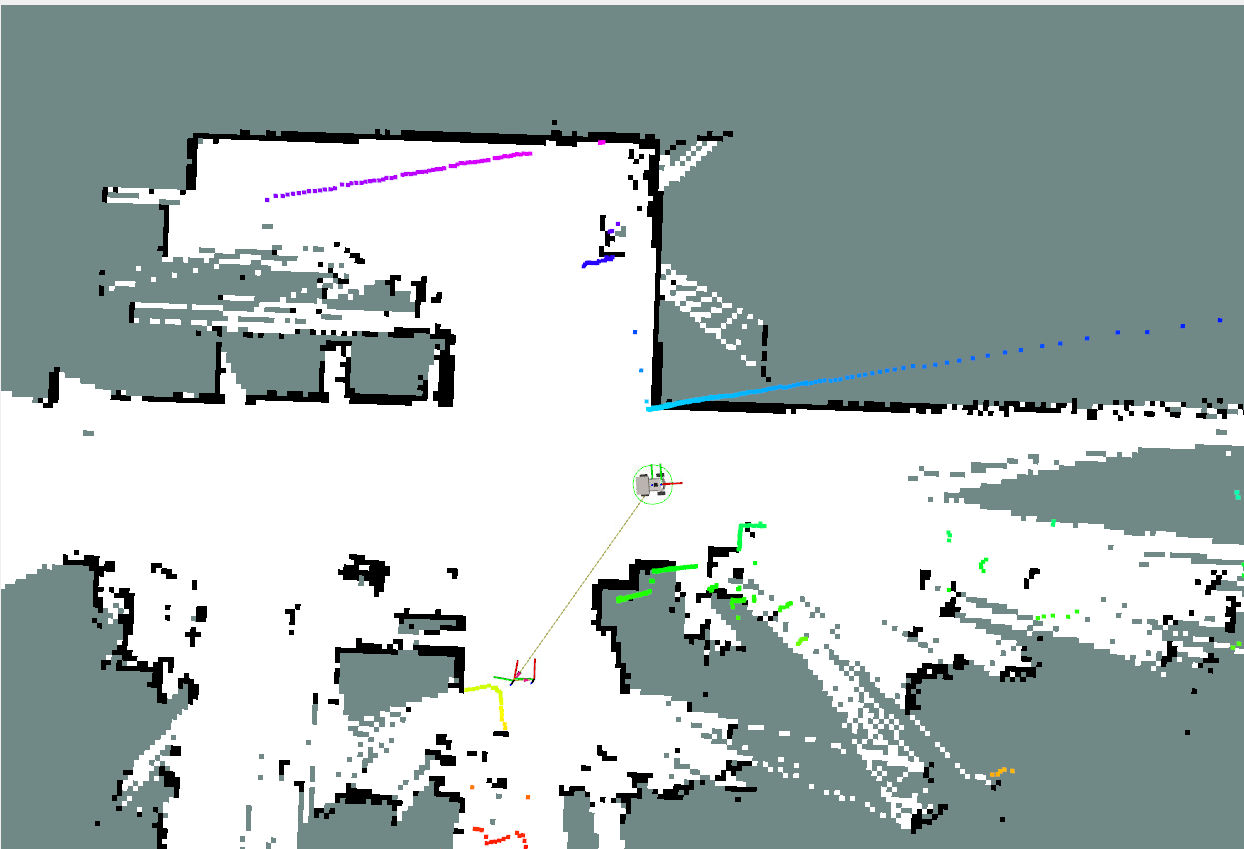
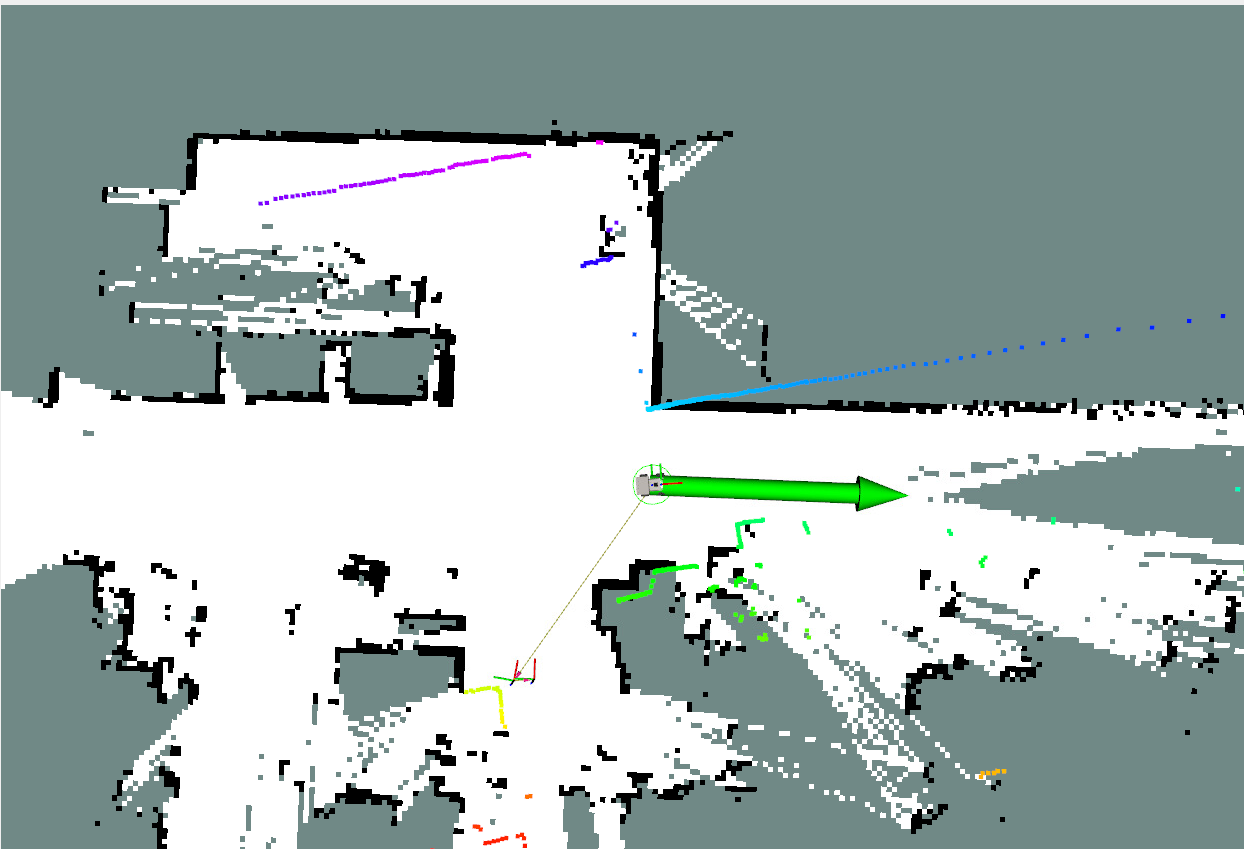
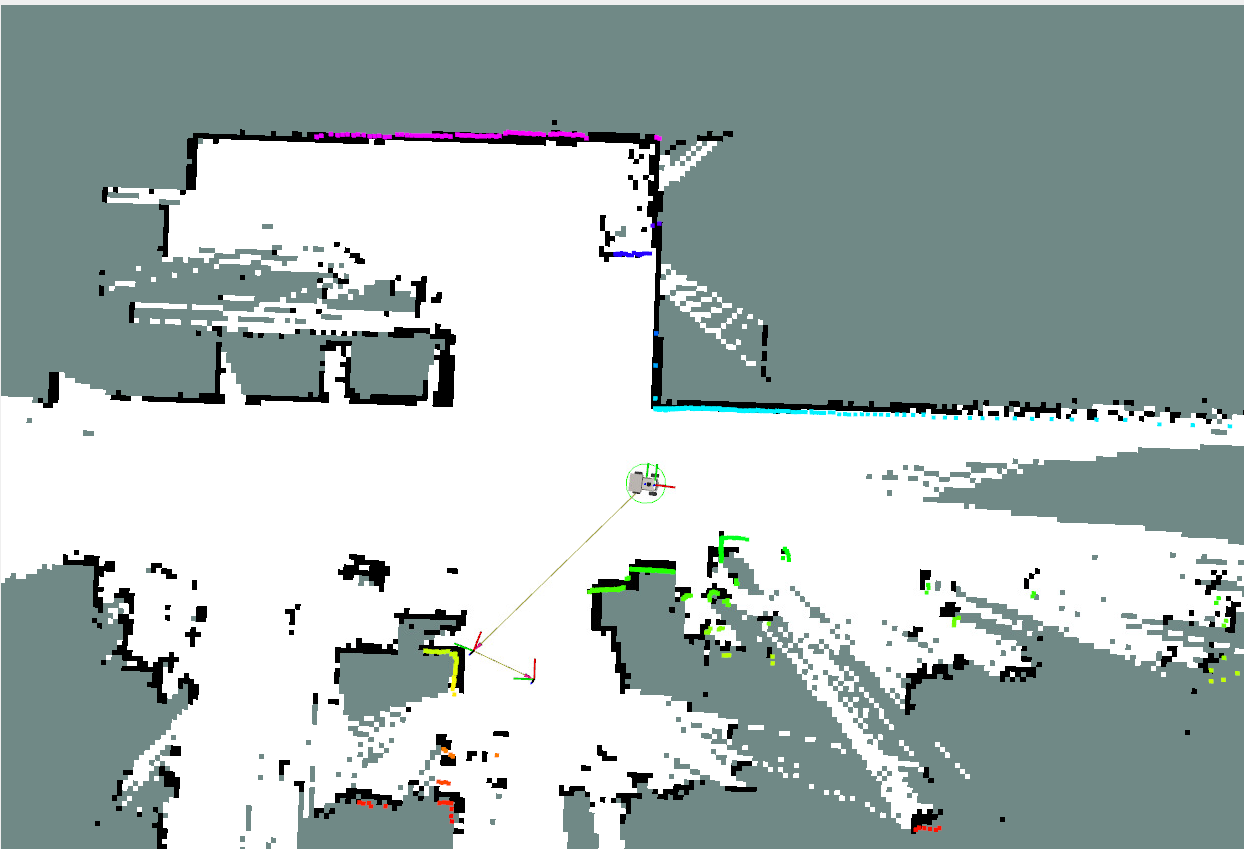
Using the pose map, you only need to use the
2D Pose Estimatetool to give an approximate pose to complete precise localization.
5.2 Robot Kidnapping and Transportation
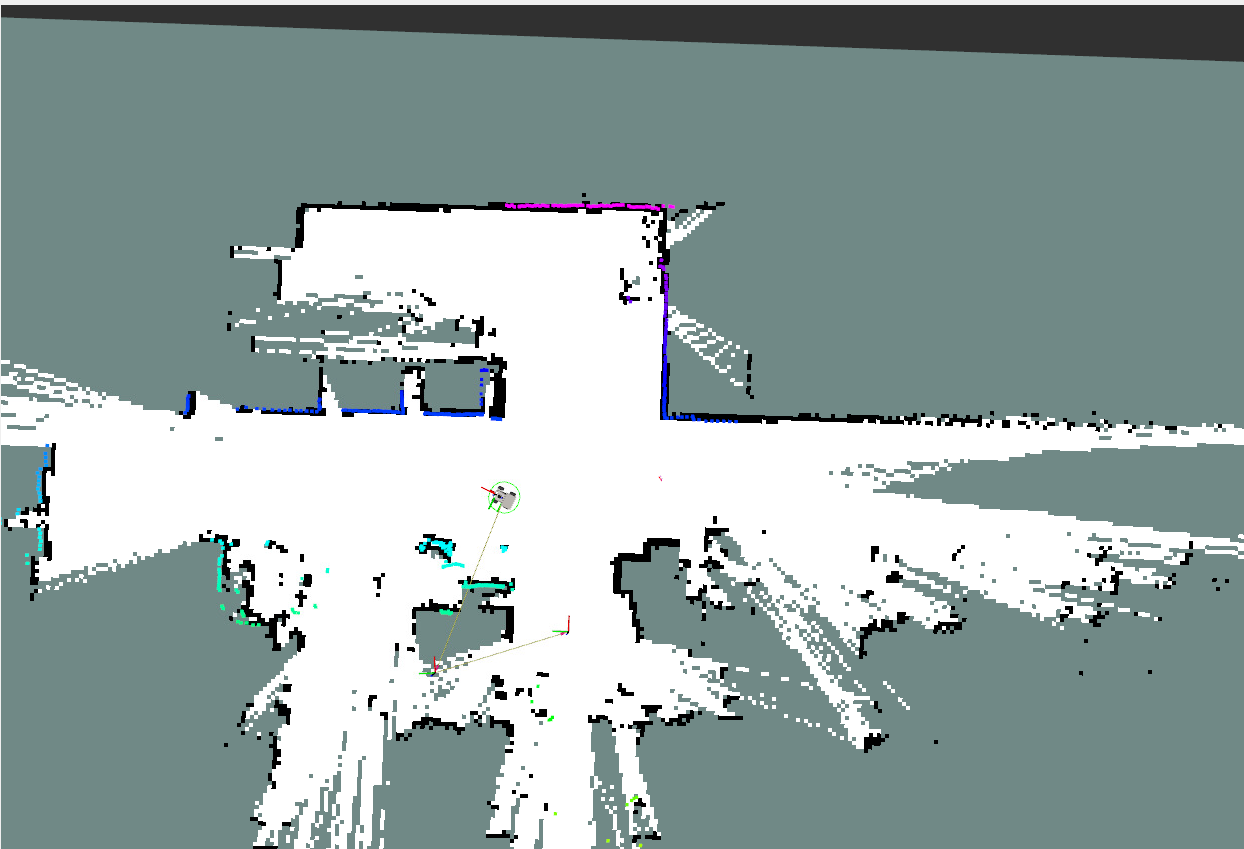
When the robot loses its global position after being moved by external force, this kind of localization solving problem is called the robot kidnapping problem. Here, the global localization is restored through the pose graph by manually giving an approximate position.
Important
In subsequent courses on road network planning navigation, recording map mapping files, and recording relocalization marker codes, this method is often used to quickly move the robot within the map and restore localization
Similarly, you only need to use the
2D Pose Estimatetool to give an approximate pose to complete precise localization.
6. Source Code Analysis
6.1 Viewing the TF Tree
Input in the terminal:
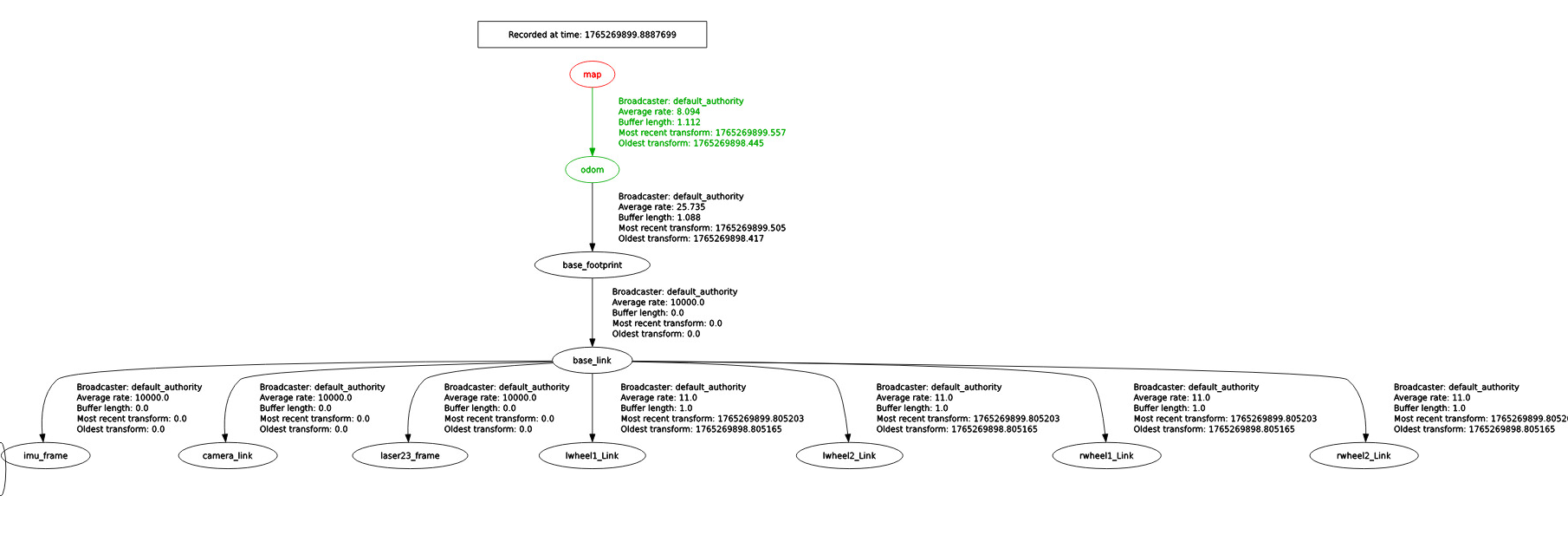
xxxxxxxxxxros2 run rqt_tf_tree rqt_tf_treeHere, the TF transform from the map coordinate frame to the odom coordinate frame in the TF tree is provided by slam_toolbox.
6.2 Launch File
launch file path
xxxxxxxxxx~/yahboomcar_ros2_ws/yahboomcar_ws/src/yahboomcar_bringup/launch/nav2.launch.py
The key program snippet is as follows, which starts the navigation2 navigation stack nodes and the slam_toolbox pure localization node
xxxxxxxxxx slam_toolbox_localization_nav = GroupAction( condition=IfCondition(PythonExpression(["'", localization_mode, "' == 'slam_toolbox' and '", slam, "' == 'False' "])), actions=[ IncludeLaunchDescription( PythonLaunchDescriptionSource(nav2_launch_mod), launch_arguments={ "map": map_file, "params_file": params_file, "use_sim_time": "False", "log_level": log_level, }.items()), Node( package='slam_toolbox', executable='localization_slam_toolbox_node', name='slam_toolbox', parameters=[ os.path.join(bringup_dir,'param','mapper_params_localization.yaml'), {'use_sim_time': False}, {'map_file_name': pose_map} ], arguments=['--ros-args','--log-level','warn'], output='screen') ] )
Parameter file path; if you need to configure the slam_toolbox parameters for pure localization mode, the path is as follows
xxxxxxxxxx~/yahboomM3_ws/user_ws/src/m3_bringup/config/mapper_params_localization.yaml
xslam_toolbox ros__parameters solver_pluginsolver_pluginsCeresSolver ceres_linear_solverSPARSE_NORMAL_CHOLESKY ceres_preconditionerSCHUR_JACOBI ceres_trust_strategyLEVENBERG_MARQUARDT ceres_dogleg_typeTRADITIONAL_DOGLEG ceres_loss_functionNone
# ROS Parameters odom_frameodom map_framemap base_framebase_footprint scan_topic/scan modelocalization #localization
# if you'd like to start localizing on bringup in a map and pose map_file_name"" #map_start_pose: [5.0, 1.0, 0.0] map_start_at_docktrue debug_loggingfalse throttle_scans1 transform_publish_period0.02 #if 0 never publishes odometry map_update_interval5.0 resolution0.05 min_laser_range0.05 #for rastering images max_laser_range12.0 #for rastering images minimum_time_interval0.5 transform_timeout0.2 tf_buffer_duration30. stack_size_to_use40000000 #// program needs a larger stack size to serialize large maps
# General Parameters use_scan_matchingtrue use_scan_barycentertrue minimum_travel_distance0.5 minimum_travel_heading0.5 scan_buffer_size3 scan_buffer_maximum_scan_distance10.0 link_match_minimum_response_fine0.1 link_scan_maximum_distance1.5 do_loop_closingtrue loop_match_minimum_chain_size3 loop_match_maximum_variance_coarse3.0 loop_match_minimum_response_coarse0.35 loop_match_minimum_response_fine0.45
# Correlation Parameters - Correlation Parameters correlation_search_space_dimension0.5 correlation_search_space_resolution0.01 correlation_search_space_smear_deviation0.1
# Correlation Parameters - Loop Closure Parameters loop_search_space_dimension8.0 loop_search_space_resolution0.05 loop_search_space_smear_deviation0.03 loop_search_maximum_distance3.0
# Scan Matcher Parameters distance_variance_penalty0.5 angle_variance_penalty1.0
fine_search_angle_offset0.00349 coarse_search_angle_offset0.349 coarse_angle_resolution0.0349 minimum_angle_penalty0.9 minimum_distance_penalty0.5 use_response_expansiontrue min_pass_through2 occupancy_threshold0.1