Welcome to ROSMASTER M1 PRO repository
16.Transformer Model Tracking Algorithm
Transformer Model Tracking Algorithm
Transformer Model Tracking Algorithm1. Course Content2. Preparation3. Case Demonstration4. Source Code Analysis5.Attachments
1. Course Content
The function implemented in this lesson can be simply understood as: use the mouse to box-select any object, perform real-time inference based on a Transformer deep learning model, and have the robotic arm track the target's movement.
Unlike traditional tracking algorithms based on color threshold segmentation or handcrafted feature filtering (such as KCF), this case adopts a high-performance general single-object tracking algorithm (Super Tracker) based on a Transformer deep neural network. For any unknown object (whether a wooden block, human face, hand, doll, or personal belonging), it has extremely outstanding capabilities against abrupt light/shadow changes, deformation, and background clutter interference. The robotic arm adaptively controls the base rotation and wrist-arm pitch in a closed loop through visual servoing, so that the tracked object is always locked in the center of the camera's field of view.
Important
The functions of the depth camera and the USB camera will differ: the target tracking function is the same, but the depth camera will segment out the point cloud of the target object and publish the target's spatial position, whereas the USB monocular camera only has the tracking function and does not have the point cloud segmentation function
Raspberry Pi motherboards and RDK motherboards cannot use the GPU for acceleration; the frame rate when tracking the target is relatively low and the tracking effect is poor, at about 1FPS, while the average frame rate of the Orin motherboard is 20+ FPS
2. Preparation
ros2 launch yahboomcar_bringup arm_demo.launch.py demo:=transformer_tracker
3. Case Demonstration
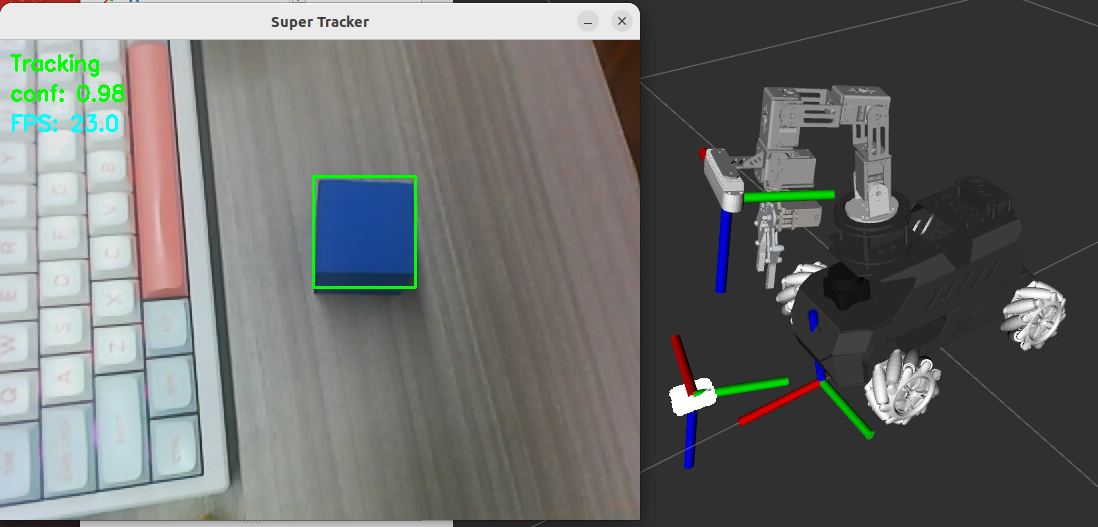
In the Super Tracker window, press c to enter the box-selection state, use the mouse to draw a box around the target object to be tracked, and press Enter to confirm
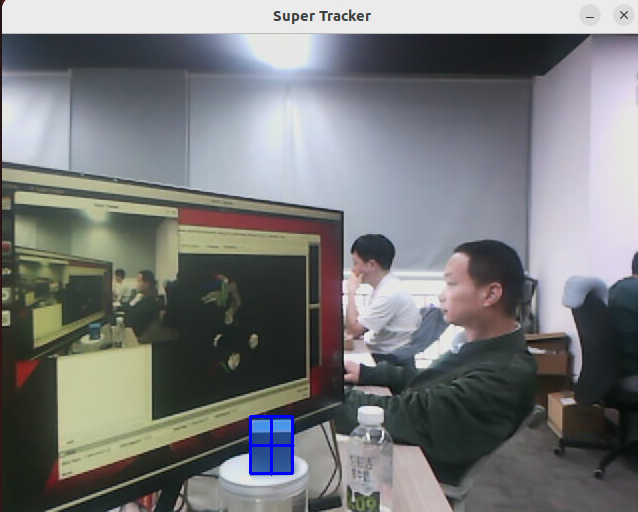
It then enters the tracking state, and the robotic arm controls the camera to track the target
Note
Since the Raspberry Pi and RDK X5 motherboards use CPU inference, the tracking frame rate is relatively low; move the object as slowly as possible
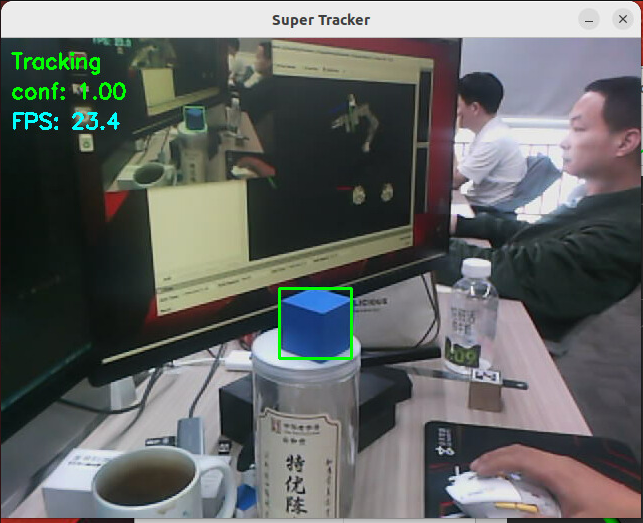
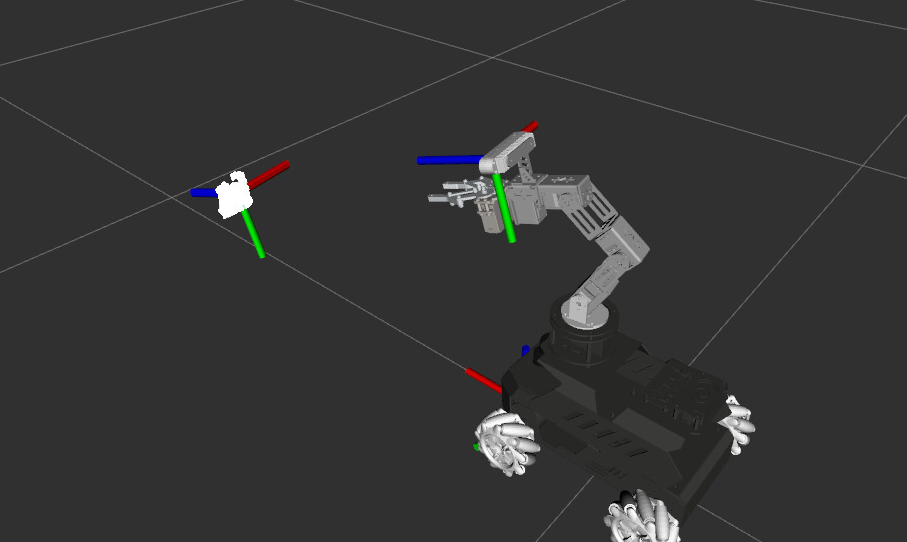
If it is a depth camera, in the tracking state the point cloud of the target object will be segmented out through PCL, which can be seen in rviz
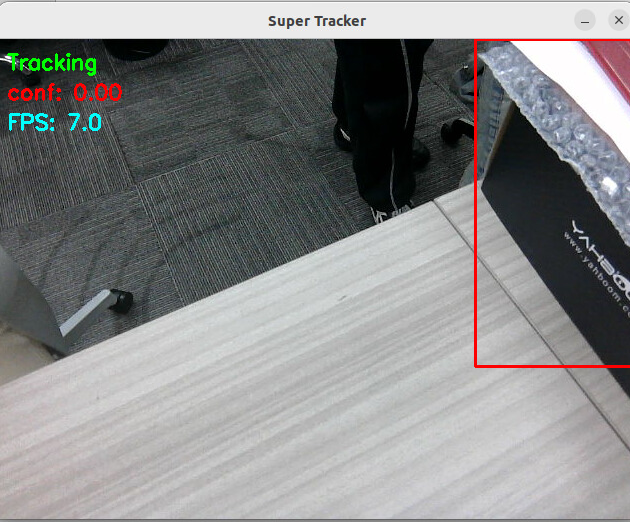
If the target's confidence is too low during tracking, the tracking box will turn red, the robotic arm stops moving and begins to search for the target, and when the target appears in the field of view again, it will automatically find the target again
When the viewing angle of the tracked object in the image changes, the tracking box also undergoes adaptive deformation
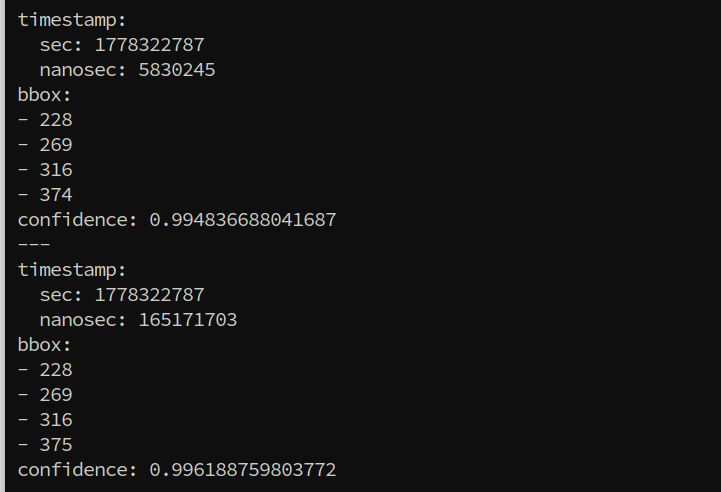
During tracking, the node will publish the ROI border coordinates and confidence of the target object on the
/tracking_bboxtopic, which can be viewed with the following command
xxxxxxxxxxros2 topic echo /tracking_bbox
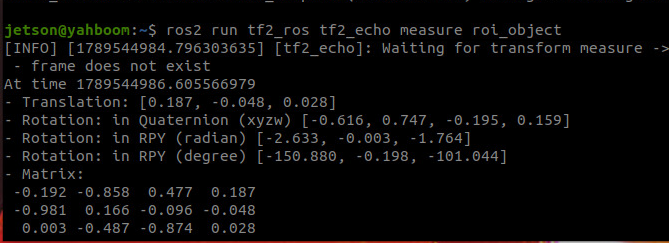
If you need to obtain the spatial coordinates of the centroid of the target object's point cloud in the car's measure coordinate frame, you can query it with the following command (depth camera only)
xxxxxxxxxxros2 run tf2_ros tf2_echo measure roi_object
Here Translation is the x, y, z coordinates of the centroid of the target object's point cloud in the measure coordinate frame
When you need to cancel tracking of the object, you can cancel it by requesting a service:
xxxxxxxxxxros2 service call /cancel_track smart_tracker/srv/CancelTrack "{}"

4. Source Code Analysis
super_tracker launch file path:
xxxxxxxxxx~/yahboomcar_ros2_ws/yahboomcar_ws/src/yahboomcar_bringup/launch/arm_demo.launch.py~/yahboomcar_ros2_ws/yahboomcar_ws/src/yahboomcar_bringup/launch/super_tracker.launch.py
transformer_tracker GroupAction (launch group):
This launch group is activated when demo:=transformer_tracker and contains all the nodes and initialization operations required by the Transformer tracking function.
IfCondition(PythonExpression(["'", demo, "' == 'transformer_tracker'"])): condition check; the group is started only when the demo parameter istransformer_trackerIncludeLaunchDescription(...super_tracker.launch.py...): includes and launches the dedicated super_tracker launch filedisplay_windows_only_track: 'false': display the window not only during tracking, but alwaysdisplay_windows: 'true': enable visualization window display
IBVS_trackernode: visual servoing tracking controller, controlling the robotic arm joint motion according to the target's position in the image so as to keep the target at the image centerrviz2node: starts the RViz2 visualization interface, loads thesuper_tracker.rvizconfiguration file, and displays the tracking results and point cloudExecuteProcess(set the robotic arm pose): calls the/set_arm_jointsservice to move the robotic arm to the initial tracking pose[90, 150, 12, 20, 90, 30]ExecuteProcess(enable visual tracking): calls the/visual_trackservice, settingdata: trueto enable the visual tracking function
tracker_node (Super Tracker tracking node):
package='smart_tracker', executable='super_tracker': starts the super_tracker executable of the smart_tracker packagedisplay_windows_only_track: whether to display the window only during tracking (passed in by the launch parameter)display_windows: whether to display the visualization window (passed in by the launch parameter)model_path/gpu_model_path: Transformer tracking model file path (ONNX format)inference_backend: inference backend device (CPU/GPU)remappings=[('/camera/color/image_raw', rgb_topic)]: remaps the default camera topic to the actually used RGB image topic
pclsegment_node (PCL point cloud segmentation node):
package='smart_tracker', executable='pcl_segment': starts the PCL point cloud segmentation node, used to segment out the point cloud of the target object from the depth imagetarget_frame: 'measure': the target coordinate frame is measure; the centroid of the segmented point cloud will be transformed to this coordinate frame before publishingremappings=[('/camera/depth/image_raw', depth_topic)]: remaps the default depth topic to the actually used depth image topiccondition=IfCondition('true' if camera_type == 'nuwa' else 'false'): conditional startup; the node is started only when the camera type isnuwa(depth camera), and point cloud segmentation is not started for the USB monocular camera
x transformer_tracker=GroupAction( condition=IfCondition(PythonExpression(["'", demo, "' == 'transformer_tracker'" ])), actions=[ IncludeLaunchDescription( PythonLaunchDescriptionSource(os.path.join(get_package_share_directory('yahboomcar_bringup'),'launch','super_tracker.launch.py')), launch_arguments={ 'display_windows_only_track': 'false', 'display_windows':'true' }.items()), Node( package="yahboomcar_bringup", executable="IBVS_tracker", name="IBVS_tracker", parameters=[common_param_file], output='screen' ), Node( package = 'rviz2', executable = 'rviz2', name='rviz2', arguments=['-d', os.path.join(get_package_share_directory('yahboomcar_bringup'),'rviz','super_tracker.rviz')], output='screen', ), ExecuteProcess( cmd=['ros2', 'service', 'call', '/set_arm_joints', 'interfaces/srv/ArmPosition', '{request_joints: [90, 150, 12, 20, 90, 30]}'], output='screen' ), ExecuteProcess( cmd=['ros2', 'service', 'call', '/visual_track', 'std_srvs/srv/SetBool', '{data: true}'], output='screen' ) ] ) # tracker node tracker_node = Node( package='smart_tracker', executable='super_tracker', name='super_tracker', parameters=[{ 'display_windows_only_track': LaunchConfiguration('display_windows_only_track'), 'display_windows': LaunchConfiguration('display_windows'), 'model_path': super_track_model, 'gpu_model_path': super_track_model, 'inference_backend': device, }], remappings=[('/camera/color/image_raw', rgb_topic) ], output='screen' # prefix='gdb -ex run --args' )
# pcl segment node for roi point cloud segmentation pclsegment_node = Node( package='smart_tracker', executable='pcl_segment', name='pcl_segment', parameters=[commom_param_file, {'target_frame': 'measure'}], remappings=[('/camera/depth/image_raw', depth_topic) ], output='screen', condition=IfCondition('true' if camera_type == 'nuwa' else 'false') )
5.Attachments
The deb package required by the super_tracker function (Attachment — deb package) and the onnx model file (Attachment — model file) are in the tutorial attachments
Package: ros-humble-smart-tracker_0.0.0-0jammy_arm64.deb (arm version only, can be installed with apt install)
Model file: super_track.onnx