Welcome to ROSMASTER M1 PRO repository
2.Multimodal Visual Understanding
Multimodal Visual Understanding
Multimodal Visual Understanding1. Course Content2. Preparation3. Case Demonstration3.1 Test Case3.1.1 Case 13.1.2 Case 24. Source Code Analysis
1. Course Content
Basic: Run the example program to let the robot observe the environment and perform tasks combined with commands.
Advanced: Understand the key source code newly introduced in this lesson.
2. Preparation
xxxxxxxxxxros2 launch yahboomcar_bringup dify_llm_agents.launch.py use_tts:=true use_camera:=true
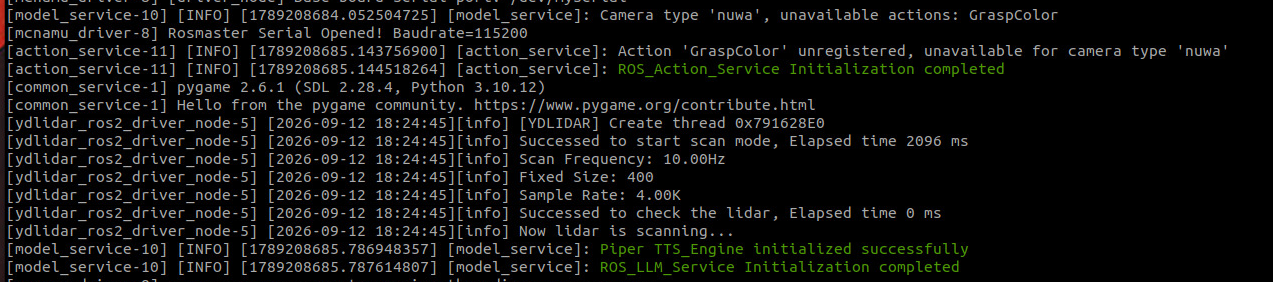
Voice recognition node
xxxxxxxxxxros2 run multi_brains asr_detect

3. Case Demonstration
3.1 Test Case
The test cases here are only for demonstration reference. You can write your own conversation commands as you like.
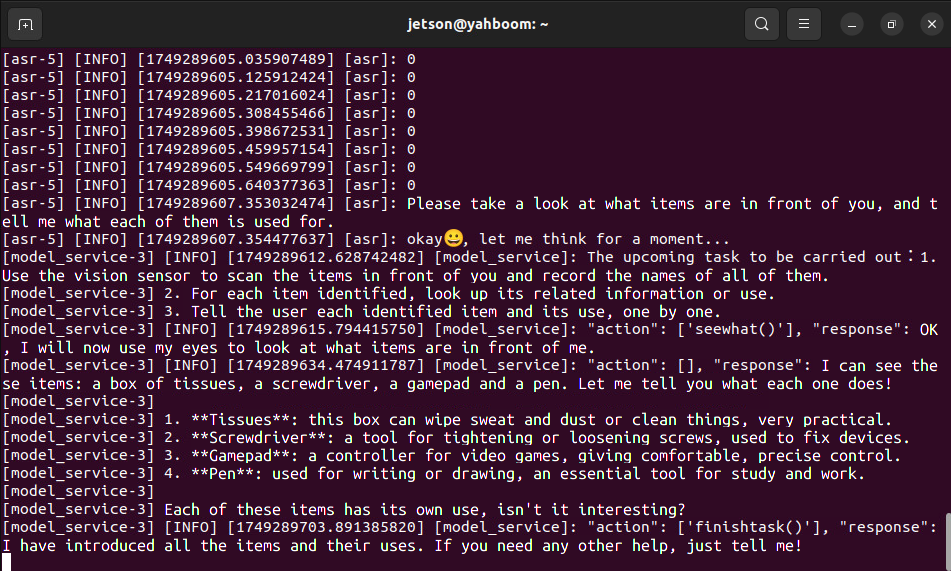
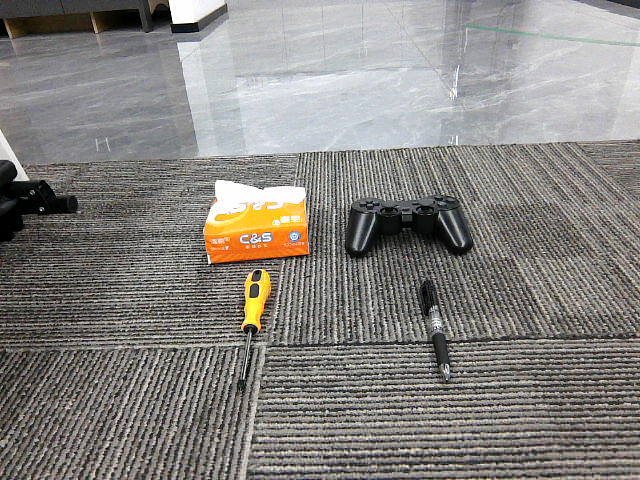
Help me see what objects are in front of you, and tell me what these objects are used for.
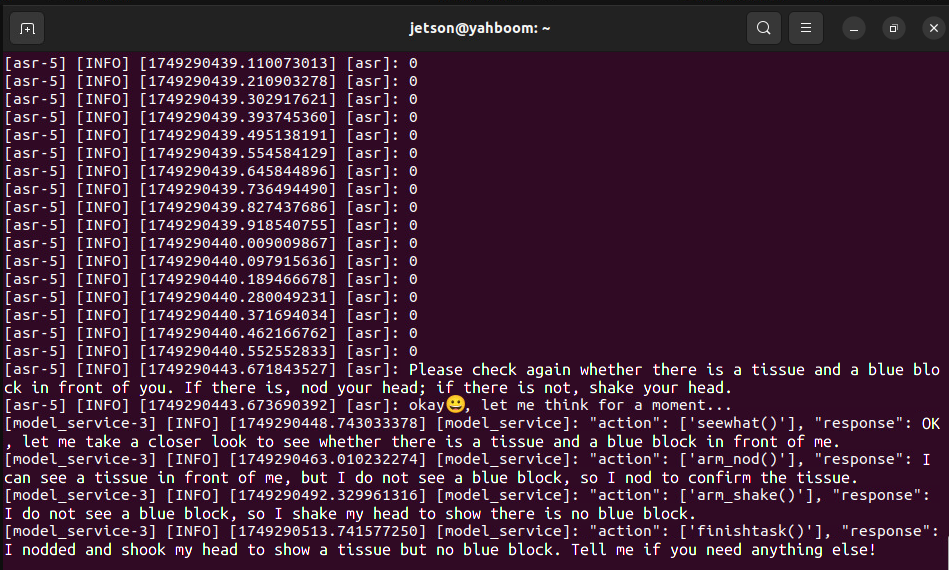
Please look in front of you and check whether there is a blue block and a pack of tissues. If so, nod your head; if not, shake your head.
3.1.1 Case 1
First wake it up with "Hi Yahboom". The robot will give a response reply. After the robot's voice response, the user can speak. The robot will perform dynamic sound detection, and after the speech ends, it will perform tail-sound detection; if the silence exceeds 1.5s, recording stops.
The robot's view:
Important
Note:
The robot has short-term memory. After waking up, all conversation content is stored in the historical context memory of the AI large model. The robot clears the previous memory only when the user actively asks to end the current task or gives similar commands such as asking the robot to step aside or take a rest.
3.1.2 Case 2
Wake up the robot and speak the test command; the terminal prints the following information
The robot's view:
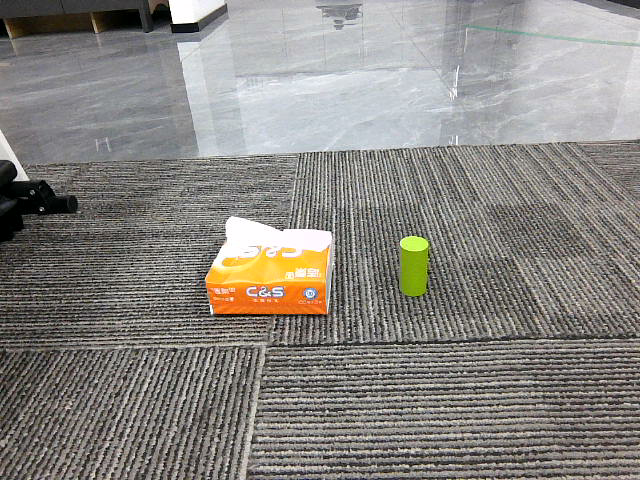
4. Source Code Analysis
The path of the robot's action source code:
xxxxxxxxxx~/yahboomcar_ros2_ws/yahboomcar_ws/src/multi_brains/multi_brains/action_service.py
Model service source code:
xxxxxxxxxx~/yahboomcar_ros2_ws/yahboomcar_ws/src/multi_brains/multi_brains/model_service.py
The main program that implements the robot's visual observation function is the
seewhatmethod in theaction_service.pyprogram:The function is implemented as: save and display the latest view image.
Then send a request to the model service
model_servicenode, requesting to feed the image back to themulti_brainsagent in dify.
x def seewhat(self): ok, info = self._capture_image() if not ok: self.get_logger().error(info) return [False, f"seewhat failed: {info}"] self._publish_feedback("Robot image feedback complete") return None
def _capture_image(self): """Capture image without publishing feedback""" if not self.image_client.wait_for_service(timeout_sec=5.0): return [False, "save_image service not available, please check common_service"] response:Trigger.Response = self.image_client.call(Trigger.Request()) if not response.success: return [False, response.message] return [True, response.message]
def _kill_processes(self, *processes): for process in processes: if process is not None and process.poll() is None: kill_process_tree(process.pid)
In addition, in model_service.py, the
llm_request_callbackcallback function is used to receive requests to access themulti_brainsagent:If the
llm_requestfield in the request information is an image request, a[msg.llm_request,'image_request',True]list is constructed and added to the model request processing queue.
def llm_request_callback(self, msg:LlmRequest): '''Topic callback function, receive model request and put into queue''' if self.debug_mode: self.get_logger().info(f"robot_feedback:{msg.robot_feedback},llm_request:{msg.llm_request}") if msg.robot_feedback: if msg.llm_request =="Robot image feedback complete": self._enqueue_request([msg.llm_request,'image_request',True]) elif msg.llm_request =="finish": self.clear_request_queue() self.dify_llmclient.reset_conversation() else: if self.debug_mode: self.get_logger().info("Normal robot feedback") self._enqueue_request([msg.llm_request,'text_request',True]) else:# Model requests from other sources self._enqueue_request([msg.llm_request,'text_request',None])