Welcome to ROSMASTER M1 PRO repository
8.RTAB-Map SLAM Mapping (Depth Camera Only)
rtab-map Algorithm Mapping
rtab-map Algorithm Mapping1. Course Content2. rtab-map Introductionrtab-map Working Principle3. Preparation4. Case Demonstration5. Source Code Analysis
1. Course Content
Run the example program, using the LiDAR and depth camera to implement rtab-map algorithm mapping.
Important
This section applies only to the depth camera.
2. rtab-map Introduction
rtab-map (Real-Time Appearance-Based Mapping) is a vision-based real-time simultaneous localization and mapping (SLAM) algorithm, mainly used for mapping and navigation tasks in fields such as robotics and augmented reality. RTAB-Map has the following characteristics.
Appearance-based loop closure detection: mainly uses visual features for place recognition
Real-time performance: ensures real-time performance through a memory management mechanism
Multi-sensor support: supports RGB-D cameras, stereo cameras, and monocular cameras
3D map construction: able to create dense 3D point cloud maps
rtab-map Working Principle
Front-end processing
Acquire image data from sensors
Extract visual features (such as SIFT, SURF, ORB, etc.)
Calculate the pose transform between the current frame and previous frames
Back-end optimization
Use graph optimization techniques (such as g2o) to optimize the pose graph
Detect loop closures (when the robot returns to a previously visited place)
Memory management
Adopt the mechanism of working memory (WM) and long-term memory (LTM)
Recent data is kept in WM, and older data is moved to LTM
When a loop closure is detected, the relevant data is recalled from LTM back to WM
3. Preparation
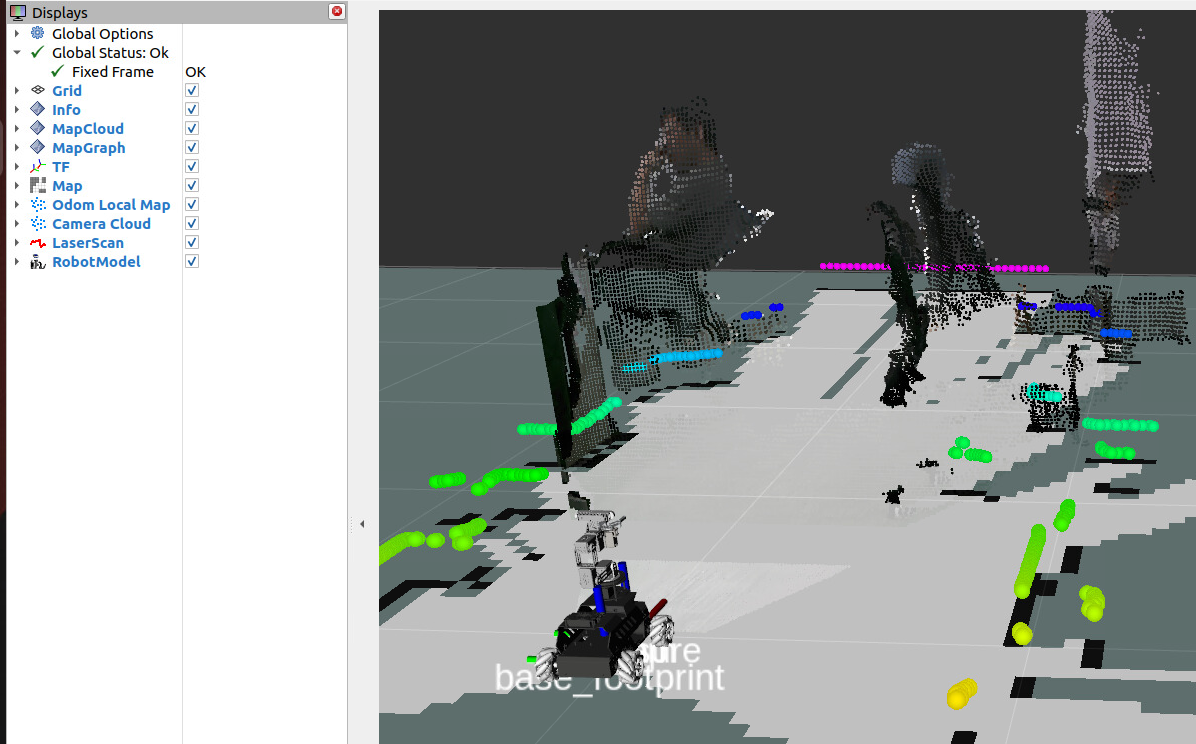
ros2 launch yahboomcar_bringup rtab_map.launch.py
4. Case Demonstration
Control the car's movement; you can use keyboard control or handle control; here keyboard control is taken as an example
xxxxxxxxxxros2 run common_demo keyboard_control
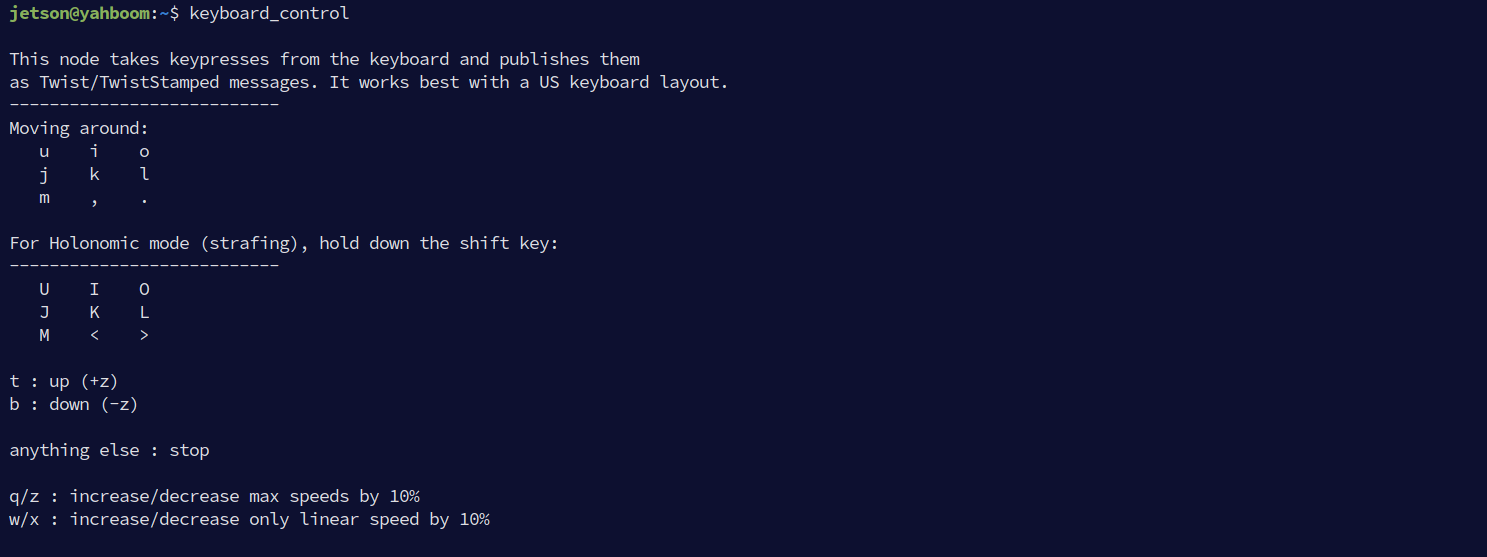
Press I, <, J, and L to control the car's forward, backward, left turn, and right turn respectively; control the car to move slowly to complete the mapping, and press k to stop moving
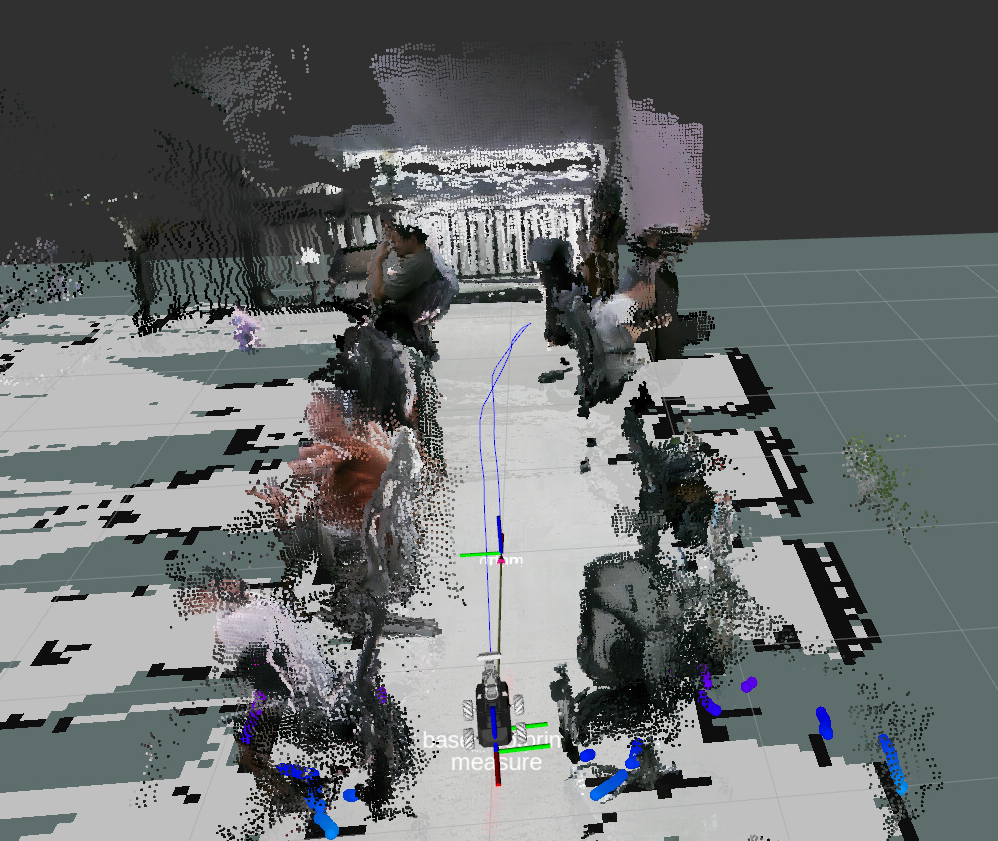
After mapping is complete, press
ctrl+cto close the mapping program; the map will be automatically saved to the path~/map/rtabmap.db.

5. Source Code Analysis
Launch file path:
xxxxxxxxxx~/yahboomcar_ros2_ws/yahboomcar_ws/src/yahboomcar_bringup/launch/rtab_map.launch.py
delay_start_rtabmap_slam: started byTimerActionwith a 5-second delay, activated only whenmode == 'slam', waiting for the other system nodes to be ready before starting mappingThe first
IncludeLaunchDescription: includes the rtabmap mapping launch file, with the key parameters:rgb_topic/depth_topic/camera_info_topic: camera RGB, depth, and intrinsic parameters topicsframe_id: robot base coordinate framebase_footprintodom_topic: odometry topic/odomsubscribe_scan: subscribe to LiDAR scan data, fusing LiDAR and vision for mappingvisual_odometry/icp_odometry: both set tofalse, using external odometry rather than rtabmap's internal visual odometryapprox_sync: enable approximate time synchronization;approx_sync_max_intervalsets the maximum time difference to 0.01ssync_queue_size/topic_queue_size: synchronization queue and topic queue size 50rtabmap_args: --delete_db_on_start: clear the old database at each startup and re-mapdatabase_path: map save path~/map/rtabmap.dbrviz/rviz_cfg: enable Rviz and load the configuration file
The second
IncludeLaunchDescription: includescar_base.launch.py, enabling the IMU, LiDAR, and camera, disabling the magnetometer, and using EKF odometry as the TF source
xxxxxxxxxx delay_start_rtabmap_slam= TimerAction( condition=IfCondition(PythonExpression(["'", mode, "' == 'slam'" ])), period=5.0, actions=[ IncludeLaunchDescription( PythonLaunchDescriptionSource(rtabmap_launch), launch_arguments={ "rgb_topic": rgb_topic, "depth_topic": depth_topic, "camera_info_topic": camera_info_topic, "frame_id": 'base_footprint', "odom_topic": '/odom', "use_sim_time": 'false', "rviz": 'true', "rviz_cfg": rviz_cfg, "database_path": database_path, "rtabmap_viz": 'false', "approx_sync": 'true', "approx_sync_max_interval": '0.01', "qos": '0', "visual_odometry": 'false', "icp_odometry": 'false', "subscribe_scan": 'true', "sync_queue_size": '50', "topic_queue_size": '50', "rtabmap_args": '--delete_db_on_start', "log_level": 'info' }.items(), ), IncludeLaunchDescription( PythonLaunchDescriptionSource(os.path.join(get_package_share_directory('yahboomcar_bringup'),'launch','car_base.launch.py')), launch_arguments={'log_level': 'info', 'use_imu': 'True', 'use_lidar': 'True', 'use_mag': 'False', 'use_camera': 'True', 'odom_tf_source': 'ekf' }.items()) ] )