Welcome to ROSMASTER M1 PRO repository
8.AI Agent Workflow
AI Agent Workflow
AI Agent Workflow1. Course Content2. Case: Classified Question Answering Chatbot3. Visual Workflow Debugging4. Accessing the AI Agent Application
1. Course Content
Use multiple AI large models to build an agent workflow and implement complex logical functions.
2. Case: Classified Question Answering Chatbot
In the Example AI Applications folder of this lesson, there are reference examples that can be directly imported and used.
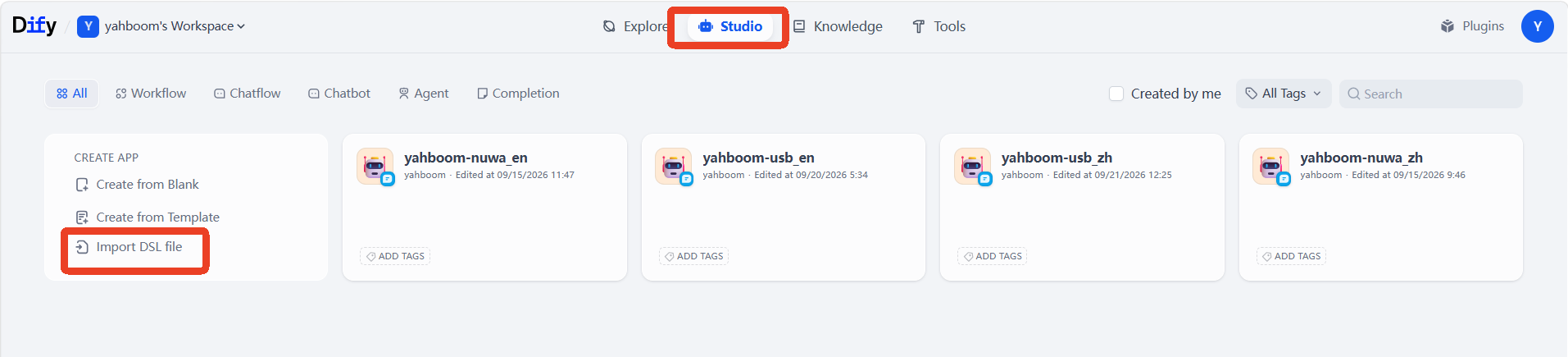
In the Dify home page studio, click Import DSL File.
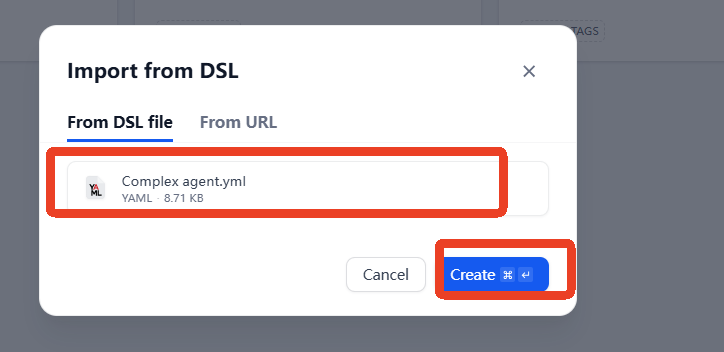
Select the Example AI Applications
Complex agent.ymlin this lesson's folder, then click Create.
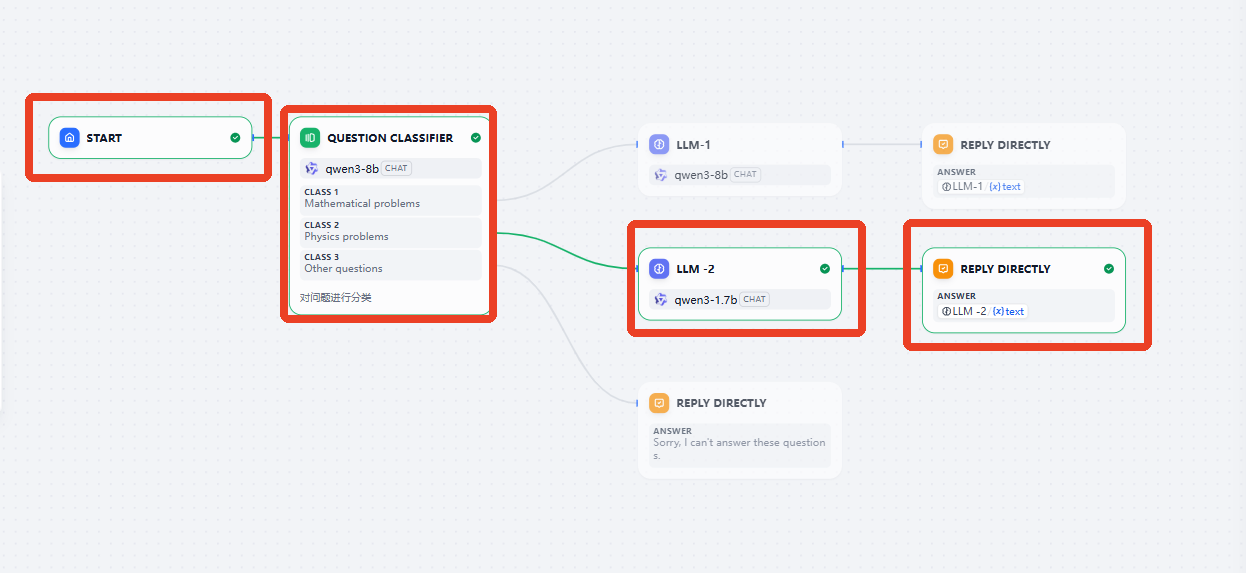
The content of the workflow can be seen as follows.
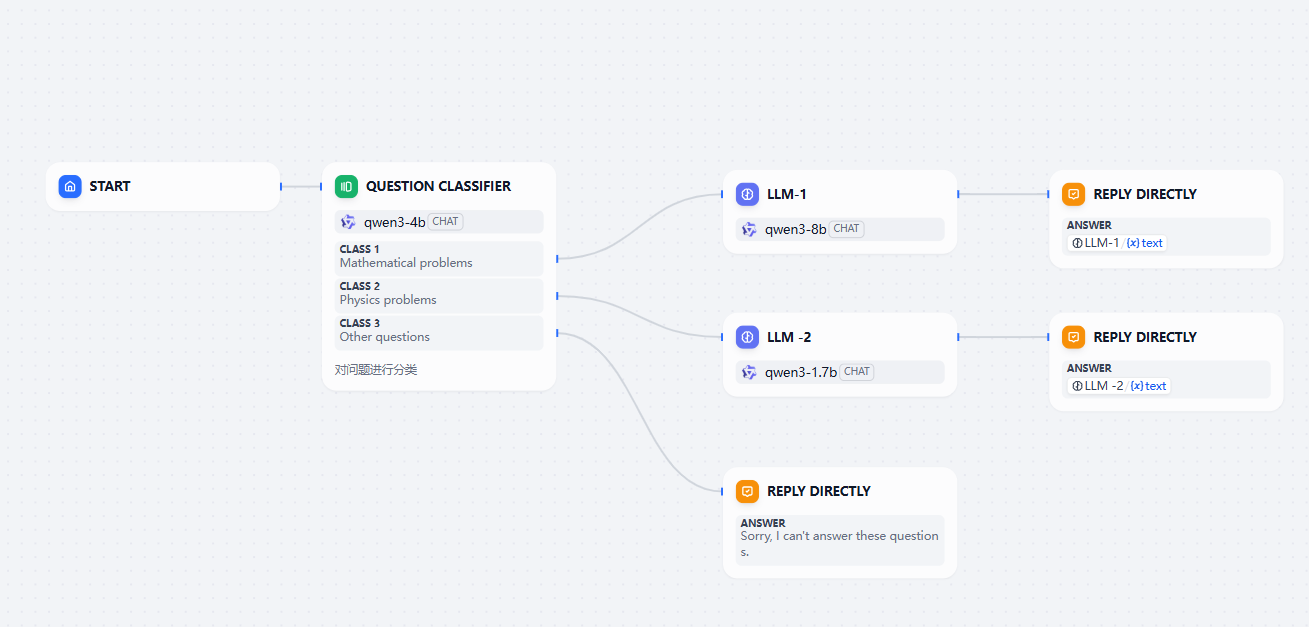
In the workflow,
Question Classifieris a module driven by an AI large model. Its function is to classify the user's question into a math question, physics question, or other question. If the user's input content is related to math or physics, the AI large model of a different branch will be called to answer. The classification content ofQuestion Classifieris as follows:
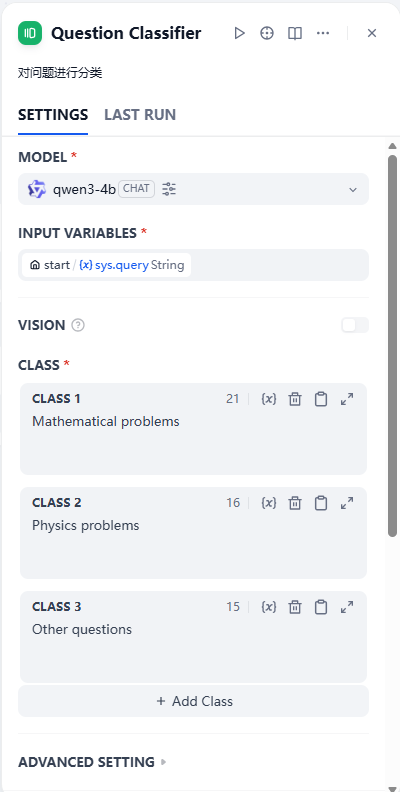
The LLM-1 branch is used to answer math-related questions; its prompt and settings are as follows.
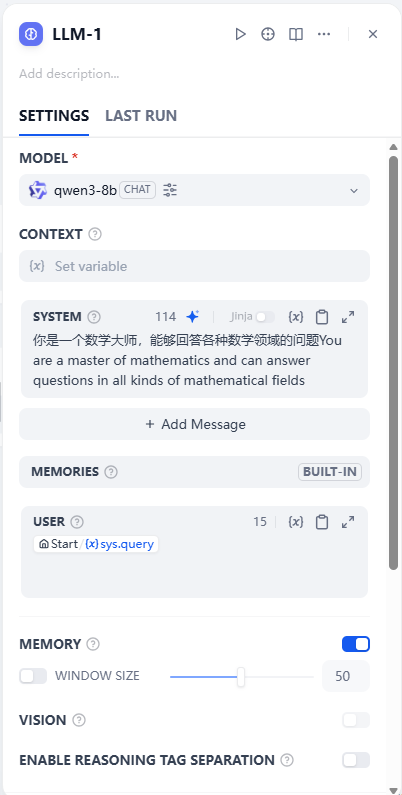
The LLM-2 branch is used to answer physics-related questions; its prompt and settings are as follows.
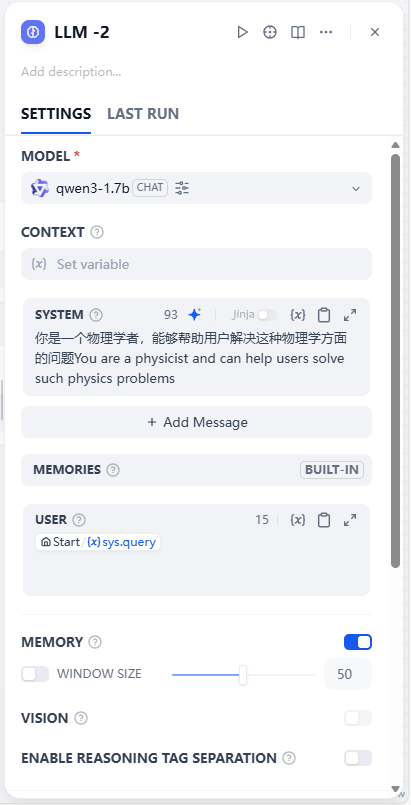
3. Visual Workflow Debugging
If you need to debug and test the effect of the workflow, you can click Preview in the upper right, then enter a question in the pop-up dialog box for testing.
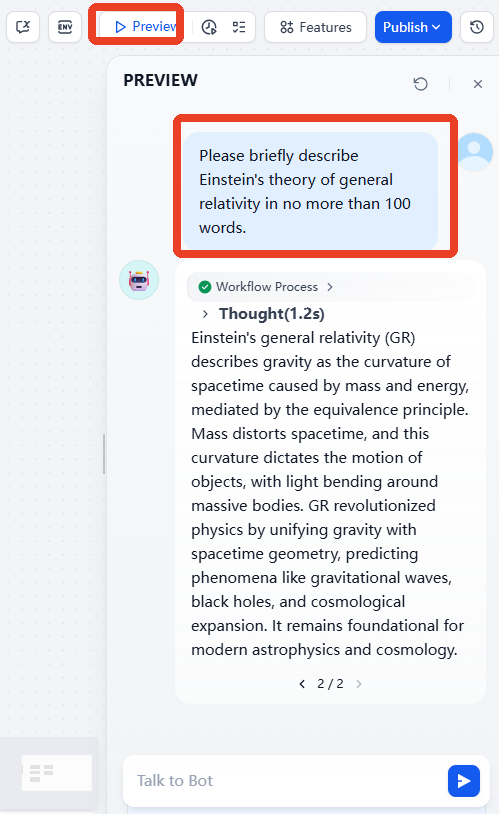
At the same time, the workflow displays in real time the branch that the data flows through, so the workflow can be debugged conveniently.
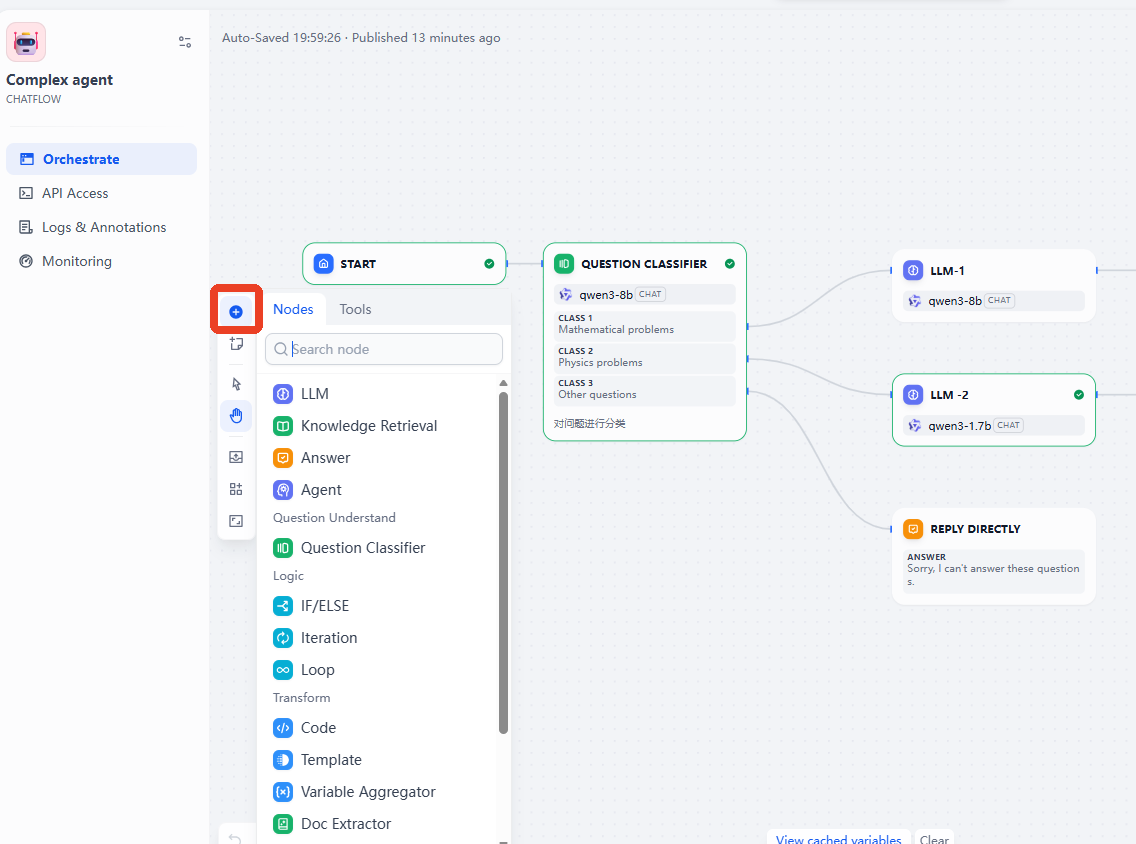
If you need to extend the workflow, you can click the + sign on the left, which contains multiple tools and modules preset by Dify.
4. Accessing the AI Agent Application
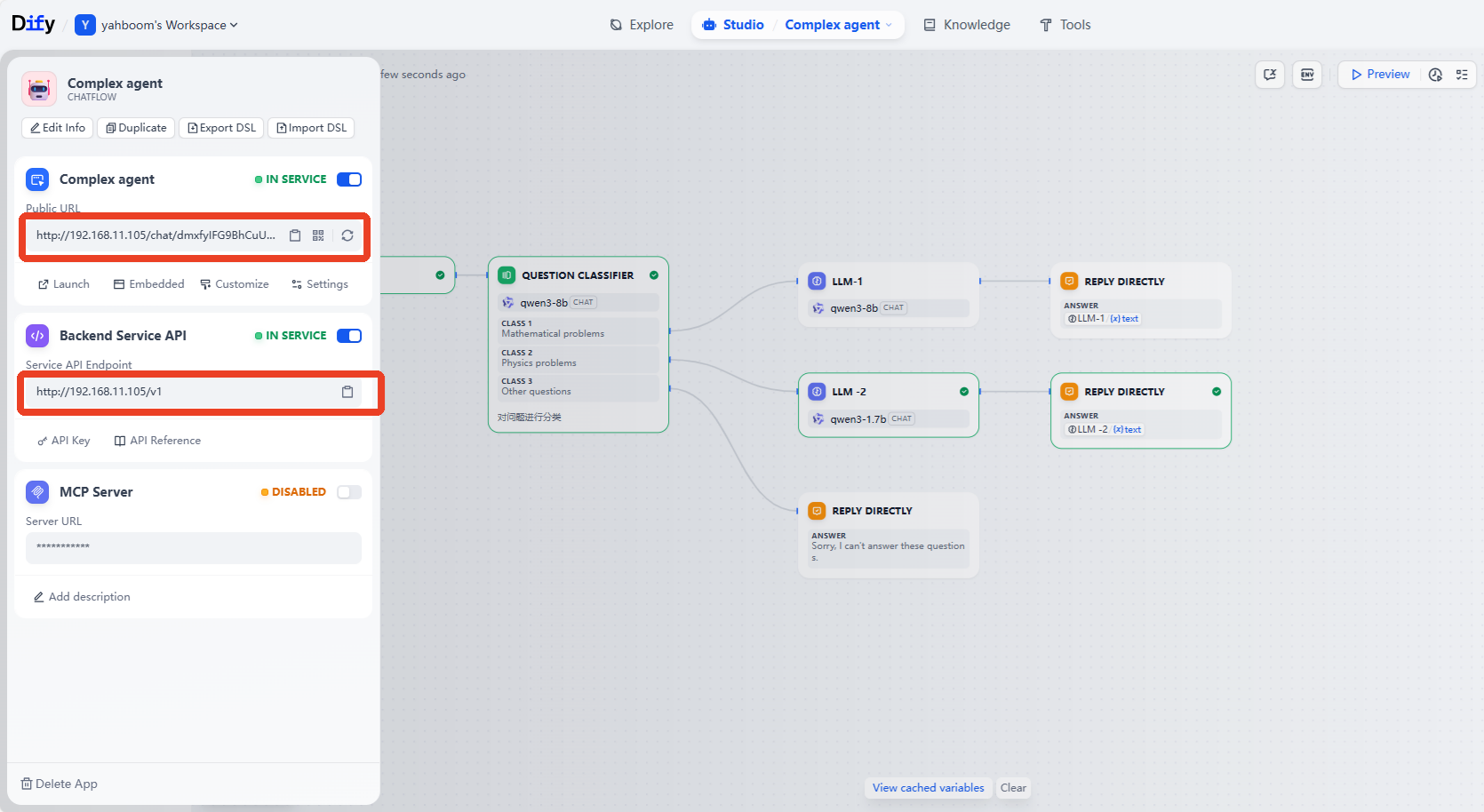
After completing the orchestration of the AI application, click Publish App to save the configuration. Then click Copy URL or API Access Credential to access the created AI application through the web or the backend service API.