Welcome to ROSMASTER M1 PRO repository
5.Robotic arm gripping+Multimodal visual understand+SLAM navigation
Robotic Arm Gripping + Multimodal Visual Understanding + SLAM Navigation
Robotic Arm Gripping + Multimodal Visual Understanding + SLAM Navigation1. Course Content2. Preparation3. Test Case4. Source Code Analysis
1. Course Content
Basic: After running the example program, perform complex task functions by combining Nav2 navigation, robotic arm gripping, and AI large model visual understanding.
Advanced: Master the key source code newly introduced in this lesson.
2. Preparation
For the operation steps of recording semantic locations to the map mapping file, refer to the previous lesson "Multimodal Visual Understanding + SLAM Navigation".
xxxxxxxxxxros2 launch yahboomcar_bringup dify_llm_agents.launch.py use_nav:=true use_camera:=true use_tts:=true
Voice recognition node
xxxxxxxxxxros2 run multi_brains asr_detect

3. Test Case
The wooden block used is 30x30x30mm.
The test cases here are for reference only. You can write your own conversation commands as you like.
I am in the master bedroom now. Please help me take the red block in front of you to the master bedroom.
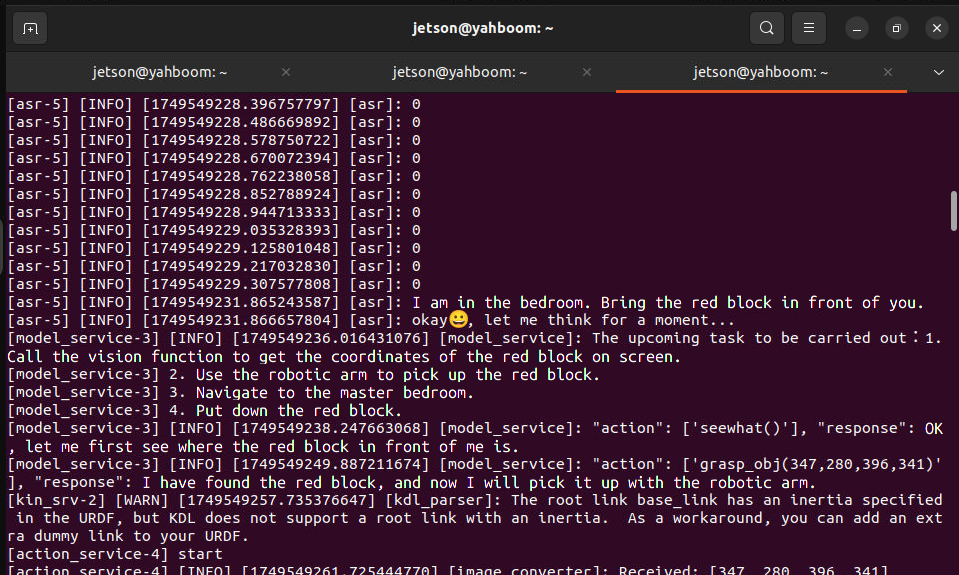
The decision-layer model plans the task steps:

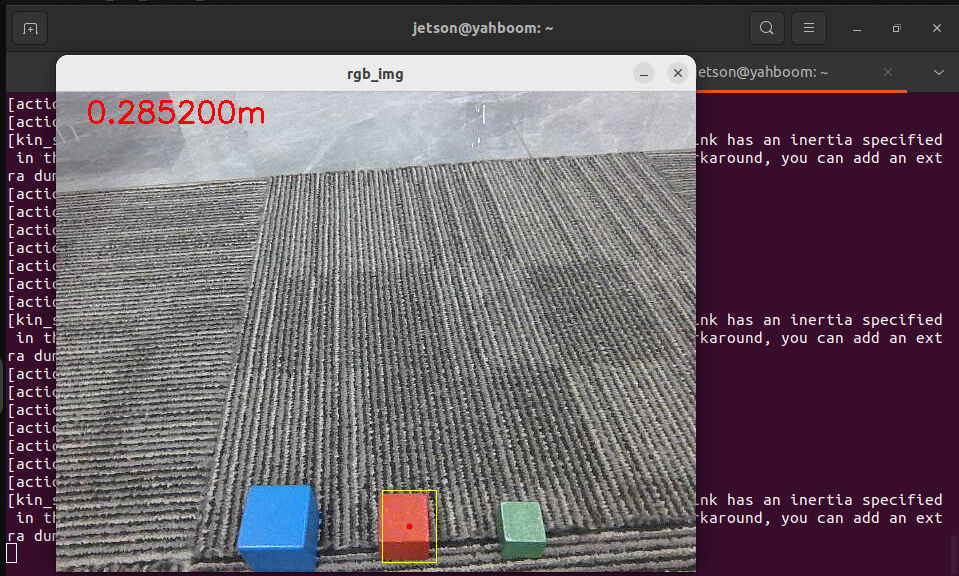
According to the task steps planned by the decision-layer AI, the robot first observes the environment in front of it, and then grasps the red block.
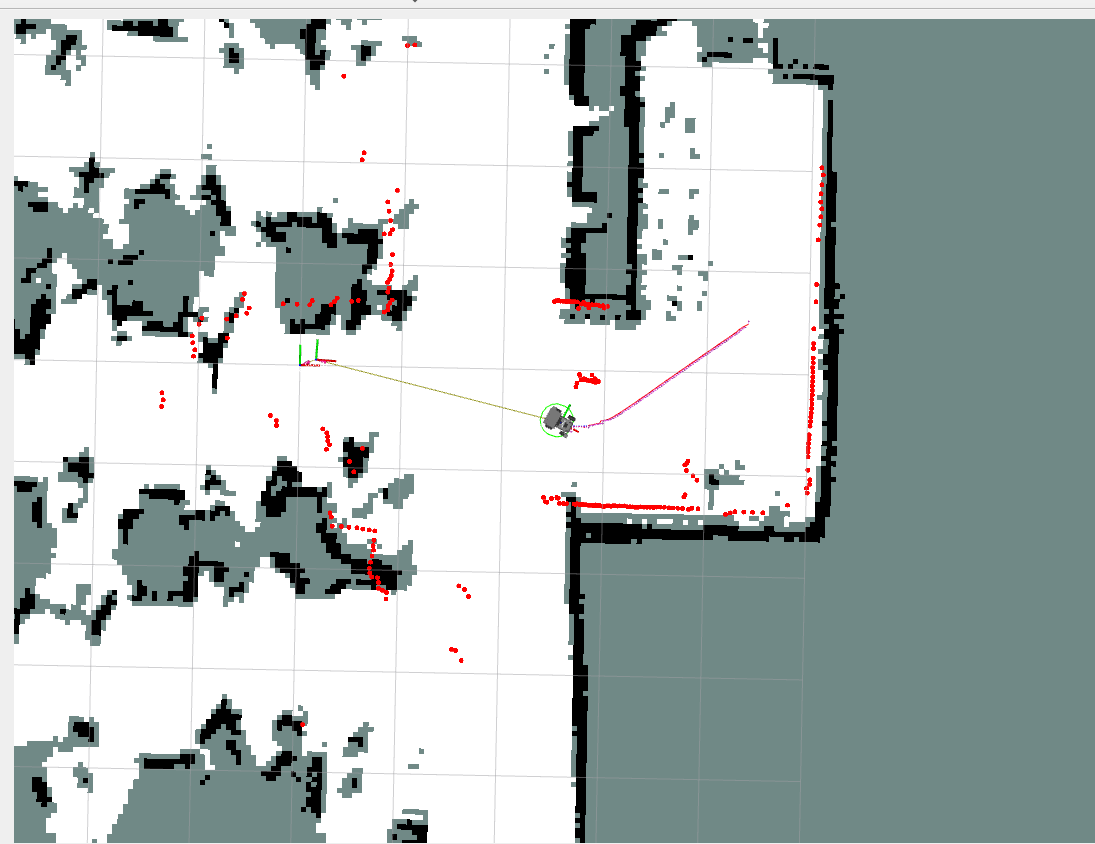
Then the robot navigates to the target point along the path planned by the global planner.
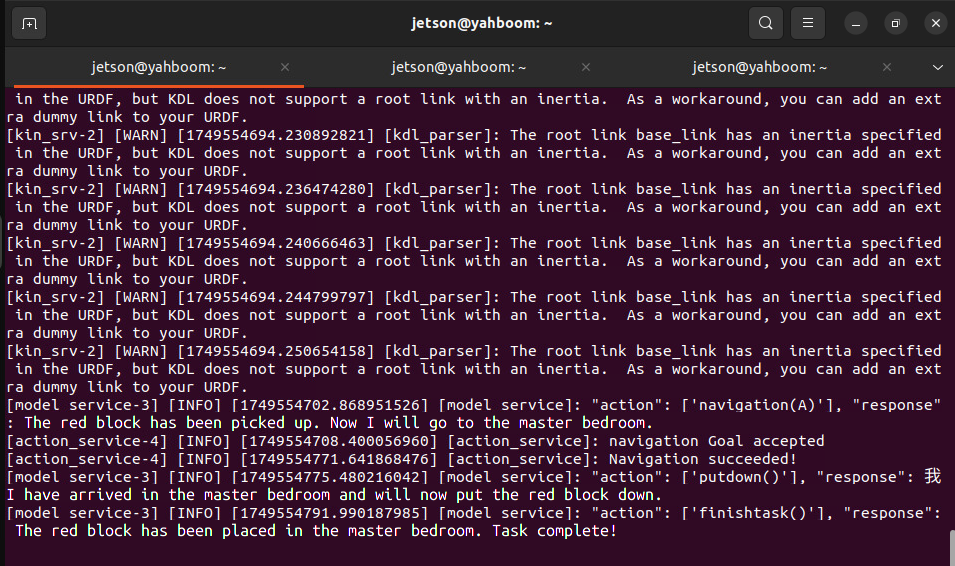
After reaching the navigation target point, the robot uses the robotic arm to put down the red block in its hand and prompts the user that the task is complete. At this point, the robot enters a waiting state (retaining the previous conversation memory); you can choose to continue the conversation or command the robot to end the current task and start a new task cycle.
4. Source Code Analysis
The path of the robot's action source code:
xxxxxxxxxx~/yahboomcar_ros2_ws/yahboomcar_ws/src/multi_brains/multi_brains/action_service.py
putdown action:
It controls the robotic arm to put down an item that has already been grasped. After the robotic arm grasps an item, it is in a gripping state. Calling this function makes the robotic arm put down the grasped item. Its principle is to control the robotic arm's pose by publishing the robotic arm joint topic. Returning True means the action was executed successfully, and the result is fed back to the AI large model for the next operation.
def action_group(self, action_name: str) -> list[bool, str]: """execute a fixed action group by name: arm_init/shake/nod/applaud/dance/drift""" action_name = str(action_name).strip().strip("'\"") group_methods = { "arm_init": self._group_arm_init, "shake": self._group_shake, "nod": self._group_nod, "applaud": self._group_applaud, "dance": self._group_dance, "drift": self._group_drift, "putdown": self._group_putdown, } method = group_methods.get(action_name) if method is None: error_msg = f"Invalid action group '{action_name}', valid: {list(group_methods)}" self.get_logger().error(error_msg) return [False, error_msg] self.get_logger().info(f"Executing action group: {action_name}") return method()
def _group_putdown(self): self.pubSix_Arm(list(self.putdown_joints[:5]) + [self.GraspKeepPose[5]]) time.sleep(2.5) self.pubSingle_Arm(joint_id=6, joint_angle=30, runtime=1000) time.sleep(1.0) self.pubSix_Arm(self.init_joints) return [True, ""]