Welcome to ROSMASTER M1 PRO repository
4.Map Mapping Marker
Map Mapping Marker
Map Mapping Marker1. Course Content2. Preparation2.1 Map Preparation3. Recording the Map MappingOperation Process Notes
1. Course Content
After the sandbox mapping and road network annotation in the previous chapter, we have a fine digital sandbox map. But in the robot's eyes, the map itself is merely a pile of laser point clouds and obstacle boundaries — it does not understand where the "shipping area" is, where "Shelf No. 1" is, or where the "kitchen waste bin" is.
The core mission of Map Mapping (Semantic Map Mapping) is to build a bridge between the human natural language world and the robot's mathematical space coordinates, linking semantic places with spatial poses:
Human perspective: Natural language instructions only need to say "go to the shipping area" or "head to Shelf No. 3";
Robot perspective: After receiving the instruction, quickly look up the corresponding global world coordinates in the
map_mapping.yamlmapping dictionaryand the quaternion heading;
Important
This lesson is a comprehensive lesson, demonstrating and explaining the use and operation steps of the sandbox map. For detailed parameter debugging and source code explanation, refer to the preceding lesson: 【OpenClaw SLAM Mapping And Navigation】.
2. Preparation
2.1 Map Preparation
First follow the [Building the Sandbox Map] lesson to complete building the sandbox map, pose map, and ArUco visual relocalization markers (optional). If the relocalization function is not needed, you can cancel the startup parameter
relocalization:=true.
ros2 launch yahboomcar_bringup mcp_service.launch.py use_camera:=true use_nav:=true relocalization:=true
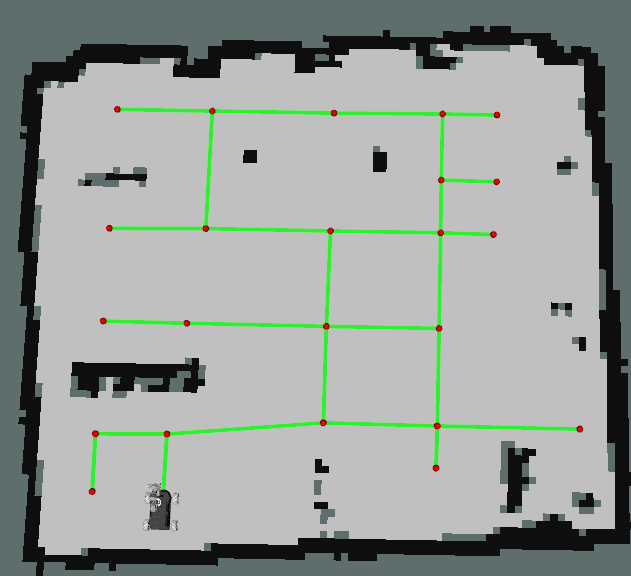
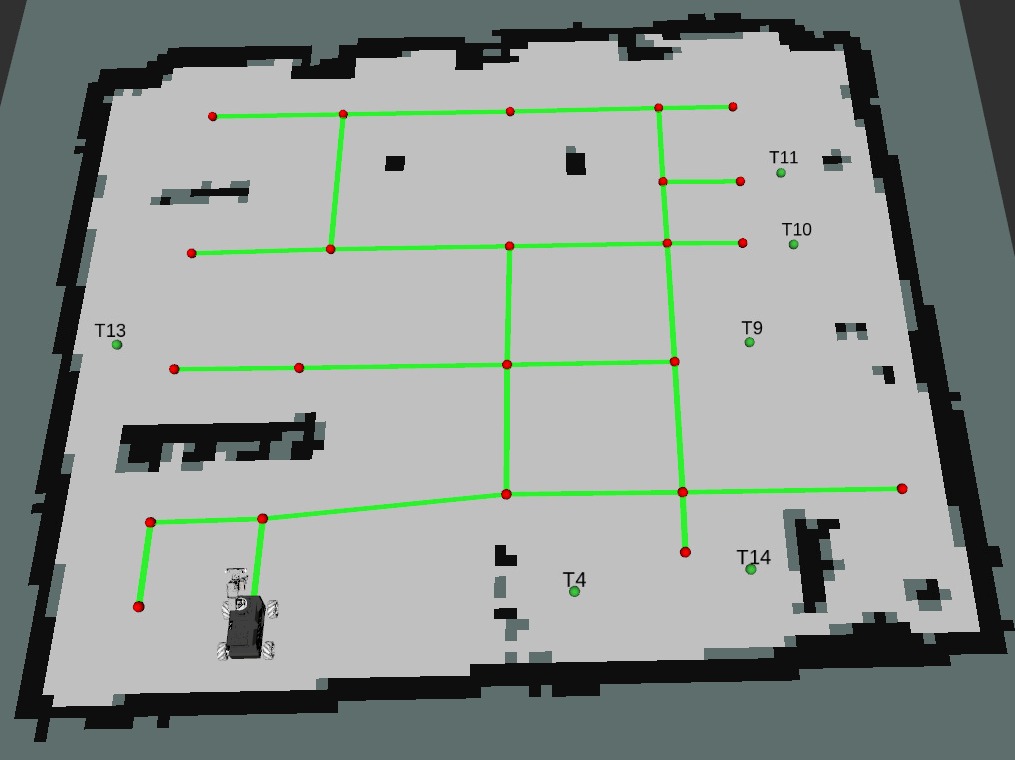
After the visual relocalization function is started, the markers recorded in the [Visual Relocalization Marker] chapter can be seen in the map after the program has run for a while, as shown in the figure below:
3. Recording the Map Mapping
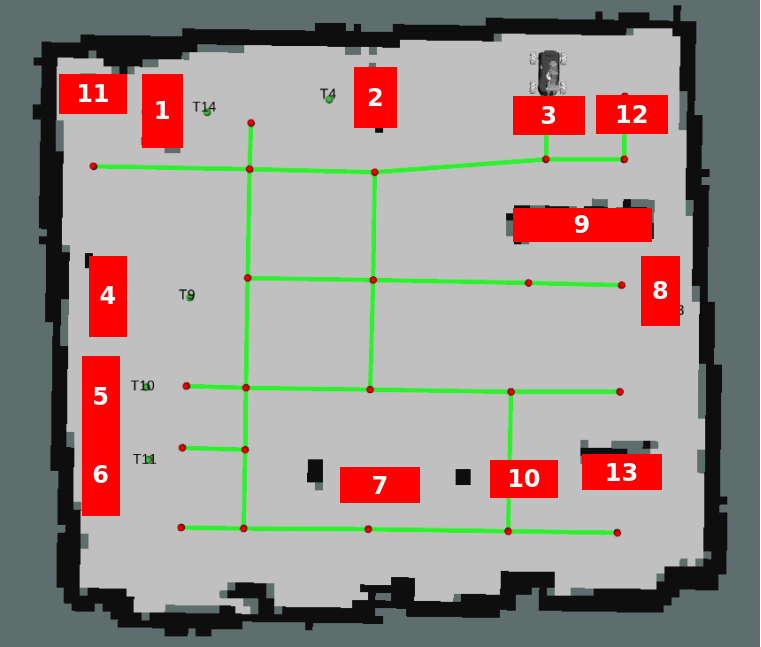
The placement of the map site and the area naming are arbitrary and can be modified according to needs. The following is a reference area naming case:
Shelf No. 1
Shelf No. 2
Parking lot No. 1
Goods warehouse
Goods sorting area
Shelf No. 3
Shipping area
Waste sorting area
Trash can positions: kitchen waste bin, recyclable bin, other waste bin, hazardous waste bin
Safety exit
Fire escape
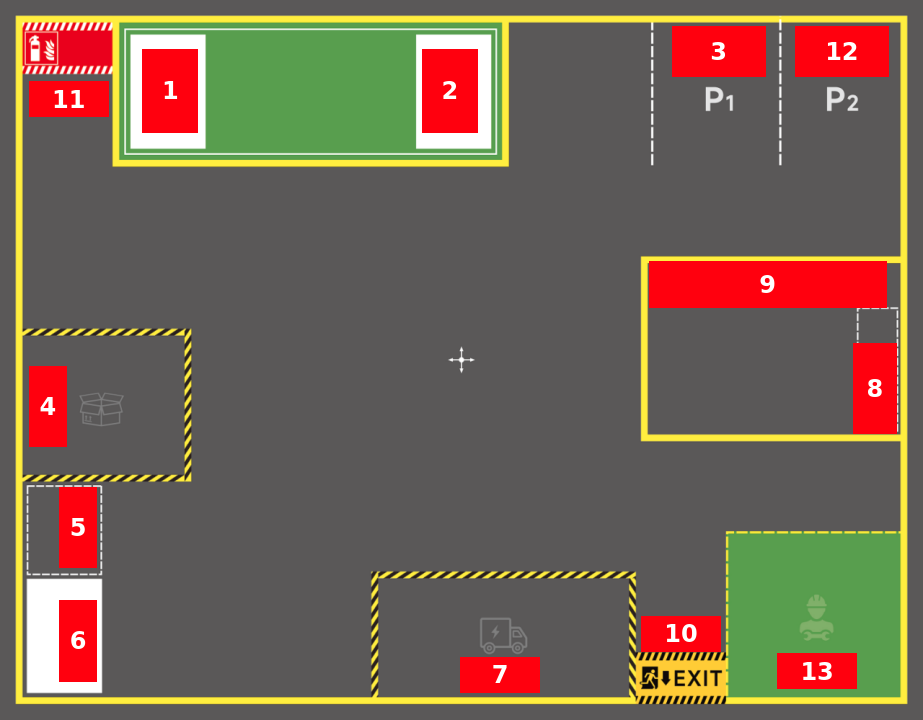
Refer to the semantic place recording operation process in 【OpenClaw SLAM Mapping And Navigation】, and record all semantic places into the map mapping file through the RobotManager interface or CLI commands.
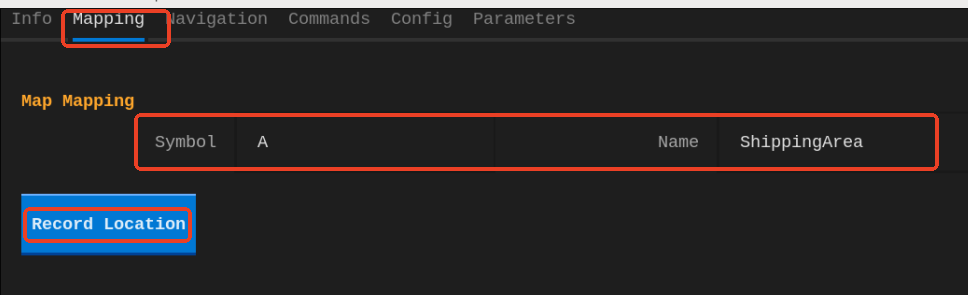
Operation Process Notes
Important: Before recording a position, be sure to check whether the laser contour matches the environment edge features. If there is a deviation, first use the 2D Pose Estimate tool to perform manual relocalization before recording the position.
Recording example:
Record the shipping area: move the car to the place near the shipping area where the position needs to be recorded.
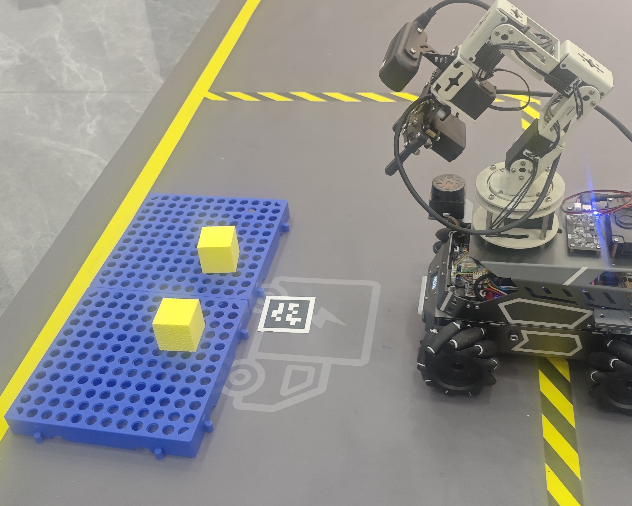
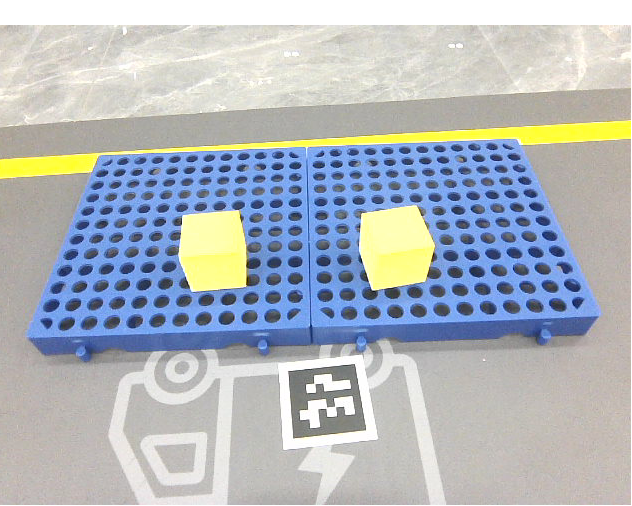
Ensure the goods in the area can be fully seen in the field of view.
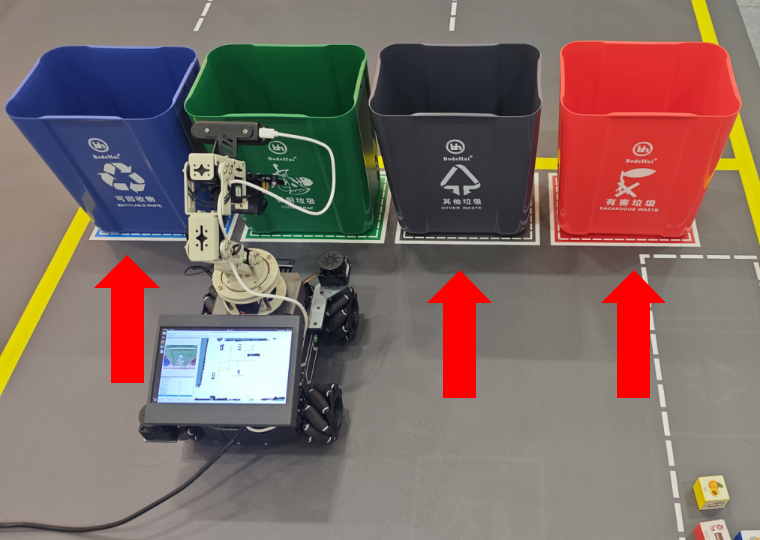
Record the trash can positions
The positions of different types of trash cans need to be recorded separately. Place the car in front of the trash can to be recorded, then record.
For example, to record the kitchen waste bin:
The corresponding trash can is later looked up according to the waste category:
HazardousWaste → hazardous waste
FoodWaste → kitchen waste
OtherWaste → other waste
RecyclableWaste → recyclable waste
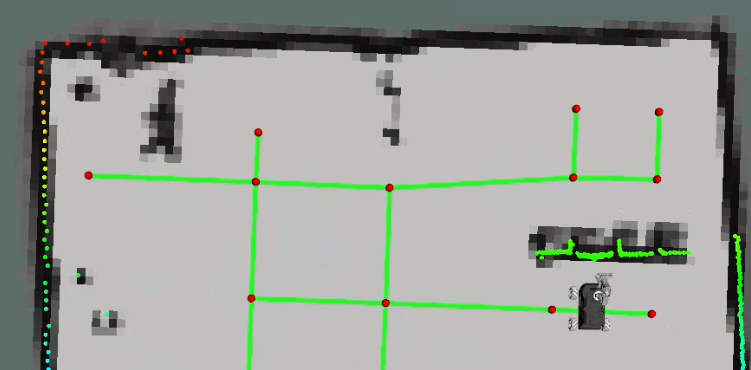
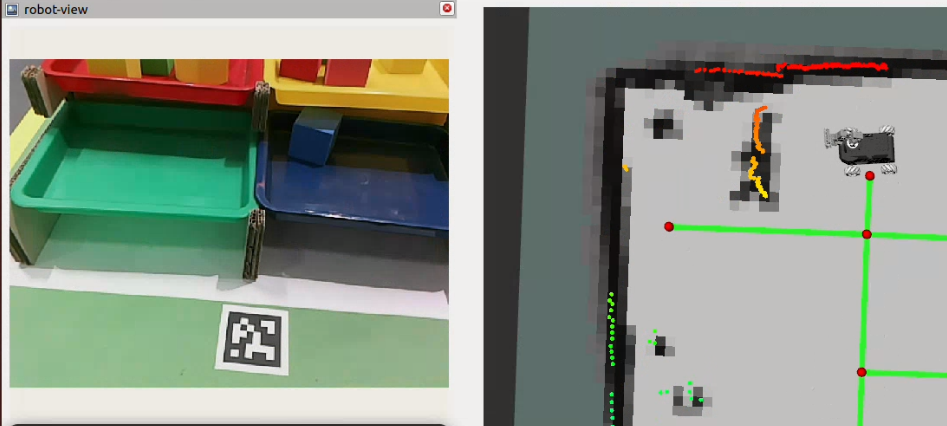
When recording the shelf position, ensure the tag marker and the shelf can be seen in the field of view.
The following is a schematic diagram of all semantic places in the grid map.
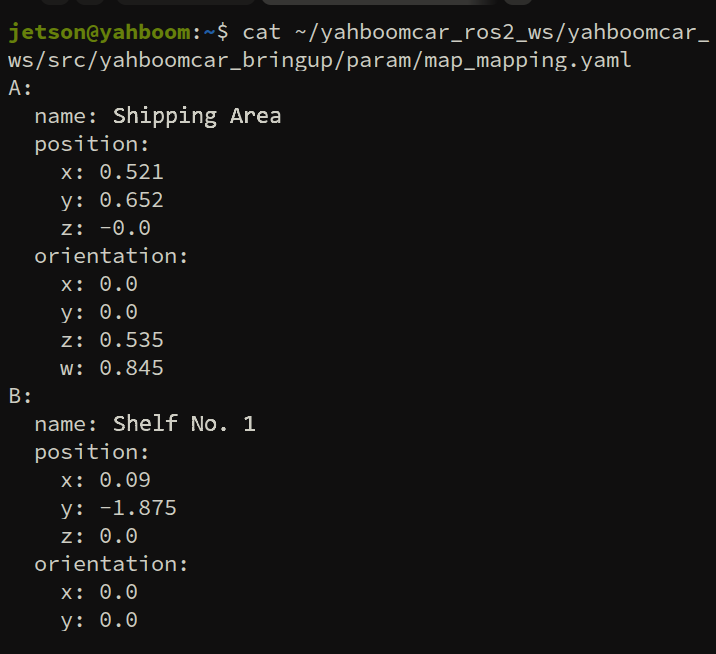
View the map mapping file
map_mapping.yaml. The file path is:
xxxxxxxxxx~/yahboomcar_ros2_ws/yahboomcar_ws/src/yahboomcar_bringup/param/map_mapping.yaml
Check whether all the positions that need to be used have been recorded.
At this point, the entire sandbox map has been thoroughly endowed with embodied spatial semantics that are "human-readable and machine-interpretable". The robot is now fully ready to accept complex factory comprehensive task scheduling!