Welcome to ROSMASTER M1 PRO repository
9.RTAB-Map Navigation (Depth Camera Only)
rtab-map Localization and Navigation
rtab-map Localization and Navigation1. Course Content2. Principle Introduction3.Preparation4. Case Demonstration5. Source Code Analysis5.1 View the TF Tree5.2 View the Node Communication Graph5.3 launch Startup File
1. Course Content
Run the example program, and navigate through rtab-map localization mode, replacing the default amcl localization method of nav2
2. Principle Introduction
Navigation 2's default localization algorithm is AMCL (Adaptive Monte Carlo Localization). The default AMCL localization method is replaced with the rtab-map localization method, while the other navigation functions remain unchanged.
3.Preparation
You need to first complete the construction of a
.db-format map; refer to thertab-map Algorithm Mappingsection.Start the program
xxxxxxxxxxros2 launch yahboomcar_bringup nav2.launch.py localization_mode:=rtabmap
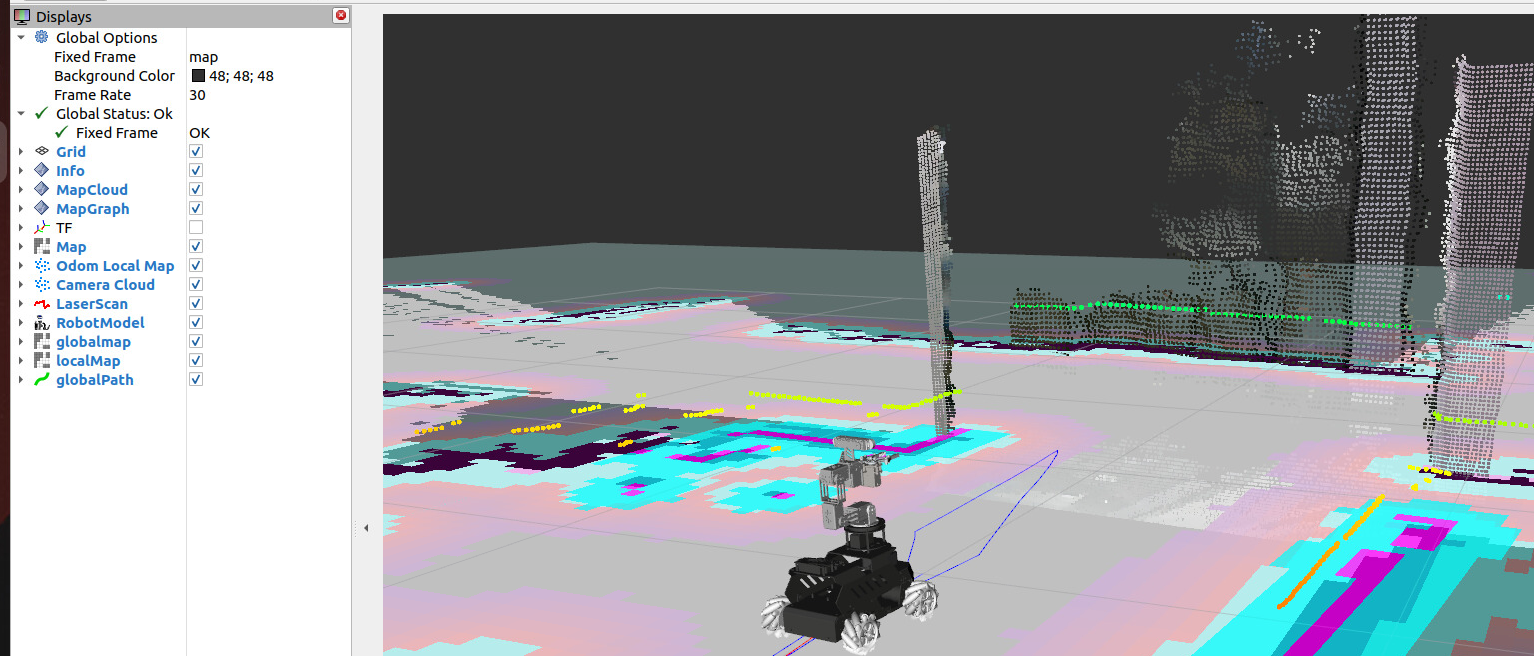
4. Case Demonstration
Navigation likewise uses
2D Goal Poseto specify the target pose, and then the car automatically plans a route to reach the destination.
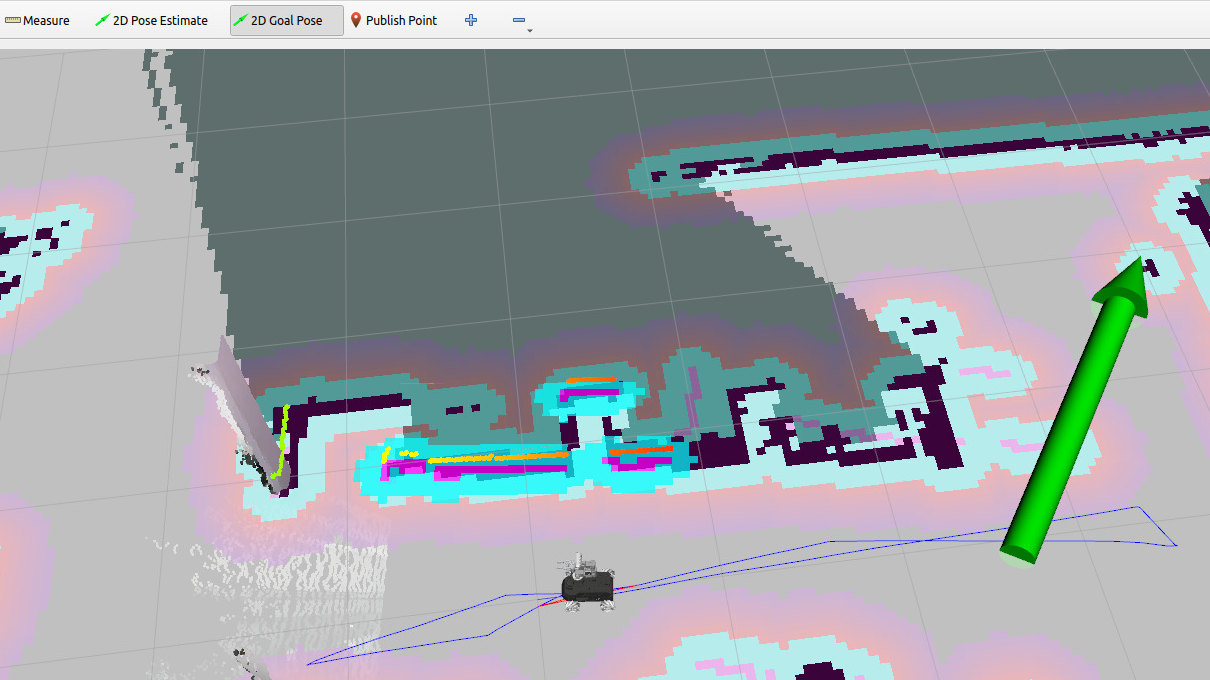
5. Source Code Analysis
5.1 View the TF Tree
xxxxxxxxxxros2 run rqt_tf_tree rqt_tf_tree
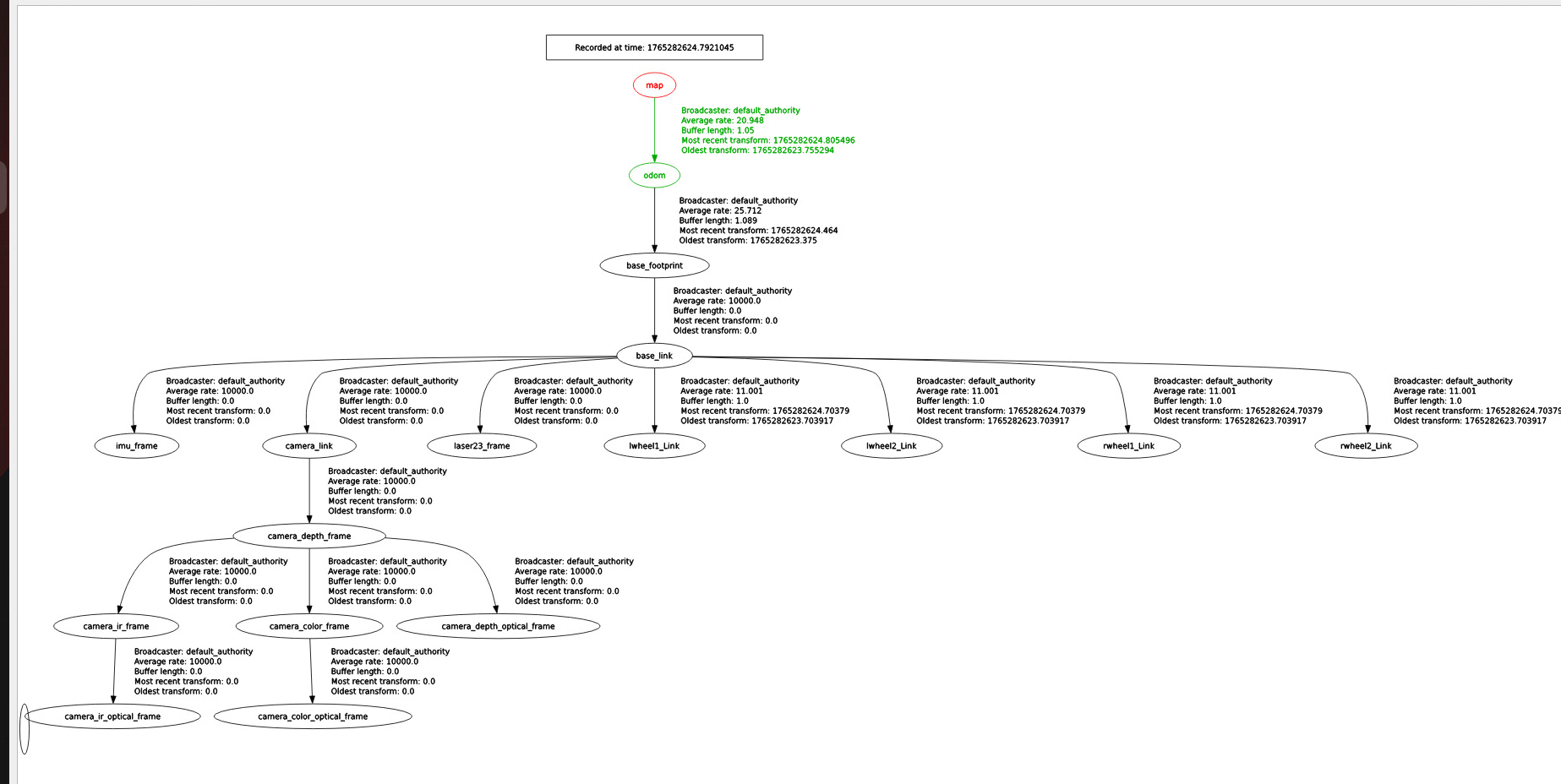
Here, the TF transform from the map coordinate frame to the odom coordinate frame in the TF tree is provided by the rtabmap node.
5.2 View the Node Communication Graph
xxxxxxxxxxros2 run rqt_graph rqt_graph
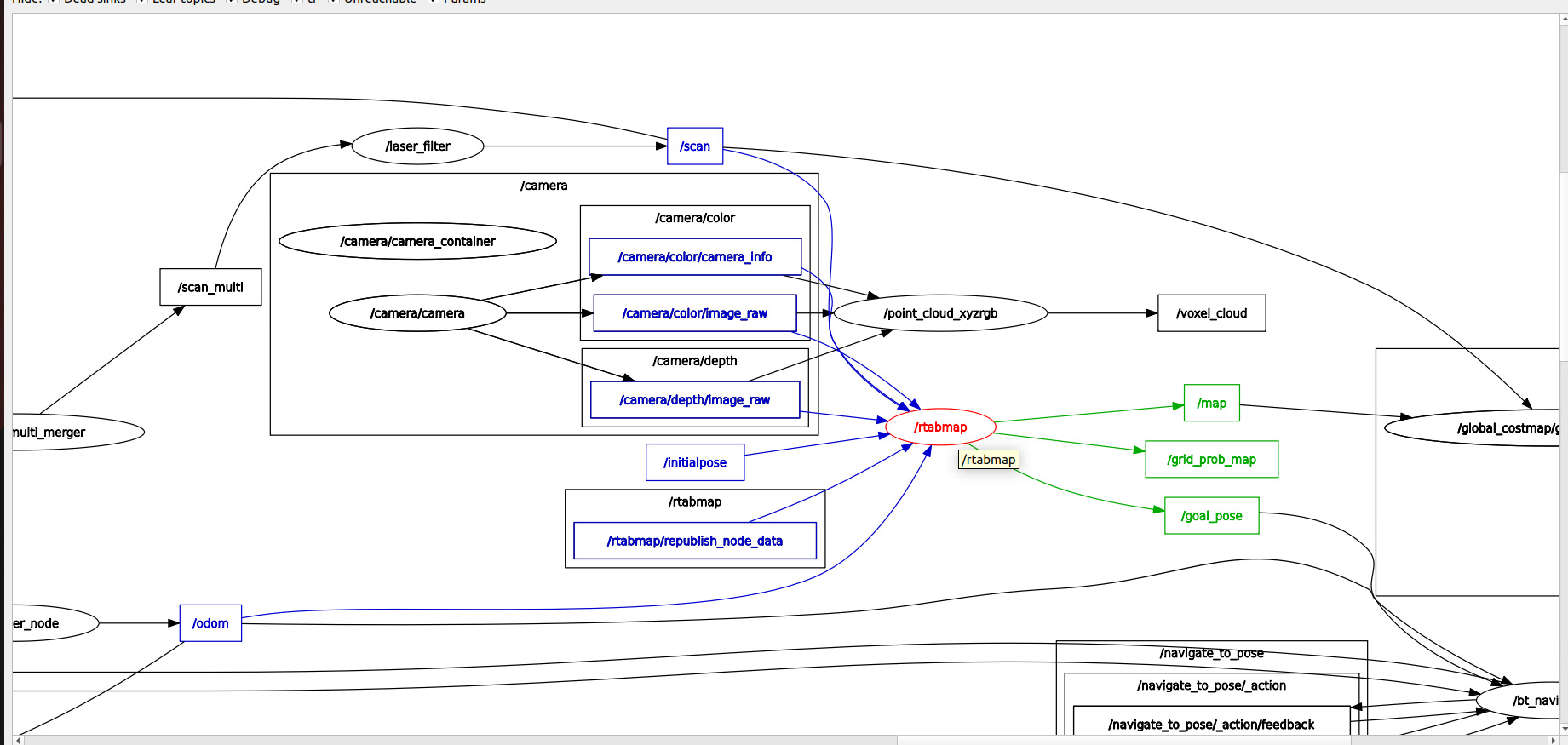
In the figure below, when the
rtabmapnode is in localization mode, it receives the LiDAR/scanand odometry/odomtopics, publishes TF transforms, and updates the/mapmap.
5.3 launch Startup File
Source code path:
xxxxxxxxxx~/yahboomcar_ros2_ws/yahboomcar_ws/src/yahboomcar_bringup/launch/nav2.launch.py
The key program fragment is as follows, starting the navigation2 navigation stack node and the rtabmap localization node
xxxxxxxxxx #rtabmap positioning navigation rtabmap_localization_nav = GroupAction( condition=IfCondition(PythonExpression(["'", localization_mode, "' == 'rtabmap' and '", slam, "' == 'False' "])), actions=[ IncludeLaunchDescription( PythonLaunchDescriptionSource(nav2_launch_mod), launch_arguments={ "map": map_file, "params_file": params_file, "use_sim_time": "False", }.items()), IncludeLaunchDescription( PythonLaunchDescriptionSource(rtabmap_localization_launch_file), launch_arguments={ "mode": "localization", }.items(), ) ] )
Path of the rtab_map localization node startup file:
xxxxxxxxxx~/yahboomcar_ros2_ws/yahboomcar_ws/src/yahboomcar_bringup/launch/rtab_map.launch.py
The key startup fragment is as follows, switching to localization mode through the localization startup parameter
delay_start_rtabmap_localization= TimerAction( condition=IfCondition(PythonExpression(["'", mode, "' == 'localization'" ])), period=5.0, actions=[ IncludeLaunchDescription( PythonLaunchDescriptionSource(rtabmap_launch), launch_arguments={ "rgb_topic": rgb_topic, "depth_topic": depth_topic, "camera_info_topic": camera_info_topic, "frame_id": 'base_link', "odom_topic": '/odom', "use_sim_time": 'false', "rviz": 'true', "rviz_cfg": nav_cfg, "database_path": database_path, "rtabmap_viz": 'false', "approx_sync": 'true', "approx_sync_max_interval": '0.01', "qos": '0', "visual_odometry": 'false', "icp_odometry": 'false', "subscribe_scan": 'true', "sync_queue_size": '50', "topic_queue_size": '50', "localization": 'true',# "--Mem/IncrementalMemory": 'false', "log_level": 'info' }.items(), ) ] )