Welcome to ROSMASTER A1 PRO repository
2.Lidar Obstacle Avoidance
🛡️ Lidar Obstacle Avoidance
1. Course Content
Combine the A1 Pro Ackermann chassis drive with lidar ranging data to enable the robot to detect obstacles in front and on both sides in real-time during forward movement, and automatically steer to avoid obstacles based on their position.
2. Preparation and Running
This example requires opening 2 terminals to start the following nodes in sequence:
2.1 Start Chassis + Lidar
Run in Terminal 1:
ros2 launch yahboomcar_nav laser_bringup_launch.py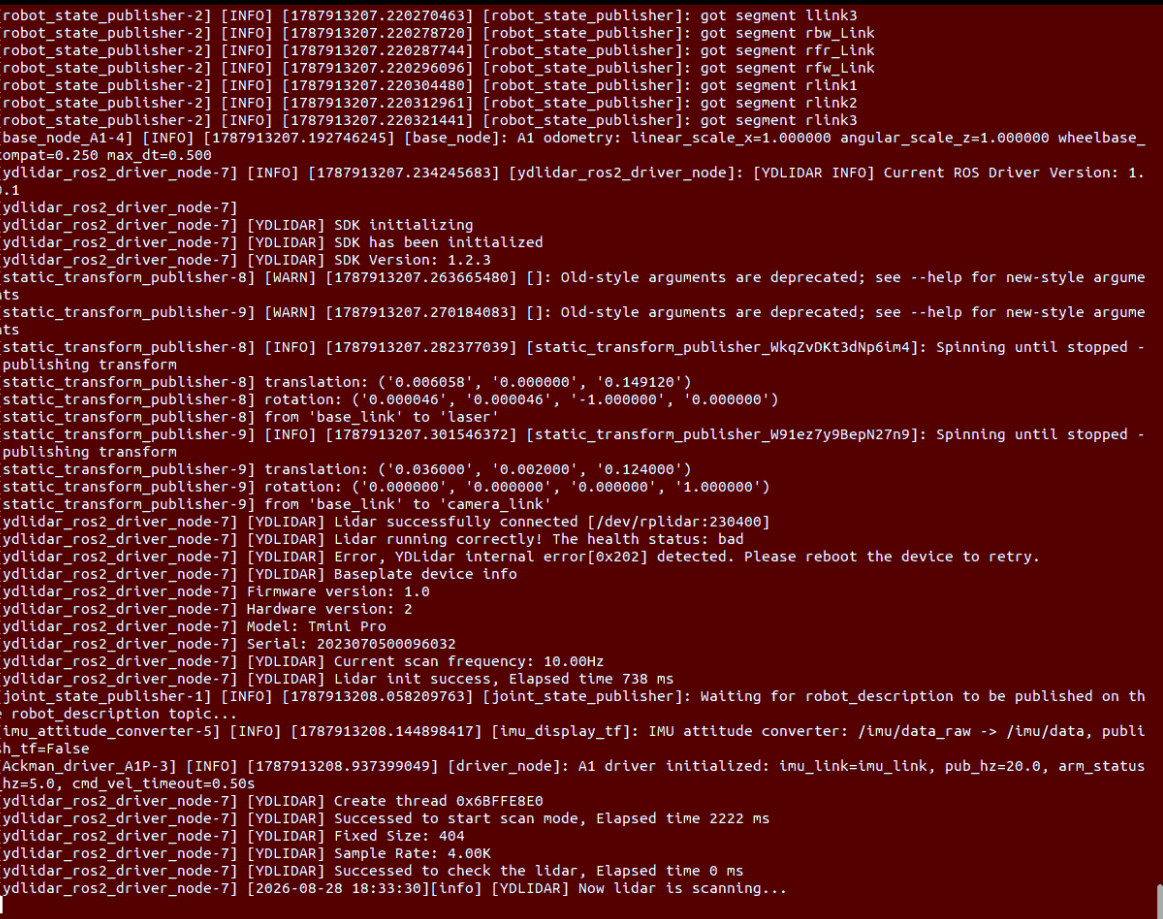
2.2 Start Lidar Obstacle Avoidance Program
Run in Terminal 2:
xxxxxxxxxxros2 run yahboomcar_laser laser_Avoidance_A1P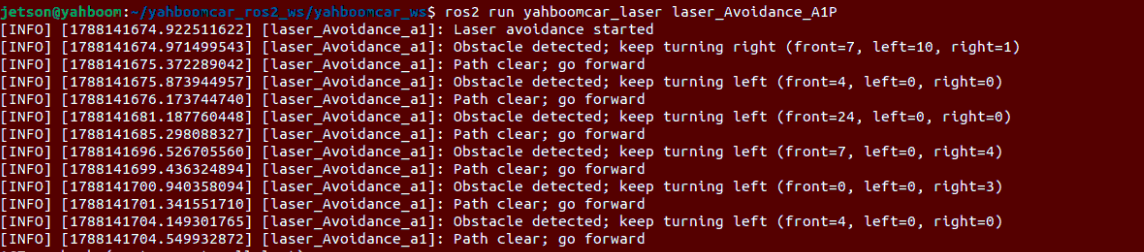
3. Avoidance Logic and Dynamic Parameter Adjustment
3.1 Obstacle Avoidance Motion Logic and Effects
After starting the obstacle avoidance program, the robot will automatically plan its movement based on the obstacle distribution within the lidar scan range:
No obstacles: The robot moves forward in a straight line at constant speed.
Obstacle on front-left: The robot turns right to avoid the obstacle, then straightens to continue forward.
Obstacle on front-right: The robot turns left to avoid the obstacle, then straightens to continue forward.
Obstacles directly ahead or on both sides: The robot automatically slows down and selects a clearer direction to turn and escape.
Note
To end obstacle avoidance, press Ctrl+C in each terminal window to stop the program.
3.2 Dynamic Parameter Adjustment (rqt_reconfigure)
While the robot is running the obstacle avoidance program, you can also use ROS 2's dynamic parameter adjuster (rqt_reconfigure) to view and adjust obstacle avoidance distance, linear velocity, angular velocity, detection angle and other parameters in real-time, without restarting the node.
Run the following command in a new terminal to start the dynamic parameter adjustment panel:
xxxxxxxxxxros2 run rqt_reconfigure rqt_reconfigure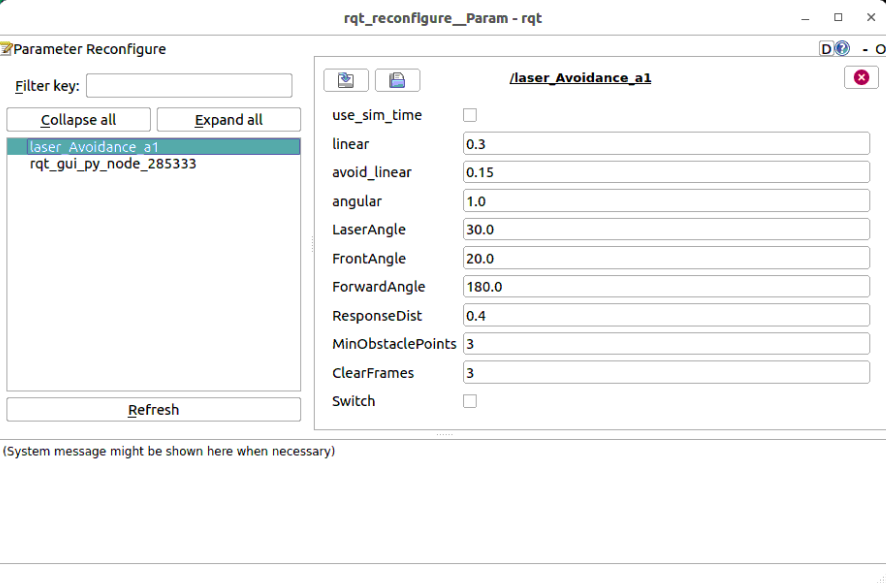 Select the
laser_Avoidance_a1 node on the left side of the opened panel, then use the sliders or modify values on the right side to adjust parameters in real-time.
3.3 Core Parameter Description
| Parameter Name | Default Value | Description |
|---|---|---|
linear | 0.30 | Basic forward linear velocity during normal cruising (m/s) |
avoid_linear | 0.15 | Safe reduced linear velocity when triggering obstacle avoidance turn (m/s) |
angular | 1.00 | Obstacle avoidance turning angular velocity (rad/s) |
LaserAngle | 30.0 | Half-angle range of the front total detection warning sector (degrees, i.e., front ±30°) |
FrontAngle | 20.0 | Half-angle range of the front core dead zone sector (degrees, i.e., directly front ±20°) |
ForwardAngle | 180.0 | Physical front direction angle corresponding to the lidar installation zero position (degrees) |
ResponseDist | 0.40 | Critical base safe distance for obstacle triggering avoidance (meters) |
MinObstaclePoints | 3 | Minimum laser point threshold for determining obstacle existence (filter isolated noise points) |
ClearFrames | 3 | Number of consecutive lidar frames required to confirm obstacle departure and resume straight-line cruising |
Switch | False | Main switch for obstacle avoidance function (True = pause, False = run) |
4. Core Source Code and Algorithm Analysis
Source Code Path:
xxxxxxxxxx$HOME/yahboomcar_ros2_ws/yahboomcar_ws/src/yahboomcar_laser/yahboomcar_laser/laser_Avoidance_A1P.py
4.1 Forward Point Cloud Extraction and Three-Sector Zone Statistics
The node uses the iter_scan_points utility function to map the lidar 360° point cloud to the chassis forward relative coordinate system [-180°, 180°) based on ForwardAngle (chassis installation direction 180°). Then, the front detection area is divided into three major sectors: front (-FrontAngle ~ +FrontAngle), left (+FrontAngle ~ +LaserAngle) and right (-LaserAngle ~ -FrontAngle):
x outer_angle = min(90.0, max(2.0, self.LaserAngle)) front_angle = min(outer_angle - 1.0, max(1.0, self.FrontAngle)) # Extract forward valid point cloud based on chassis front as reference points = list(iter_scan_points( scan_data, self.ForwardAngle, include_no_return=True)) forward_points = [ point for point in points if abs(point[0]) <= outer_angle] if len(forward_points) < self.MinObstaclePoints: self.pub_vel.publish(Twist()) self.Moving = False return
# Dynamically adjust safe response distance (appropriately increase distance margin during turning avoidance) distance_limit = self.ResponseDist * ( 1.7 if self.turn_direction else 1.5) # Partition statistics of effective obstacle points within each sector whose distance is less than safe threshold self.front_warning = self._count_near( forward_points, -front_angle, front_angle, distance_limit) self.Left_warning = self._count_near( forward_points, front_angle, outer_angle, distance_limit) self.Right_warning = self._count_near( forward_points, -outer_angle, -front_angle, distance_limit)4.2 Turn Direction Lock and Multi-Frame Escape Mechanism
To prevent the Ackermann chassis from oscillating left and right frequently in complex narrow obstacles, the algorithm introduces a Turn Direction Lock (Latch) and Continuous Clear Frame Confirmation (ClearFrames) mechanism:
xxxxxxxxxx    front_blocked = self.front_warning >= self.MinObstaclePoints    left_blocked = self.Left_warning >= self.MinObstaclePoints    right_blocked = self.Right_warning >= self.MinObstaclePoints    obstacle_present = front_blocked or left_blocked or right_blocked
    # State machine update: once an avoidance direction is selected, it remains until consecutive multiple frames are completely obstacle-free    self.turn_direction, self.clear_scan_count = (        update_avoidance_direction(            self.turn_direction,            self.clear_scan_count,            obstacle_present,            self.Left_warning,            self.Right_warning,            self.ClearFrames,        )    )
    twist = Twist()    self.Moving = True    if self.turn_direction:        # Automatically reduce speed to avoid_linear during obstacle avoidance turning, ensuring safe and smooth Ackermann chassis turning        twist.linear.x = min(self.linear, self.avoid_linear)        twist.angular.z = math.copysign(self.angular, self.turn_direction)    else:        # Front path is clear, full speed straight ahead        twist.linear.x = self.linear        twist.angular.z = 0.0    self.pub_vel.publish(twist)