Welcome to ROSMASTER A1 PRO repository
7.OpenClaw AprilTag Grasping
OpenClaw AprilTag Grasping
1. Course Content
Course Overview
In modern smart warehousing and Industrial 4.0 flexible assembly lines, machine code recognition and grasping (Fiducial Marker Tag Grasping) is one of the most widely applied and most reliable technologies.
If we rely on pure color or natural texture to recognize objects, it's often disturbed by ambient lighting changes (e.g., when sunlight directly hits or lights are turned on/off, a yellow cube may appear orange or dark gray in the camera, causing misdetection). However, AprilTag / ArUco machine codes are "black and white high-contrast exclusive ID cards" specifically designed for computer vision:
Absolutely anti-confusion (unique ID): Each machine code internally encodes unique black and white matrix information. No matter how complex the background, the camera can 100% unambiguously confirm the target number (e.g., No. 1, No. 2, No. 3 blocks).
Built-in spatial pose pointer (Pose & Angle): Machine codes have clear and regular 4 physical corner points. As long as the camera captures it, the algorithm can based on perspective geometry (PnP) instantly solve the object's 3D spatial distance (X, Y, Z) and rotation yaw angle on the plane (Yaw Angle).
Anti-tangling angle normalization: Square blocks have 90° rotational symmetry. The algorithm intelligently converts the deflection angle to the most comfortable gripper interval, preventing the robotic wrist from excessive twisting and pulling cables.
Note: USB camera grasps matching 3 * 3 * 3 machine code wooden blocks, depth camera can grasps all
Learning Objectives
Master using
GetAprilTagIDsandGraspArUcoTargetcore MCP tools to complete machine code search and autonomous grasping.Understand AprilTag corner point geometric solving and angle normalization anti-tangling principle.
Master the modification and matching method of tag size parameter
tag_sizein practical applications.Skilled in chassis-robotic arm "observe-approach-recheck-grasp" four-step closed-loop control strategy.
2. Preparation
Start core nodes:
xxxxxxxxxxros2 launch dofbot_pro_bringup mcp_service.launch.pyIf you need voice broadcast replies:
xxxxxxxxxxros2 launch dofbot_pro_bringup mcp_service.launch.py launch_openclaw_bridge:=true
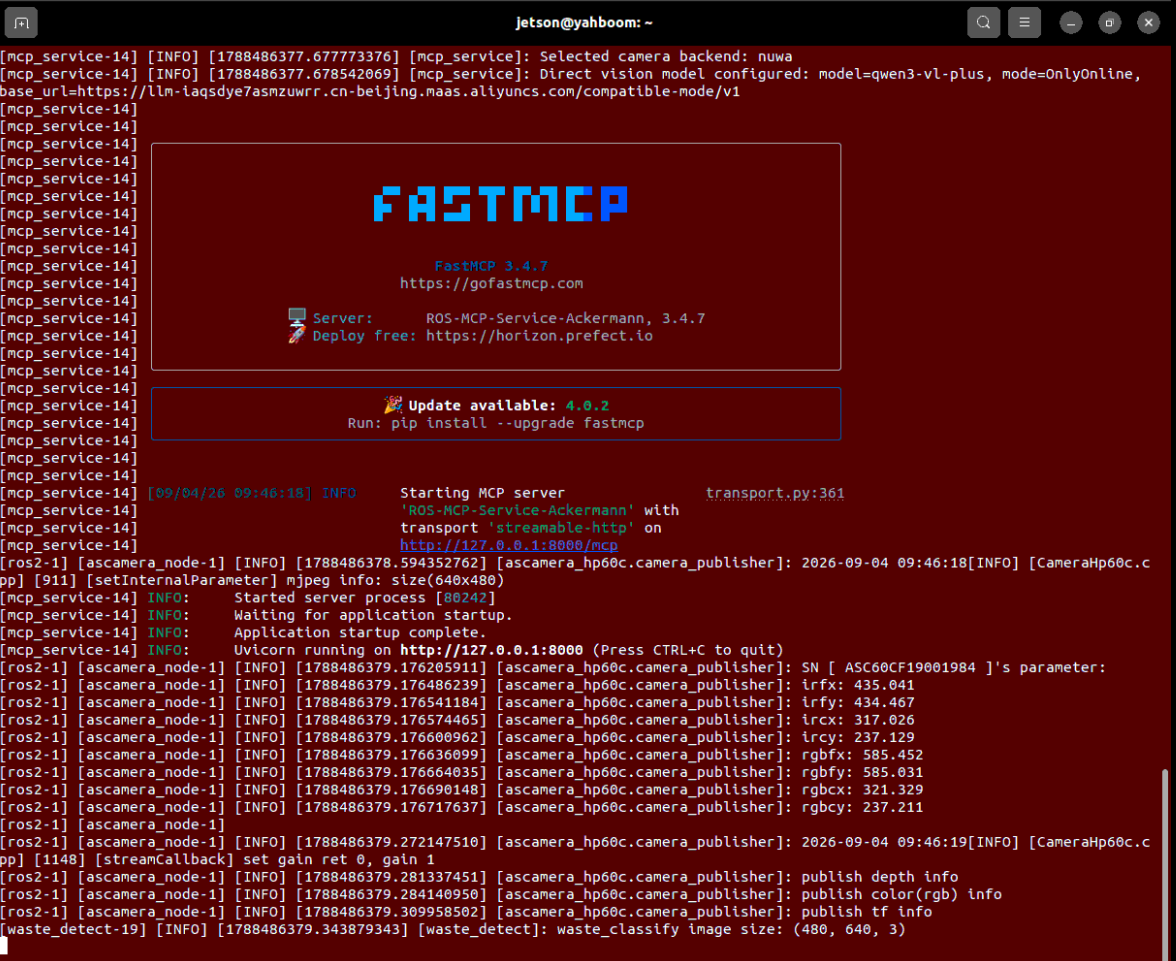
For voice dialogue interaction:
xxxxxxxxxxros2 run ackermann_mcp asr_detect
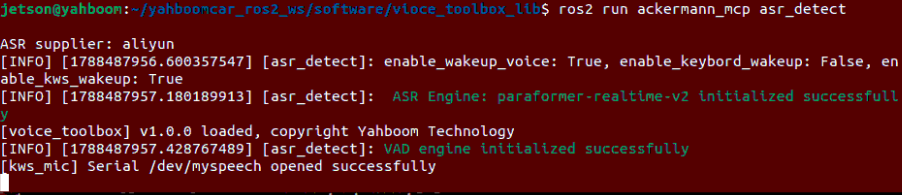
3. Machine Code Grasping Demonstration Case Practice
Tip
Instructions can be expressed naturally according to your actual needs. Here we use WebChat as an example.
Two core tools under the hood:
| Tool Name | Input Parameters | Core Function |
|---|---|---|
GetAprilTagIDs | None | Get list, 3D coordinates and deflection angles of all visible AprilTag machine codes in view |
GraspArUcoTarget | --target-id (specified tag number) | Control chassis to approach and drive robotic hand to adaptively grasp specified numbered block |
Step 1: Query Which Machine Codes Are Currently Available
Enter the command in the WebChat interface:
"See what machine codes are in front of you" or "Search for tags in view"
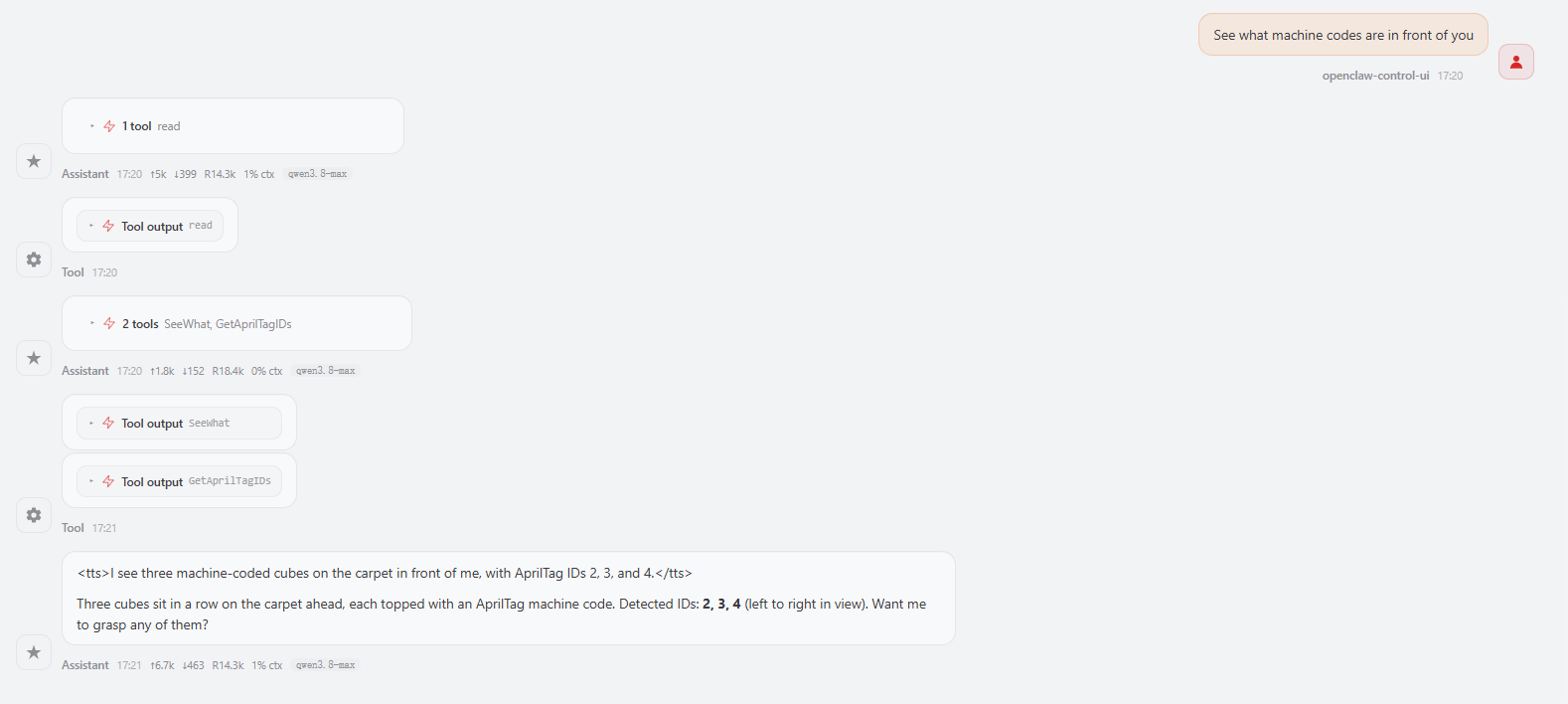
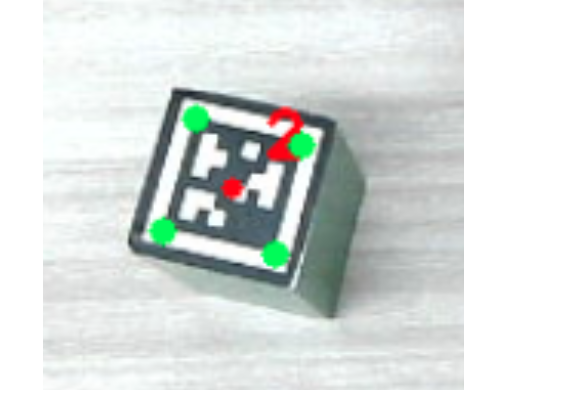
After the system calls GetAprilTagIDs, it saves a debug verification image with detection results annotated in the background. Each tag's four green corner points, center red point and prominent red ID number are all clearly visible:
xxxxxxxxxx~/MODELS/multi_brains_file/apriltag_detect.png
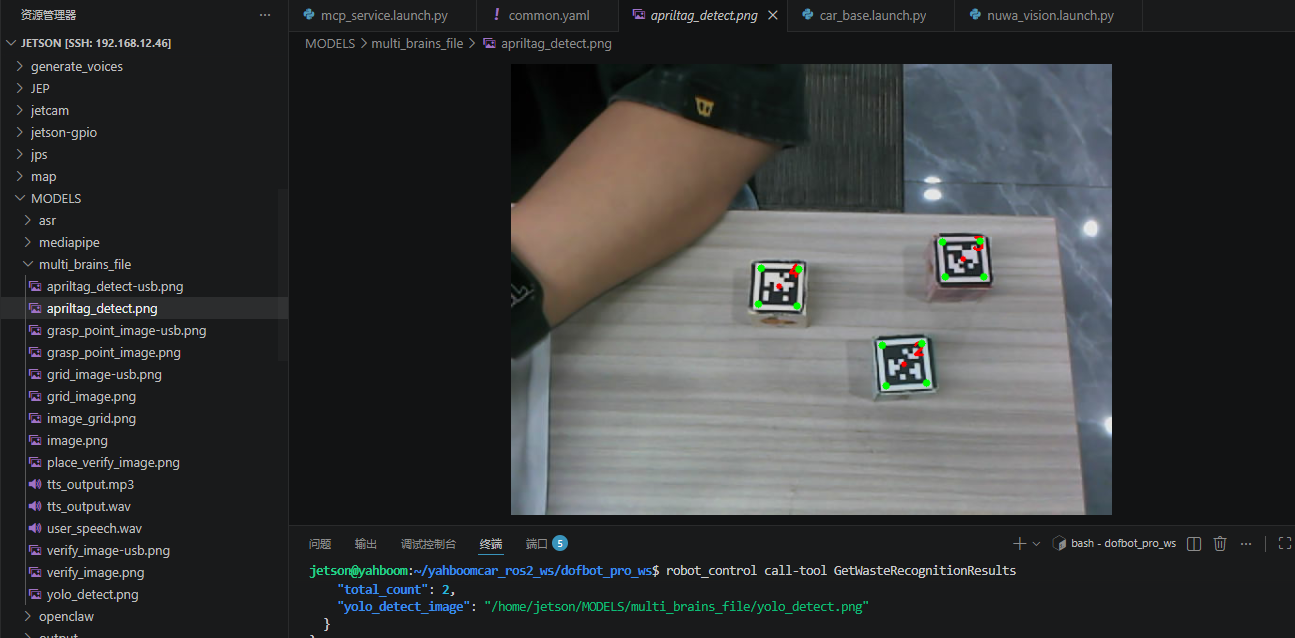
Step 2: Specify Number for Precise Grasping
Directly issue a grasping command in the WebChat interface:
"Grasp No. 2 machine code block"
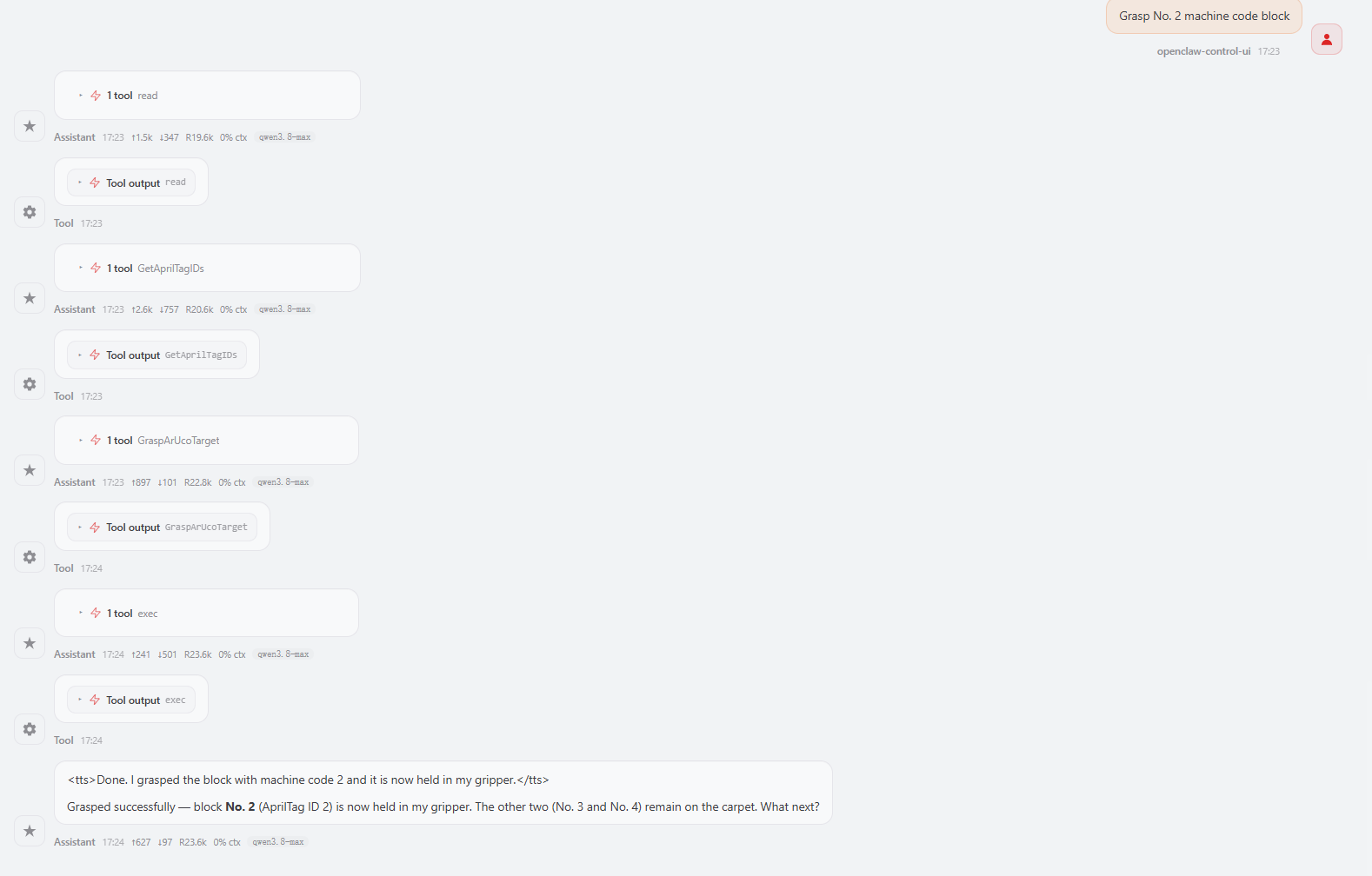
The robotic hand will rotate the wrist following the actual tilt angle of No. 2 tag, precisely grip and close, lift the block and retreat!
Developer Exclusive CLI Debugging Guide
For troubleshooting or automated testing, you can also directly use the command line to call tools in the terminal:
Terminal one-click search all tags:
xxxxxxxxxxrobot_control call-tool GetAprilTagIDs
Terminal directly trigger grasping of No. 2 tag:
xxxxxxxxxxrobot_control call-tool GraspArUcoTarget --target-id 2
4. Core Source Code Analysis
Source code file path:
xxxxxxxxxx~/yahboomcar_ros2_ws/dofbot_pro_ws/src/ackermann_mcp/ackermann_mcp/action_controller.py
4.1 GetAprilTagIDs() — Tag Scanning and Spatial Pose Solving
xdef GetAprilTagIDs(self) -> list[bool, str | list[AritagDetectionResult]]: '''Get ID, 3D spatial coordinates and yaw angle of all machine code tags in view''' # 1. Move robotic arm to global top-view detection posture for camera to obtain optimal observation field self._pubSix_Arm(self.waste_detect_pose) time.sleep(2.0) # 2. Call underlying AprilTag detection service if not self.get_aritag_client.wait_for_service(timeout_sec=8.0): return [False, "GetArUcoTagPose service not available", []] aritags: GetAprilTag.Response = self.get_aritag_client.call(GetAprilTag.Request()) if not aritags.success: return [False, aritags.message, []] # 3. Capture and read current image for drawing debug annotations save_result = self.What() if not save_result[0]: return [False, save_result[1], []] img = cv2.imread(self.image_path) detect_result: list[AritagDetectionResult] = [] # 4. Traverse each detected machine code tag for tag in aritags.detections: # Based on pixel center point combined with depth point cloud inverse solve robot coordinate system under 3D coordinates tagpose = self.get_pose_client.call( GetTargetPose.Request(x=tag.centre.x, y=tag.centre.y, radius=self.target_circle)) if not tagpose.success: continue
# Draw center red point and ID text cx, cy = int(tag.centre.x), int(tag.centre.y) cv2.circle(img, (cx, cy), 3, (0, 0, 255), -1) cv2.putText(img, f"{tag.id}", (cx + 10, cy - 10), cv2.FONT_HERSHEY_SIMPLEX, 0.6, (0, 0, 255), 2)
# Draw 4 physical feature corner points (green) for j in range(4): px, py = int(tag.corners[j].x), int(tag.corners[j].y) cv2.circle(img, (px, py), 4, (0, 255, 0), -1)
# Core geometric algorithm: Use corner point vector difference to calculate tag's planar yaw rotation angle dx = tag.corners[1].x - tag.corners[0].x dy = tag.corners[1].y - tag.corners[0].y angle_deg = math.degrees(math.atan2(dy, dx)) # Package detection result detect_result.append(AritagDetectionResult( tag.id, [tagpose.pose.position.x, tagpose.pose.position.y, tagpose.pose.position.z], angle_deg)) # 5. Save annotated image cv2.imwrite(self.atitag_detect_path, img) return [True, "", detect_result]Key point popular explanation:
atan2(dy, dx)angle mathematical principle:
AprilTag detector outputs the 4 corner points strictly arranged clockwise. The line connecting corner point 0 and corner point 1 represents the tag's "directly above" physical orientation. By doing vector difference and arc tangent (atan2) between two points, you can directly calculate how many degrees the block is tilted on the horizontal plane!
4.2 GraspArUcoTarget() — Four-Step Closed-Loop Grasping and Angle Normalization
xxxxxxxxxxdef GraspArUcoTarget(self, target_id: int):    '''Grasp machine code block of specified ID (closed-loop control)'''    # Step 1: Initial inspection (global scan all machine codes in view)    aritags_result = self.GetAprilTagIDs()    if not aritags_result[0]: return [False, aritags_result[1]]    aritags: list[AritagDetectionResult] = aritags_result[2]        # Find target with specified ID    for tag in aritags:        if tag.id == target_id: break    else:        return [False, f"Machine code with ID {target_id} not found in view"]
    # Step 2: Chassis coarse adjustment approach (enter comfortable operation zone)    adjusted_flag = False    if tag.pose[0] > self.waste_grasp_distance[0]:        adjusted_flag = True        delta_x = tag.pose[0] - self.waste_grasp_distance[0]        self.move_by_odom(distance=abs(delta_x), direction='forward')        time.sleep(3.0)        if abs(tag.pose[1]) > self.waste_grasp_distance[1]:        adjusted_flag = True        direction = 'left' if tag.pose[1] > 0 else 'right'        self.move_by_odom(distance=abs(tag.pose[1]), direction=direction)        time.sleep(3.0)            # Step 3: Reinspection fine-tuning (After chassis moves, must look again! Eliminate accumulated error)    if adjusted_flag:        aritags_result = self.GetAprilTagIDs()        if not aritags_result[0]: return [False, "Reinspection failed"]        for tag in aritags_result[2]:            if tag.id == target_id: break        else:            return [False, f"After chassis adjustment, ID {target_id} not found again"]
    # Step 4: Angle symmetry normalization and grasp execution    angle_normalized = self._normalize_angle_to_0_45(tag.angle_deg)        self._grasp(tag.pose[0], tag.pose[1], tag.pose[2],                grasp_pitch=self.grasp_offset[3],                joint5_angle=int(angle_normalized))        if self.enable_auto_back:        self.move_by_odom(direction='backward', distance=self.auto_back_dist)
    return [True, f"Successfully grasped machine code block with ID {target_id}"]
5. Parameter Debugging
Core parameter configuration file path:
xxxxxxxxxx~/yahboomcar_ros2_ws/dofbot_pro_ws/src/dofbot_pro_bringup/config/common.yaml
5.1 Tag Physical Size Parameter Adjustment (tag_size)
Machine code detection service relies on the tag's true physical side length to calculate distance. The tutorial default matching is micro tag code with black outer border of 0.02 meters (2 cm):
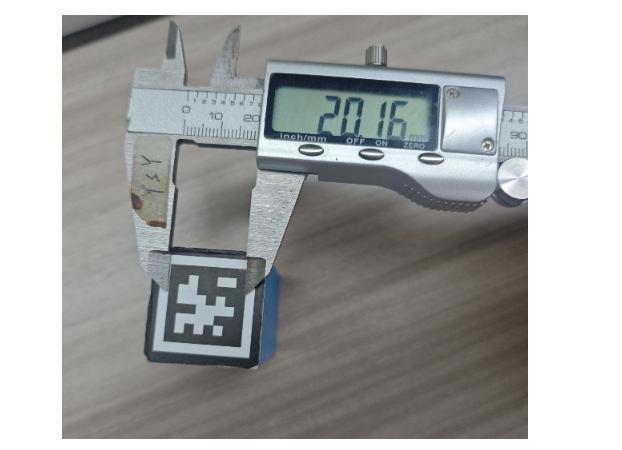
xxxxxxxxxxApriltagDetect_node ros__parameters tag_size0.020 # Machine code black frame outer edge true side length, unit: metersImportant
If you print a larger size tag yourself (e.g., side length 5cm tag block), be sure to change tag_size to 0.050, otherwise the camera will mistakenly judge the large tag as "very close to itself", causing serious deviation in grasping distance!
5.2 Grasping Posture and Offset Tuning
Machine code block grasping shares the underlying pose compensation parameters with regular grasping:
xxxxxxxxxxmcp_service ros__parameters GraspKeepPose90 125 3 0 90 140 # Grasping held object posture (last 140 is gripper closure tightness) grasp_offset0.015 0.015 -0.03 2.0 # [X front-rear offset, Y left-right offset, Z up-down height, gripper pitch] usb_grasp_offset0.00316 -0.00433 0.0 1.3963 # USB camera Grasp IK offset [x,y,z,pitch] auto_back_dist0.13 # Reverse retreat distance after grasping (meters) enable_auto_backTrue # Whether to enable retreatRight-Hand Coordinate System Fine-tuning Mnemonic:
Grasping empty/extended too far forward: Decrease X offset;
Deviated to right side: Increase Y offset (compensate left with positive direction);
Hit table collision: Increase Z offset (lift up, e.g., change from
-0.03to-0.02);After modification, compile the package to take effect, then restart service to apply parameters:
cd ~/yahboomcar_ros2_ws/dofbot_pro_ws/colcon build --packages-select dofbot_pro_bringup#Restartros2 launch dofbot_pro_bringup mcp_service.launch.py