Welcome to ROSMASTER A1 PRO repository
2.OpenClaw Core Concepts
OpenClaw Core Concepts
OpenClaw Core Concepts2. Course Content3. Core Concepts3.1 Chat Channels3.2 Agent3.3 Sessions and Memory3.4 Tools3.5 Skills3.6 Models3.7 Gateway Architecture4. Core Concepts Relationship Diagram5. Chapter Summary
2. Course Content
This chapter will systematically explain the seven core concepts of OpenClaw:
Chat Channels - Platforms for AI to communicate with users
Agent - The core brain of the AI agent
Sessions and Memory - Context management capabilities
Tools - Limbs for executing specific operations
Skills - Encapsulated functional modules
Models - The engine that drives AI thinking
Gateway - The nervous system hub of the system
3. Core Concepts
3.1 Chat Channels
What are Chat Channels?
Chat channels are communication platforms for users to interact with AI Agents. They can be understood as the AI employee's "desk" or "workplace".
Supported Channel Types:
| Channel Type | Representative Platforms |
|---|---|
| Instant Messaging | Slack, Discord, Microsoft Teams |
| Social Apps | Telegram, WhatsApp, Signal |
| Web Interface | WebChat, REST API |
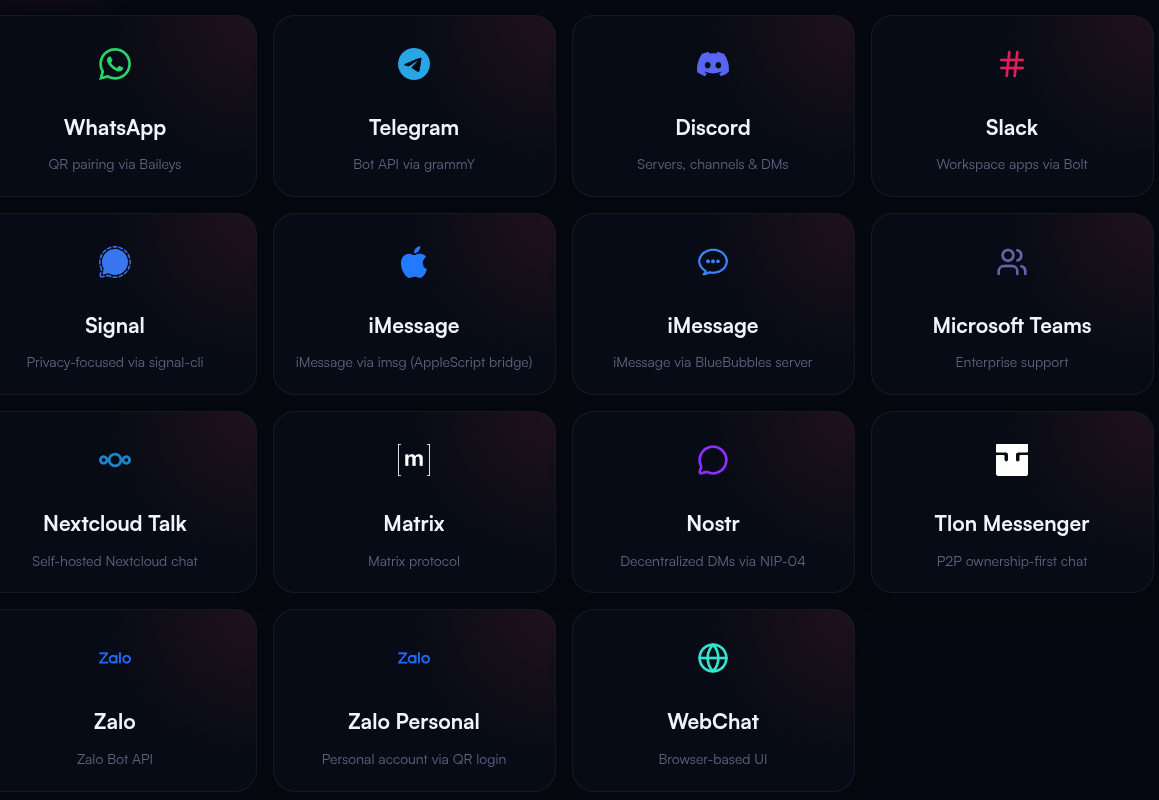
Core Characteristics of Channels:
Plug and Play - Enable required channels without redeployment
Many-to-Many Binding - One channel can connect to multiple Agents, and one Agent can serve multiple channels
3.2 Agent
The Agent is the core decision-making unit of OpenClaw. You can think of it as your "virtual employee" or "brain". Each Agent has independent:
Persona Prompt - Defines the AI's behavior style and role positioning
Model Selection - Determines which LLM to use (such as GPT-4, Claude, etc.)
Channel Binding - Specifies which platforms to work on
Key Features:
Multi-Agent Parallel - A single OpenClaw instance can run multiple Agents
Role Isolation - Different Agents do not interfere with each other, with independent configuration
3.3 Sessions and Memory
Why is Memory Needed?
The session and memory system allows AI to remember context and provide coherent conversational experiences.
OpenClaw's Three-Tier Memory Architecture:
Short-term Memory
Storage Format: Daily log files (
memory/yyyy-mm-dd.md)Retention Period: Recent 1-2 days of conversations
Purpose: Handling context for current tasks
Near-term Memory
Storage Location:
sessions/directoryManagement: Sliding window compression, maintaining complete session archives
Purpose: Multi-round conversation context tracking
Long-term Memory
Storage Content: User preferences, important decisions, historical experiences
Loading Method: Automatically loads
memory.mdat the start of each conversationPurpose: Achieving personalized intelligence and continuous learning
3.4 Tools
What are Tools?
Tools are the "limbs and senses" through which Agents interact with the external world, enabling AI to execute actual operations. If an LLM is the brain, then tools are the limbs attached to that brain.
OpenClaw Built-in Tools:
| Tool Type | Function Description | Use Cases |
|---|---|---|
| File System | Read/write files, create directories, search content | Document processing, data organization |
| Network Requests | HTTP API calls, Webhook triggers | Third-party service integration |
| Shell Commands | Execute system commands, run scripts | Automated operations, batch processing |
| Scheduled Tasks | Cron scheduling, periodic execution | Scheduled backups, daily report sending |
Tool Execution Flow:
User Instruction → Agent Understands Intent → Select Appropriate Tool → Execute Operation → Return Result
3.5 Skills
Skills vs Tools: What's the Difference?
Tools (Tool) are basic capabilities, such as "open file", "click mouse"
Skills are encapsulated business logic, such as "robotic arm grasping objects", "navigating to a certain location"
Analogy for Skills:
If we compare an Agent to a robot:
Agent = Robot's brain (responsible for thinking and decision-making)
Tools = Robot's limbs (responsible for executing basic actions)
Skills = Robot's training manual (tells the robot how to complete specific work)
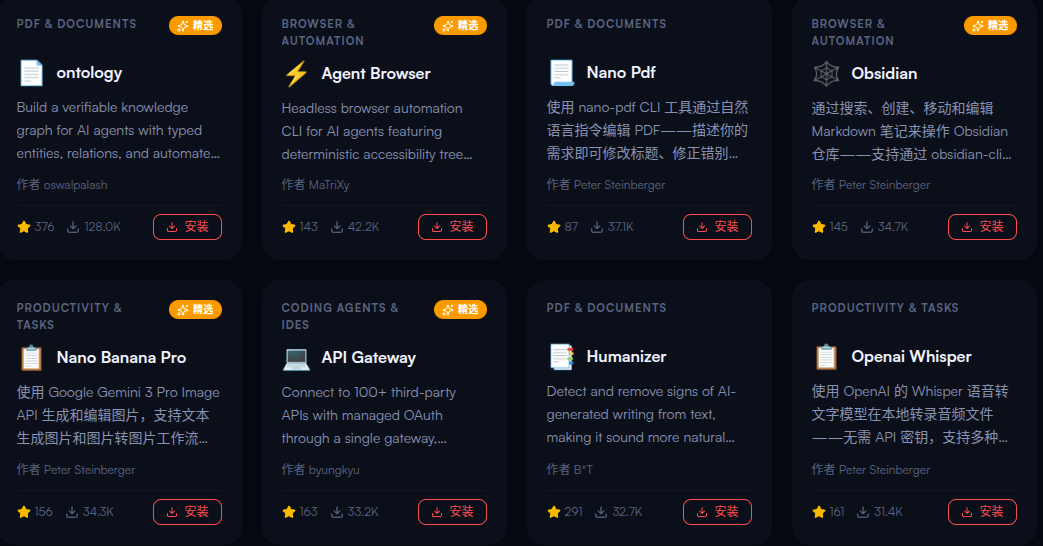
Core Characteristics of Skills:
Atomicity - A skill does one thing only (e.g., "grasp object")
No Decision-Making - Skills execute passively, do not judge "whether to do"
Standardization - Follows OpenClaw specifications, can be reused across scenarios
Pluggable - Install/uninstall at any time
Skill Sources:
ClawHub - Community-maintained skill marketplace
Custom Skills - Written by developers (Markdown or TypeScript)
3.6 Models
What are Connected Models?
Models refer to the large language models (LLM) that drive Agent thinking. They are the "intellectual engine" of AI. OpenClaw itself does not train models but serves as a "middleware" connecting various LLM providers.
Model Functions:
Understanding Intent - Parsing natural language user input
Task Planning - Breaking complex goals into executable steps
Tool Selection - Deciding which tool or skill to call
Self-Correction - Adjusting strategy based on execution results
Supported Model Providers:
| Provider | Representative Models | Characteristics |
|---|---|---|
| OpenAI | GPT-4o, GPT-4 Turbo | Strong comprehensive capability, complete ecosystem |
| Anthropic | Claude 3.5, Claude Sonnet | Excellent long-text processing, high security |
| Gemini Pro, Gemini Ultra | Strong multimodal capability | |
| Mistral | Mistral Large, Mixtral | Open-source models, high cost-effectiveness |
| Ollama | Llama 3, Qwen, etc. | Local deployment, privacy protection |
| Others | Any OpenAI-compatible interface | Custom model integration |
3.7 Gateway Architecture
What is the Gateway?
The Gateway is the "nervous system hub" and "general commander" of OpenClaw. It is a long-running background service that uniformly manages connections across all communication channels and coordinates communication between Agents, clients, and nodes.
Core Responsibilities of the Gateway:
Message Routing
Receives messages from 50+ channels (WhatsApp, Telegram, Slack, etc.)
Verifies user identity and permissions
Distributes to corresponding Agents based on session ID
Session Management
Maintains the state of all sessions
Supports "explicit parallelism, default serial" processing
Heartbeat detection and exception retry
Task Scheduling
Scheduled task triggers (Cron)
Load balancing and failover
Performance monitoring and log recording
Gateway Workflow:
xxxxxxxxxx┌─────────────┐│ User Message ││ (Telegram) │└──────┬──────┘▼┌─────────────────────────┐│ Gateway ││ - Authentication ││ - Session Find/Create ││ - Message Routing │└──────┬──────────────────┘▼┌─────────────┐│ Agent Processing ││ (Think + Execute) │└──────┬──────┘▼┌─────────────┐│ Return Result ││ (Reply via original channel) │└─────────────┘
4. Core Concepts Relationship Diagram
One-sentence Summary of Each Concept's Role:
| Concept | Analogy | Core Function |
|---|---|---|
| Chat Channels | Office/Desk | User interaction entry |
| Agent | Virtual Employee/Brain | Decision and planning |
| Sessions and Memory | Work Notes/Experience | Context management |
| Tools | Limbs and Senses | Basic execution capability |
| Skills | Training Manual | Encapsulated business logic and process |
| Models | Intellectual Engine | Thinking and reasoning |
| Gateway | Nervous System Hub | Scheduling and coordination |
5. Chapter Summary
OpenClaw is a local-first AI Agent operating system, not a simple chatbot
The role positioning and relationships of the seven core concepts
The layered architecture design of channels, Agents, skills, and tools
Supported model providers and selection strategies
The key role of Gateway as the system hub