Welcome to ROSMASTER A1 PRO repository
5.Path Re-planning
🚧 Dynamic Obstacle Detection & Path Replanning
1. Course Content
When the robot detects that the lane ahead is blocked by an immovable obstacle, it will immediately stop and safely back up to the last safe topological waypoint it passed, then search for an alternative bypass route in the global road network to safely reach the destination while avoiding the congested section.
2. Replanning Combat Case
2.1 Starting System Nodes
Terminal 1: Start Robot Chassis and LiDAR Drivers (Robot Side)
ros2 launch yahboomcar_nav laser_bringup_launch.py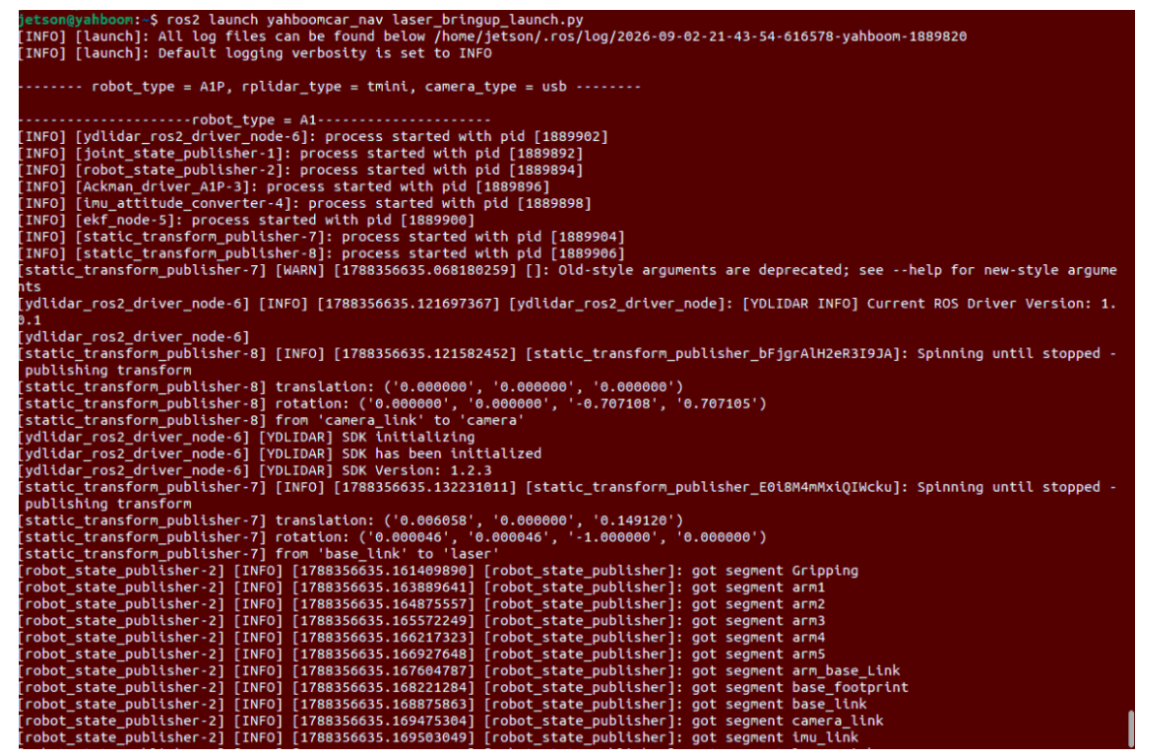
Terminal 2: Start Cartographer Global Localization (Robot Side)
Load the built .pbstream pose map to provide high-precision global localization:
x# RDK X5 System (sunrise user)ros2 launch yahboomcar_nav localization_imu_odom.launch.py use_rviz:=false load_state_filename:=/home/sunrise/map/map.pbstream
# Or industrial PC jetson userros2 launch yahboomcar_nav localization_imu_odom.launch.py use_rviz:=false load_state_filename:=/home/jetson/map/map.pbstream
# Raspberry Pi 5 userros2 launch yahboomcar_nav localization_imu_odom.launch.py use_rviz:=false load_state_filename:=/root/map/map.pbstream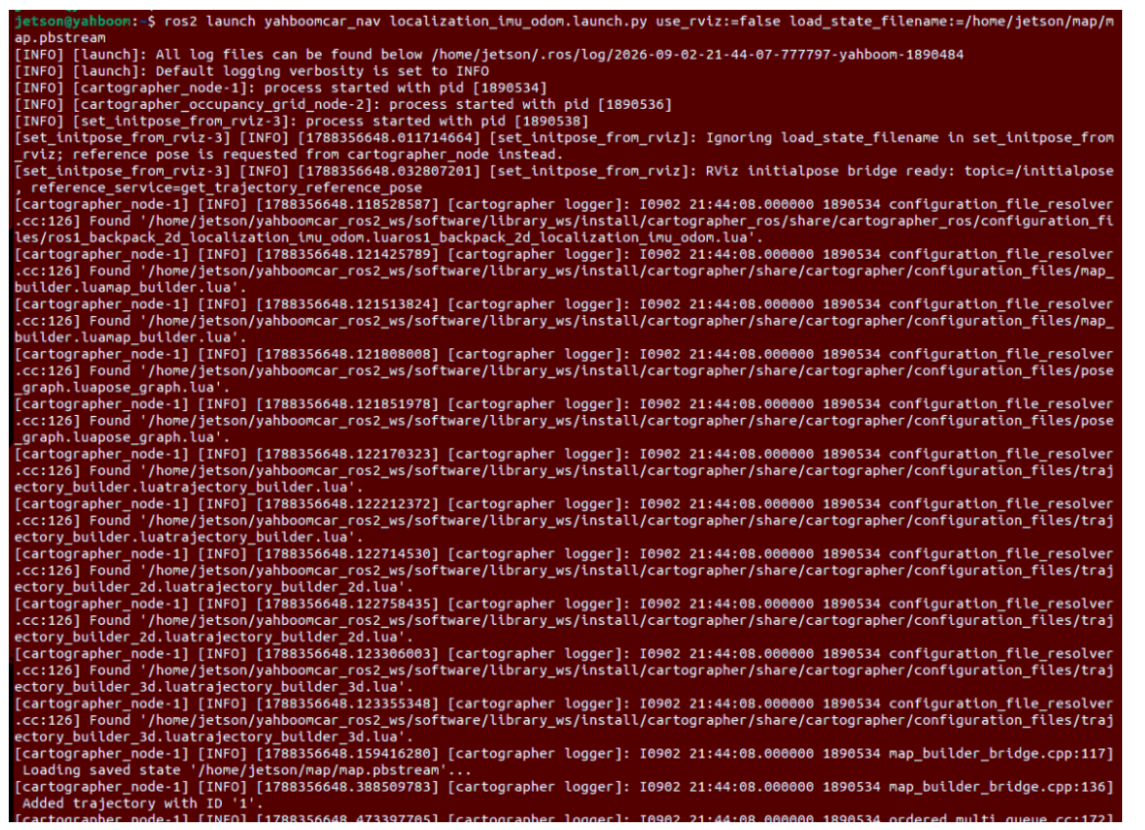
Terminal 3: Start Road Network Planning Navigation Control Node (Robot Side or Container Side)
Enter the road network docker,
xxxxxxxxxx# Quick start commandbringup_ros2kilted# Enter container terminalexec_ros2kiltedThis node will automatically load the map.yaml grid map, map.geojson topological road network, and start the Nav2 path following controller and route_bridge orchestration engine:
xxxxxxxxxx# RDK X5 Systemros2 launch road_net_route roadnet_nav2.launch.py map:=map.yaml pose_map:=map roadnet_file:=/home/sunrise/map/map.geojson
# If running inside docker containerros2 launch road_net_route roadnet_nav2.launch.py map:=map.yaml pose_map:=map roadnet_file:=/root/map/map.geojson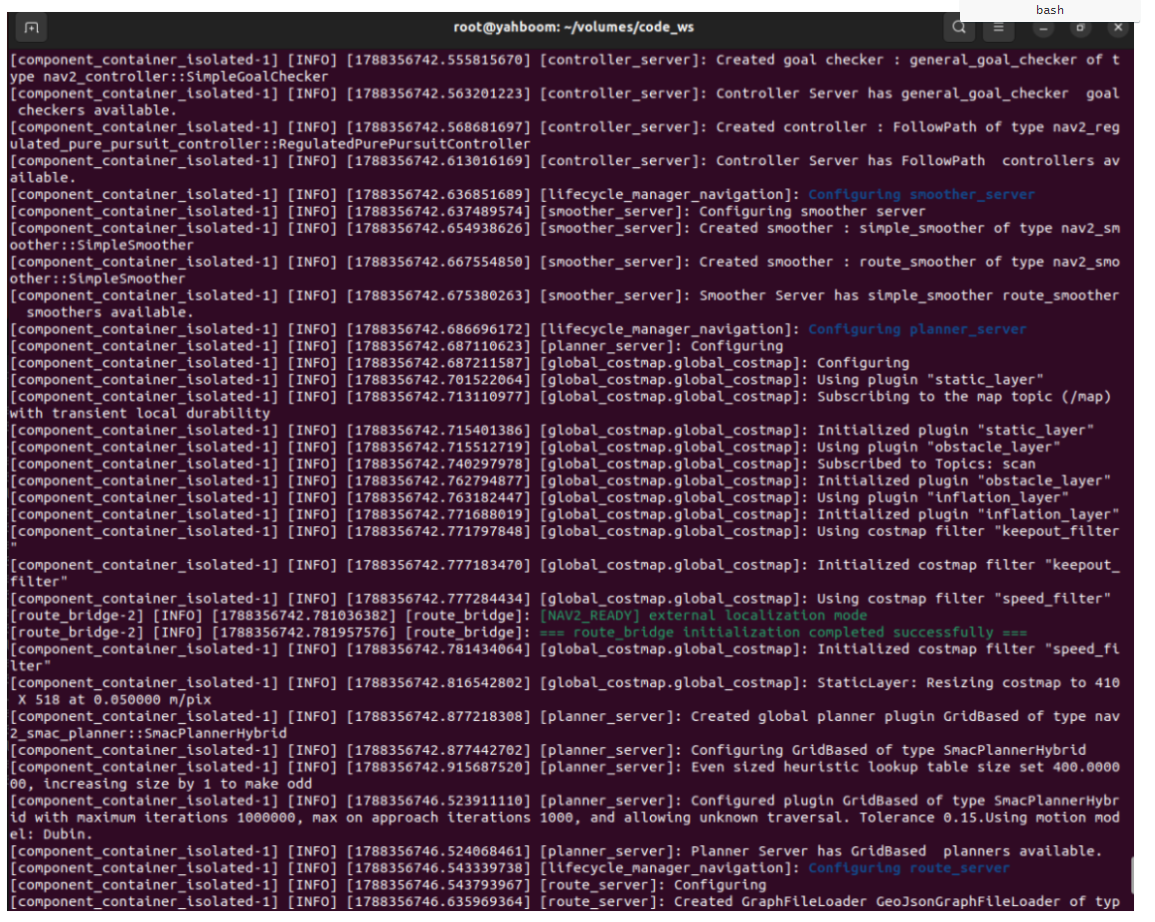
Terminal 4: Start RViz Visualization
Run RViz monitoring window on the mainboard road network docker side: (RDK and Raspberry Pi need to run on virtual machine)
xxxxxxxxxxros2 launch road_net_route rviz_only.launch.pyIf localization has not converged, use the 2D Pose Estimate tool in RViz to click and drag to align the initial pose:
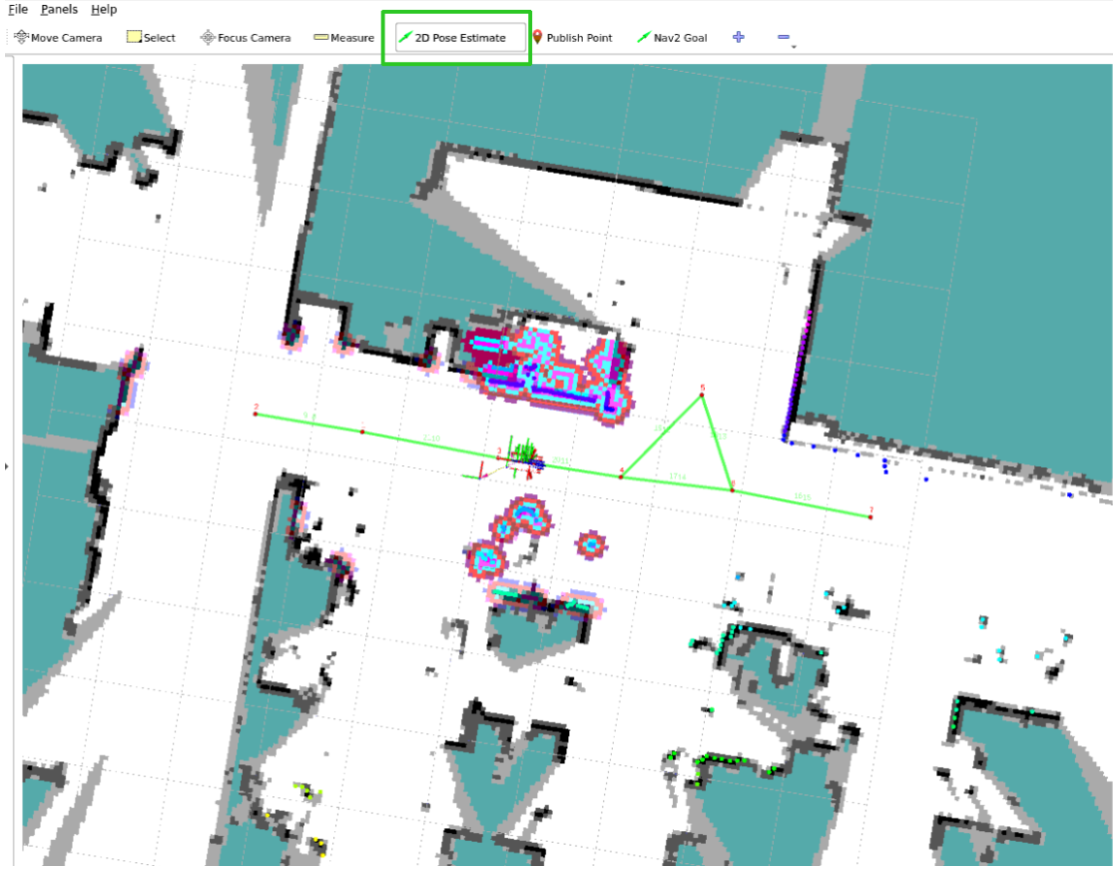
2.2 Creating Obstacles and Observing Automatic Replanning
Issue a cross-node navigation task, for example from the robot's current position Waypoint 1 to target Waypoint 7:
xxxxxxxxxxros2 topic pub -1 /road_net_nav_id std_msgs/msg/Int16MultiArray "{data: [1, 7]}"
The robot starts and begins traveling along the original optimal route (Waypoint 1 -> ... -> Waypoint 7):
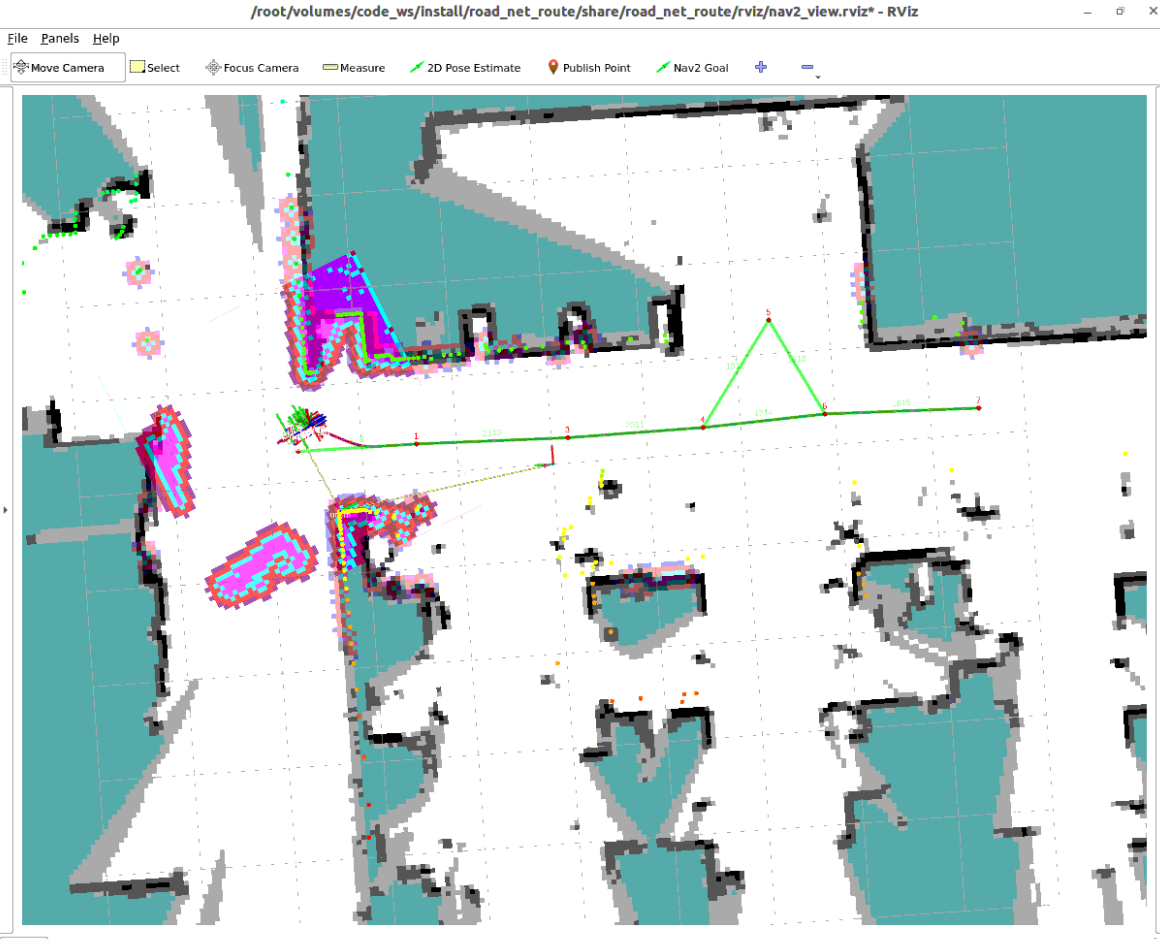
Place an obstacle to block: Place a cardboard box, wooden block, or book in front of the robot's preset lane to block the LiDAR's line of sight;
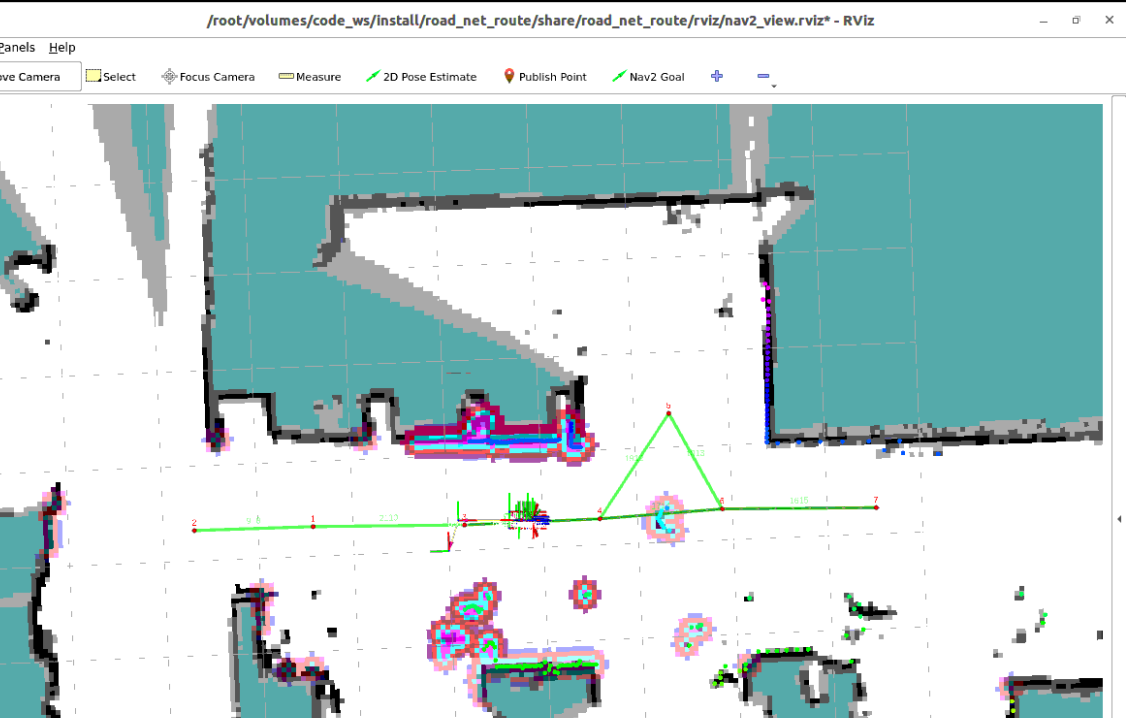
Robot automatically detects blockage: After the LiDAR scans the obstacle, the cost value in that area of the Global Costmap rises sharply. The look-ahead inspection module of
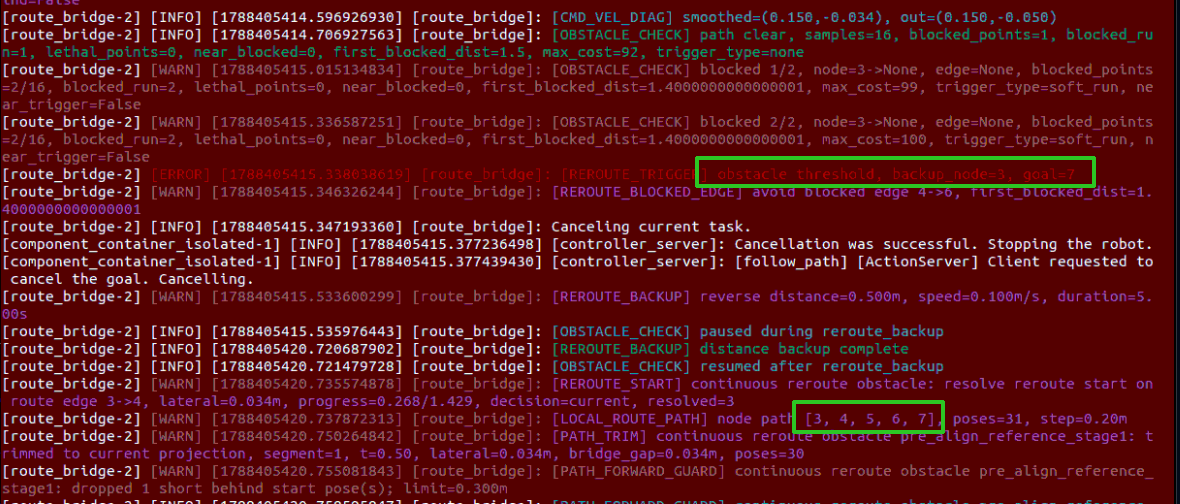
route_bridgedetects that obstacle sampling points on the planned path exceed the safety threshold:Execute retreat and avoidance strategy: For example, if an obstacle is placed between waypoints 4 and 6, the robot immediately stops forward movement and safely backs up to a safe position before replanning,
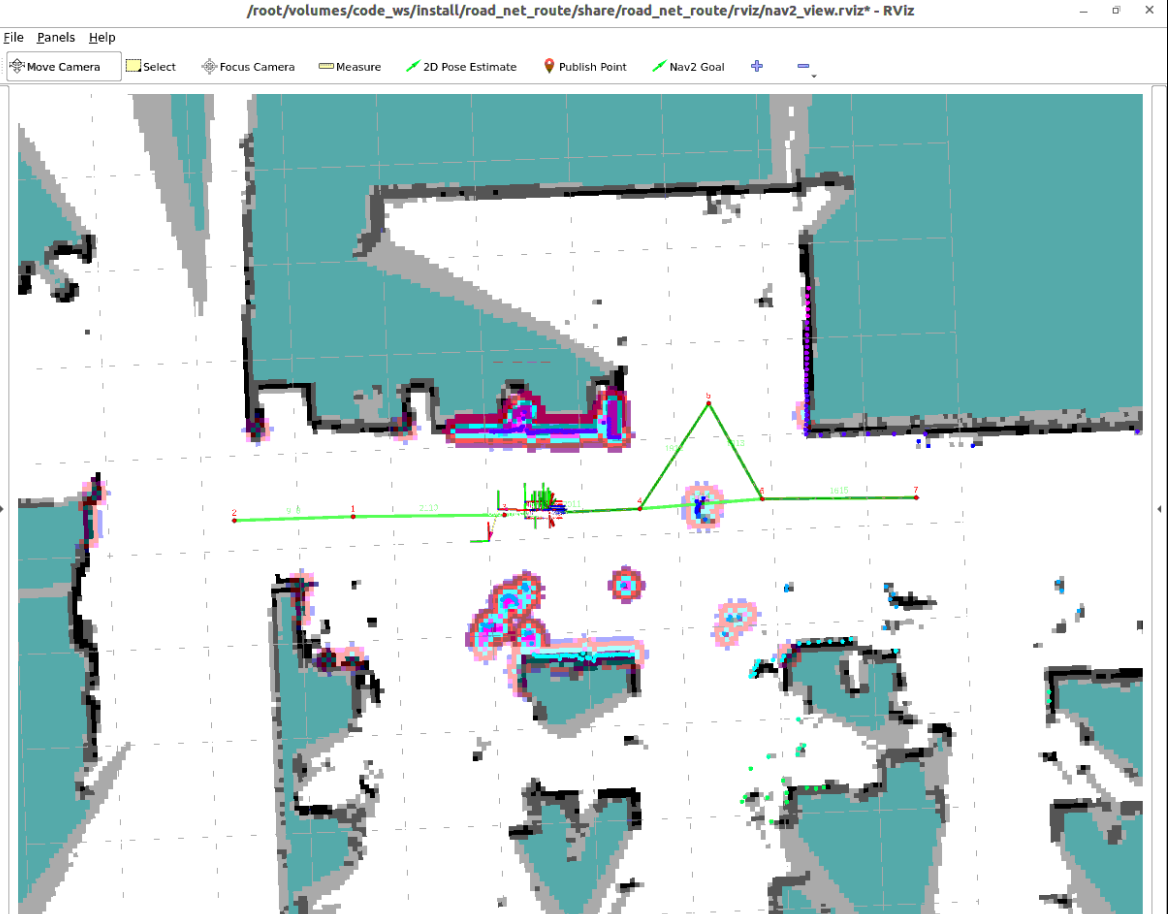
Automatically find new path: For example, if an obstacle is placed between waypoints 4 and 6, the system temporarily marks the congested section as impassable and automatically invokes the topological search algorithm to find an alternative route, planning something like 4-5-6:
3. Querying Map Cost Values and Debugging Detection Sensitivity
3.1 Viewing Cost Values at Specific Locations in RViz
The Costmap is a two-dimensional grid map, with cost values for each cell ranging from 0 ~ 255:
0: Absolutely safe open free area;1 ~ 98: Danger buffer zone near obstacles with inflation;99 ~ 100or254/255: Lethal obstacle or impassable unknown area.
In RViz, click the Publish Point tool in the top toolbar and click the left mouse button anywhere on the map. The terminal will print the real-time cost value of that location via subscription to /clicked_point:
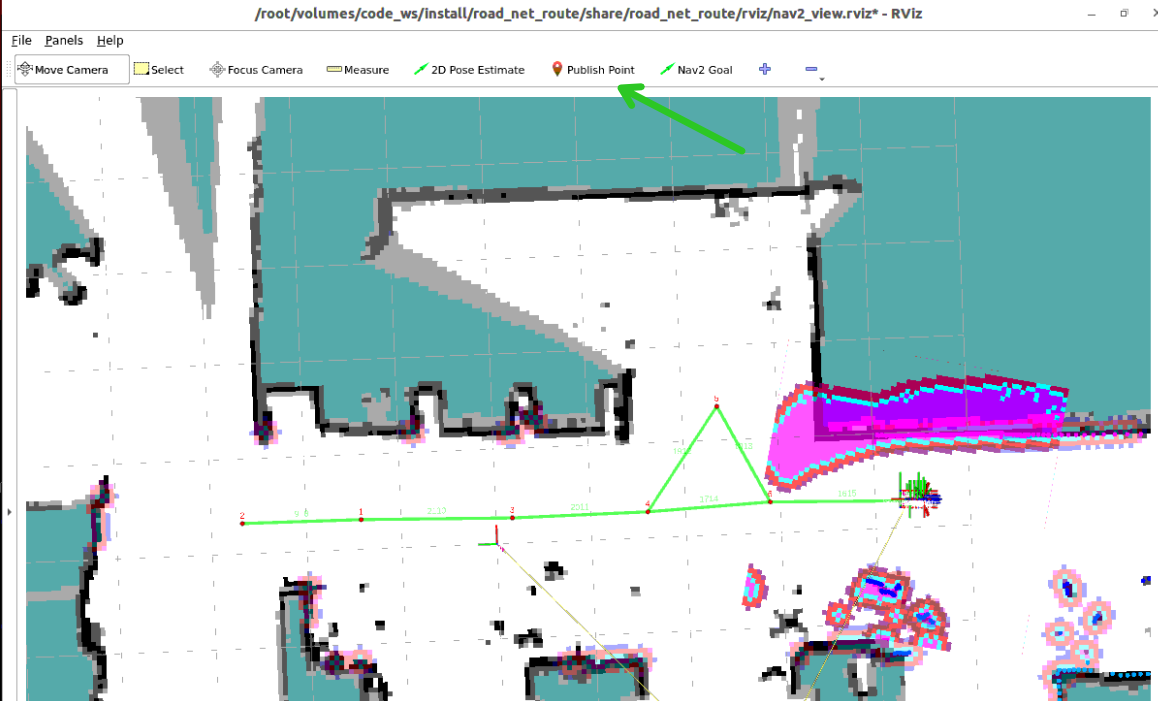

3.2 Adjusting Obstacle Trigger Threshold and Debounce Parameters
Config file path: code_ws/src/road_net_route/config/nav2_kilted.yaml
In the route_bridge parameter section, the following core parameters together control obstacle identification and replanning triggering:
xxxxxxxxxxroute_bridge ros__parameters roadnet_file'/home/sunrise/map/map.geojson' # 【Cost Threshold and Single-Round Blocking Condition】 cost_threshold60 # Inflated soft obstacle cost threshold (values above this are treated as soft obstacles) path_lethal_cost_threshold200 # Lethal high cost threshold (single sampling point reaching this value triggers single-round blocking) path_obstacles_threshold2 # Number of consecutive soft obstacle sampling points required to form single-round blocking # 【Look-Ahead Detection Distance and Sampling Density】 path_check_forward_distance1.5 # Distance to check forward along the path from the robot's current position (meters) path_sample_distance0.10 # Fixed interpolation spacing for obstacle detection (sampling every 0.1 meters) path_obstacles_min_distance0.15 # Only skip the segment immediately in front of the robot body (avoid self-collision false positives) path_blocked_near_distance1.20 # Near-range obstacle trigger distance for the robot (meters) path_blocked_near_points_threshold1 # When the number of near-range obstacle points reaches this count, single-round blocking is triggered occupied_cost_treat_unknown_as_blockedTrue # Treat unknown cost cells as blocked
# 【Continuous Frame Filtering for False Positive Prevention】 max_consecutive_obstacles2 # Replanning is officially triggered only after blocking is detected consecutively 2 times obstacle_clear_confirmation_count2 # Only completely clear blocking state after consecutively detecting 2 times with no obstacles obstacle_check_period_sec0.30 # Obstacle detection period (check once every 0.3 seconds)
# 【Physical Backup Before Replanning for Escape】 enable_replan_physical_backupTrue # Whether to execute physical reverse escape before triggering replanning replan_backup_distance0.50 # Reverse backup distance (meters) replan_backup_linear_speed0.10 # Reverse backup linear speed (meters/second) replan_backup_settle_sec0.15 # Brief stop stabilization wait time after reverse backup (seconds)Tip
More Responsive Obstacle Avoidance: The system uses "lethal high-cost single-point trigger (
path_lethal_cost_threshold: 200)" and "soft obstacle consecutive 2-point trigger (path_obstacles_threshold: 2)", combined withmax_consecutive_obstacles: 2, to sensitively capture sudden road blockages within 0.6 seconds.Physical Reverse Escape Protection: When
enable_replan_physical_backupis enabled, the robot will automatically back up 0.5 meters to create a safe spacing after detecting a dead end ahead, avoiding scratches from turning in place right next to the obstacle.
4. Core Source Code Analysis: CostmapEvaluator and Replanning Scheduling Engine
Source code reference:
code_ws/src/road_net_route/road_net_route/costmap_eval.pycode_ws/src/road_net_route/road_net_route/obstacle_tracker.pycode_ws/src/road_net_route/road_net_route/route_bridge.py
4.1 Path Forward Continuous Sampling Obstacle Evaluator (CostmapEvaluator)
In costmap_eval.py, CostmapEvaluator dynamically samples along the robot's current travel trajectory, using a triple mechanism of "soft obstacle consecutive run + lethal cost veto + near-range obstacle rapid response" to determine path passability:
xxxxxxxxxx# costmap_eval.py —— check_path_obstacles core implementationdef check_path_obstacles(self, path: Path, costmap, forward_distance: float, stride: int,                         current_pose, near_distance: float = 0.0,                         near_points_threshold: int = 1, min_distance: float = 0.0,                         sample_distance: float = 0.0) -> bool:    # 1. Look ahead along current path for forward_distance(1.5m), sampling at fixed interval sample_distance(0.1m)    sampled = path_utils.sample_path_forward_with_distance(        path, current_pose, forward_distance, stride, sample_distance    )        blocked_run = 0    max_blocked_run = 0    lethal_count = 0    near_obstacle_count = 0
    for pose, along_distance in sampled:        if along_distance < min_distance:            continue        wx, wy = pose.pose.position.x, pose.pose.position.y        mx, my = costmap.worldToMapValidated(wx, wy)        cost = costmap.getCostXY(int(mx), int(my))
        # Mechanism A: Lethal high cost (cost >= 200) determination        if self._cost_is_lethal(cost):            lethal_count += 1            if lethal_count >= 1:                self.last_path_trigger_type = 'lethal'                return True
        # Mechanism B: Soft obstacle (cost > 60) consecutive run accumulation        if self._cost_is_blocked(cost):            blocked_run += 1            max_blocked_run = max(max_blocked_run, blocked_run)            if along_distance <= near_distance:                near_obstacle_count += 1        else:            blocked_run = 0
    # Mechanism C: Near-range obstacle point count reaches threshold OR consecutive soft obstacle run reaches lower limit    if near_obstacle_count >= near_points_threshold:        self.last_path_trigger_type = 'near'        return True    if self._blocked_by_threshold(max_blocked_run):        self.last_path_trigger_type = 'threshold'        return True    return False
4.2 Continuous Filtering Debounce and State Tracking (ObstacleTracker)
Single-frame image or occasional noise points from radar point clouds cannot directly trigger robot shutdown and replanning. obstacle_tracker.py maintains a continuous detection state machine:
xxxxxxxxxx# obstacle_tracker.py —— update_counter continuous frame state maintenancedef update_counter(self, feedback, consecutive: int):    # 1. If the robot is executing physical reverse maneuver, automatically pause obstacle detection to avoid self-lock    paused, pause_reason = bridge._obstacle_check_is_paused()    if paused:        return 0, False
    # 2. Call costmap_eval to get current frame determination    blocked = bridge.costmap_eval.check_path_obstacles(...)    threshold = max(1, int(bridge.max_consecutive_obstacles))       # Set to 2    clear_required = max(1, int(bridge.obstacle_clear_confirmation_count)) # Set to 2
    if blocked:        self._clear_streak = 0        consecutive += 1        # When consecutive blocking reaches threshold, officially confirm trigger replanning        if consecutive >= threshold:            return consecutive, True    else:        # Must consecutively detect 2 times with no obstacles before confirming the road is truly clear        if consecutive > 0:            self._clear_streak += 1            if self._clear_streak >= clear_required:                consecutive = 0                self._clear_streak = 0    return consecutive, False
4.3 Physical Reverse Escape and Road Network Re-routing
In route_bridge.py, once the path is confirmed to be blocked:
Immediately interrupt the current
followPathcontroller task and enter maneuver safety protection mode (_pause_obstacle_check);If
enable_replan_physical_backupis enabled, control the chassis to execute smooth reverse (replan_backup_distance = 0.50m), creating a safe maneuvering clearance gap from the obstacle ahead;Temporarily exclude the topological edge where the blockage occurred from the current available road network, and re-invoke the Dijkstra algorithm to generate a brand new passable path in the alternative road network loop;
Send the new path to Nav2, the robot resumes smooth cruising, safely bypasses the obstacle and reaches the destination.