Welcome to ROSMASTER A1 PRO repository
2.Docker Basic Commands
Basic Docker Commands
1. Working Without the sudo Command
Normally, when operating Docker, the sudo prefix must be added, as shown below:
xxxxxxxxxxsudo docker version
However, after adding a docker user group, the sudo prefix is no longer needed. The way to add the docker user group (run the commands on the host that runs Docker):
xxxxxxxxxxsudo groupadd docker # create a docker user groupsudo gpasswd -a $USER docker # add the current user to the docker user group, where $USER is automatically resolved to the currently logged-in usernewgrp docker # update the docker user group
After running the above commands, test with the docker images command. If no error is reported, it means you can now use Docker without sudo. If an error like the following appears:
xxxxxxxxxxpi@ubuntu:~$ docker imagesWARNING: Error loading config file: /home/pi/.docker/config.json: open /home/pi/.docker/config.json: permission denied
Then run the following commands on the host to resolve it:
xxxxxxxxxxsudo chown "$USER":"$USER" /home/"$USER"/.docker -Rsudo chmod g+rwx "/home/$USER/.docker" -R
2. Basic Docker Commands
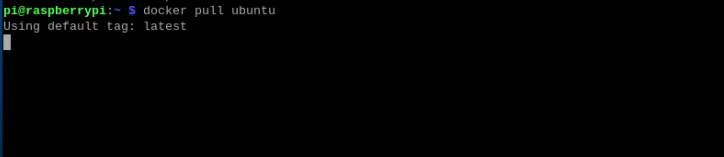
1. Pull an Image
⚠️ If the image cannot be pulled, you may need to access the internet through a VPN.
xxxxxxxxxxdocker pull
2. List Images
xxxxxxxxxxdocker images
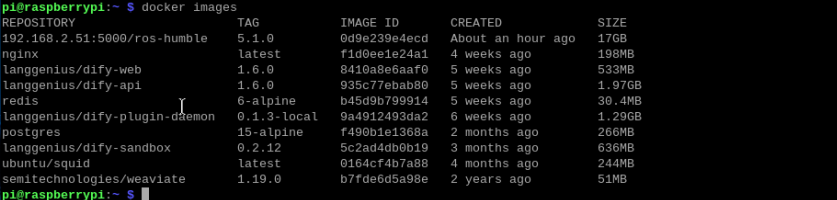
Parameter explanation:
REPOSITORY — the repository source of the image
TAG — the tag of the image
IMAGE ID — the ID of the image
CREATED — the time when the image was created
SIZE — the size of the image
3. List the Docker Containers That Are Currently Running or Have Been Run
xxxxxxxxxxdocker ps #list running containersdocker ps -a #list all containers that have ever been run
The figure below shows a list of all the Docker containers that have ever been run.

In the figure, Up indicates a running container, and Exited indicates a Docker container that has been stopped.
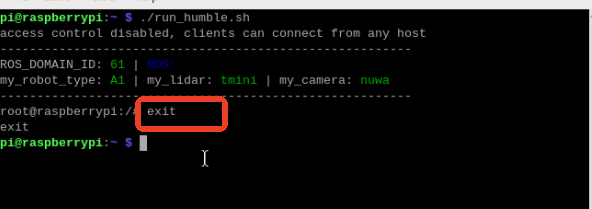
4. Exit a Container Using the exit Command
5. Restart a Docker Container That Has Been Stopped
xxxxxxxxxxdocker start (container id or container name) # start a containerdocker restart (container id or container name) # restart a containerdocker stop (container id or container name) # stop a containerdocker kill (container id or container name) # force-stop a container

6. Delete Containers
docker rm container id # delete the specified containerdocker rm -f $(docker ps -a -q) # delete all containersdocker ps -a -q|xargs docker rm # delete all containers