Welcome to ROSMASTER A1 PRO repository
4.AprilTag Height Anomaly Sorting
📏 Sorting Height-Anomalous AprilTags
1. Course Overview
The function implemented in this lesson can be simply understood as: camera measures height, intelligently identifies stacked wooden blocks, prioritizes grasping the taller one.
In industrial production, there is often a need to cull non-conforming products with excessive height or stacking errors. This case uses AprilTag machine codes combined with visual 3D ranging model to calculate the real height (Z-axis) of each wooden block on the table in real-time, automatically determining if it's a "double-layer stacked" height anomaly situation. After pressing spacebar, the system locks onto the anomalous item for automatic grasping and classified unloading.
Note
The tutorial uses the accompanying AprilTag props: 3*3cm AprilTag cube wooden blocks.
For USB camera, place the AprilTag directly below for more accurate calculation.
2. Preparation and Running
This case requires opening 3 terminals to start the system sequentially:
2.1 Start Camera Driver and Kinematics Solver Environment
Run in Terminal 1:
ros2 launch dofbot_pro_driver A1pro_camera_arm.launch.py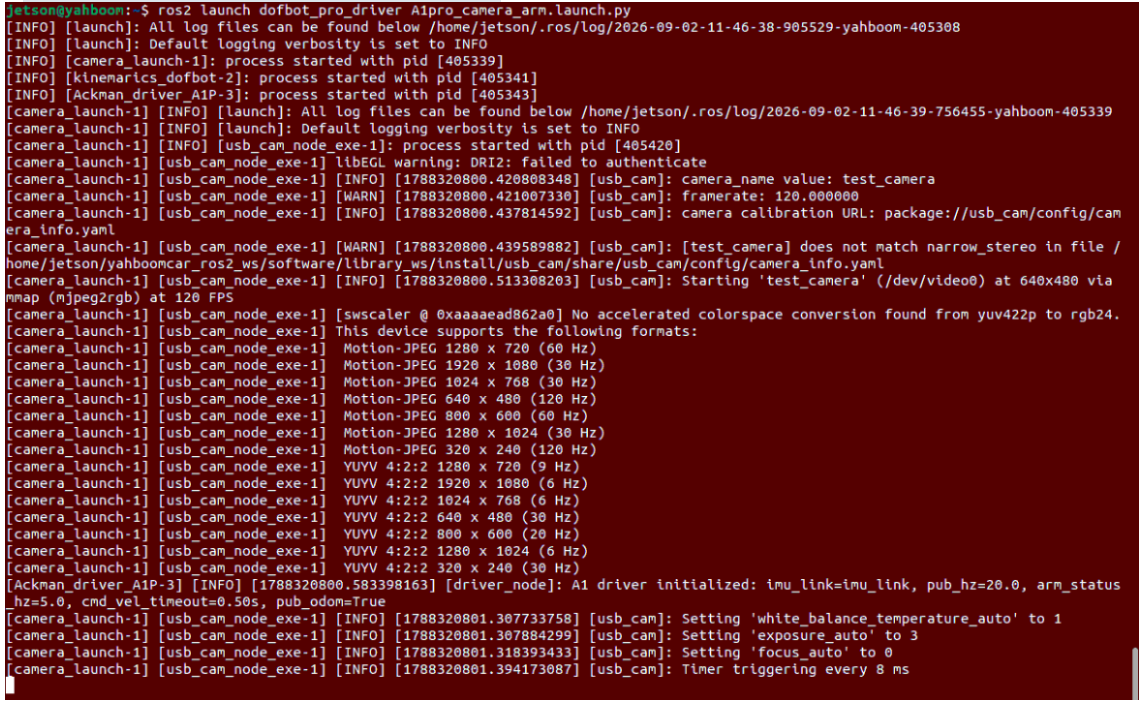
2.2 Start Robotic Arm Desktop Grasping Action Execution Node
Run in Terminal 2:
x# Depth camera version (Nuwa)ros2 run dofbot_pro_driver grasp_desktop
# Or USB camera versionros2 run dofbot_pro_usb grasp_usb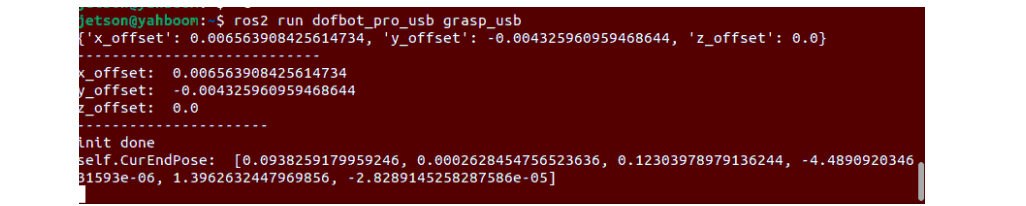
2.3 Start Height Anomaly Detection Node
Run in Terminal 3:
xxxxxxxxxx# Depth camera version (Nuwa)ros2 run dofbot_pro_driver apriltag_list
# Or USB camera versionros2 run dofbot_pro_usb apriltag_usb_height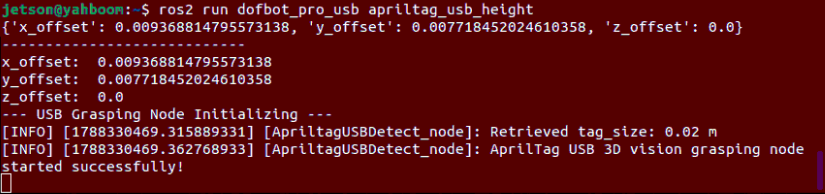
3. Operation Demo and Interaction Flow
Material Placement Preparation:
Prepare normal single-layer wooden blocks (height approximately 3cm) and double-layer stacked height-anomalous wooden blocks (height approximately 6cm, stacking two 3cm blocks together), place them together in front of the camera field of view;
Real-time Recognition and Height Annotation:
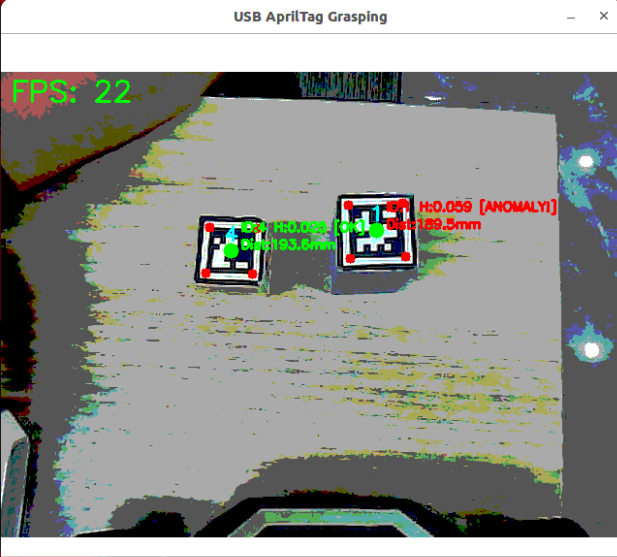
The program calculates spatial height for all AprilTags in the field of view in real-time and annotates them:
USB Monocular Camera: Single-layer normal items show green
OK(e.g.,H:0.030 [OK]); double-layer stacked over-standard items show redANOMALY!(e.g.,H:0.060 [ANOMALY!]);3D Depth Camera: Directly annotates centimeter-level physical height values, anomalous targets with height greater than 5cm are highlighted in
Height: 6.0 cm, normal items below 5cm are shown in blue;
Trigger Height Classification Grasping:
Keep the image window active, press the spacebar (
Space);The system automatically locks onto the height-anomalous wooden block (double-layer stacked target);
Chassis coordinates PID to automatically and smoothly fine-tune forward/backward, adjusting the target to optimal grasping working distance (approximately 190~205mm);
After distance is in position, the robotic arm automatically descends to grasp the top anomalous wooden block, and rotates to the specified bin to unload based on tag ID, completing non-conforming product culling;
If all wooden blocks in the field of view are normal height (no double-layer stacking), pressing spacebar will not trigger grasping, and the system remains on patrol standby.
4. Core Source Code Analysis
The height sorting system is completed by "detection decision" and "grasping execution" two nodes working in coordination:
| Camera Type | Height Detection Decision Node | Grasping Execution Node |
|---|---|---|
| USB Monocular Camera | dofbot_pro_usb/apriltag_usb_height.py | dofbot_pro_usb/grasp_usb.py |
| 3D Depth Camera | dofbot_pro_driver/apriltag_list.py | dofbot_pro_driver/grasp_desktop.py |
Regardless of which camera model is used, the core task is: distinguish the true physical height of materials on the table, and precisely cull items exceeding 5cm in height. The main technical implementation comparison between the two:
| Comparison Dimension | USB Monocular Camera Solution | 3D Depth Camera Solution (Nuwa-HP60C) |
|---|---|---|
| Height Calculation Principle | Pinhole imaging reverse calculation, derive relative height by subtracting measured depth from camera calibration reference depth | Physical depth sensor direct reading, combine with forward kinematics to solve world frame Z-axis absolute height |
| Anomalous Target Locking | Among all anomalous blocks, prioritize the target closest to the vehicle | Prioritize the anomalous block closest to the field of view center |
| Gripper Surface Adaptive | Default fixed-angle grasping | Real-time calculation of tag corner inclination angle, drive joint 5 adaptive rotation to grip surface |
| Post-Grasp Collision Avoidance | Slight chassis backward movement after grasping | Execute reverse retreat action (_retreat_action) through independent thread after grasping |
4.1 USB Monocular Camera Core Source Code Analysis
1. Pinhole Model and Relative Height Derivation
The USB monocular camera lacks hardware ranging. The algorithm first calculates the depth from camera optical center to the top surface of the material cam_coords[2], then subtracts it from the preset table distance at the robotic arm's initial patrol pose (0.255m), thereby obtaining the block height:
xxxxxxxxxx# apriltag_usb_height.py —— Relative height derivationcam_coords = self.estimate_tag_camera_coords(tag_item, fx, fy, cx0, cy0)
# 0.255m is the calibrated reference distance from camera to table# Normal single-layer block (3cm): depth approximately 0.225m -> height_cm approximately 0.03m# Double-layer stacked block (6cm): depth approximately 0.195m -> height_cm approximately 0.06mheight_cm = 0.255 - float(cam_coords[2])
2. Anomaly Threshold Detection and Distance-Priority Selection
Set 5cm (0.05m) as the height anomaly threshold. After pressing spacebar, the program iterates through all detected tags in the field of view, prioritizing and locking the anomalous block closest to the robot:
xxxxxxxxxx# apriltag_usb_height.py —— Anomaly filtering and nearest target lockingfor tag_item in tags:    cam_coords = self.estimate_tag_camera_coords(...)    height_cm = 0.255 - float(cam_coords[2])    dist_detect = math.hypot(pose[1], pose[0]) * 1000  # Horizontal physical distance (mm)
    is_anomaly = height_cm > 0.05  # Higher than 5cm judged as anomalous stacking
    # Record the nearest target among all anomalous items    if is_anomaly and dist_detect < anomaly_min_dist:        anomaly_min_dist = dist_detect        anomaly_candidate = tag_item
3. Chassis PID Coordination Alignment and Grasping Publishing
After locking the target, the chassis uses forward/backward linear velocity PID control to converge the horizontal distance between the block and robot to the optimal working point (190mm), then publishes the target 3D information to trigger grasping.
4.2 3D Depth Camera Core Source Code Analysis
1. Hardware-Level Depth Reading and World Coordinate Absolute Height Computation
The depth camera synchronizes color images with 32-bit floating-point depth maps through ApproximateTimeSynchronizer. It directly indexes the true physical depth at the tag center pixel, and through hand-eye homogeneous transform and forward kinematics (FK), directly solves the absolute 3D coordinates (pose_world) in the base world frame:
xxxxxxxxxx# apriltag_list.py —— World coordinate absolute height computationcz = depth_resize[cy, cx] / 1000.0  # Direct physical depth index (meters)if cz != 0:    pose_world = self.compute_pose(center_x, center_y, cz)    # pose_world[2] is the physical height Z of the block's top surface relative to robotic arm base    height_cm = pose_world[2] * 100    height_cm_rounded = round(height_cm, 1)
    # Height greater than 5.0cm judged as double-layer stacked anomaly, add to candidate list    if height_cm > 5.0:        valid_tags.append((tag, cx, cy, cz, pose_world, height_cm_rounded, dist_detect_mm))
2. Field of View Center Priority Locking Algorithm
When multiple stacked anomalous blocks exist, the depth camera node uses Euclidean distance weighting to prioritize locking the target closest to the image center, ensuring optimal robotic arm working line of sight and smoothest IK solving:
xxxxxxxxxx# apriltag_list.py —— Field of view center target selectionif len(valid_tags) > 0: # Select the anomalous tag closest to image center (320, 240) best_tag_info = min( valid_tags, key=lambda t: (t[0].center[0] - 320)**2 + (t[0].center[1] - 240)**2 ) self.process_selected_tag(best_tag_info, depth_resize, result_image)3. Gripper Adaptive Rotation Alignment and Anti-Scratch Protection
Before grasping, the program calculates adaptive rotation angle target_joint5 using tag corner vectors, so the mechanical gripper accurately aligns parallel to the block's side wall; after grasping is complete, upon receiving grasp_done signal, automatically starts an independent thread to execute chassis reverse avoidance action to prevent reset collision:
xxxxxxxxxx# apriltag_list.py —— Adaptive rotation and safe retreat after graspingvx = int(tag.corners[0][0]) - int(tag.corners[1][0])vy = int(tag.corners[0][1]) - int(tag.corners[1][1])self.joint5_msg.data = int(compute_joint5(vx, vy))self.TargetJoint5_pub.publish(self.joint5_msg)
# After grasping, chassis automatically micro-reverses to exit working zonedef grasp_status_callback(self, msg):    if msg.data:        self.pubPos_flag = True        threading.Thread(target=self._retreat_action).start()
Through this dual-camera adaptive design, readers can intuitively understand the algorithm's underlying derivation logic and successfully complete sorting experiments whether using monocular cameras or 3D depth cameras.
4.3 Grasping Offset Tuning (Both Camera Models)
If position deviation occurs during actual grasping (such as missing, knocking over objects, offset left/right, or hitting the table), you can directly modify the spatial offset configuration file for the corresponding camera:
1. Where to Modify
Configuration files are located in the ~/yahboomcar_ros2_ws/dofbot_pro_ws/src/dofbot_pro_driver/config/ directory. Select based on camera type:
3D Depth Camera (Nuwa-HP60C):
offset_value.yamlUSB Camera:
usb_offset_value.yaml
2. How to Modify
The file contains offset parameters in X, Y, Z directions (unit: meters, recommended adjustment per tweak is 0.005~0.01, i.e., 5~10mm):
x_offset(forward/backward direction, positive toward vehicle front):Gripper extends too far and knocks over object decrease value (adjust smaller or set negative)
Gripper doesn't extend far enough and misses increase value (adjust larger)
y_offset(left/right direction, positive toward vehicle left):Gripper deviates right increase value (correct left)
Gripper deviates left decrease value (correct right)
z_offset(up/down height, positive toward ceiling):Gripper too high in air and can't grasp decrease value (probe deeper)
Gripper hits or scrapes table increase value (raise higher)