Welcome to ROSMASTER A1 PRO repository
1.USB Camera Introduction
📷 200W USB Camera Introduction and Usage
1. Course Overview
This course will introduce the basic characteristics of the 200W pixel USB HD wide-angle camera equipped on the A1 Pro robot, and demonstrate how to use the ROS 2 driver to start the camera node, use rqt_image_view to view the color image stream in real-time, and read the camera intrinsic parameters /camera_info topic.
🎯 Course Objectives
Understand the hardware specifications and operating parameters of the 200W USB camera
Master how to start the camera driver and image visualization using
usb_camMaster how to view and understand the camera intrinsic topic
/camera_info
2. Camera Hardware Introduction
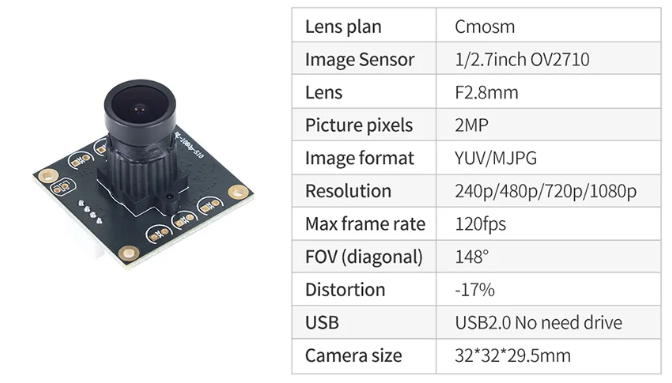
The USB HD camera equipped on A1 Pro features wide dynamic range, high frame rate, and plug-and-play capability:
Sensor Resolution: Up to 1920×1080 (1080P) / Calibration default output 640×480
Working Frame Rate: 30 FPS
Field of View (FOV): Large field of view with no distortion/minor distortion wide-angle lens
Interface Type: USB 2.0 driver-free UVC standard protocol
Data Output Format: YUYV / MJPEG
3. Preparation and Driver Startup
3.1 Start USB Camera Driver Node
Open the terminal and run the following command to start the camera driver:
ros2 launch usb_cam camera.launch.py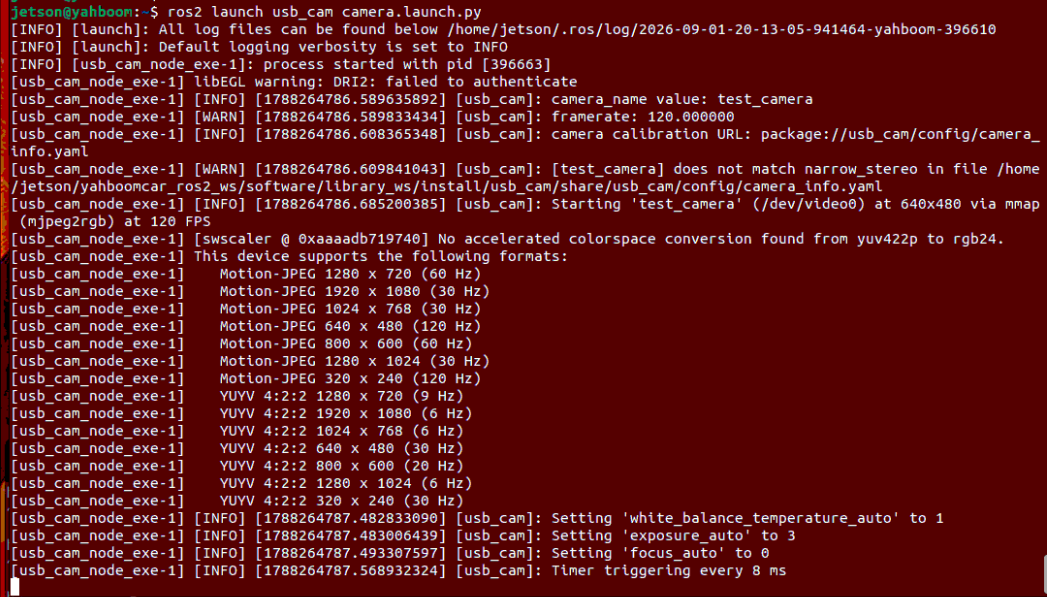
After the driver starts successfully, it will continuously capture images in the background and publish /image_raw (or /usb_cam/image_raw) and /camera_info topics.
4. Hands-on Demo and Visualization
4.1 Use rqt_image_view to View Real-time Images
Run the following in a new terminal:
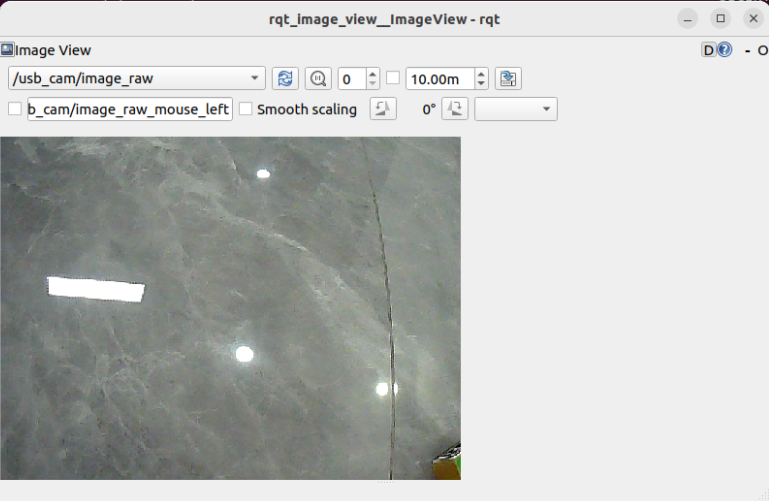
xxxxxxxxxxros2 run rqt_image_view rqt_image_viewIn the pop-up interface, select the camera's image topic (/usb_cam/image_raw) from the dropdown list on the upper left to view the RGB color image captured by the camera in real-time:
4.2 View Camera Intrinsic Topic (/usb_cam/camera_info)
Execute in the terminal:
xxxxxxxxxxros2 topic echo /usb_cam/camera_info --once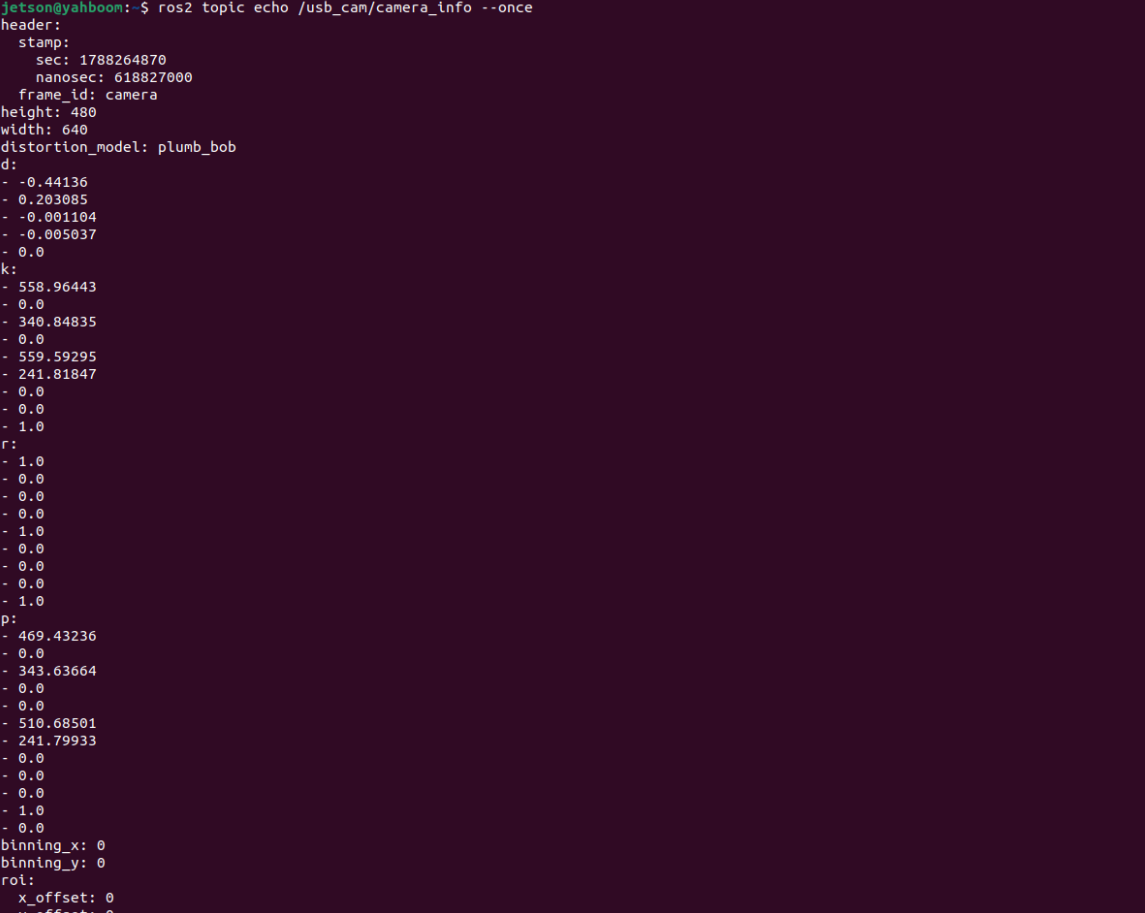
5. Core Source Code and Parameter Analysis
5.1 Launch File
Path:
xxxxxxxxxx$HOME/yahboomcar_ros2_ws/software/library_ws/src/usb_cam/launch/camera.launch.py
xxxxxxxxxxdef generate_launch_description(): camera_node = Node( package='usb_cam', executable='usb_cam_node_exe', name='usb_cam', output='screen', parameters=[ {'video_device': '/dev/video0'}, {'image_width': 640}, {'image_height': 480}, {'framerate': 30.0}, {'pixel_format': 'yuyv2rgb'}, {'io_method': 'mmap'}, {'camera_frame_id': 'camera_link'}, ], ) return LaunchDescription([camera_node])5.2 Core Parameter Description
| Parameter Name | Default Value | Description |
|---|---|---|
video_device | /dev/video0 | Video device node path |
image_width | 640 | Image output width (pixels) |
image_height | 480 | Image output height (pixels) |
framerate | 30.0 | Camera capture frame rate (FPS) |
pixel_format | yuyv2rgb | Pixel format conversion (converts raw YUYV to RGB output) |
io_method | mmap | Image memory mapping acquisition method (efficient with no extra memory copy) |
camera_frame_id | camera_link | Camera name in ROS TF coordinate system |
autoexposure | true | Whether to enable automatic exposure control |
auto_white_balance | true | Whether to enable automatic white balance |