Welcome to ROSMASTER A1 PRO repository
6.Intention Estimation
6. Intention Understanding (Voice Version)
1. Course Content
Understand what embodied intention understanding for robots is, and how the large model converts humans' vague, implicit natural speech expressions into precise embodied action sequences;
Master customizing a personalized intention mapping table through Dify's RAG (Retrieval-Augmented Generation) knowledge base;
Combine Nav2 autonomous navigation, multimodal visual perception, and robotic arm grasping to achieve the transition from "vague intention speech" to "fully automatic cross-region closed-loop execution";
Master the Dify-side workflow intention classification and the visualized debugging methods for knowledge base retrieval results;
Analyze the collaborative working principles of the vehicle-side large model request scheduling, chain-of-thought decomposition, and low-level action execution services.
It is recommended that the grasped object not exceed 4 cm
Important
Original design intent:
The design of intention understanding is to increase the tacit understanding in the interaction between the robot and the human, so that the robot can more intelligently perceive the potential needs that the user does not state directly. Do not configure action flows that violate physical common sense or are dangerous.
2. Preparation
2.1 Description
This lesson is applicable to controllers such as Raspberry Pi 5, Jetson Orin NANO, and D-Robotics RDK X5:
Raspberry Pi 5: You need to first enter the Docker container before executing ROS 2 related commands. Refer to [3.Enter Docker (For Raspberry Pi)] in [Robot Configuration and Operation Guide];
Orin / RDK X5: Directly run the commands in the vehicle terminal; there is no need to enter Docker.
2.2 Start the Dify Local Large Model Environment
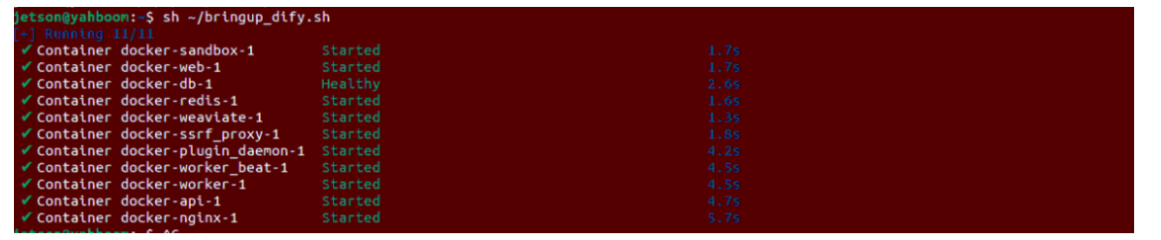
Enter the following command in the host terminal to start the Dify service:
sh ~/bringup_dify.shThe terminal prints the following information, indicating that the Dify service is connected successfully:
2.3 Configure the Intent Mapping File (Intent mapping.xlsx)
In traditional control, you must say "go to the pantry, pick up the bottled water, and bring it to the office" for the robot to execute. However, through the intent mapping table, we define the correspondence between everyday vague expressions and specific embodied tasks:
Open the Example file folder in the same directory as this tutorial, and you will see the Intent_en.xlsx templates:

The table contains two core columns:
| query (the user's vague intention expression) | answer (the precise task steps the robot should execute) |
|---|---|
| I am in the office right now, and I feel a bit thirsty | 1. Navigate to the pantry 2. Observe and pick up the bottled water 3. Navigate back to the office 4. Put down the bottled water |
Users can freely expand their own personalized intentions in the table according to actual application scenarios.
2.4 Configure the Dify RAG Knowledge Base
On a LAN computer, access the Dify platform in a browser (
http://<vehicle IP>), and enter the [Knowledge Base] page in the top navigation bar:
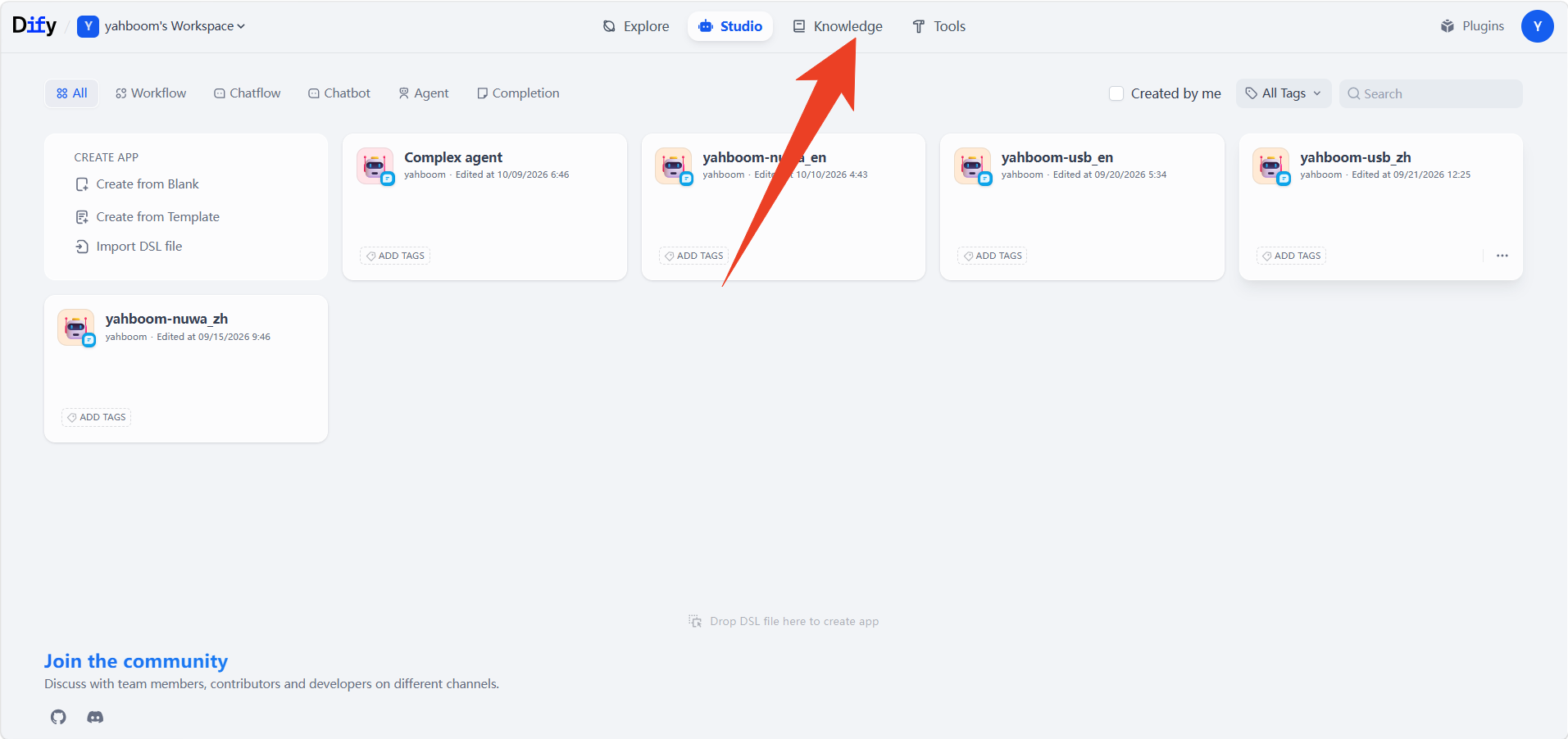
The Intent_en knowledge base is pre-set at the factory.
Click to enter the
Intent_enknowledge base, where you can add new entries: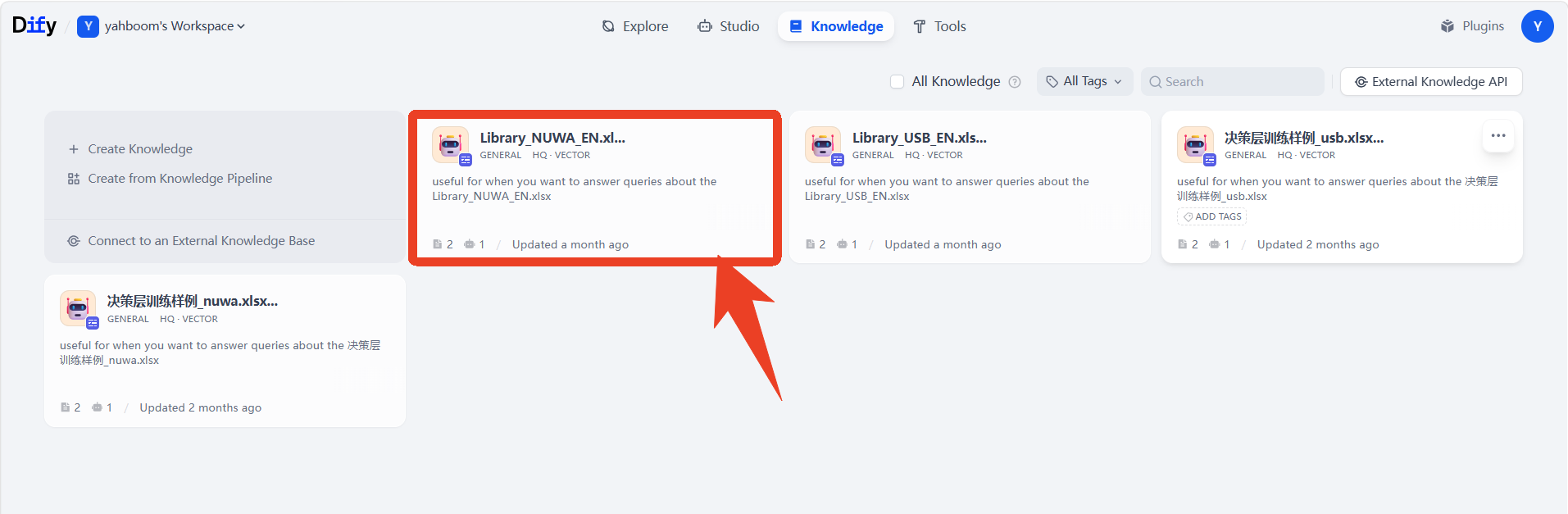
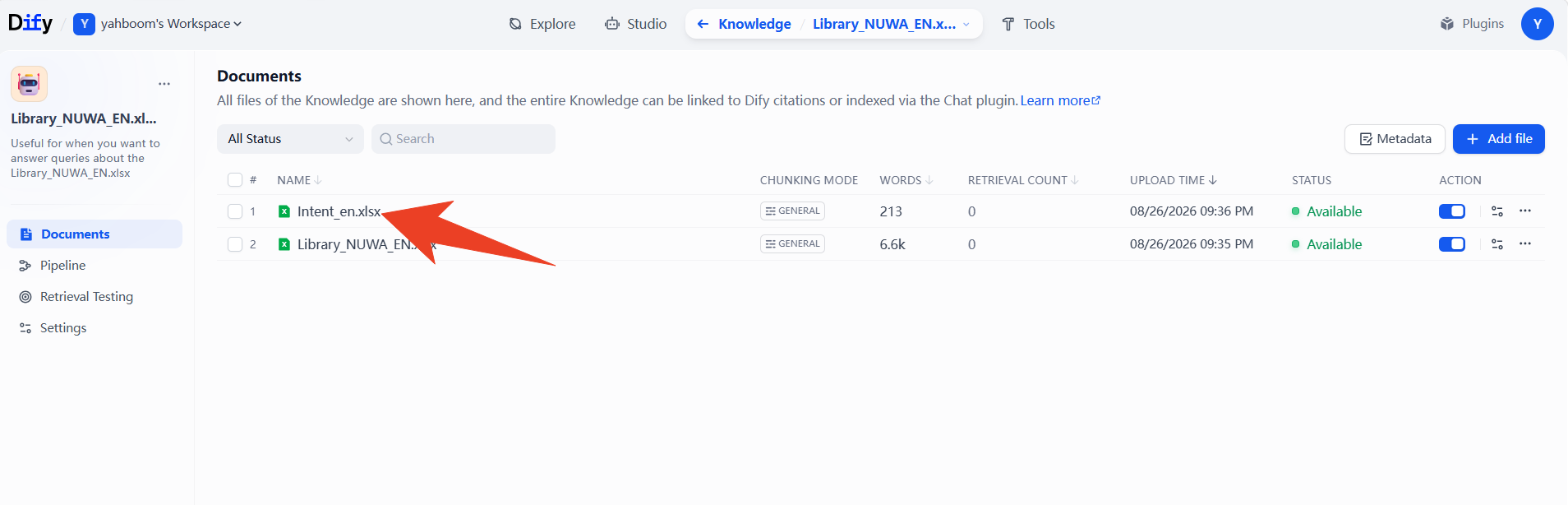
After entering, click [Add Chunk]:
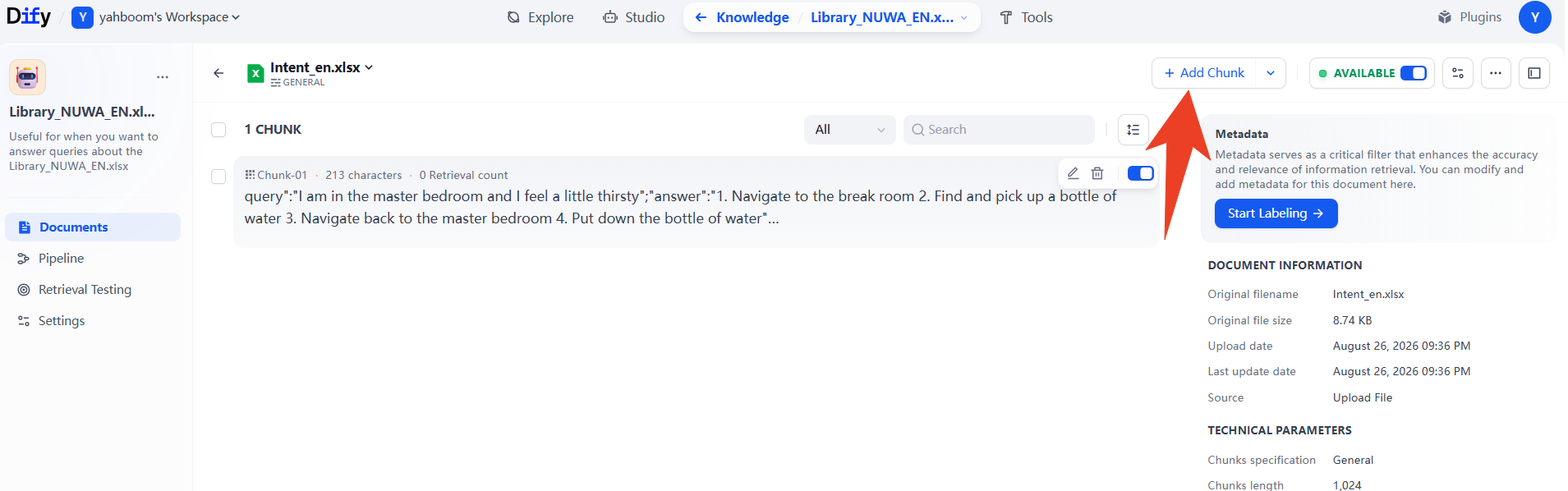
Add your own intention guesses according to the provided template:
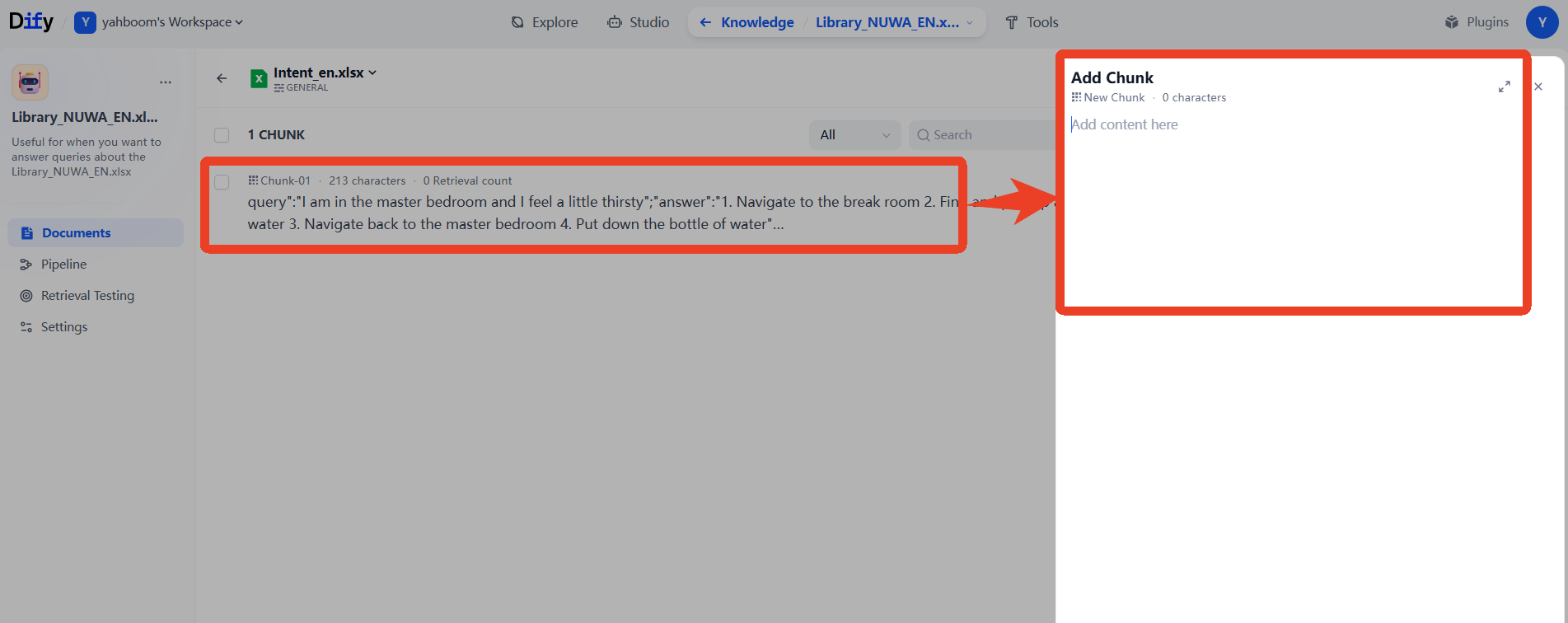
After configuration is complete, click save, and then go to the corresponding application to publish and update the application body.
Tip
It is recommended to set the segment and index mode of the Intent mapping intention understanding knowledge base to [High Quality Mode] (using vector retrieval), so that the large model can still accurately recall the corresponding task rules when the user's spoken expression has semantic variations or synonymous expressions.
3. Running the Cases
3.1 Start the System Master Control Node (Voice Mode)
Enter the following command in the vehicle terminal to start the large model voice embodied control service:
xxxxxxxxxxros2 launch multi_brains llm_agent_control.launch.pyAfter the node is ready, the terminal displays:
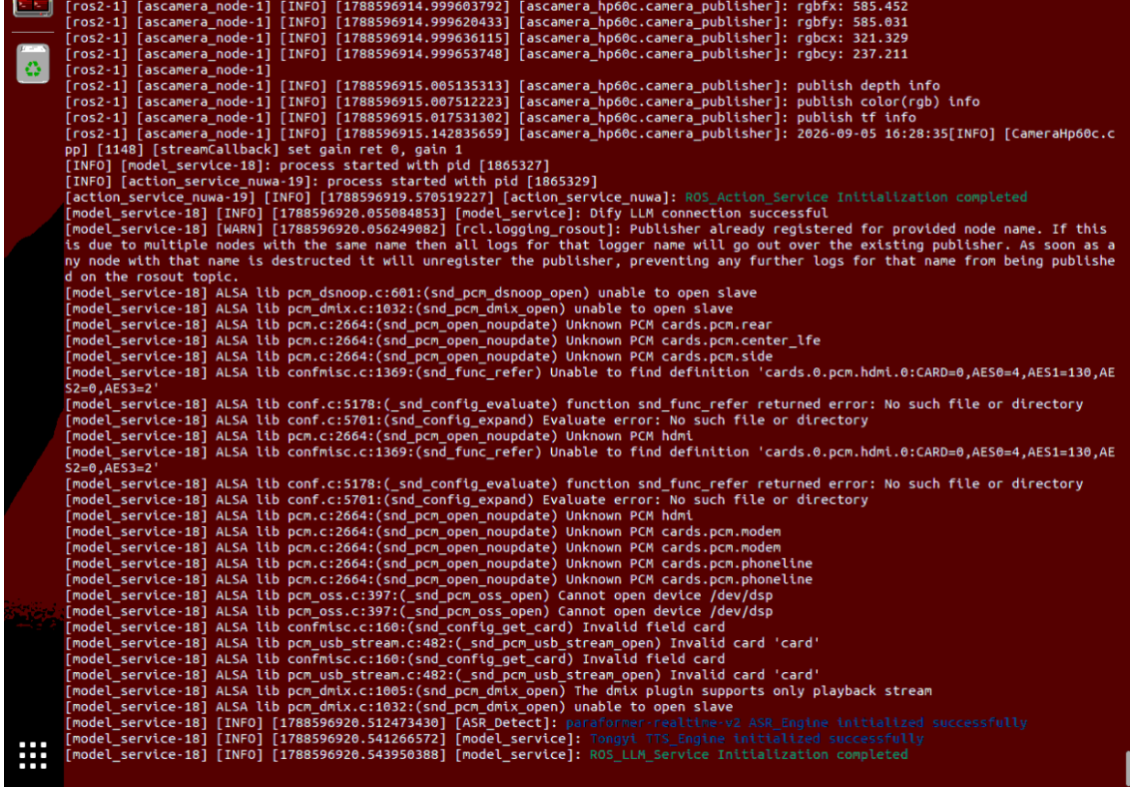
3.2 Start the SLAM Navigation and Visualization System
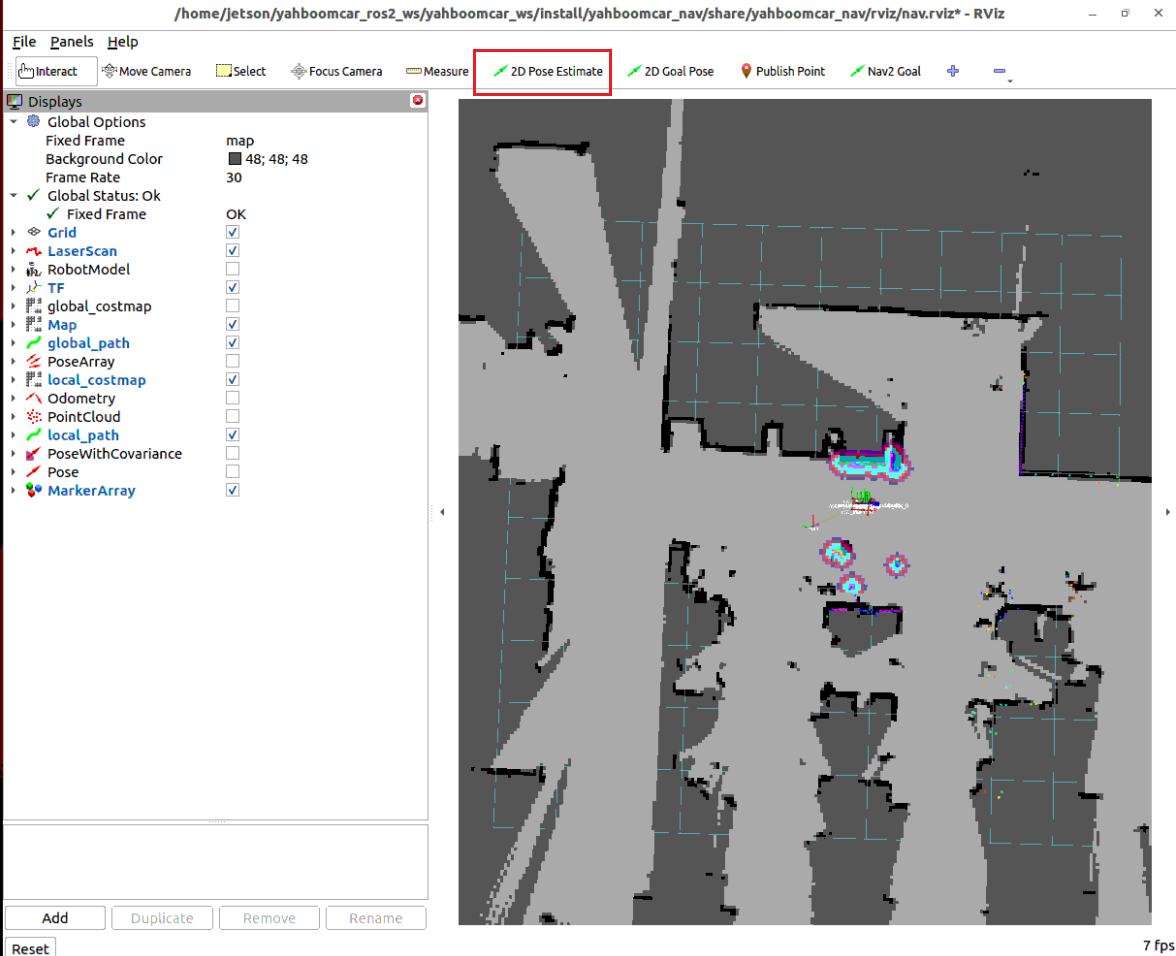
On the vehicle desktop or through VNC, open another terminal and start the navigation visualization interface:
xxxxxxxxxxros2 launch yahboomcar_nav display_nav_launch.pyThen open another terminal and start the underlying navigation algorithm: (the navigation algorithm must be based on whichever localization method was used during point calibration. If it is relocalization, run relocalization navigation, because the pose may differ for each localization method):
x#AMCL localization + navigationros2 launch yahboomcar_nav navigation_teb_launch.py
#Relocalization method; for details, refer to Cartographer relocalization navigationros2 launch yahboomcar_nav localization_imu_odom.launch.py use_rviz:=false load_state_filename:=$HOME/yahboomcar_ros2_ws/yahboomcar_ws/src/yahboomcar_nav/maps/map.pbstream
ros2 launch yahboomcar_nav navigation_cartodwb_launch.py maps:=$HOME/yahboomcar_ros2_ws/yahboomcar_ws/src/yahboomcar_nav/maps/map.yamlIn the opened RViz2 window, use the 2D Pose Estimate tool to perform initial alignment and localization according to the parking position of the car in the real scene:
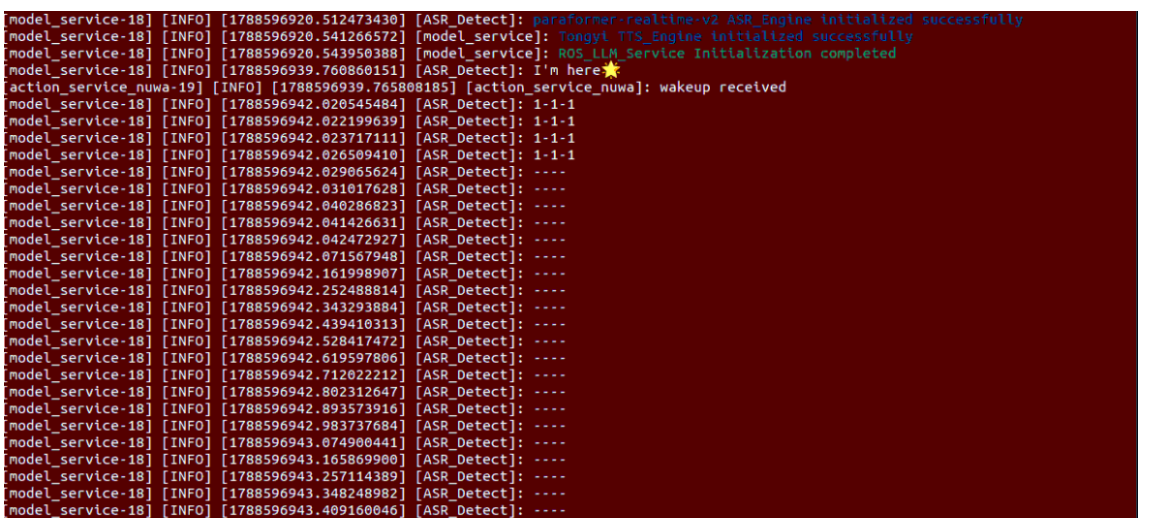
3.3 Voice Interaction Specification
In voice interaction mode, speak directly into the microphone:
First clearly call the wake word: "Hi,yahboom" (or "yahboom, yahboom");
Listen for the car's voice response: "I'm here, please give me instructions" or various personalized wake-up voices;
After the response ends, you can speak the test instruction to the robot.
4. Execution Process and Effect Demonstration
4.1 Issue a Vague Intention Instruction by Voice
After waking up yahboom, speak an everyday vague expression to the car (without including any explicit verb instruction):
xxxxxxxxxxI feel a bit thirsty4.2 Knowledge Base Recall and Task Chain-of-Thought Decomposition
After the system receives the voice input, the Dify agent, through RAG knowledge base retrieval, precisely matches the embodied task template corresponding to "thirsty" from Intent mapping;

The decomposed execution plan is as follows:
navigation: Navigate to the "pantry";seewhat: Photograph the pantry countertop to confirm whether a water cup or beverage is present;pick: Recognize and grasp the beverage;navigation: Navigate back to the starting point "office";putdown: Steadily put down the beverage in the office;Voice prompt to the user: "Master, the water has been fetched for you".
4.3 Execution-Layer Large Model Scheduling Execution Item by Item
The execution-layer large model follows the above steps and issues execution requests to the lower-level action service one by one:
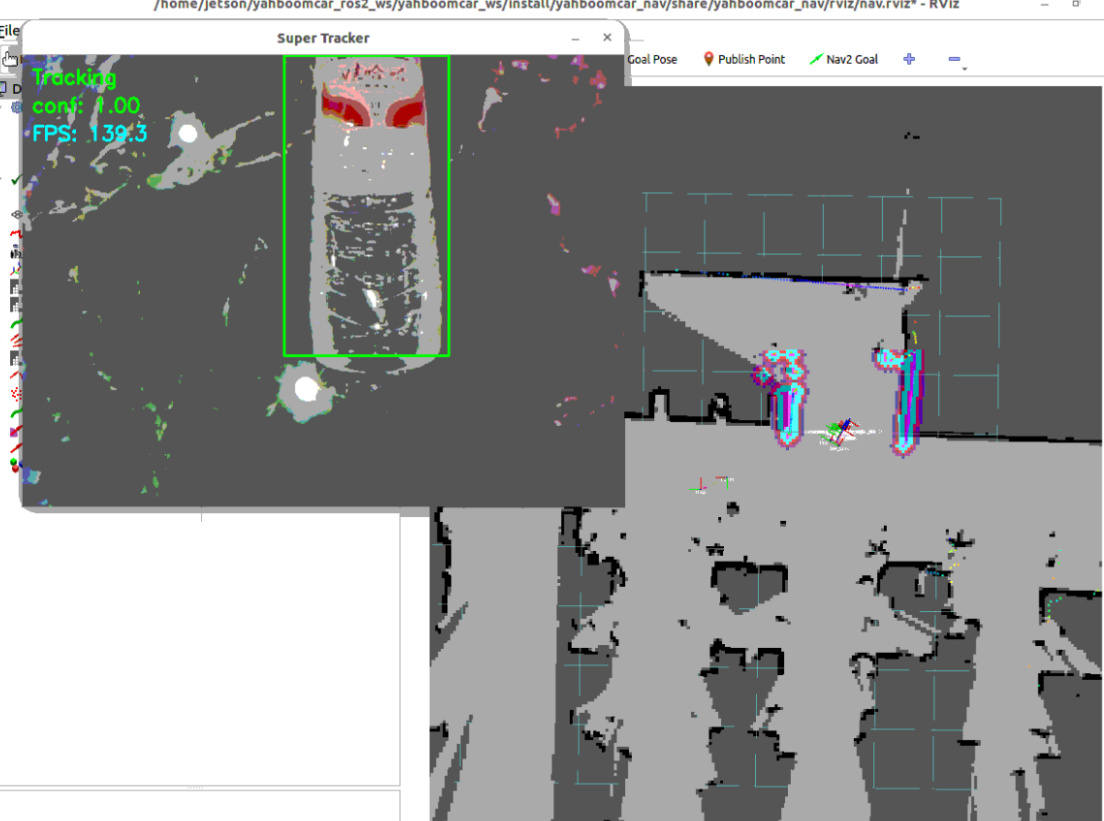
Steps 1 & 2: Navigate to the Pantry and Perform Visual Recognition
The car chassis navigates smoothly to the "kitchen" target point, then calls the seewhat action to photograph the current environment, and the multimodal model locates the detection box coordinates of the target object:
Note
The robotic arm's factory default configuration is suitable for grasping 30×30×30 mm blocks or lightweight small water cups. In actual testing, items of a matching size or standard test wooden blocks can be used instead.
Steps 3 & 4: Return to the Master Bedroom, Put Down the Item, and Report
After grasping the item, the car starts Nav2 path planning and returns smoothly to the starting point "master bedroom", executes putdown to place the item on the tabletop, and the text terminal outputs the completion information:
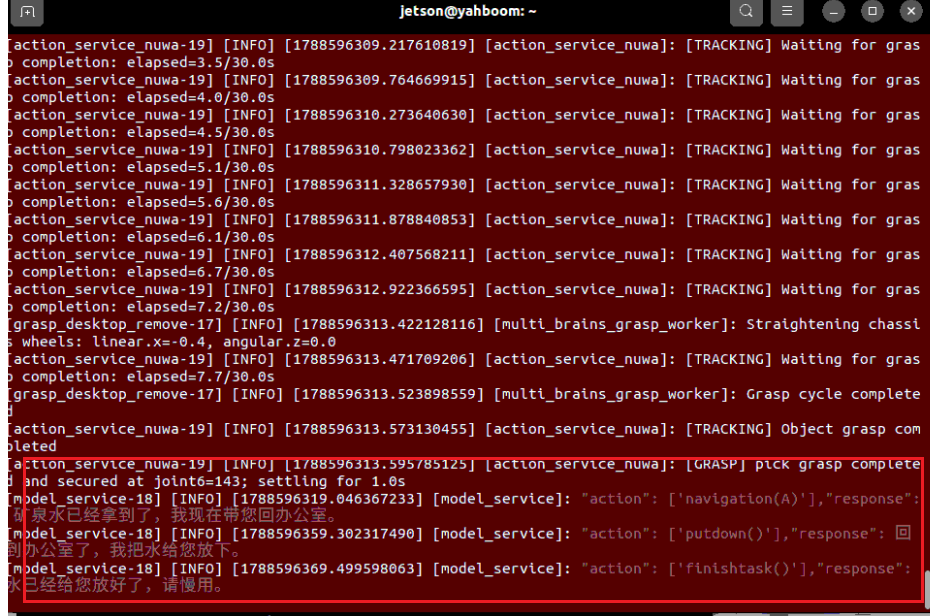
At this point, the robot enters the waiting state. To end the current task cycle, enter "End the current task".
5. Core Source Code and Workflow Analysis
5.1 Dify Agent Intention Recognition and RAG Workflow
On the Dify platform backend, the user's input first passes through an intention routing classifier:
Intent Routing (Intent Classifier): Determines whether the input is daily chit-chat, ordinary single-step control, or a complex potential personal intention;
Knowledge Retrieval: If the potential intention category is matched, the system calls the
Intent mappingknowledge base and uses vector similarity to retrieve the most appropriate task rule text;Prompt Injection and Chain-of-Thought Generation: The retrieval results are injected into the system prompt context, guiding the large model to output the
actionsaction sequence in a standard JSON format.
5.2 Vehicle-Side Action Parsing and Dispatch (model_service.py)
The vehicle-side core logic is located in yahboomcar_ws/src/multi_brains/multi_brains/model_service.py:
xxxxxxxxxxdef extract_actions(self, llm_result: str):    """ Extract the list of atomic actions from the large model's returned result """    actions = []    # Parse the action field contained in the structured output    ...    return actions
def send_action_service(self, actions: list[str], text: str):    """ Send the action list to the action execution layer through the Action client """    if not actions:        return    goal_msg = LargeModelAction.Goal()    goal_msg.actions = actions    self.action_client.send_goal_async(goal_msg)
After the structured action string returned by the large model is split into standard instructions, it is passed to
ActionControllerthrough the ROS 2 Action asynchronous interface, achieving efficient cross-module scheduling.
6. Common Issues and Notes
The large model does not recognize the intention and treats it as an ordinary chit-chat reply:
Check whether the
Intent mappingknowledge base in the Dify platform is in the [Enabled] state, and whether the knowledge base has been associated with the current Agent application;Check whether the
Intent mapping.xlsxtable contains similar expressions. If the user's question differs too much from the descriptions in the table, you can add synonymous phrasings to the knowledge base (such as "I want to drink water", "I'm thirsty", "get me a bottle of water").
Localization is lost during navigation or planning errors occur:
Please ensure that the
2D Pose Estimateinitial pose calibration has been accurately completed in RViz2 before starting navigation;Check whether the point names of the kitchen and master bedroom are spelled exactly the same as in
map_mapping.yaml.