Welcome to ROSMASTER A1 PRO repository
14.Aruco Visual Relocalization Navigation
🏷️ ArUco / AprilTag Visual Spatial Relocalization Navigation
1. Course Content
Master using AprilTag / ArUco spatial visual anchors combined with camera PnP pose solving to achieve millimeter-level global rapid relocalization and navigation for mobile robots.
Master the closed-loop workflow of automatically triggering pose recalibration when laser SLAM localization drift or "robot kidnapping" occurs by recognizing tag codes in the field of view.
Master the recording calibration (Record mode) of tag codes in the global map coordinate system and the operation of real-time self-healing relocalization (Relocalize mode).
This case uses 3 * 3 * 3 AprilTag wooden blocks
2. Visual Spatial Relocalization Principle Analysis
In actual industrial AGV/AMR scenarios, lidar localization is prone to feature degradation causing localization step loss or jumping in long straight corridors, large open areas, or dynamic crowd interference; additionally, when the robot is manually transported (robot kidnapping), traditional algorithms have difficulty instantaneously recovering the true pose.
This system uses high-precision AprilTag / ArUco visual tag codes arranged in the environment as spatial global absolute anchors:
PnP Spatial Pose Solving: Onboard camera real-time detects tag corners in the image, combined with camera intrinsic matrix, solves the six-degree-of-freedom spatial transformation of the tag relative to the camera through Perspective-n-Point (PnP) algorithm.
Spatial Coordinate System Inverse Chain Solving: Combined with the tag's global pose pre-recorded in the map, the robot's absolute pose in the map is inversely calculated through homogeneous matrix transformation.
3. Preparation and Running (Phase 1: Record Tag Code Global Position)
Before formally using visual relocalization:
It is necessary to first record and save the global coordinates of the tag codes arranged on walls or floors into the configuration file in a high-precision lidar localization environment.
It is necessary to first learn Chapter 7 (Cartographer Algorithm Mapping), build the yaml map and pose map.
This phase requires starting the following nodes in sequence:
3.1 Start Chassis and Sensors
Run in Terminal 1 (start chassis driver, lidar, and RGB depth camera):
xxxxxxxxxxros2 launch yahboomcar_nav laser_bringup_launch.py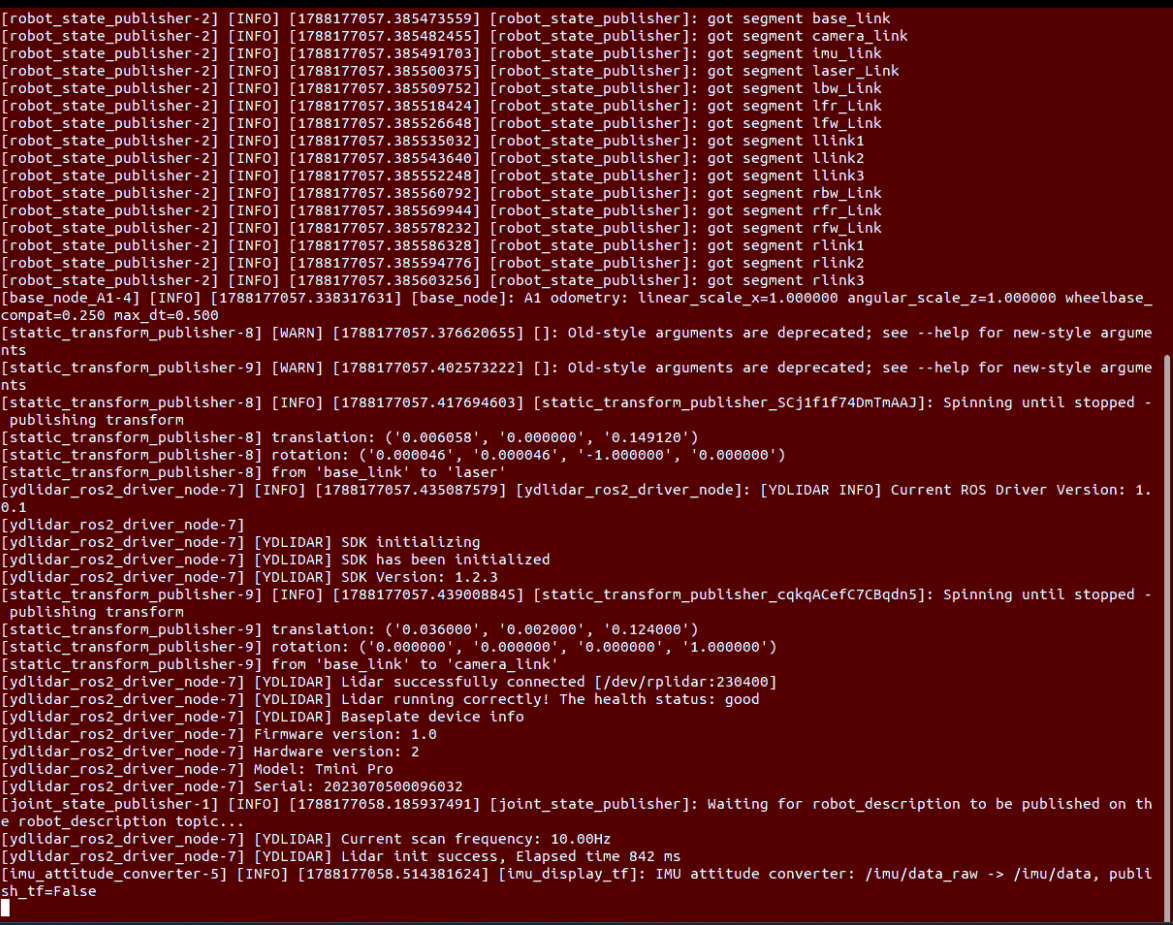
3.2 Start RViz Navigation Visualization
Run in Terminal 2 (it is recommended to open RViz on the virtual machine if the VM and robot are on the same LAN):
xxxxxxxxxxros2 launch yahboomcar_nav display_nav_launch.py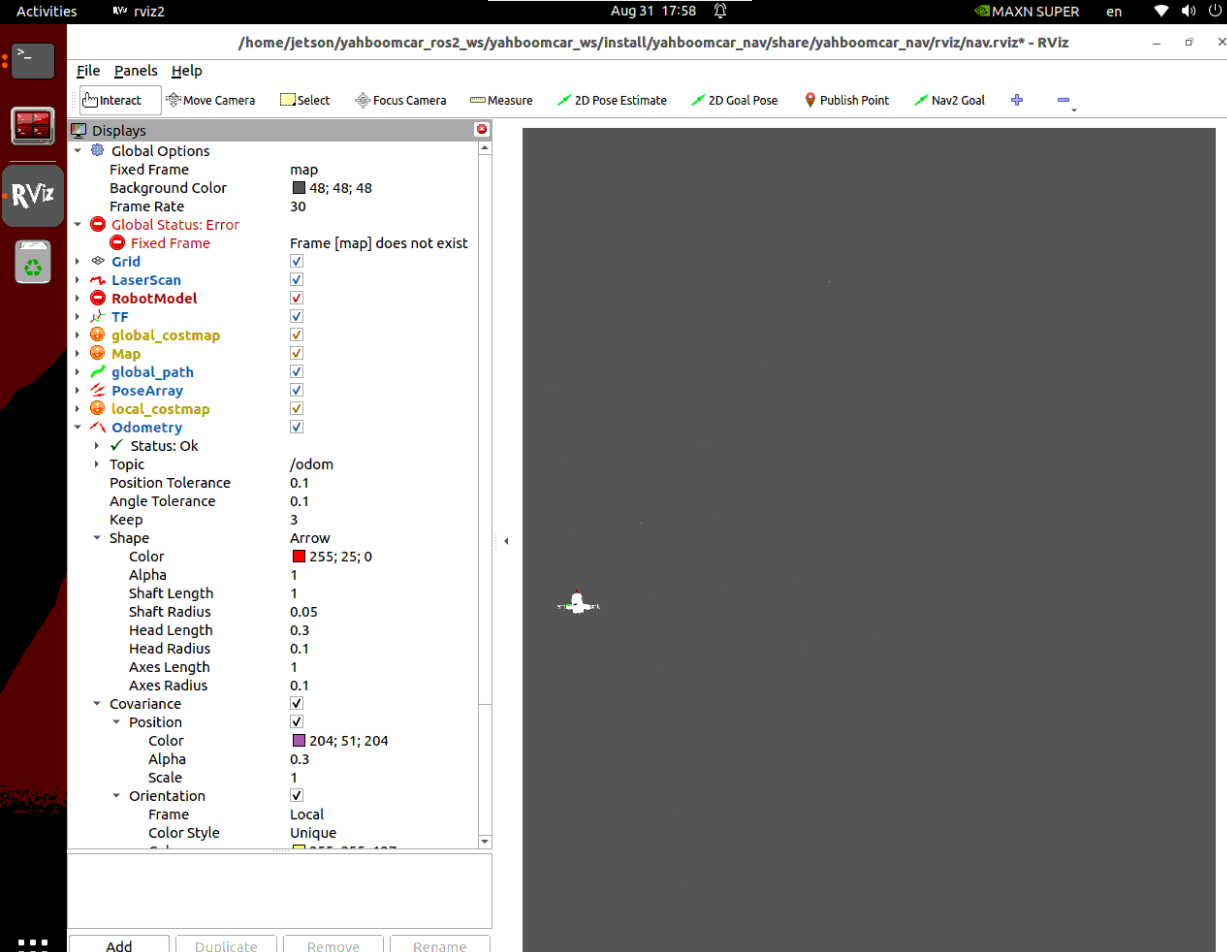
3.3 Start Cartographer Pure Localization Node
Run in Terminal 3 to load .pbstream pose graph and start pure localization core:
xxxxxxxxxxros2 launch yahboomcar_nav localization_imu_odom.launch.py use_rviz:=false load_state_filename:=$HOME/yahboomcar_ros2_ws/yahboomcar_ws/src/yahboomcar_nav/maps/map.pbstream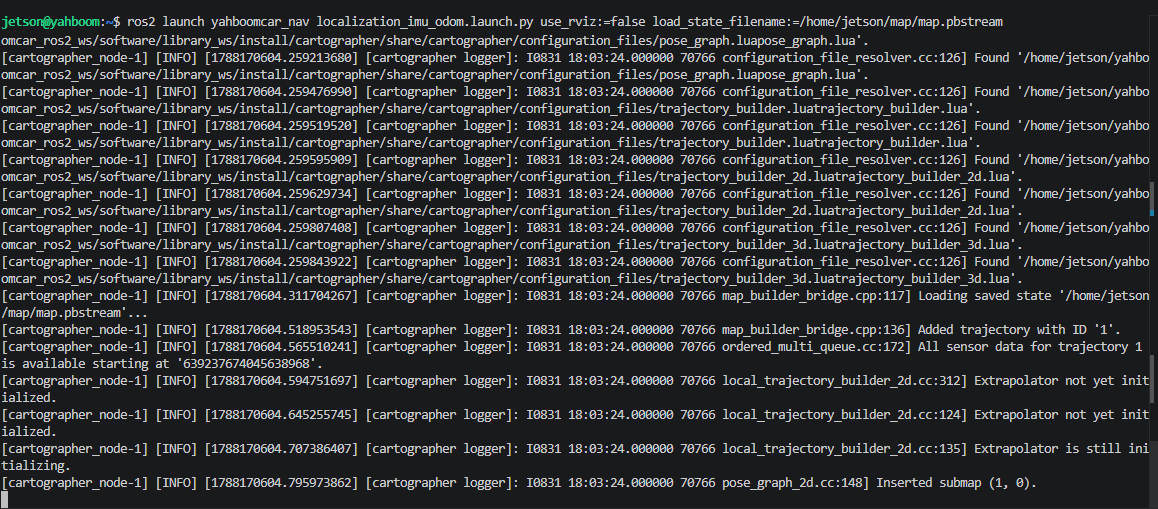
Tip
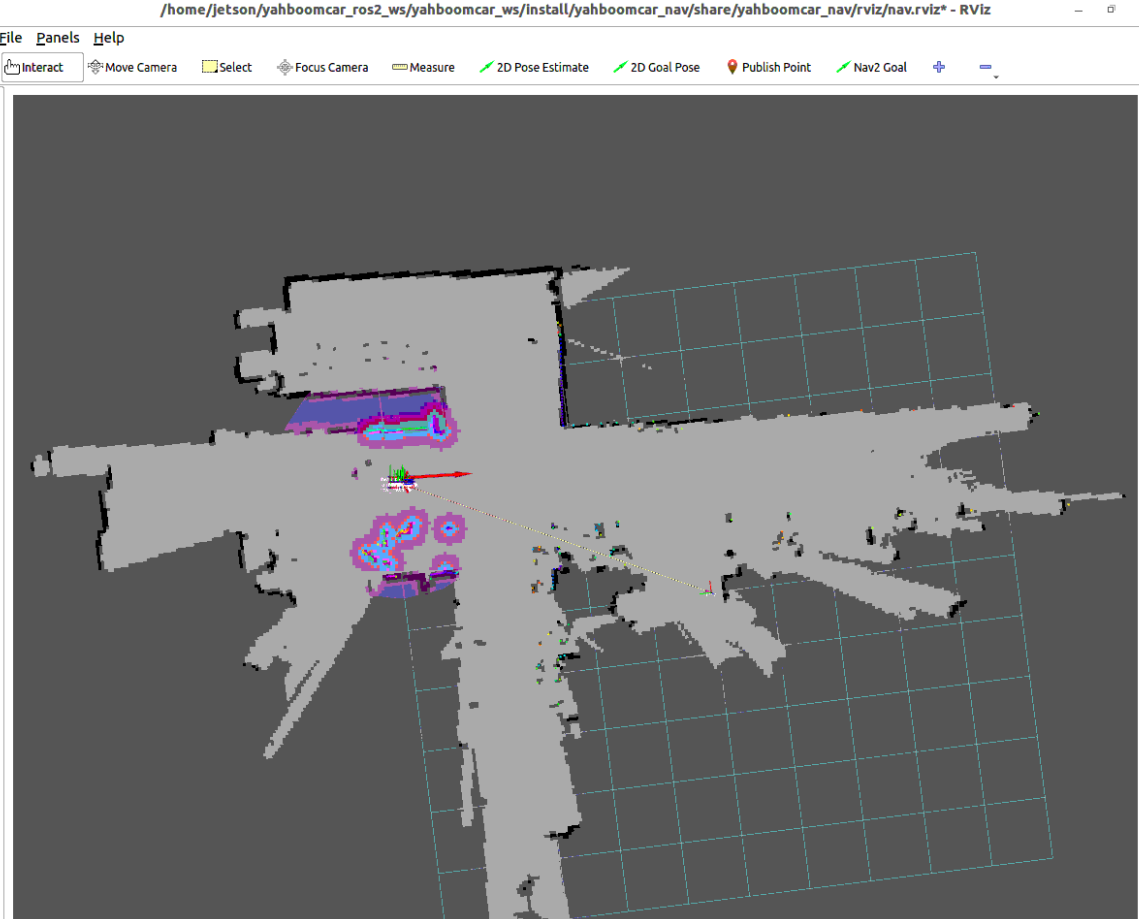
After pure localization starts, if in a weak feature area, you can use the 2D Pose Estimate tool in RViz top toolbar to assist aligning initial pose:
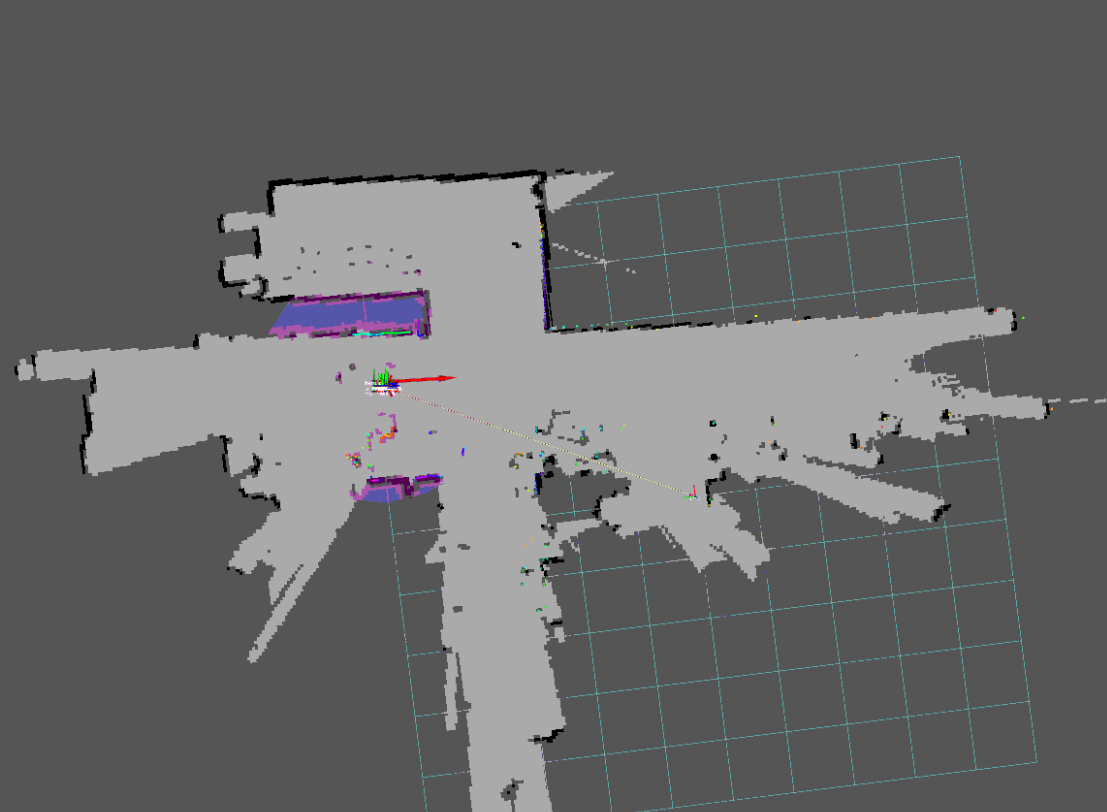
3.4 Start Nav2 Navigation Controller
Run in Terminal 4 to start navigation controller (loads corresponding static raster map):
xxxxxxxxxxros2 launch yahboomcar_nav navigation_cartodwb_launch.py maps:=$HOME/yahboomcar_ros2_ws/yahboomcar_ws/src/yahboomcar_nav/maps/map.yaml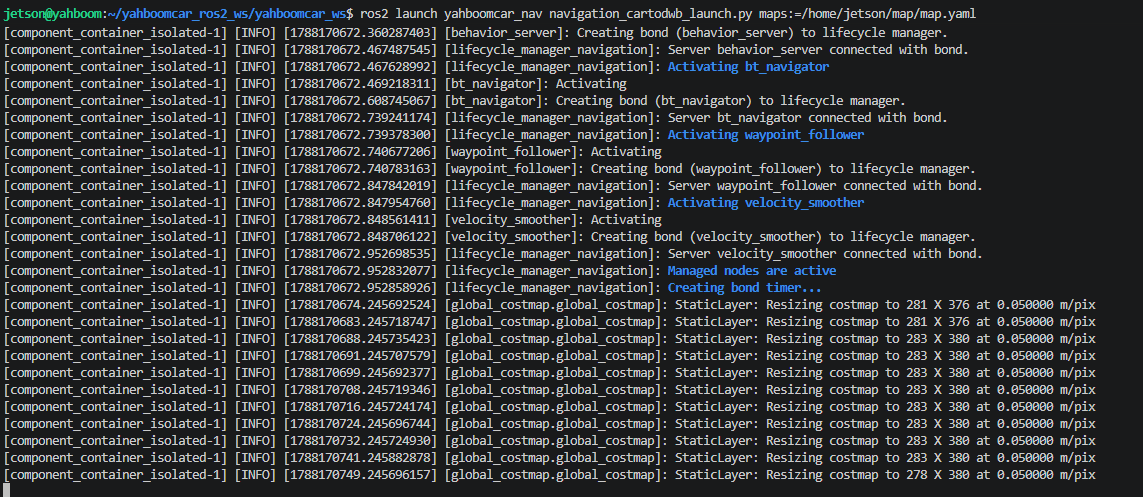
3.5 Start AprilTag Recording Mode
Run in Terminal 5 (start detection node and pose recorder):
xxxxxxxxxxros2 launch yahboomcar_nav apriltag_relocation.launch.py mode:=record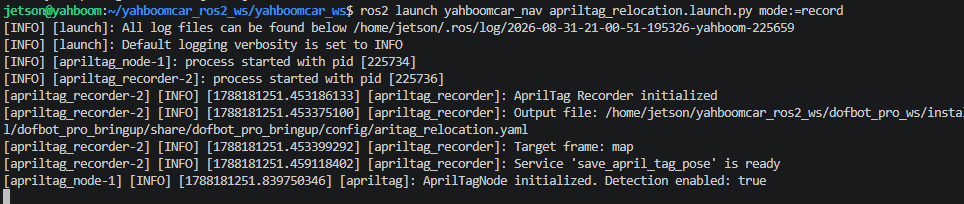
In RViz2 interface, click
Add, selectBy topic→/apriltag/image_rectto add Image plugin to view camera detection feed in real-time: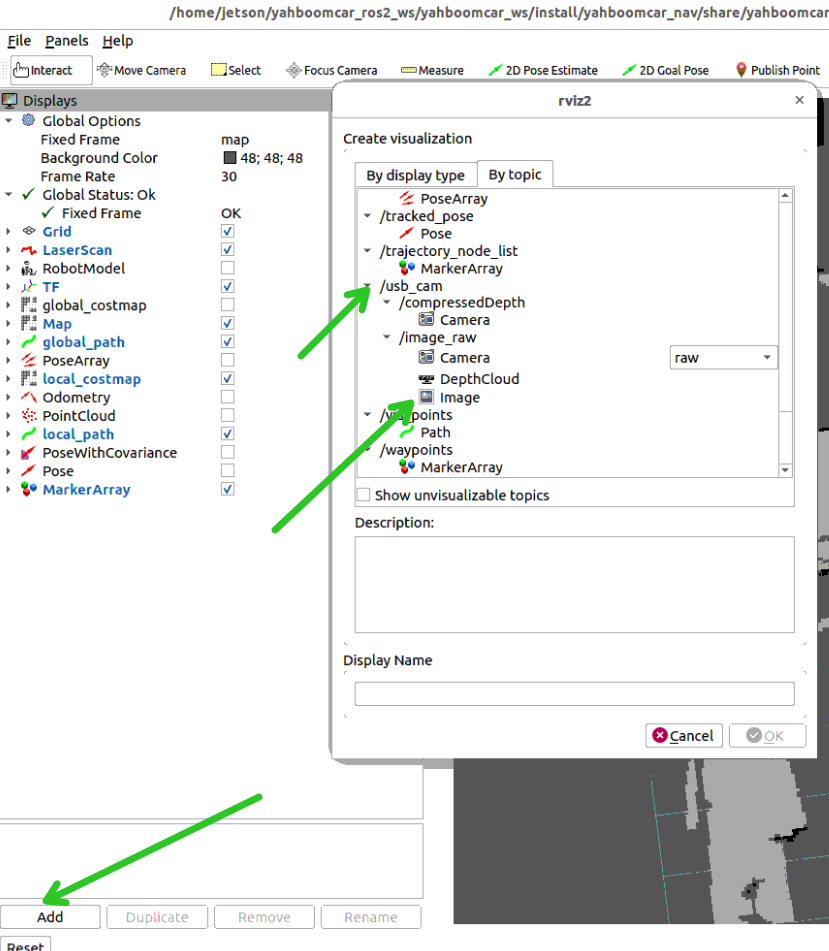
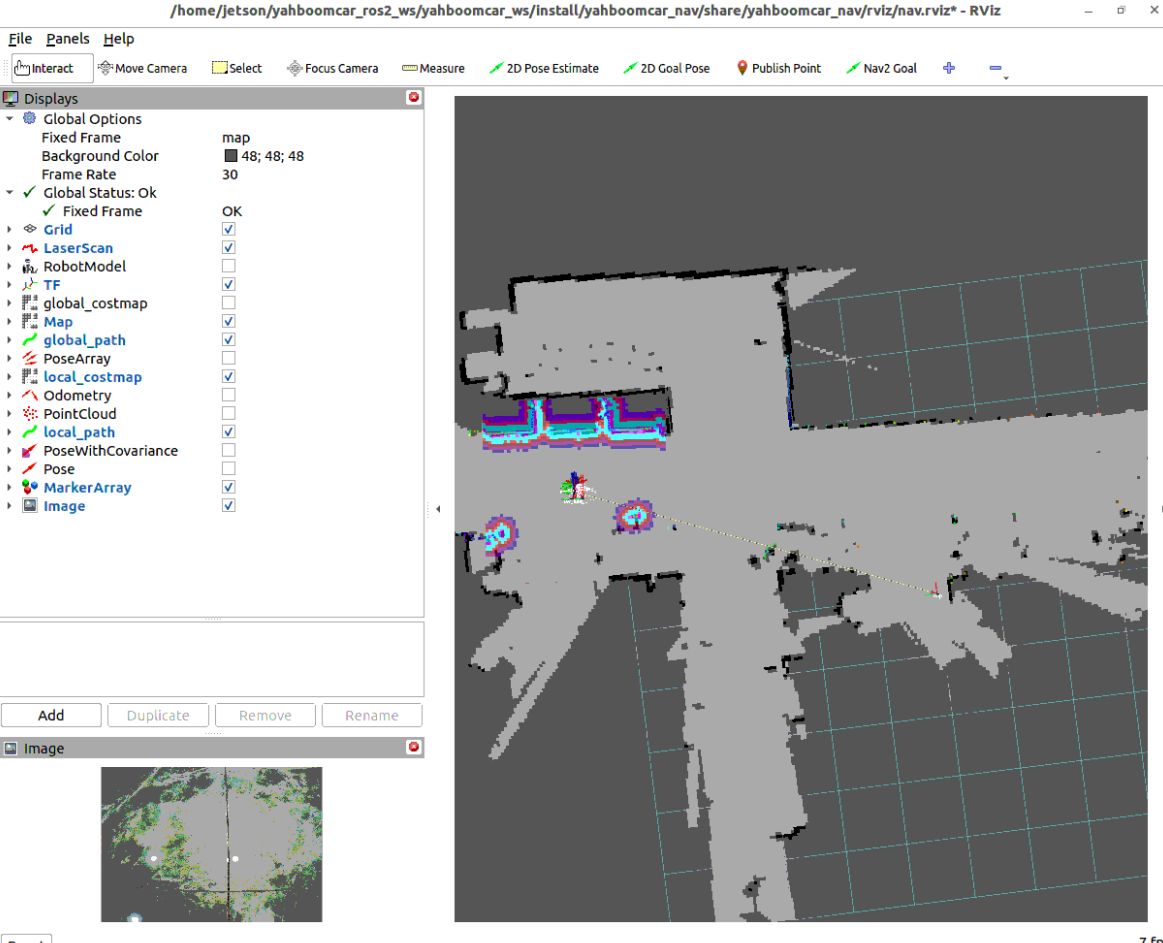
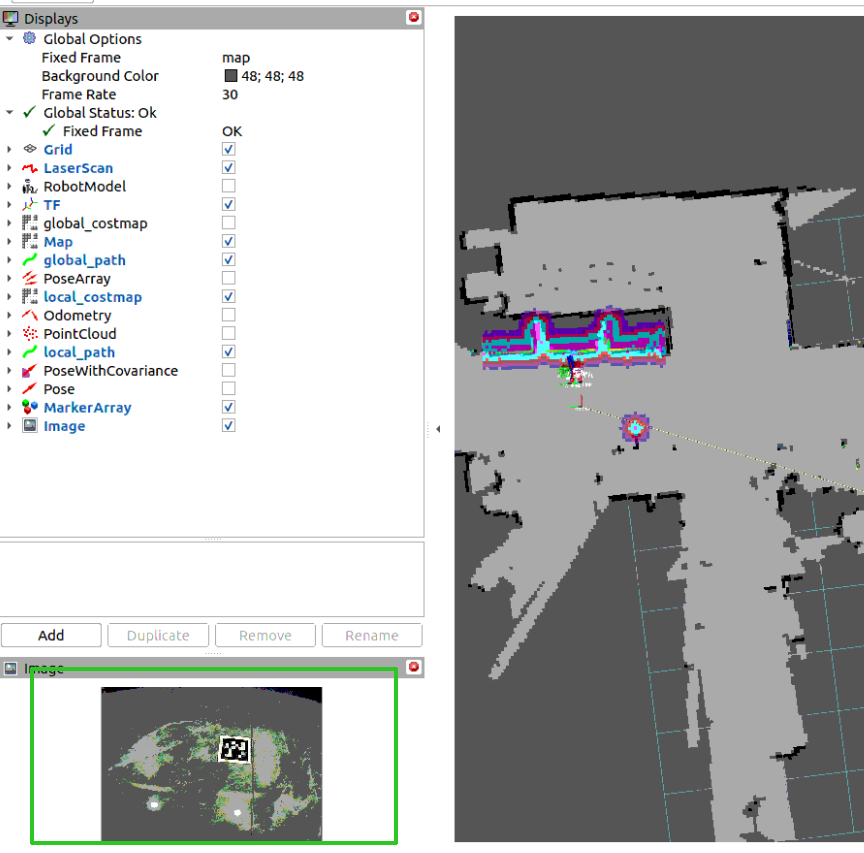
Remote control the robot to drive to the front of the tag code; ensure the camera image clearly observes the tag code and shows 3D coordinate axes and green recognition box:
3.6 View Tag ID and Record Pose
Run in Terminal 6 to view the currently detected tag ID:
xxxxxxxxxxros2 topic echo /detections --once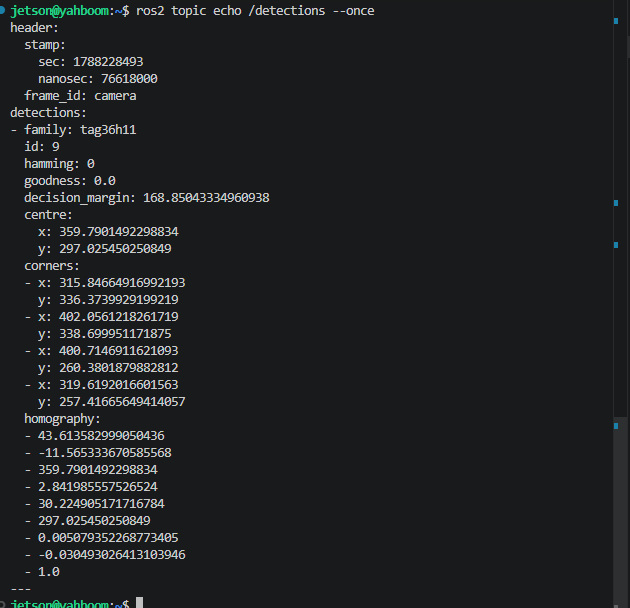
After confirming the detected ID (for example ID is 9), call the service to persistently write the tag's global coordinates in the map into the configuration file:
xxxxxxxxxxros2 service call /save_april_tag_pose apriltag_localization/srv/SaveAprilTagPose "{tag_id: 9}"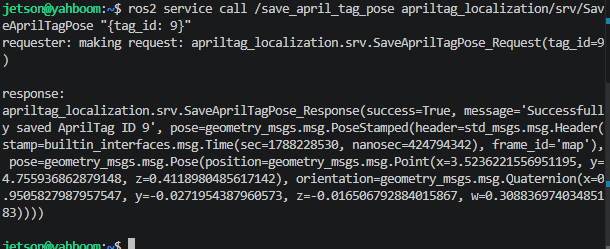
Note
After successful recording, the system will write that tag's precise pose in map coordinate system into aritag_relocation.yaml. If there are multiple tag codes, sequentially remote control the robot to the front of each tag and call the above service.
4. Phase 2: Visual Relocalization Autonomous Navigation Practical Test
After completing recording of all tag codes, close Terminal 5's recording program, and then enter the visual-assisted relocalization navigation phase.
4.1 Start Visual Relocalization Mode
Run in Terminal 5:
xxxxxxxxxxros2 launch yahboomcar_nav apriltag_relocation.launch.py mode:=relocalize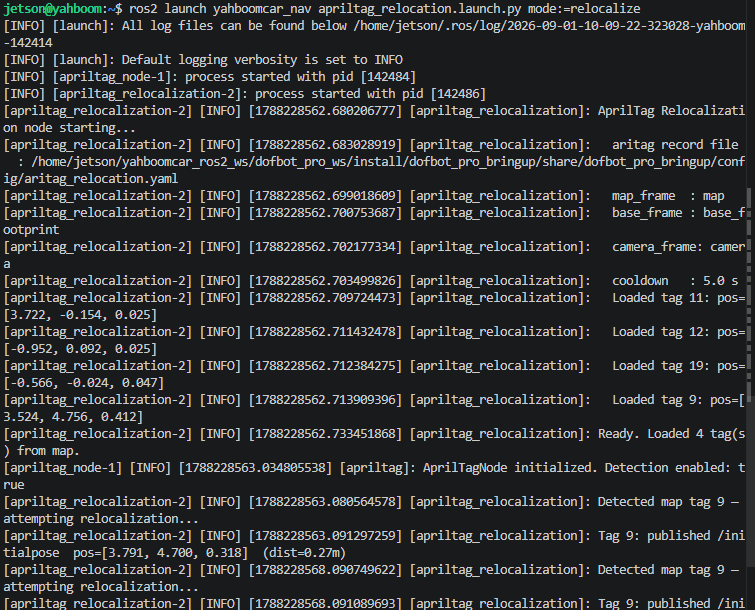
The terminal will print relocalization logs:
xxxxxxxxxx[apriltag_relocalization-2] [INFO] [1788228563.080564578] [apriltag_relocalization]: Detected map tag 9 — attempting relocalization...[apriltag_relocalization-2] [INFO] [1788228563.091297259] [apriltag_relocalization]: Tag 9: published /initialpose pos=[3.791, 4.700, 0.318] (dist=0.27m)
4.2 Visual Self-Healing Relocalization and Autonomous Navigation
Simulate Localization Deviation/Kidnapping: In RViz2, intentionally use
2D Pose Estimateto set the robot's initial pose to a clearly erroneous deviating position; at this time, the lidar point cloud and map contours have serious misalignment.Instant Self-Healing Alignment: Remote control the robot to rotate or move; as long as any recorded AprilTag tag code enters the camera field of view, the
apriltag_relocalizationnode will, within milliseconds, calculate the true pose through TF chain solving and publish to/initialpose, and the robot model and lidar point cloud instantly restore alignment.Goal Point Autonomous Obstacle-Avoiding Navigation: Click the
Nav2 Goal(or2D Goal Pose) tool at the top of RViz to give a goal point on the map; the robot, based on the precisely calibrated pose, smoothly drives to the destination while avoiding obstacles.
Note
When the experiment ends, press Ctrl+C in each terminal window to stop the program.
5. Core Source Code and Algorithm Parameter Analysis
5.1 Visual Relocalization Unified Scheduling Launch Analysis
File Path:
xxxxxxxxxx$HOME/yahboomcar_ros2_ws/yahboomcar_ws/src/yahboomcar_nav/launch/nav2/apriltag_relocation.launch.py
Launch Core Design Analysis
xxxxxxxxxxdef generate_launch_description():    ...    # 1. Automatically adapt camera type (Nuwa / USB)    # Dynamically select image topic and optical coordinate system based on camera_type    # Nuwa camera: /ascamera_hp60c/camera_publisher/rgb0/image, camera_color_optical_frame    # USB camera:  /usb_cam/image_raw, camera
    # 2. AprilTag core detection node (both modes start)    apriltag_detect = Node(        package='apriltag_localization',        executable='apriltag_node',        name='apriltag',        parameters=[param_file, {'detection_enabled': LaunchConfiguration('detection_enabled')}],        remappings=[            ('image_rect', LaunchConfiguration('image_topic')),            ('image_rect/camera_info', LaunchConfiguration('camera_info_topic')),        ],        output='screen',    )
    # 3. record mode: Start pose recorder node    apriltag_recorder = Node(        package='apriltag_localization',        executable='apriltag_recorder',        name='apriltag_recorder',        output='screen',        parameters=[{            'output_file_path': LaunchConfiguration('aritag_record_file'),            'target_frame': LaunchConfiguration('target_frame'),            'camera_frame': LaunchConfiguration('camera_frame'),        }],        condition=IfCondition(is_record),    )
    # 4. relocalize mode: Start relocalization solving and pose publishing node    relocalization_node = Node(        package='apriltag_localization',        executable='apriltag_relocalization',        name='apriltag_relocalization',        output='screen',        parameters=[{            'aritag_record_file': LaunchConfiguration('aritag_record_file'),            'cooldown_duration': LaunchConfiguration('cooldown_duration'),            'map_frame': LaunchConfiguration('map_frame'),            'robot_base_frame': LaunchConfiguration('robot_base_frame'),            'camera_frame': LaunchConfiguration('camera_frame'),        }],        condition=IfCondition(is_relocalize),    )
5.2 Spatial Relocalization Solving Core Source Analysis
File Path:
xxxxxxxxxx$HOME/yahboomcar_ros2_ws/yahboomcar_ws/src/apriltag_localization/src/apriltag_relocalization.cpp
Spatial Homogeneous Transformation and Pose Publishing Core Implementation
xxxxxxxxxxbool AprilTagRelocalization::doRelocalize(int tag_id, const TagPose & map_pose, const rclcpp::Time & stamp){    std::string tag_frame = "tag" + std::to_string(tag_id);        // 1. Get camera-to-tag real-time TF: T_camera_tag (output by AprilTag detection node PnP solving)    geometry_msgs::msg::TransformStamped tf_cam_tag = tf_buffer_.lookupTransform(        camera_frame_, tag_frame, tf2::TimePointZero, tf2::durationFromSec(0.5));
    // 2. Get camera-to-chassis static TF: T_camera_base    geometry_msgs::msg::TransformStamped tf_cam_base = tf_buffer_.lookupTransform(        camera_frame_, robot_base_frame_, tf2::TimePointZero, tf2::durationFromSec(0.5));
    // 3. Spatial homogeneous matrix composition:    // T_map_base = T_map_tag (YAML storage) * (T_camera_tag)^-1 * T_camera_base    tf2::Transform T_map_tag, T_cam_tag, T_cam_base, T_tag_cam, T_map_base;    T_map_tag.setOrigin(tf2::Vector3(map_pose.px, map_pose.py, map_pose.pz));    T_map_tag.setRotation(tf2::Quaternion(map_pose.qx, map_pose.qy, map_pose.qz, map_pose.qw));        T_tag_cam = T_cam_tag.inverse();    T_map_base = T_map_tag * T_tag_cam * T_cam_base;
    // 4. Construct and publish /initialpose initial pose topic    geometry_msgs::msg::PoseWithCovarianceStamped pose_msg;    pose_msg.header.stamp = stamp;    pose_msg.header.frame_id = map_frame_;    pose_msg.pose.pose.position.x = T_map_base.getOrigin().x();    pose_msg.pose.pose.position.y = T_map_base.getOrigin().y();    pose_msg.pose.pose.position.z = T_map_base.getOrigin().z();
    // 5. Dynamic covariance self-adaptation (farther distance, larger covariance)    double distance = T_cam_tag.getOrigin().length();    double pos_var = 0.1 + 0.05 * distance;    double yaw_var = 0.05 + 0.02 * distance;    pose_msg.pose.covariance[0]  = pos_var;  // x covariance    pose_msg.pose.covariance[7]  = pos_var;  // y covariance    pose_msg.pose.covariance[35] = yaw_var;  // yaw covariance
    initialpose_pub_->publish(pose_msg);    return true;}
5.3 Core Parameter Interpretation
Parameter Configuration File Path:
xxxxxxxxxx$HOME/yahboomcar_ros2_ws/yahboomcar_ws/src/yahboomcar_nav/params/aritag_relocation.yaml
Core Parameter Description Table
| Parameter Module | Parameter Name | Current Config Value | Core Function and Physical Meaning |
|---|---|---|---|
| AprilTag Detection | family | 36h11 | Tag code dictionary family (recommended to use 36h11, highest anti-false-detection rate) |
| AprilTag Detection | size | 0.048 | Tag code black-white square physical side length (meters), used for PnP ranging calibration |
| AprilTag Detection | pose_estimation_method | pnp | Pose estimation algorithm (PnP perspective n-point pose solving) |
| AprilTag Detection | max_hamming | 1 | Maximum allowed Hamming error correction bits, filter incorrect recognition |
| AprilTag Detection | threads | 1 | Detection multi-threading concurrency count |
| Relocalization Node | cooldown_duration | 5.0 | Single Tag ID relocalization cooldown time (seconds), prevent high-frequency update jitter |
| Relocalization Node | map_frame | map | Global map reference coordinate frame |
| Relocalization Node | robot_base_frame | base_footprint | Robot chassis reference coordinate frame |
| Relocalization Node | camera_frame | Auto-adapted | Camera optical reference coordinate frame (camera_color_optical_frame / camera) |
YAML Configuration File Complete Source
# =====================================================================# aritag_relocation.yaml# AprilTag Recording and Relocalization Unified Parameter File# =====================================================================
# ----- apriltag detection node parameters (node name: apriltag) -----apriltag ros__parameters image_transportraw # Image transport format: "raw" or "compressed" family36h11 # Tag family name: 16h5, 25h9, 36h11 size0.048 # Default Tag side length (meters) profilefalse # Whether to output performance analysis information
max_hamming1 # Maximum allowed Hamming distance (error correction bits) detector threads1 # Thread count decimate2.0 # Quadrilateral detection resolution downsampling multiplier blur0.0 # Gaussian blur standard deviation refine1 # Whether to refine alignment of strong gradients sharpening0.25 # Decoded image sharpening degree debug0 # Whether to output debug images
pose_estimation_method"pnp" # Tag pose estimation algorithm tag ids1 2 3 4 5 6 7 8 9 10 11 12 13 14 15 16 17 18 19 20 framestag1 tag2 tag3 tag4 tag5 tag6 tag7 tag8 tag9 tag10 tag11 tag12 tag13 tag14 tag15 tag16 tag17 tag18 tag19 tag20
# ----- apriltag_relocalization node parameters -----apriltag_relocalization ros__parameters cooldown_duration5.0 # Single Tag ID relocalization cooldown time (seconds) map_framemap # Map coordinate frame robot_base_framebase_footprint # Robot chassis coordinate frame
# ----- apriltag_recorder node parameters -----apriltag_recorder ros__parameters target_framemap # Global coordinate frame used for recording