Welcome to ROSMASTER A1 PRO repository
3.Random Movement
Random Movement
1. Content Description
This section explains how to use the MoveIt2 library to make the robot arm in RViz randomly move to a certain pose.
2. Launch
Enter the following command in the terminal to launch the MoveIt2 simulation environment:
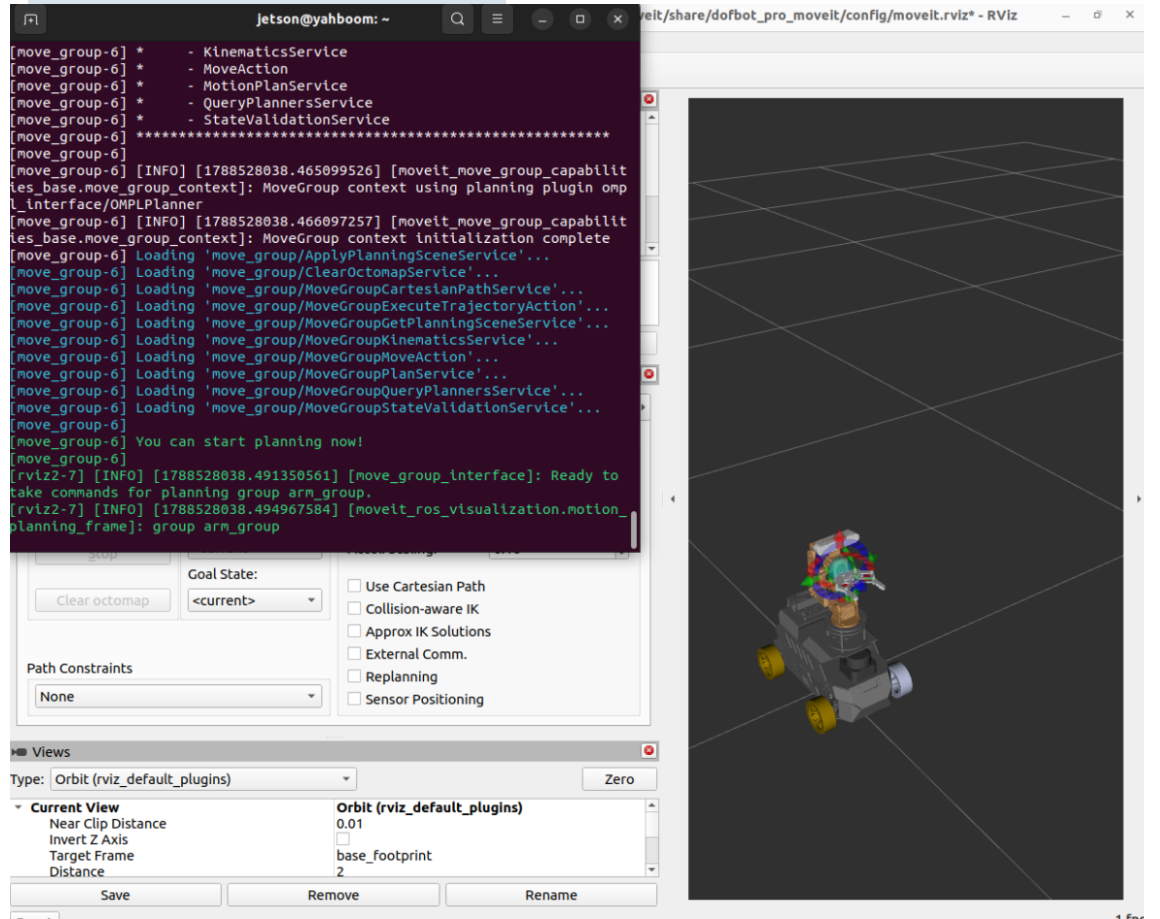
xxxxxxxxxxros2 launch dofbot_pro_moveit demo_3d.launch.pyOnce the program starts, when You can start planning now! appears in the terminal, it means the startup was successful, as shown in the figure below:
If you want the simulated robot arm to be linked with the real physical robot arm (optional), open another terminal to run the real-machine driver node:
xxxxxxxxxxros2 run movelt_demo SimulationToMachine(It is recommended not to start this node during the initial test. First verify that the obstacle-avoidance trajectory is correct in the pure RViz simulation environment, and ensure the surrounding space is large enough before connecting to the real machine).
Next, enter the following command in another terminal to launch the random movement control node:
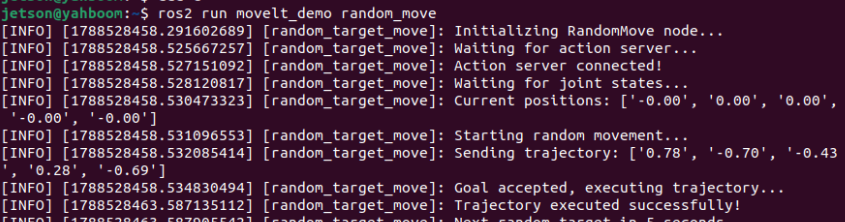
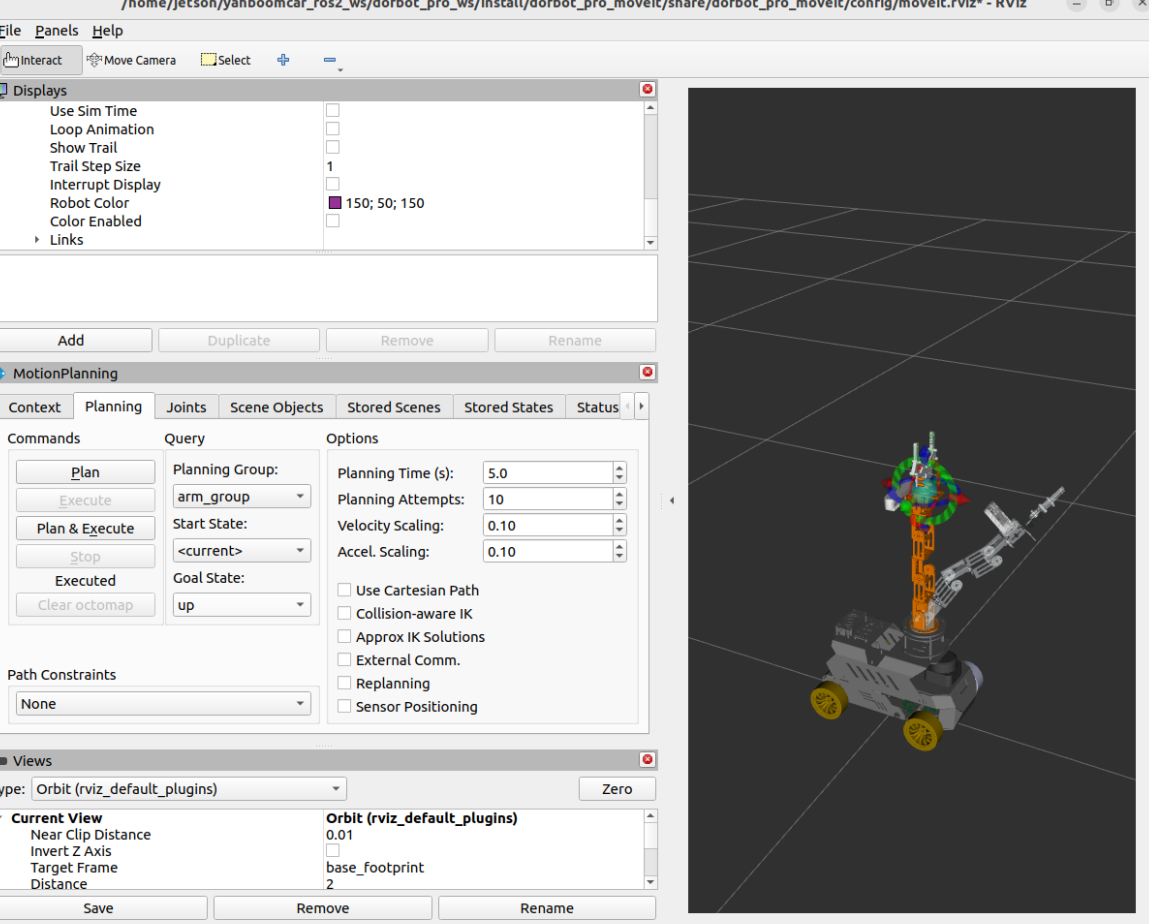
xxxxxxxxxxros2 run movelt_demo random_moveAfter the program runs, the robot arm in RViz (as well as the physical robot arm) will periodically plan and smoothly move to various random poses within the safe angle range, as shown in the figure below:
3. Core Code Analysis
Program source code path:
~/yahboomcar_ros2_ws/dofbot_pro_ws/src/movelt_demo/movelt_demo/random_move.py
3.1 Node Initialization and Action Client Configuration
This node interacts with the controller through the standard ROS 2 FollowJointTrajectory Action client, and sets the safe angle limits of the 5-DOF robot arm:
xxxxxxxxxximport rclpyfrom rclpy.node import Nodefrom rclpy.action import ActionClientfrom control_msgs.action import FollowJointTrajectoryfrom trajectory_msgs.msg import JointTrajectory, JointTrajectoryPointfrom sensor_msgs.msg import JointStatefrom builtin_interfaces.msg import Durationimport random
class RandomMove(Node):    def __init__(self):        super().__init__('random_target_move')        self.get_logger().info("Initializing RandomMove node...")                # 1. Create an Action client for FollowJointTrajectory to connect to the robot arm trajectory controller        self._action_client = ActionClient(            self,             FollowJointTrajectory,             '/arm_group_controller/follow_joint_trajectory'        )                # 2. Robot arm joint names (corresponding to the MoveIt planning group)        self.joint_names = [            "arm1_Joint", "arm2_Joint", "arm3_Joint",             "arm4_Joint", "arm5_Joint"        ]                # 3. Motion range limits of each joint (in radians: approximately -90° to +90°)        self.joint_limits = [            (-1.57, 1.57),  # arm1 rotating base            (-1.57, 1.57),  # arm2 upper arm            (-1.57, 1.57),  # arm3 forearm 1            (-1.57, 1.57),  # arm4 forearm 2            (-1.57, 1.57),  # arm5 end-effector flip        ]                self.current_positions = [0.0] * 5        self.joint_state_received = False        # Subscribe to the current joint states        self.joint_state_sub = self.create_subscription(            JointState, '/joint_states', self.joint_state_callback, 10        )                self.executing = False        self._action_client.wait_for_server()
3.2 Safe Random Target Generation and Trajectory Publishing
To ensure that the robot arm is not over-extended or touching the chassis, the program randomly generates target values within the 70% safe range of the joints' physical limits, and packages them as trajectory points to send to the controller:
    def generate_random_joint_goals(self):        """Randomly generate 5 joint angles within the 70% safe threshold"""        goals = []        for i, (low, high) in enumerate(self.joint_limits):            angle = random.uniform(low * 0.7, high * 0.7)            goals.append(angle)        return goals
    def send_trajectory(self, joint_goals, duration_sec=3.0):        """Construct a trajectory and send it asynchronously to the controller for execution"""        if self.executing:            return        self.executing = True                trajectory = JointTrajectory()        trajectory.joint_names = self.joint_names                point = JointTrajectoryPoint()        point.positions = joint_goals        point.velocities = [0.0] * len(joint_goals)        point.time_from_start = Duration(            sec=int(duration_sec),             nanosec=int((duration_sec % 1) * 1e9)        )        trajectory.points.append(point)                goal_msg = FollowJointTrajectory.Goal()        goal_msg.trajectory = trajectory                send_goal_future = self._action_client.send_goal_async(goal_msg)        send_goal_future.add_done_callback(self.goal_response_callback)
    def result_callback(self, future):        """Action execution completion callback; after success, create a 5-second timer for the next random movement"""        result = future.result().result        self.executing = False        if result.error_code == 0:            self.get_logger().info("Trajectory planning executed successfully!")            self.create_timer(5.0, self.execute_random_move_once)