Welcome to ROSMASTER A1 PRO repository
18. Controlling RGB Cooling Fans
Controlling the RGB Cooling Fan
[!NOTE] The RDK motherboard comes factory-equipped with a temperature control board, and the RGB lighting and fan will automatically turn on at boot.
Source Path: /home/sunrise/software/oled_yahboom
Controlling the Fan (On/Off)
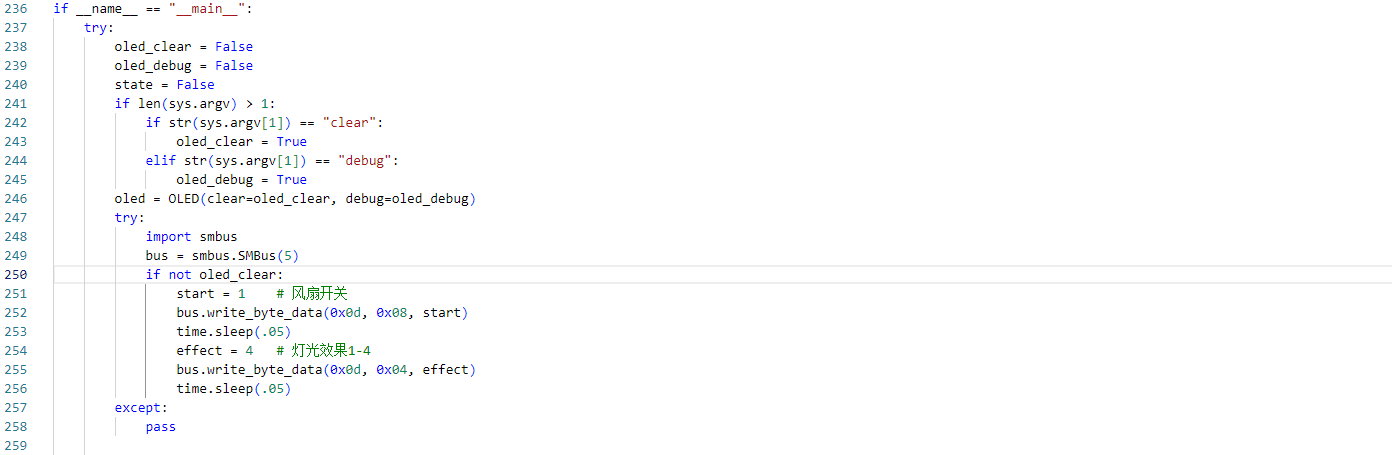
To turn on the fan: Set start = [1-9]. Note that start = 1 sets the maximum speed, while for start = 2~9, higher values correspond to faster fan speeds.
xxxxxxxxxxstart = 1bus.write_byte_data(0x0d, 0x08, start)time.sleep(.05)To turn off the fan:
xxxxxxxxxxbus.write_byte_data(0x0d, 0x08, 0x00)time.sleep(.05)Controlling Lighting Effects
To enable lighting effects: Set effect = [0-4] to select the desired effect:
0: Flowing Light1: Breathing Light2: Chasing Light / Marquee3: Rainbow Light4: Dazzling Light
xxxxxxxxxxeffect = 2bus.write_byte_data(0x0d, 0x04, effect)time.sleep(.05)To turn off the lights:
bus.write_byte_data(0x0d, 0x07, 0x00)time.sleep(.05)