Welcome to ROSMASTER A1 PRO repository
14.Finger Control Robotic Arm
Finger Control Robotic Arm
Finger Control Robotic Arm1. Course Content2. Program Startup2.1 Start the Camera and Robotic Arm Driver Environment2.2 Start the Finger-controlled Gripper Program3. Hands-on Demonstration and Interaction Workflow4. Core Code Analysis4.1 Interface Definition and Posture Initialization4.2 Triangular Law of Cosines to Calculate the Angle Between the Two Fingers and Servo Mapping
1. Course Content
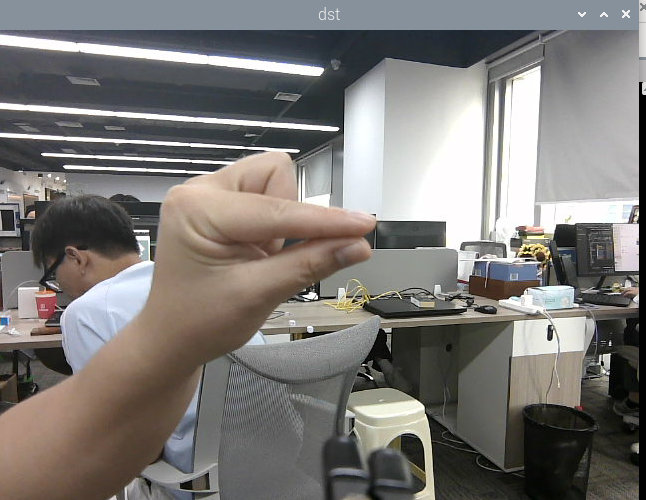
This feature implements acquiring real-time color images, using the MediaPipe hand keypoint detection algorithm to locate the thumb and index finger joints, calculating the opening angle between the two fingers in real time, and mapping it to the target angle of servo 6 (end-effector gripper) of the A1Pro robotic arm, thus realizing the bionic human-machine follow-up effect of "human hand opens, gripper opens; human hand closes, gripper closes".
2. Program Startup
2.1 Start the Camera and Robotic Arm Driver Environment
In Terminal 1, enter the following command to start the camera and the low-level robotic arm communication services:
xxxxxxxxxxros2 launch dofbot_pro_driver A1pro_camera_arm.launch.pyNote
This all-in-one script automatically launches the image stream publishing node according to the currently installed camera model (USB monocular camera or Nuwa 3D depth camera), and loads the low-level robotic arm bus servo driver and kinematics services.
2.2 Start the Finger-controlled Gripper Program
In Terminal 2, enter the following command to start the finger positioning and gripper follow-up program:
xxxxxxxxxxros2 run yahboomcar_mediapipe 13_FingerCtrl3. Hands-on Demonstration and Interaction Workflow
After the program starts, the robotic arm automatically moves to the forward-looking observation posture, and the gripper servo 6 first opens to 180° (
[90°, 150°, 10°, 20°, 90°, 180°]);The image window pops up. Extend the palm toward the camera. The MediaPipe algorithm marks 21 skeleton keypoints on the palm and draws the connecting lines and angle values between the thumb and the index finger;
Finger opening/closing follow-up:
Slowly spread the thumb and index finger apart. As the angle between the two fingers increases, the gripper of the robotic arm opens synchronously;
Slowly draw the thumb and index finger together and pinch them. As the angle decreases, the gripper of the robotic arm closes synchronously to grip firmly;
Press the
Qkey in the image window or pressCtrl+Cin the terminal to exit the program safely.
4. Core Code Analysis
Source code path: yahboomcar_ws/src/yahboomcar_mediapipe/yahboomcar_mediapipe/13_FingerCtrl.py
4.1 Interface Definition and Posture Initialization
The program imports the A1Pro robotic arm interface dofbot_pro_interface and automatically matches the current camera topic:
xxxxxxxxxximport mediapipe as mpimport rclpyfrom rclpy.node import Nodefrom sensor_msgs.msg import Imagefrom dofbot_pro_interface.msg import ArmJoints, ArmJoint
class FingerCtrlNode(Node):    def __init__(self):        super().__init__('finger_ctrl')        # Create the Publisher of the 6-axis and single-joint control topics        self.TargetAngle_pub = self.create_publisher(ArmJoints, "arm6_joints", 10)        self.pub_SingleTargetAngle = self.create_publisher(ArmJoint, "arm_joint", 10)                # Initial forward-looking patrol posture (gripper opened to 180°)        self.init_joints = [90, 150, 10, 20, 90, 180]        self.pubSix_Arm(self.init_joints)                # Automatically subscribe to the RGB image        camera_type = os.getenv('CAMERA_TYPE', 'nuwa')        topic_name = '/ascamera_hp60c/camera_publisher/rgb0/image' if camera_type == 'nuwa' else '/usb_cam/image_raw'        self.sub_rgb = self.create_subscription(Image, topic_name, self.get_RGBImageCallBack, 1)
4.2 Triangular Law of Cosines to Calculate the Angle Between the Two Fingers and Servo Mapping
In the callback function, the thumb endpoint (point 4), the wrist/web fulcrum, and the index finger endpoint (point 8) are extracted, and the law of cosines is used to inversely solve the angle between the two fingers, which is then limited and mapped to the gripper servo 6 angle (0°~180°):
x# Use the law of cosines on the three side lengths of the triangle to find the angle between the two fingersdef calc_angle(self, pt1, pt2, pt3): point1 = (self.lmList[pt1][1], self.lmList[pt1][2]) point2 = (self.lmList[pt2][1], self.lmList[pt2][2]) point3 = (self.lmList[pt3][1], self.lmList[pt3][2]) a = self.get_dist(point1, point2) b = self.get_dist(point2, point3) c = self.get_dist(point1, point3) radian = math.acos((a ** 2 + b ** 2 - c ** 2) / (2 * a * b)) angle = 180 / math.pi * radian return angle
# Linearly map the angle and publish it to servo 6angle = self.calc_angle(4, 0, 8)joint_angle = int(np.interp(angle, [20, 65], [0, 180]))msg = ArmJoint()msg.id = 6msg.angle = joint_anglemsg.time = 50self.pub_SingleTargetAngle.publish(msg)