Welcome to ROSMASTER A1 PRO repository
2.Multimodal Visual Understand
2. Multimodal Visual Understanding (Voice Version)
1. Course Content
Learn how the large model triggers multimodal visual perception, image semantic understanding, and logical conditional judgment capabilities through voice interaction;
Learn advanced interactions such as issuing visual queries to the large model through voice dialogue, summarizing the functions of environmental objects, and executing conditional actions (nodding/shaking the head);
2. Preparation
2.1 Description
This lesson is applicable to controllers such as Raspberry Pi 5, Jetson Orin NANO, and D-Robotics RDK X5:
Raspberry Pi 5: You need to first enter the Docker container before executing ROS 2 related commands. Refer to [3.Enter Docker (For Raspberry Pi)] in [Robot Configuration and Operation Guide];
Orin / RDK X5: Directly run the commands in the vehicle terminal; there is no need to enter Docker.
2.2 Start the Dify Local Large Model Environment
Open the host terminal and start the Dify container service:
sh ~/bringup_dify.sh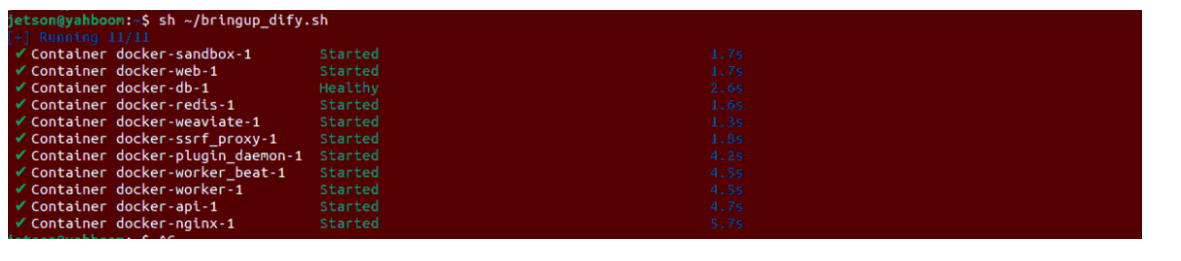
3. Running the Cases
3.1 Start the Embodied Intelligence Master Control Service
Enter the following command in the vehicle terminal to start the large model voice embodied master control system:
xxxxxxxxxxros2 launch multi_brains llm_agent_control.launch.py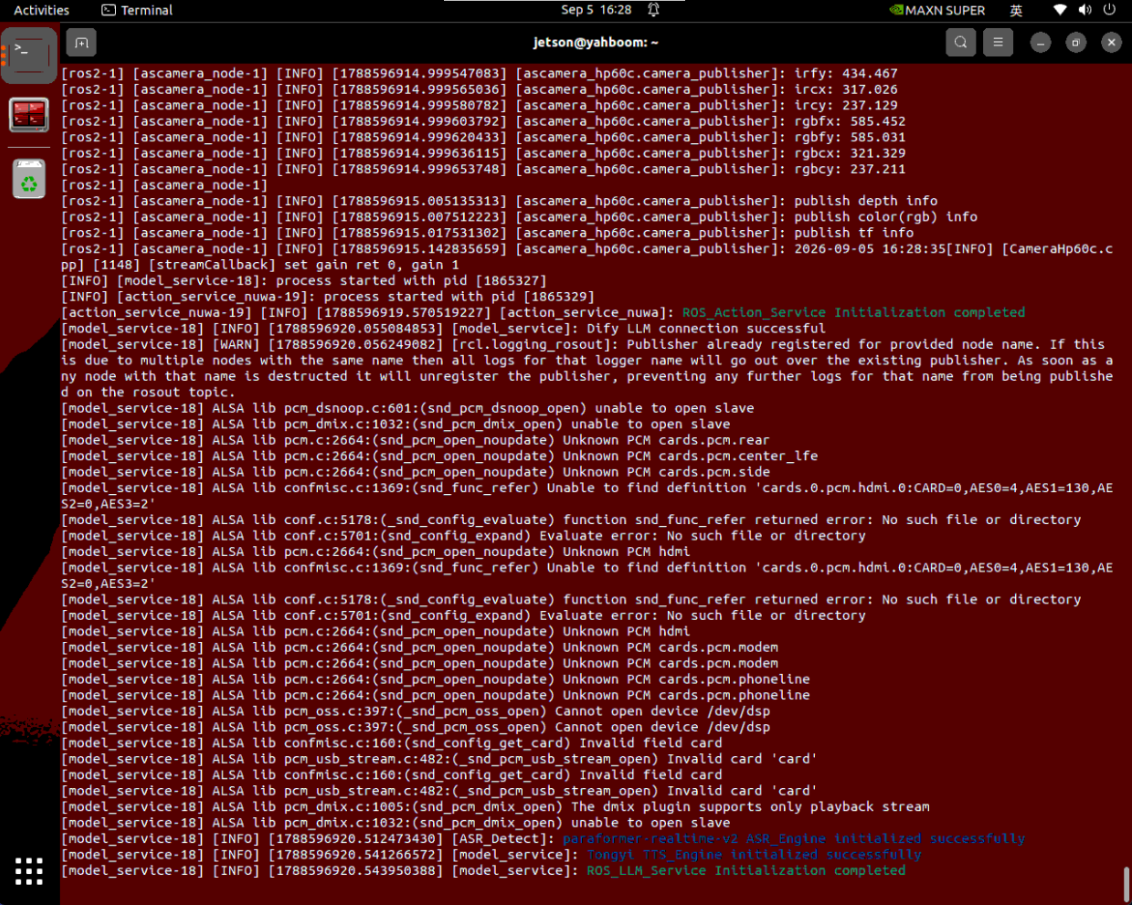
3.2 Classic Test Cases (Visual Understanding and Conditional Interaction)
Interaction Specification:
First call "Hi,yahboom" (or the factory-configured wake word), then speak the instruction to the robot:
Case 1: Environmental Object Recognition and Function Description
After waking up yahboom, speak the instruction:
xxxxxxxxxxPlease take a look at the items in front of you and tell me what each of them is used for.The terminal prints the image capture and multimodal model reply information:
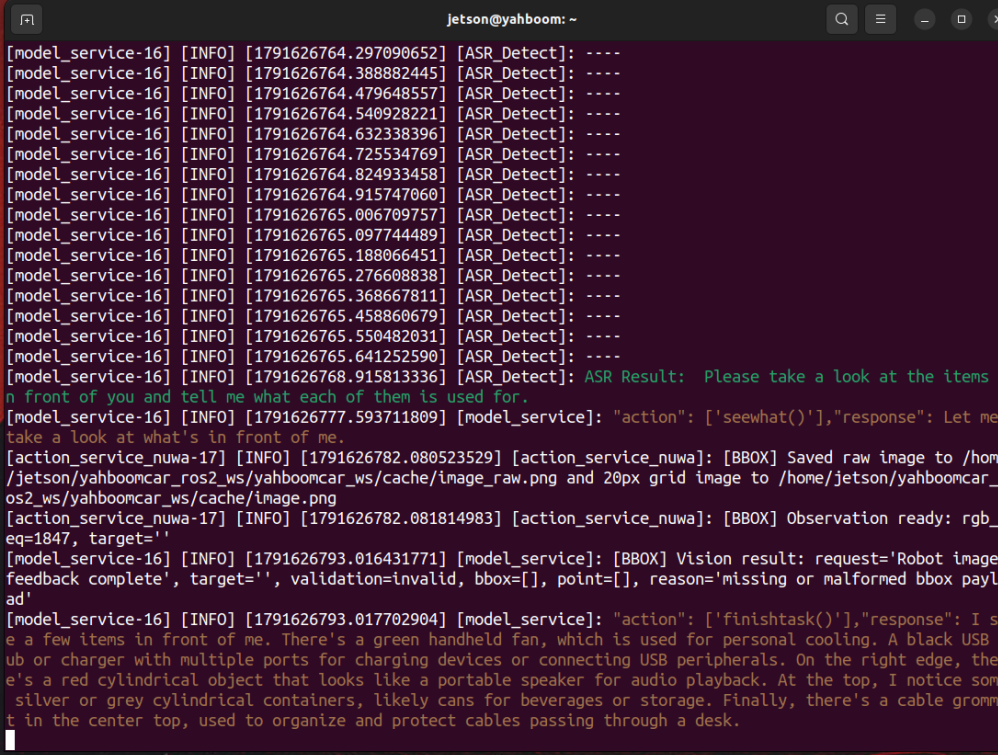
For cases involving photography, view the captured photos at this path:
~/yahboomcar_ros2_ws/yahboomcar_ws/cache/image_raw.png
Execution Process and Phenomena:
The large model automatically calls
seewhat()to capture a high-resolution image of the current view;The multimodal visual model performs deep analysis on the image and recognizes the objects in the field of view (such as blocks, tissues, water cups, etc.);
The robot not only clearly states the names of the objects, but also structurally explains the daily use of each object, and reads the reply fluently through TTS voice.
After the task is completed, it enters the waiting state. Wake it up again to continue the conversation or say "you can go take a rest":
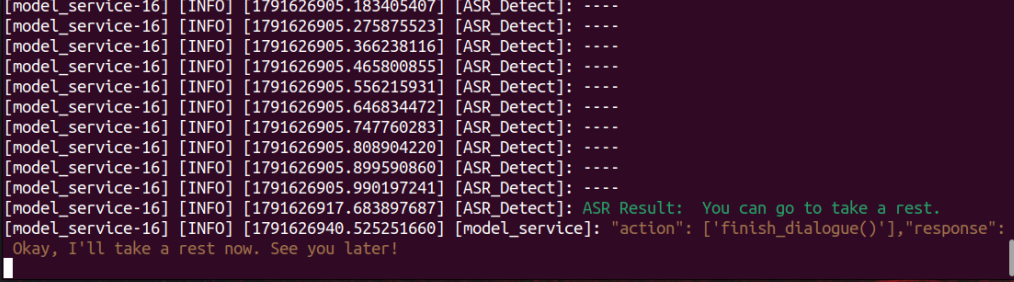
Case 2: Multi-target Conditional Judgment and Nodding/Head-shaking Feedback
After waking up yahboom, speak the instruction:
xxxxxxxxxxPlease look at the items in front of you - do you see a blue square and a pack of tissues? If you do, nod your head; if not, shake your head.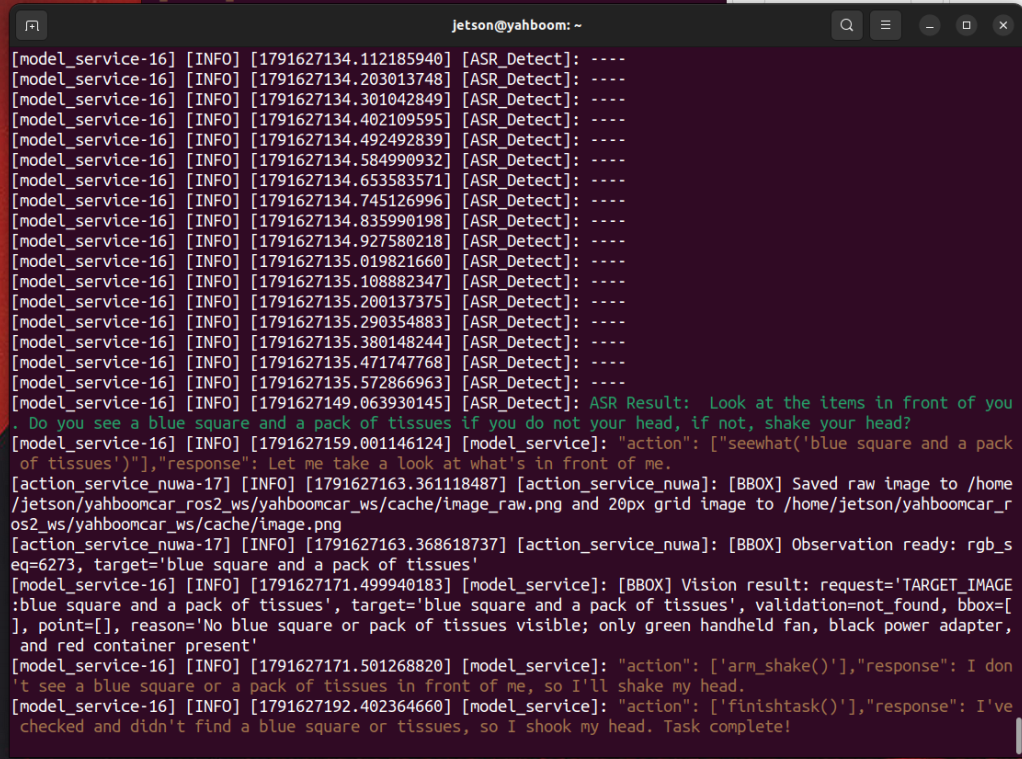
4. Core Source Code Analysis
Source code package path:
~/yahboomcar_ros2_ws/yahboomcar_ws/src/multi_brains
The system has built-in dual-scheme compatibility support for the 3D depth camera (Nuwa scheme) and the USB monocular camera (USB scheme). The master control startup script llm_agent_control.launch.py automatically loads the corresponding action service node according to the environment variable CAMERA_TYPE (default nuwa, optional usb):
3D depth camera scheme: Loads
action_service_nuwa.py, and by default subscribes to/ascamera_hp60c/camera_publisher/rgb0/image;USB camera scheme: Loads
action_service_usb.py, and by default subscribes to/usb_cam/image_raw.
4.1 Visual Capture and Image Cache Processing (action_service_nuwa.py / action_service_usb.py)
In the multimodal visual understanding task, the visual perception mechanisms of the two schemes are highly unified. When the large model needs to observe the surrounding environment, it calls the seewhat action to capture the latest frame from the current camera topic and store it in a standardized way:
xxxxxxxxxxdef seewhat(self): """ Save the current view image and feed the result back to the agent large model """ if self.save_single_image(): self._feedback(self.actionlog.get_text("image_feedback")) return None self._feedback("Image capture failed, grid image unavailable") return NoneInside the save_single_image() function, image scaling, grid drawing, and local caching are implemented:
xxxxxxxxxxdef save_single_image(self, image_msg=None): """ Save the 640x480 high-resolution original image and a grid image with a 20px coordinate ruler """ image_msg = self.image_msg if image_msg is None else image_msg if image_msg is None: self.get_logger().warning("暂未接收到相机图像数据。") return False try: # Convert the ROS Image message to OpenCV BGR8 format cv_image = self.bridge.imgmsg_to_cv2(image_msg, "bgr8") if cv_image.shape[:2] != (480, 640): cv_image = cv2.resize(cv_image, (640, 480), interpolation=cv2.INTER_AREA) os.makedirs(self.image_cache_dir, exist_ok=True) # Draw the coordinate grid used for spatial reference gridded = self._draw_coordinate_grid(cv_image) # Save the high-resolution original photo (for the large model's multimodal semantic recognition and user viewing) self._write_cache_image(self.raw_image_cache_path, cv_image) # Save the grid photo (for localization reference) self._write_cache_image(self.image_cache_path, gridded) return True except Exception as e: self.get_logger().error(f"图像保存异常: {e}") return FalseCache path: The original photo is saved at
~/yahboomcar_ros2_ws/yahboomcar_ws/cache/image_raw.png. Users can directly view the high-resolution field-of-view image currently captured by the robot in this directory.
4.2 Multimodal Image Upload and Visual Question Answering (model_service.py)
In model_service.py, when a multimodal request is triggered, the node uploads the captured image to the Dify platform for deep semantic understanding:
x# Multimodal vision request handlingif image_path is not None: upload_files = [] # raw-picture lets the large model recognize rich details such as object category, color, and function # grid-picture provides a coordinate scale reference for the large model for name, path in ( ("raw-picture", raw_image_path), ("grid-picture", image_path), ): if not path: continue with open(path, "rb") as file: response = self.client.file_upload("yahboom", {"file": (name, file, "image/png")}) response.raise_for_status() file_id = response.json().get("id") upload_files.append({"type": "image", "transfer_method": "local_file", "upload_file_id": file_id})
# Attach the image files to the question-answering request and send them to the multimodal large model kwargs["files"] = upload_filesThe large model combines the uploaded high-resolution image with the user's natural language question (such as "tell me what the objects are used for"), performs comprehensive reasoning, and outputs a voice answer through speech synthesis (TTS).
4.3 Visual Conditional Judgment and Anthropomorphic Action Feedback (action_service_nuwa.py / action_service_usb.py)
When the user requests "nod your head if there is one, shake your head if there isn't", after completing the visual judgment, the large model outputs the arm_nod or arm_shake action, and the robotic arm executes intuitive body-language feedback:
xxxxxxxxxxdef arm_nod(self):    """ The robotic arm performs a nodding action """    for i in range(3):        if self.interrupt_event.is_set():            self.pubSix_Arm(self.init_joints)            return None        # Pitch joint tilts down        tar_arm_joint = [90, 130, 0, 95, 90, 0]        self.pubSix_Arm(tar_arm_joint)        time.sleep(1.0)        # Restore the initial pose        self.pubSix_Arm(self.init_joints)        time.sleep(1.0)    return True
def arm_shake(self):    """ The robotic arm performs a head-shaking action """    for i in range(3):        if self.interrupt_event.is_set():            self.pubSix_Arm(self.init_joints)            return None        # Base pan-tilt swings left        tar_arm_joint = [140, 130, 0, 5, 90, 0]        self.pubSix_Arm(tar_arm_joint)        time.sleep(1.0)        # Base pan-tilt swings right        tar_arm_joint = [40, 130, 0, 5, 90, 0]        self.pubSix_Arm(tar_arm_joint)        time.sleep(1.0)    self.pubSix_Arm(self.init_joints)    return True
Action reset: After the action is completed, the robotic arm automatically returns to the folded safe pose
init_joints, ensuring it does not block the line of sight and keeps the body stable.