Welcome to ROSMASTER A1 PRO repository
3.Multi-vehicle Formation
Multi-Vehicle Formation
Preface: Multi-robot formation is one of the core applications of swarm robotics. This course is based on the "Leader-Follower" architecture: the leader vehicle (robot1) broadcasts the navigation path and the relative-position TF transforms globally, while the follower vehicles (robot2, robot3) listen to the coordinates in real time, compute the formation goal points they should reach, and follow autonomously. The course presets three formations: "Column", "Row", and "Left/Right Convoy", and supports online switching via dynamic parameters.
1. Content Description and Formation Design
1.1 Formation Definitions
The system supports three preset formation layouts (using the center reference frame of the leader vehicle robot1 as the reference):
| Formation Name | Parameter Value (queue_name) | Formation Spatial Geometry | Applicable Operation Scenarios |
|---|---|---|---|
| Column | column | The follower vehicles are directly behind the leader, arranged in a single-file line: robot2: x = -dist, y = 0robot3: x = -2*dist, y = 0 | Narrow corridors, single-lane passage |
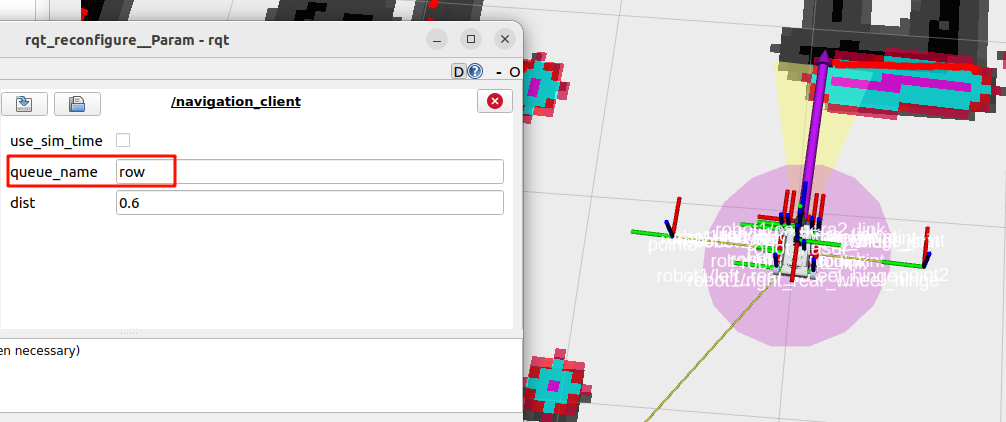
| Row | row | The follower vehicles are distributed directly to the left and right of the leader, in a single horizontal row: robot2: x = 0, y = -distrobot3: x = 0, y = +dist | Large-area floor cleaning, lateral joint inspection |
| Left/Right Convoy | convoy (default) | The follower vehicles are positioned at the left-rear and right-rear of the leader, forming a V-shape/triangle escort formation: robot2: x = -dist, y = -distrobot3: x = -2*dist, y = +dist | Key material escort, coordinated defense patrol |
[!NOTE] For teaching convenience, this tutorial focuses on two vehicles (leader
robot1+ followerrobot2). The program itself is fully compatible with three-vehicle formation (robot3).
1.2 Formation Coordination Implementation Principle
- Map and localization reference alignment: All vehicles access the same LAN and global map service, and establish their own poses under the unified global coordinate system (
map) through their respective AMCL nodes; - Leader vehicle TF broadcasting: The leader vehicle (
robot1) runs thepub_follower_goalnode. As the leader moves in the map, it continuously broadcasts the expected follower positions (point2andpoint3) relative torobot1/base_linkto the TF tree; - Follower listening and navigation: The follower vehicle (
robot2) runs theget_follower_pointnode, which resolves the local goal pointpoint2into the global goal pose under themapcoordinates in real time through TF transform listening, and continuously sends goal points to/robot2/goal_pose, driving the follower's Nav2 navigation module to move and follow with obstacle avoidance.
2. Startup and Operation Steps
2.1 Environment Preparation and Chassis Startup
Start the chassis and LiDAR fusion nodes of both vehicles:
Run the following command in the terminal of Vehicle 1 (robot1):
ros2 launch yahboomcar_multi A1p_laser_bringup_multi_launch.xml robot_name:=robot1Run the following command in the terminal of Vehicle 2 (robot2):
xxxxxxxxxxros2 launch yahboomcar_multi A1p_laser_bringup_multi_launch.xml robot_name:=robot22.2 Start RViz Visualization and the Map Service
Open a terminal on the control terminal (virtual machine/PC) and start the multi-vehicle integrated visualization interface:
xxxxxxxxxxros2 launch yahboomcar_multi display_multi_nav_launch.pyAfter startup, the RViz interface presents the multi-vehicle configuration view:
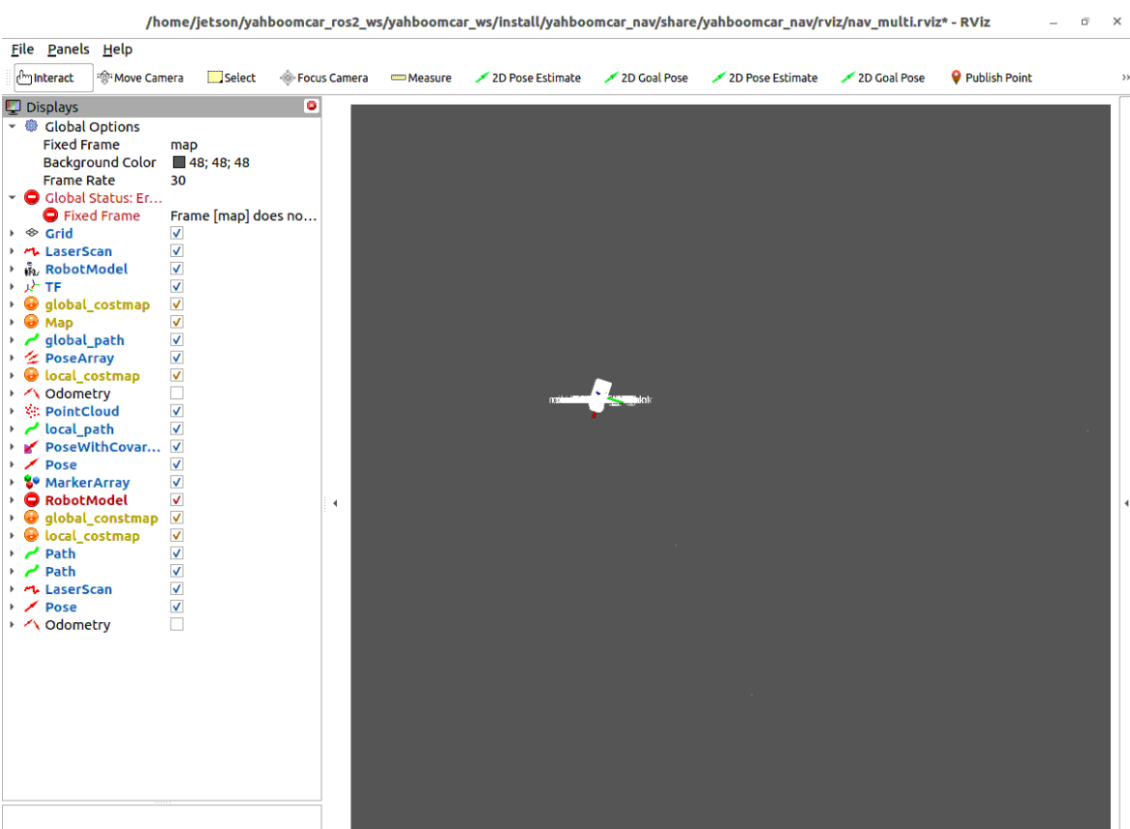
Open another terminal on the control terminal and start the global map broadcasting service:
xxxxxxxxxxros2 launch yahboomcar_multi map_server_launch.py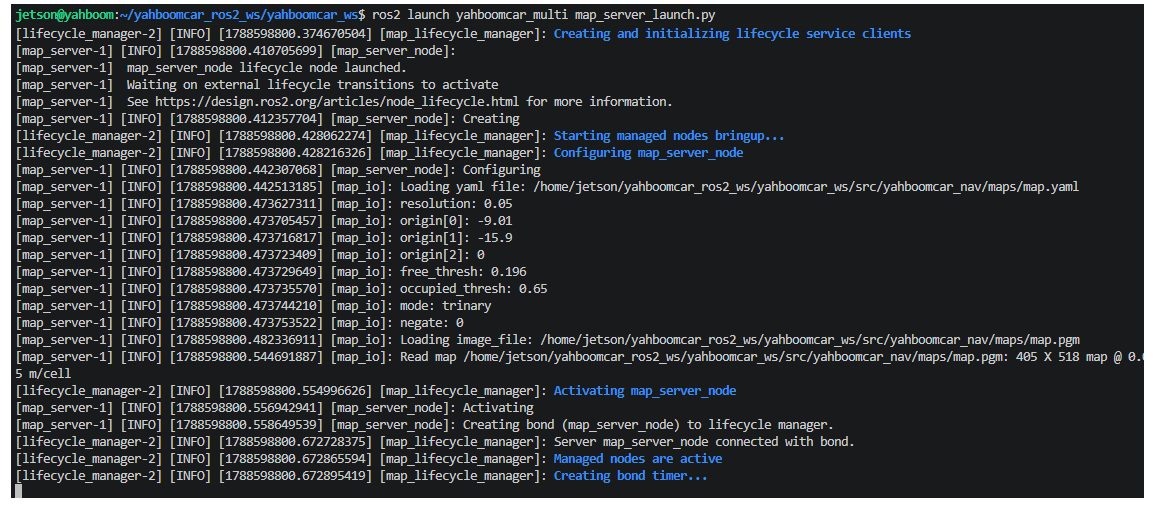
The pre-built 2D site grid map will be displayed in the RViz interface:
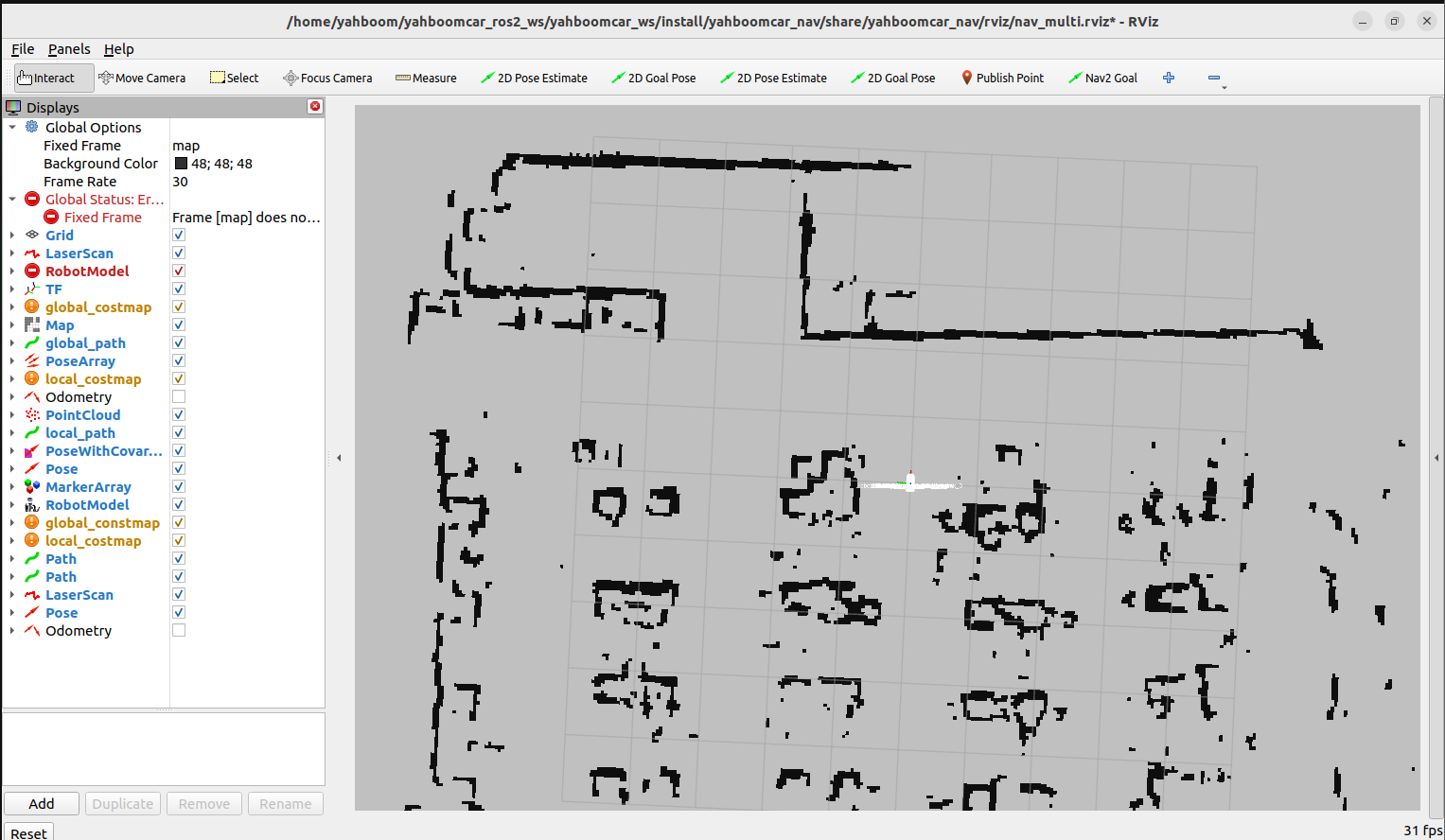
2.3 Start AMCL Localization for Both Vehicles and Calibrate Initial Poses
Open two terminals on the control terminal to start localization:
x# Terminal 1: Start localization for robot1ros2 launch yahboomcar_multi A1p_amcl_robot1_launch.py# Terminal 2: Start localization for robot2ros2 launch yahboomcar_multi A1p_amcl_robot2_launch.pyThe terminal prints the initial-pose waiting prompt:

At the top of RViz, use the first 【2D Pose Estimate】tool (drag the arrow aligned with robot1's actual position and orientation) and then the second 【2D Pose Estimate】tool (drag the arrow aligned with robot2's actual position and orientation) in order, so that the LiDAR point clouds of both vehicles (red for robot1, blue for robot2) perfectly coincide with the black obstacle boundaries of the map:
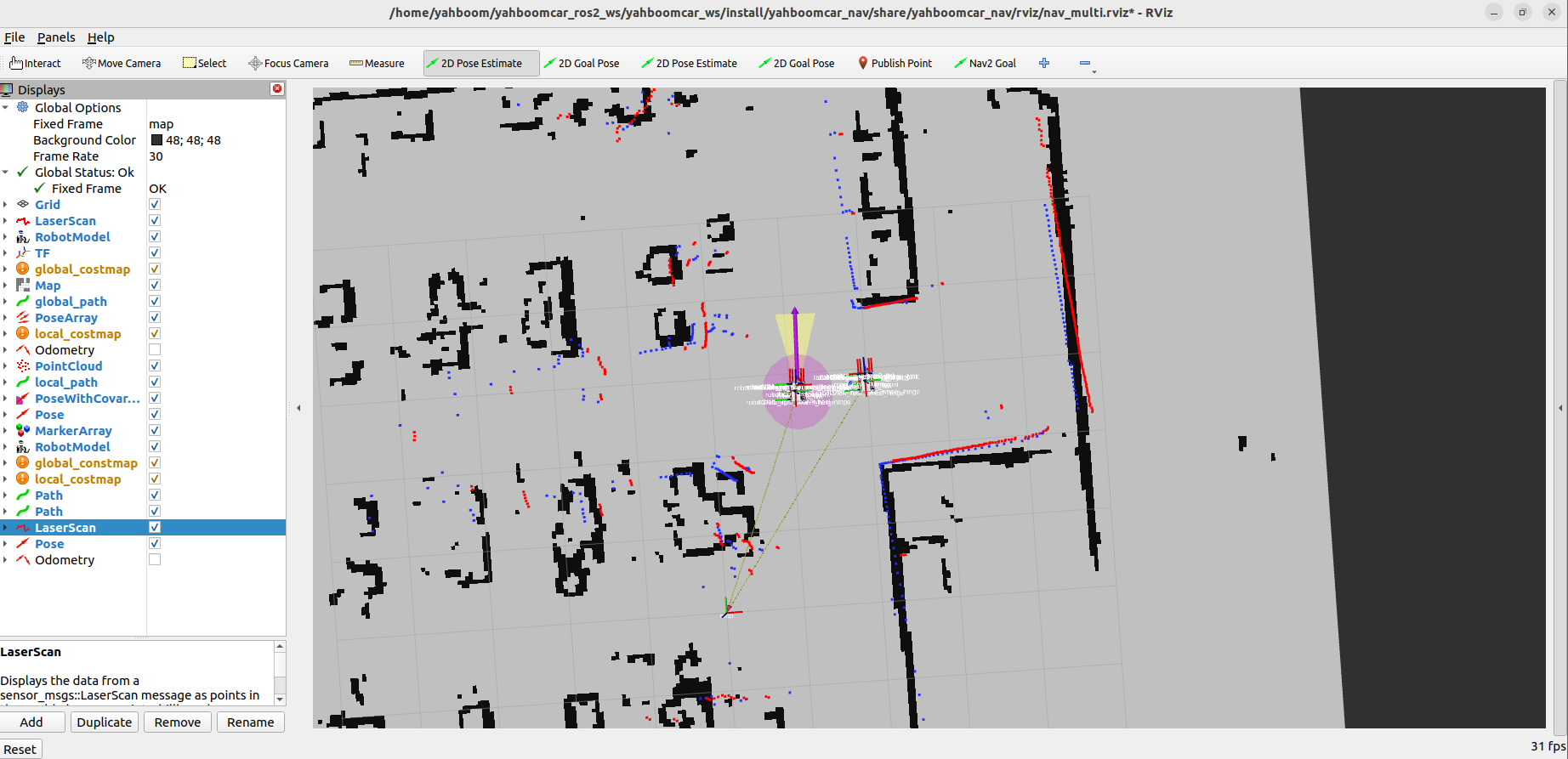
2.4 Start the Nav2 Navigation System for Both Vehicles
Open two terminals on the control terminal to start the Nav2 navigation stacks:
xxxxxxxxxx# Terminal 1: Start navigation for robot1ros2 launch yahboomcar_multi A1p_nav_robot1_launch.py# Terminal 2: Start navigation for robot2ros2 launch yahboomcar_multi A1p_nav_robot2_launch.pyAfter startup, the costmap inflation layers of both vehicles appear in the RViz view:
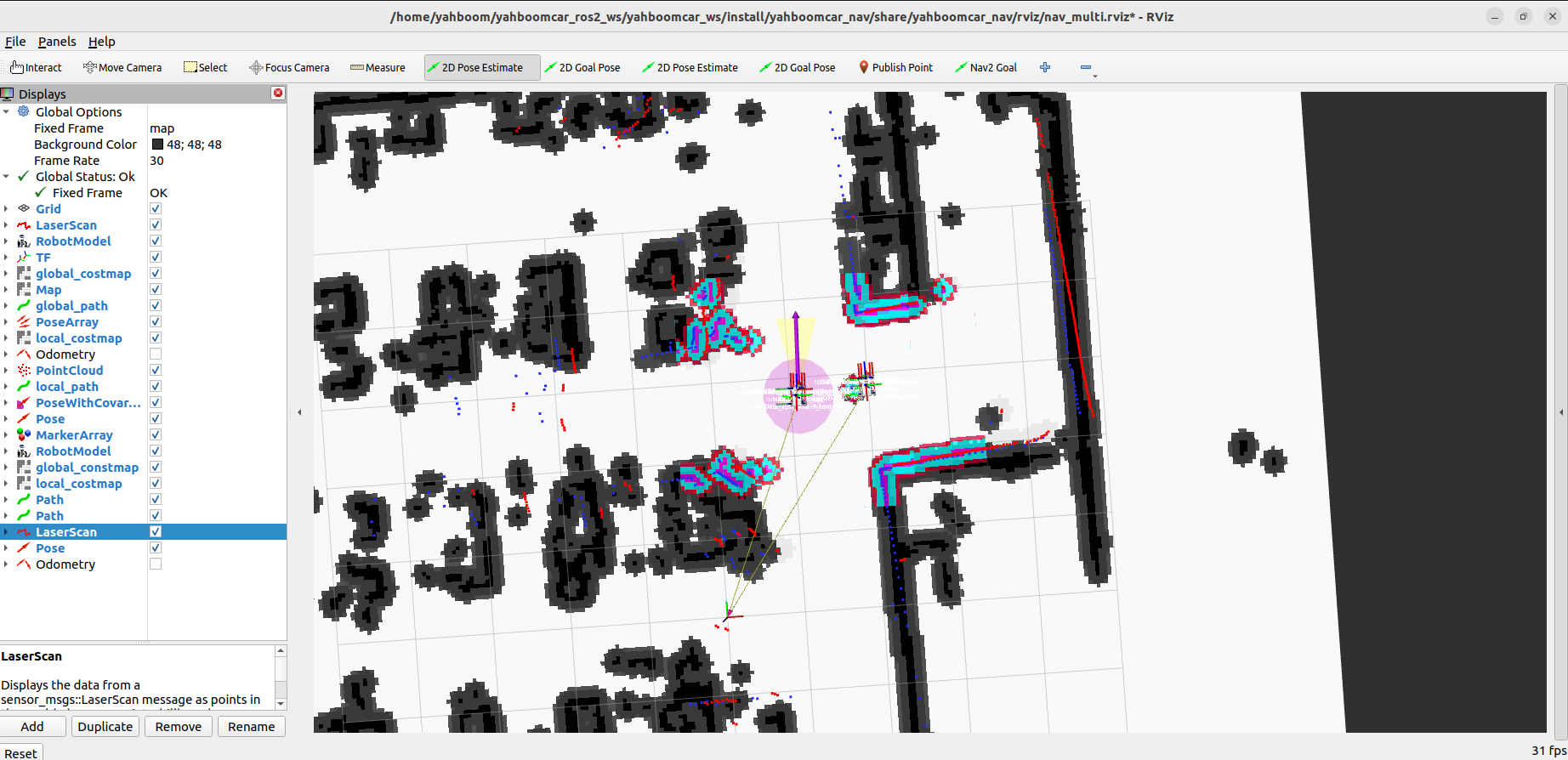
2.5 Start the Multi-Vehicle Formation Coordination Nodes
Step 1: Start the Leader Vehicle Formation TF Broadcast Node
Open a terminal on the control terminal and run the leader navigation formation node:
xxxxxxxxxxros2 run yahboomcar_multi pub_follower_goalAfter startup, the terminal prints the status of waiting for waypoints and broadcasting TF:
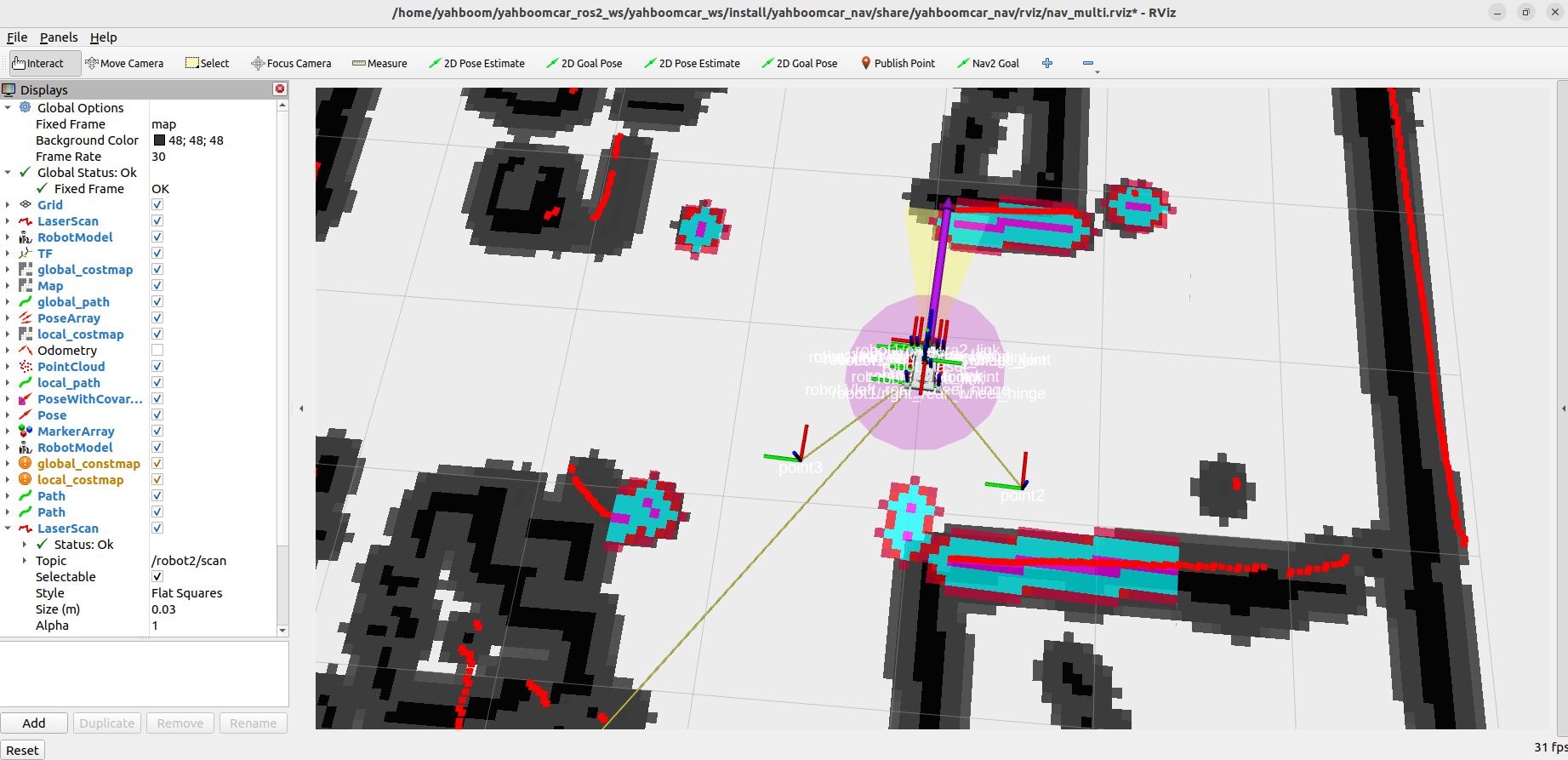
[!TIP] The default formation and spacing (in meters) can be specified via ROS 2 parameters at startup:
xxxxxxxxxxros2 run yahboomcar_multi pub_follower_goal --ros-args -p queue_name:=convoy -p dist:=0.6
Step 2: Start the Follower Goal Listening and Following Node
Open another terminal on the control terminal and run the follower following computation node:
xxxxxxxxxxros2 run yahboomcar_multi get_follower_point --ros-args -p robot_id:=robot2At this point, the follower continuously listens to the point2 relative coordinate published by the leader, and initiates navigation planning toward /robot2/goal_pose based on its absolute position on the map.
2.6 Online Dynamic Parameter Adjustment for Formation Switching (rqt_reconfigure)
Open another terminal on the control terminal and start the dynamic parameter tuning GUI tool:
xxxxxxxxxxros2 run rqt_reconfigure rqt_reconfigureFind the navigation_client node on the left side of the interface, as shown below:
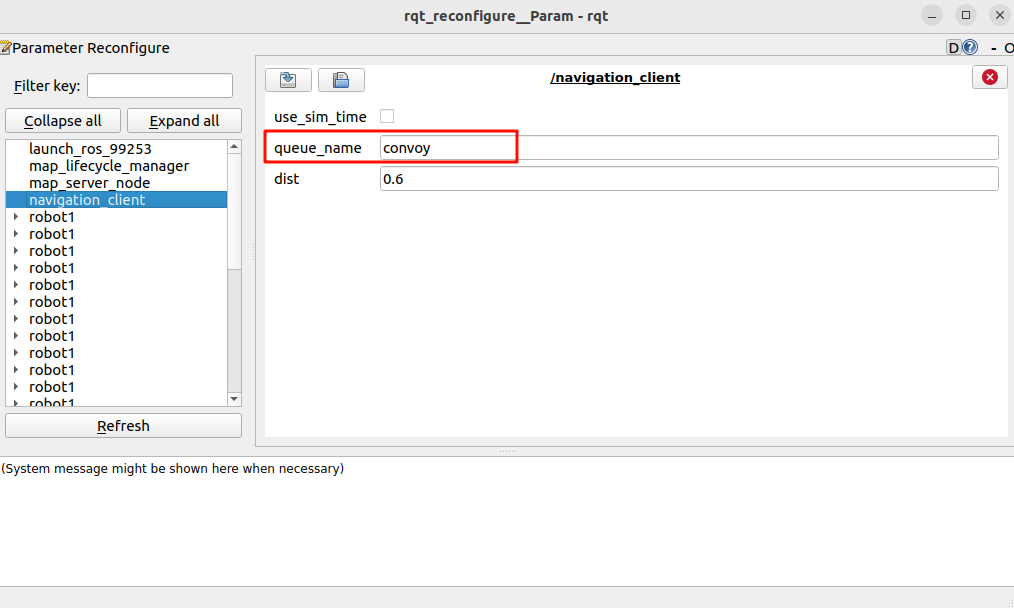
Parameter Adjustment Instructions:
queue_name: Formation name. It can be changed tocolumn(column),row(row), orconvoy(left/right convoy);dist: The set spacing between the follower and the leader (recommended between 0.5m and 0.8m to avoid obstacle conflicts from the inflation layer when too small).- After modifying the parameters in the input box, click on a blank area of the panel to apply the changes immediately.
For example, after switching the formation to row row, the spatial position of point2 in RViz immediately shifts to the flank of the leader, and the follower autonomously re-plans its route to move toward the new formation while maintaining coordinated travel:
3. Core Code In-Depth Analysis
3.1 Leader TF Broadcast and Multi-Waypoint Client (pub_follower_goal.py)
Source code path:
~/yahboomcar_ros2_ws/yahboomcar_ws/src/yahboomcar_multi/yahboomcar_multi/pub_follower_goal.py
pub_follower_goal.py implements multi-waypoint path navigation for the leader vehicle and continuously broadcasts the expected follower positions in the current vehicle-body coordinate frame:
xxxxxxxxxximport rclpyfrom rclpy.node import Nodefrom rclpy.action import ActionClientfrom geometry_msgs.msg import PoseStamped, TransformStampedfrom nav2_msgs.action import NavigateThroughPosesfrom visualization_msgs.msg import MarkerArrayfrom tf2_ros.static_transform_broadcaster import StaticTransformBroadcasterclass NavigationClient(Node): def __init__(self): super().__init__('navigation_client') # 1. Create the multi-waypoint continuous navigation Action client self._client = ActionClient(self, NavigateThroughPoses, '/navigate_through_poses') # 2. Subscribe to the RViz path waypoint markers self.get_waypoints = self.create_subscription( MarkerArray, "/waypoints", self.get_waypointsPoseCallBack, 1 ) # 3. Create static TF broadcasters to publish the relative coordinates from the leader to the follower goal points self.robot1_to_point2_broadcaster = StaticTransformBroadcaster(self) self.robot1_to_point3_broadcaster = StaticTransformBroadcaster(self) # 4. Declare formation and vehicle spacing parameters self.declare_parameter("queue_name", "convoy") # row, convoy, column self.declare_parameter("dist", 0.6) # 5. Timer that polls whether the parameters have been dynamically updated self.timer = self.create_timer(0.5, self.on_timer)Formation Mathematical Geometry Resolution (update_tf):
xxxxxxxxxx def update_tf(self, queue_type, dist): self.queue = queue_type self.dist = dist robot2_transform = TransformStamped() robot3_transform = TransformStamped() # The reference frame is the leader chassis coordinate frame robot2_transform.header.frame_id = "robot1/base_link" robot2_transform.child_frame_id = "point2" robot3_transform.header.frame_id = "robot1/base_link" robot3_transform.child_frame_id = "point3" if self.queue == "column": # Column: the follower is directly behind the leader along the negative x-axis robot2_transform.transform.translation.x = -self.dist robot2_transform.transform.translation.y = 0.0 robot3_transform.transform.translation.x = -self.dist * 2 robot3_transform.transform.translation.y = 0.0 elif self.queue == "row": # Row: the followers are on the left and right sides of the leader along the y-axis robot2_transform.transform.translation.x = 0.0 robot2_transform.transform.translation.y = -self.dist robot3_transform.transform.translation.x = 0.0 robot3_transform.transform.translation.y = self.dist else: # convoy (left/right escort formation) # Left/right convoy: followers form a triangular array at the leader's left-rear and right-rear robot2_transform.transform.translation.x = -self.dist robot2_transform.transform.translation.y = -self.dist robot3_transform.transform.translation.x = -self.dist robot3_transform.transform.translation.y = self.dist robot2_transform.transform.rotation.w = 1.0 robot3_transform.transform.rotation.w = 1.0 # Broadcast the relative transforms globally self.robot1_to_point2_broadcaster.sendTransform(robot2_transform) self.robot1_to_point3_broadcaster.sendTransform(robot3_transform)- This design decouples the complex formation geometry constraints into local rigid-body poses relative to the leader chassis
robot1/base_link, greatly simplifying the algorithm computation.
3.2 Follower Coordinate Resolution and Goal Publishing (get_follower_point.py)
Source code path:
~/yahboomcar_ros2_ws/yahboomcar_ws/src/yahboomcar_multi/yahboomcar_multi/get_follower_point.py
get_follower_point.py is responsible for back-projecting the local expected point to the global map and delivering it smoothly via dead-zone filtering:
xxxxxxxxxximport rclpyfrom rclpy.node import Nodeimport tf2_rosfrom geometry_msgs.msg import PoseStampedfrom scipy.spatial.transform import Rotation as Rclass TfListenerNode(Node): def __init__(self): super().__init__('tf_listener_node') # 1. Declare the robot identifier (default is robot2) self.declare_parameter('robot_id', 'robot2') self.robot_id = self.get_parameter('robot_id').get_parameter_value().string_value # 2. Build the TF2 listening buffer self.tf_buffer = tf2_ros.Buffer() self.tf_listener = tf2_ros.TransformListener(self.tf_buffer, self) # 3. Dynamically bind the feature point to be listened to and the topic to publish to if self.robot_id == 'robot2': self.target_point = 'point2' elif self.robot_id == 'robot3': self.target_point = 'point3' self.pub_topic = f"/{self.robot_id}/goal_pose" self.pub_robot_pose = self.create_publisher(PoseStamped, self.pub_topic, 10) # 4. Periodic query timer (10Hz) self.timer = self.create_timer(0.1, self.timer_callback)Spatial Coordinate Transformation and Dead-Zone Update (get_point):
xxxxxxxxxx def get_point(self): try: # Query the composite transform from the global map to the current follower goal point point2 transform = self.tf_buffer.lookup_transform('map', self.target_point, rclpy.time.Time()) current_x = transform.transform.translation.x current_y = transform.transform.translation.y current_z = transform.transform.rotation.z current_w = transform.transform.rotation.w # Dead-zone anti-flicker filtering: trigger a new navigation goal only when the displacement change is > 1cm or the orientation changes if (current_z != self.prev_z or current_w != self.prev_w or abs(current_x - self.prev_x) > 0.01 or abs(current_y - self.prev_y) > 0.01): self.goal_pose.pose.position.x = current_x self.goal_pose.pose.position.y = current_y self.goal_pose.pose.orientation.z = current_z self.goal_pose.pose.orientation.w = current_w # Publish the navigation goal to the Nav2 navigation input topic of the follower vehicle self.pub_robot_pose.publish(self.goal_pose) self.prev_z = current_z self.prev_w = current_w self.prev_x = current_x self.prev_y = current_y except (tf2_ros.TransformException, KeyError) as e: self.get_logger().warn(f"坐标变换异常: {e}")- Dead-Zone Filtering Protection: A displacement threshold of
0.01m(1cm) is set to avoid frequent Nav2 global re-planning caused by tiny TF jitter, ensuring smooth and steady follower motion; - Fully Autonomous Dynamic Following: When the leader turns during driving,
point2rotates with the leader and changes continuously inmap. The follower dynamically refreshes the goal point accordingly, achieving a highly realistic formation-following effect.