Welcome to ROSMASTER A1 PRO repository
5.OpenClaw Scenario Sandbox Comprehensive Case
OpenClaw Scenario Sandbox Comprehensive Case
1. Course Content
Course Overview
Congratulations! Through the previous courses, we have used the Cartographer algorithm to build a high-precision map and pose graph (map.pbstream) for the sandbox world, deployed the "visual repositioning lighthouse" that never drifts, and marked clear semantic location names for each workstation.
This course is the ultimate comprehensive practice of the entire sandbox training system! In Industry 4.0 dark factory, robots need to have the ability to execute ultra-long-cycle compound industrial tasks (Long-horizon Industrial Tasks) lasting dozens of minutes:
It no longer listens to one command and moves one finger, but receives a macroscopic enterprise production scheduling plan;
It needs to autonomously navigate the sandbox large map, autonomously recognize, sort, quality inspect, and cross-area transport between multiple workshop stations, and automatically return to the parking space to stand by after completing all tasks.
This tutorial can only be used with depth camera, USB camera has not been tested for this tutorial
Learning Objectives
Master natural language Prompt choreography design for compound long-process industrial inspection and sorting tasks.
Deeply understand the operating mechanism of OpenClaw large model in maintaining environment context memory and tool chain calls during cross-region tasks.
Verify the zero cumulative drift performance of Cartographer pose graph localization + AprilTag visual repositioning during 30 minutes of continuous movement.
Master fault self-healing and state recovery handling during multi-task concurrency.
This case uses 4 * 4 * 4 matching cubes, 3 * 3 * 3 garbage wooden blocks
2. Preparation
2.1 Complete All Prerequisites
Please ensure you have successfully completed in sequence:
[02-Build Sand Table Map] (having
map.yamland Cartographer pose graph/home/sunrise/map/map.pbstream);[03-Visual Relocation Markers] (key workstation tags have been recorded through check-in tool to
aritag_relocation.yaml);[04-Map Mapping Markers] (shipping area, shelves, garbage bins and other workstation coordinates have been saved in
map_mapping.yaml).
2.2 Start Chassis, Robotic Arm Assistance and MCP Core Scheduling Service
Run the following startup command in terminal:
ros2 launch dofbot_pro_bringup mcp_service.launch.py display_windows_only_track:=true2.3 Start Cartographer Pose Graph Global Localization
Execute the following command in a new host terminal to load sandbox pose graph and start global localization:
xros2 launch yahboomcar_nav localization_imu_odom.launch.py use_rviz:=false load_state_filename:=/home/jetson/map/map.pbstream
#pi5ros2 launch yahboomcar_nav localization_imu_odom.launch.py use_rviz:=false load_state_filename:=/root/map/map.pbstream
#rdkros2 launch yahboomcar_nav localization_imu_odom.launch.py use_rrviz:=false load_state_filename:=/home/sunrise/map/map.pbstream2.4 Start Route Network Docker Container and Route Network Navigation Core
Open a new terminal, enter the route network Docker container and start route network navigation:
xxxxxxxxxx# Quick start commandbringup_ros2kilted# Enter container terminalexec_ros2kiltedStart route network navigation service in the container:
xxxxxxxxxxros2 launch road_net_route roadnet_nav2.launch.py2.5 Start RViz Visualization Monitoring Interface
Start the visualization tool in a new terminal window: (RDK and Raspberry Pi need to run on virtual machine)
xxxxxxxxxxros2 launch road_net_route rviz_only.launch.py3. Sandbox Basic Independent Practice Cases
Tip
Before executing the ultimate compound long task, it is recommended to first conduct independent test drills on single typical operation processes within the sandbox.
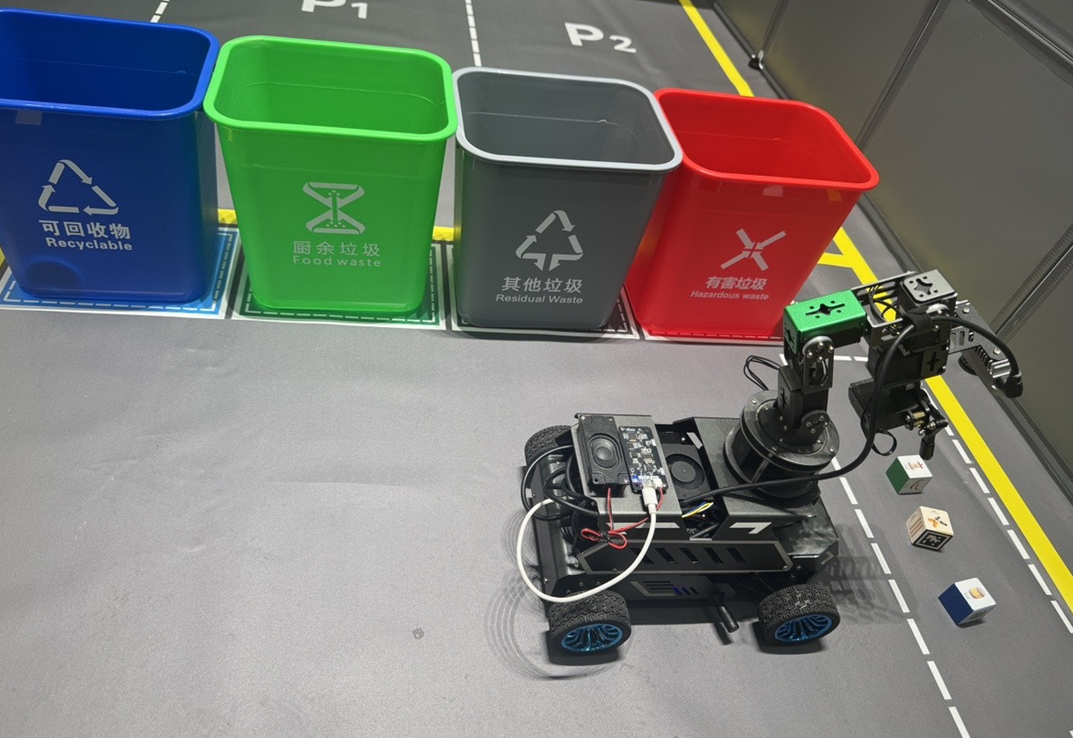
3.1 Garbage Sorting Practice
Task Description: Drive the cart to the garbage sorting area, recognize garbage on the ground, and sort it into the corresponding classified garbage bin.
3.2 Shipping Inspection and On-Demand Replenishment
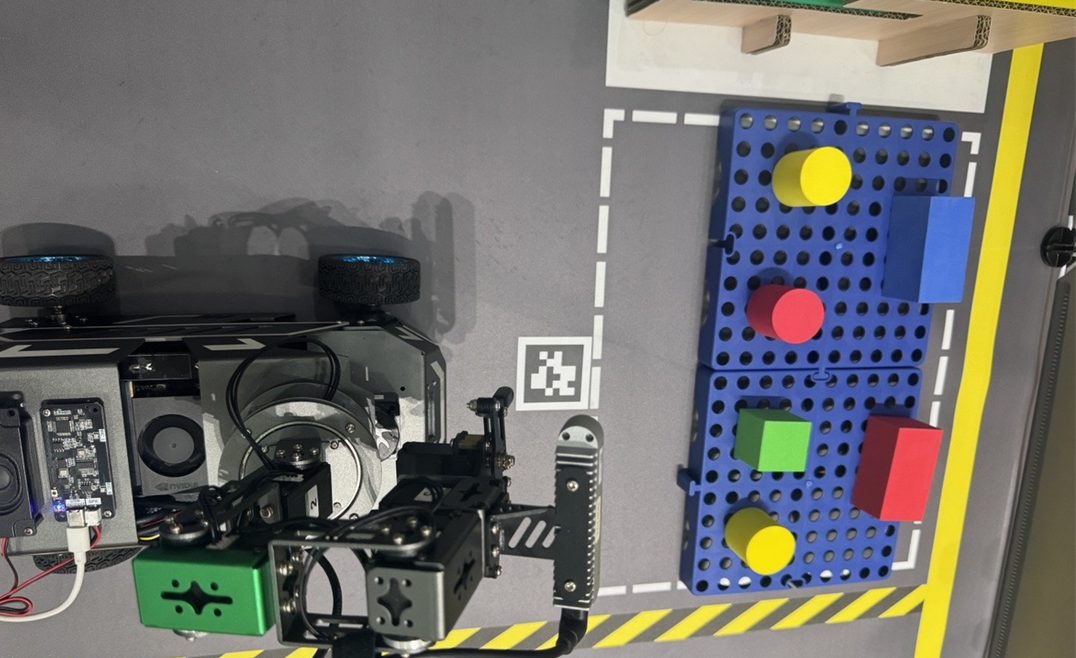
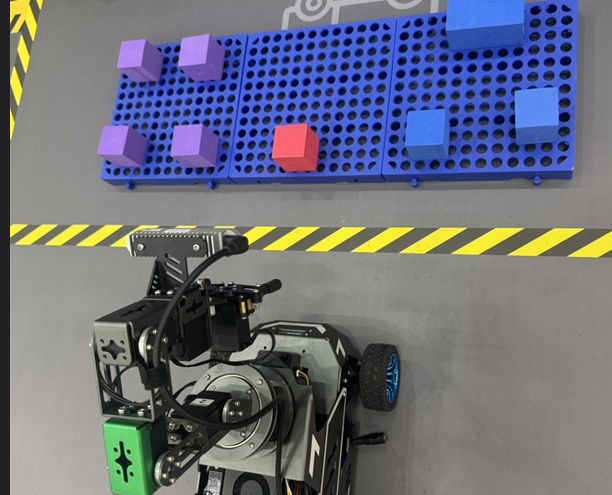
Task Description: The cart autonomously inspects the shipping dock (shipping area), checks whether the material table is missing specified goods; if a purple cube is found missing, autonomously goes to the goods warehouse to pick up material and deliver to the shipping table.
Reference Command:
"Go to the shipping area to see what goods are missing. If yellow goods are missing, go to the goods warehouse to replenish one."
Goods warehouse picking station:
Shipping area material replenishment:
3.3 Cross-Stereoscopic Shelf Material Transplantation
Task Description: Achieve flexible circulation of semi-finished and finished products between multiple stereo warehouses.
Reference Command:
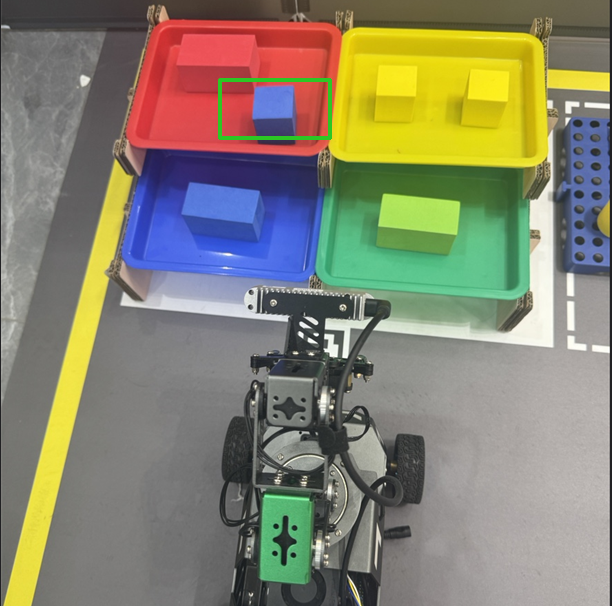
"Take a blue brick from Shelf 1, transport and place it into the blue tray on Shelf 3."
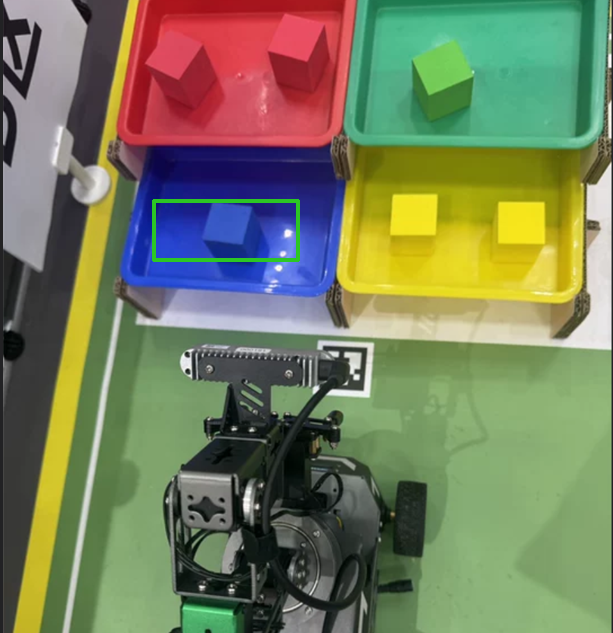
Another shelf,
4. Ultimate Factory Fully Autonomous Compound Long Task
You can arbitrarily combine all the above independent functions to choreograph your own industrial-grade super Prompt!
The following is a typical factory comprehensive inspection operation big task that has been rigorously engineered and verified:
Important
This long-process task includes 5 major work areas, 4 major range main line transport transfers, multiple high-precision grasping and placement, full-process autonomous operation takes approximately 20 minutes.
Ultimate Big Task Command
In the WebChat interaction window, issue the following command at one time (or read it completely after voice wake-up):
xxxxxxxxxxStart today's factory inspection: first go to the garbage area and sort all garbage into the corresponding garbage bins, then go to the shipping area to check if there are any missing yellow goods, and if so, replenish from the goods warehouse. Finally, pick up a blue goods from Shelf 1 and deliver it to the red tray on Shelf 3. Return to Parking Lot 1 after completing the task.Any one of the interaction methods for sending commands is acceptable
5. Grasping and Placement Precision Calibration Guide (Common Deviation Tuning)
During actual operation of complex sandbox compound long tasks, due to physical factors such as tiny gear clearance after long-term robotic arm operation, camera installation geometric tolerance, and small height variations in sandbox workstation tables, phenomena such as grasping offset, garbage grasping miss, placement point deviation from material tray or hitting table may occur.
This section systematically introduces how to quickly locate deviation causes, modify corresponding spatial offset parameters, and execute compilation to take effect.
5.1 Core Parameter Configuration File Location
All kinematic compensation parameters of the OpenClaw robotic arm action controller are uniformly stored in the following configuration file:
xxxxxxxxxx~/yahboomcar_ros2_ws/dofbot_pro_ws/src/dofbot_pro_bringup/config/common.yamlOpen this configuration file, locate the robotic arm parameter area under the mcp_service -> ros__parameters node:
xxxxxxxxxxmcp_service ros__parameters # 1. General material / color block grasp offset [X forward/back, Y left/right, Z up/down, Pitch pitch angle] grasp_offset0.025 0.035 -0.01 1.3963
# 2. Shelf/shipping table material placement offset [X forward/back, Y left/right, Z up/down, Pitch pitch angle] place_offset-0.01 0.00 0.05 1.3
# 3. Garbage sorting special grasp offset [X forward/back, Y left/right, Z up/down, Pitch pitch angle] waste_grasp_offset0.015 0.01 -0.01 1.3963
# 4. Garbage drop placement pose [six joint angle list] waste_place_pose90 50 90 50 90 1405.2 Spatial Coordinate System and Physical Adjustment Rules (Right-Hand Coordinate System)
Offsets are calculated based on the cart chassis and robotic arm base right-hand space coordinate system (unit: meters):
X-axis (forward/backward direction, pointing straight ahead of cart):
Phenomenon: Claw extends too far forward, knocks over blocks or slips in front of objects Reduce X offset (e.g., change
0.025to0.015).Phenomenon: Claw doesn't extend far enough, closes and grasps air before touching objects Increase X offset (e.g., change
0.025to0.035).
Y-axis (left/right lateral, pointing to left side of cart body):
Phenomenon: Claw always deviates to the right side of objects Need to compensate left, increase positive Y (e.g., change
0.01to0.02).Phenomenon: Claw always deviates to the left side of objects Need to compensate right, decrease Y (increase negative value) (e.g., change
0.01to-0.005).
Z-axis (up/down vertical direction, pointing straight up to ceiling):
Phenomenon: Claw hangs in air, grasps empty from above objects Need to probe deeper downward, decrease Z (set to smaller negative value) (e.g., change
-0.01to-0.025).Phenomenon: Claw hits or scrapes table/shelf board when opening Need to raise up, increase Z (e.g., change
-0.02to-0.005).
Pitch (claw pitch angle, unit: radians):
Controls the downward tilt angle of the claw tip (
1.3963rad is approximately80°), generally keep1.3 ~ 1.57rad vertical downward.
5.3 Parameter Modification, Compilation and Activation Steps (Critical)
Caution
In ROS 2 engineering development, after directly modifying the common.yaml file in the src/ source directory, if you do not re-execute build and package, the configuration file in the install/ run directory will not be updated, causing the modified parameters to not actually take effect!
Please strictly follow these steps to execute compilation and service restart:
Step 1: Modify Parameter Configuration File
Open and edit the configuration file in the robot onboard system terminal:
xxxxxxxxxxnano ~/yahboomcar_ros2_ws/dofbot_pro_ws/src/dofbot_pro_bringup/config/common.yamlModify the values according to the previous tuning rules. After modification, press Ctrl + O to save, Ctrl + X to exit.
Step 2: Compile Related ROS 2 Packages
Return to the workspace root directory, perform precise compilation for the modified packages (saving full compilation time):
xxxxxxxxxxcd ~/yahboomcar_ros2_ws/dofbot_pro_wscolcon build --packages-select dofbot_pro_bringupsource ~/.bashrcStep 3: Restart Core Scheduling Service
Close the previously running Terminal 1 (press Ctrl + C to exit mcp_service.launch.py), restart to activate new parameters:
xxxxxxxxxxros2 launch dofbot_pro_bringup mcp_service.launch.py relocation:=false display_windows_only_track:=trueAt this point, the new spatial offset parameters have been fully loaded into memory. Trigger grasping or sorting again to achieve extremely high physical landing precision!