Welcome to ROSMASTER A1 PRO repository
6.OpenClaw Chassis Control
OpenClaw Chassis Control
1. Course Content
Course Overview
OpenClaw chassis control is the basic function of robot motion control, providing 3 chassis control tools through the MCP interface: MoveWithSpeed (speed control), Move (odometry closed-loop control movement)
Supports omnidirectional chassis control, which can simultaneously control X/Y direction linear velocity and Z-axis angular velocity, achieving forward/backward movement, left/right translation, and in-place rotation
Achieves precise distance and angle control through odometry (Odom) feedback, ensuring motion accuracy
Learning Objectives
Understand the functions and purposes of the 3 chassis control interfaces provided by OpenClaw
Master the interaction methods for chassis movement, omnidirectional movement, and turning through WebChat
2. Preparation
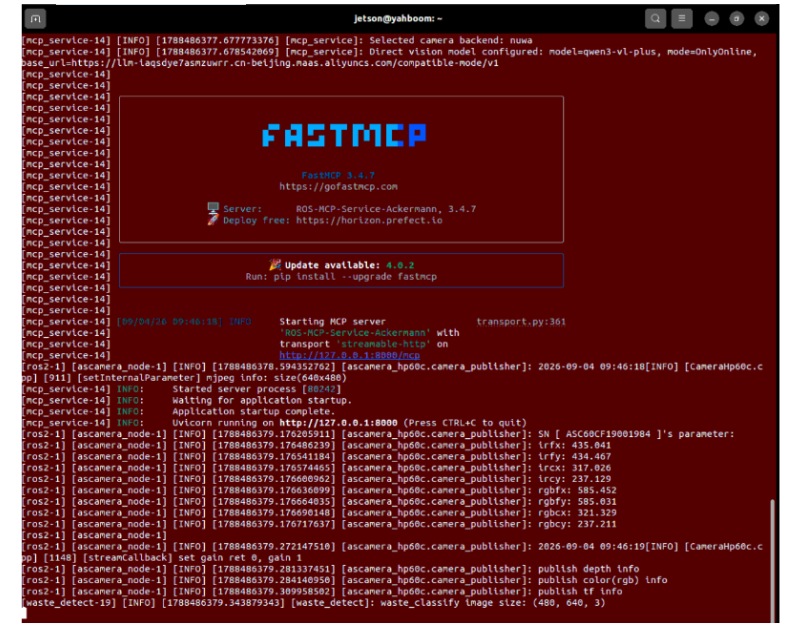
Start core nodes such as odometry, TF transformation, robotic arm assistance, camera nodes, and MCP service:
ros2 launch dofbot_pro_bringup mcp_service.launch.pyIf you need voice broadcast replies, you can start the program with the
launch_openclaw_bridgeparameter, otherwise you can use the basic command above:
xxxxxxxxxxros2 launch dofbot_pro_bringup mcp_service.launch.py launch_openclaw_bridge:=true
| No. | Tool Name | Function Description |
|---|---|---|
| 1 | Move | Control robot chassis to move specified distance |
3. Case Demo
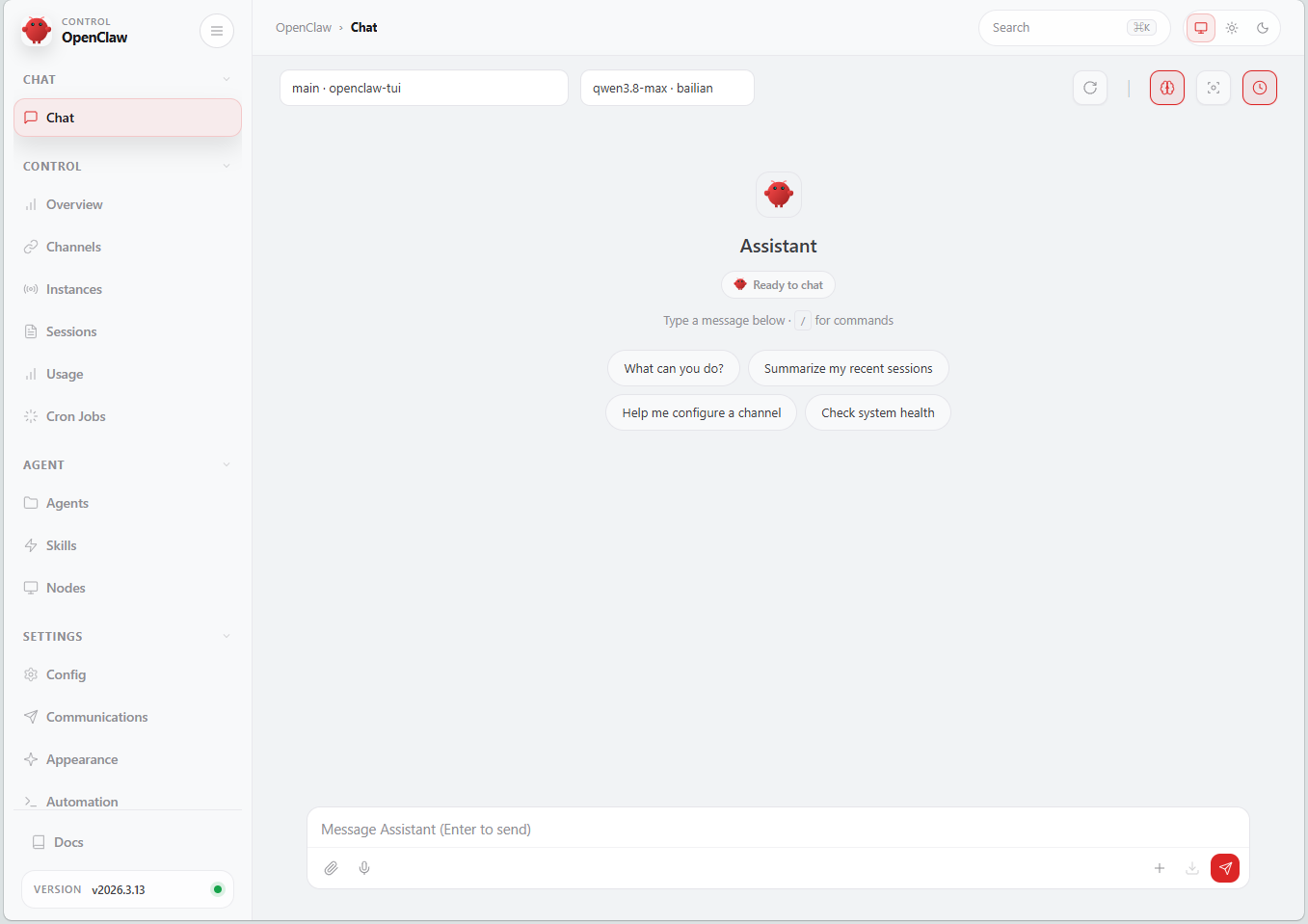
3.1 Start OpenClaw Interaction
Use any interaction method to converse with OpenClaw; here we demonstrate using Web Chat
Tip
You can write conversation sentences according to your own needs; the following is a case demo
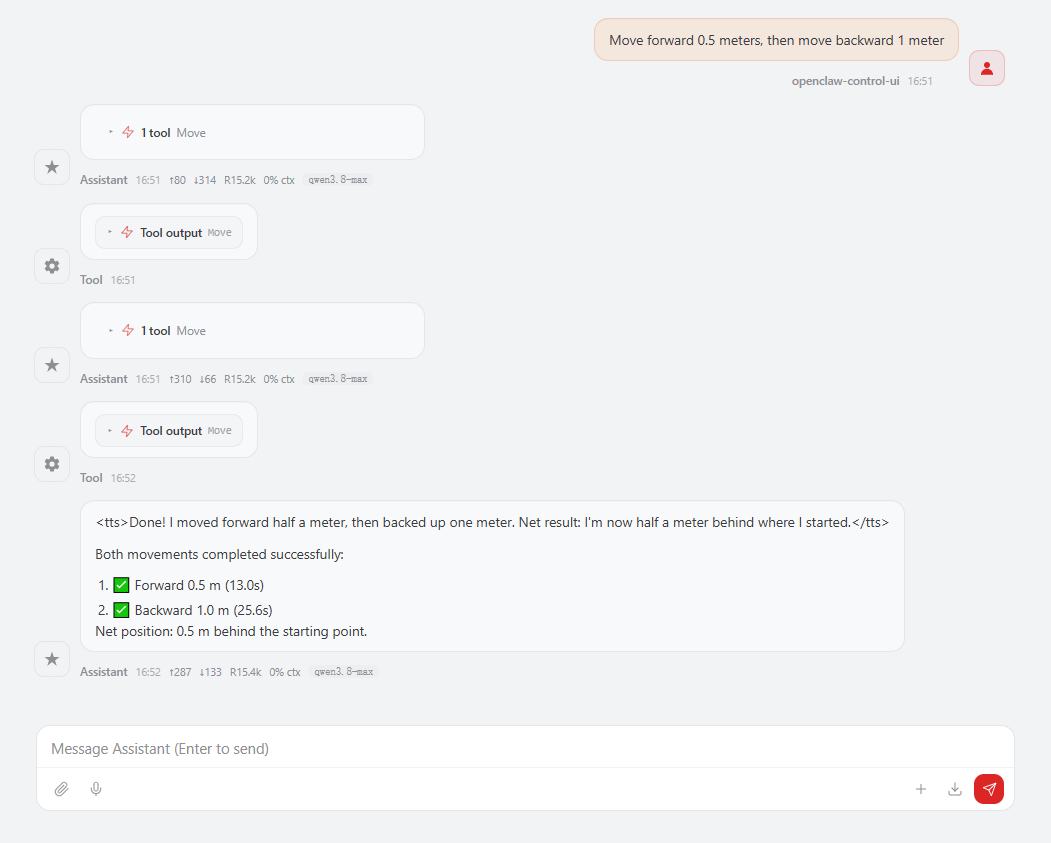
3.2 Chassis Movement Control
Move forward 0.5 meters, then move backward 1 meter
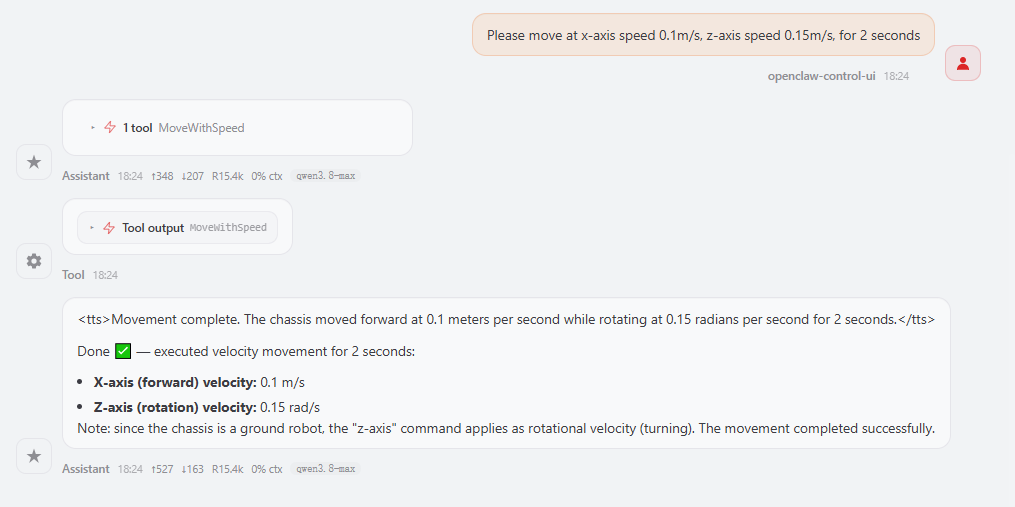
3.3 Chassis Turning
Please move at x-axis speed 0.1m/s, z-axis speed 0.15m/s, for 2 seconds
4. Source Code Analysis
Source code path
xxxxxxxxxx~/yahboomcar_ros2_ws/dofbot_pro_ws/src/ackermann_mcp/ackermann_mcp/action_controller.py
4.1 set_cmdvel — Set Chassis Movement Speed (MoveWithSpeed Low-level Implementation)
Code Description:
set_cmdvel: Sets the chassis movement speed and automatically stops after the specified duration; this is the low-level implementation of theMoveWithSpeedtoolTwist(): Creates a ROS2 velocity message object, containing linear velocitylinear(x/y/z) and angular velocityangular(x/y/z)twist.linear.x: Forward/backward linear velocity, unit: m/s, positive value moves forward, negative value moves backwardtwist.linear.y: Left/right linear velocity, unit: m/s, positive value moves left, negative value moves right (omnidirectional chassis exclusive)twist.angular.z: Angular velocity, unit: rad/s, positive value rotates counterclockwise, negative value rotates clockwiseself.cmd_pub.publish(twist): Publishes velocity command to thecmd_veltopic, driving the chassis to move at the set speedtime.sleep(duration): Continues motion for the specified time (seconds)self.cmd_pub.publish(Twist()): Publishes an empty velocity message (all components set to zero), causing the chassis to stop
Message Construction: Creates a
Twist()velocity message, settinglinear.x(forward/backward linear velocity),linear.y(left/right linear velocity),angular.z(angular velocity)Publishing and Stopping: Publishes to the
cmd_veltopic throughcmd_pub, aftertime.sleep(duration)continues for the specified duration, publishes an emptyTwist()to stopOmnidirectional Control: Simultaneously sets x/y linear velocity and z angular velocity, achieving motion in any direction through velocity vector synthesis
xxxxxxxxxxdef set_cmdvel(self, linear_x:float, linear_y:float, angular_z:float, duration:float)->bool: """ Set robot movement speed and duration """ twist = Twist() twist.linear.x = linear_x twist.linear.y = linear_y twist.angular.z = angular_z self.cmd_pub.publish(twist) time.sleep(duration) self.cmd_pub.publish(Twist()) return True
4.2 move_by_odom
The server-side program is provided by the chassis driver; program path:
~/yahboomcar_ros2_ws/yahboomcar_ws/src/yahboomcar_bringup/yahboomcar_bringup/Ackman_driver_A1P.py
Code Description:
_request_move_by_odom: Client function, sends an odometry movement request to the MoveByOdom Action server of mcnamu_driver and waits for execution resultswait_for_server: Waits for the MoveByOdom Action server to come online, timeout is 10 seconds; returns False if timeout occursMoveByOdom.Goal(): Constructs an Action goal message, setting three parameters:distance(movement distance),angle(target angle),direction(movement direction)send_goal_async: Asynchronously sends the goal to the Action server, waits for the send result through_wait_futurewith a 10-second timeoutgoal_handle.accepted: Checks whether the server accepted the goal request; if rejected, logs an error message and returns Falseget_result_async: Asynchronously retrieves the Action execution result;timeout=Nonemeans it depends on the server's own timeout limitresult.success: Success flag of the execution result;Truemeans movement completed,Falsemeans failureresult.message: Detailed information of the execution result, including specific reason descriptions for success or failure_wait_future: Internally wrapped Future waiting method, supports timeout control to avoid infinite blocking
x def _request_move_by_odom(self, distance: float, angle: float, direction: str) -> bool: '''Request the mcnamu_driver move_by_odom action service and wait for the result''' if not self.move_by_odom_client.wait_for_server(timeout_sec=10.0): self.get_logger().error("MoveByOdom action server not available") return False
goal = MoveByOdom.Goal() goal.distance = float(distance) goal.angle = float(angle) goal.direction = direction
send_goal_future = self.move_by_odom_client.send_goal_async(goal) if not self._wait_future(send_goal_future, timeout=10.0): self.get_logger().error("Failed to send MoveByOdom goal") return False
goal_handle = send_goal_future.result() if not goal_handle.accepted: self.get_logger().error("MoveByOdom goal rejected by action server") return False
result_future = goal_handle.get_result_async() # node is spinning in a background thread, timeout None relies on server side limits if not self._wait_future(result_future, timeout=None): self.get_logger().error("MoveByOdom action result timeout") return False
result = result_future.result().result if result.success: self.get_logger().info(f"MoveByOdom succeeded: {result.message}") return True self.get_logger().warn(f"MoveByOdom failed: {result.message}") return FalseTip
For more detailed chassis control operations, refer to the navigation and transportation and waste sorting cases in 【OpenClaw Embodied Intelligence Practice】