Welcome to ROSMASTER A1 PRO repository
4.Lidar Patrol
🔄 Lidar Patrol
1. Course Content
Select a patrol route (straight line, square, circle) in the dynamic parameter adjuster, and the A1 Pro robot will patrol along the preset trajectory. During patrol, the lidar monitors obstacles ahead in real-time; if an obstacle is detected, the robot automatically stops to avoid and sounds a buzzer. After the obstacle is cleared, patrol resumes.
2. Preparation and Running
This example requires opening 2~3 terminals to start the following nodes in sequence:
2.1 Start Chassis + Lidar
Run in Terminal 1:
ros2 launch yahboomcar_nav laser_bringup_launch.py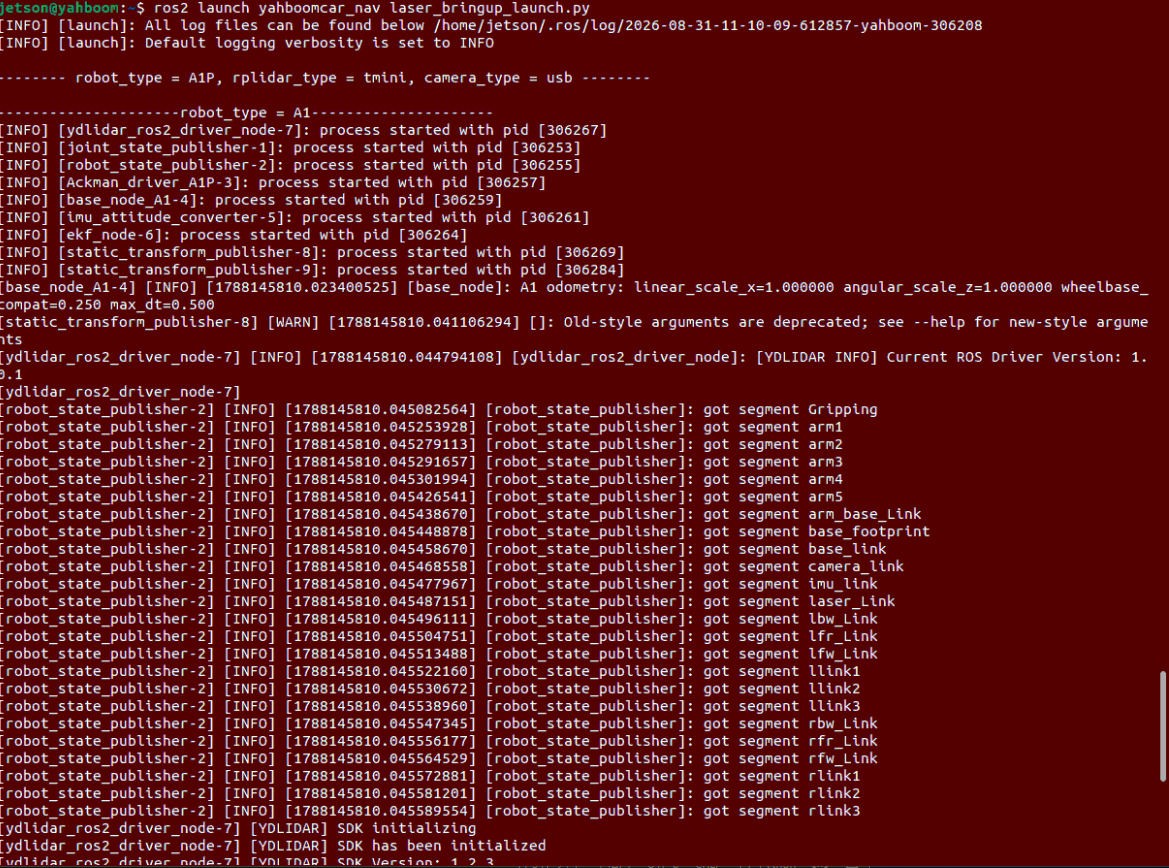
2.2 Start Patrol Program
Run in Terminal 2:
xxxxxxxxxxros2 run yahboomcar_bringup patrol_A1P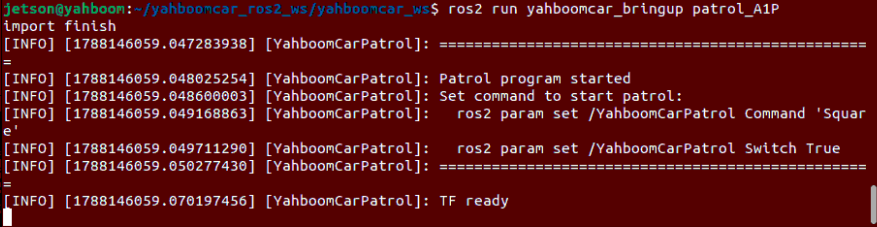
3. Patrol Logic and Dynamic Parameter Adjustment
3.1 Patrol Motion Modes and Trajectories
After starting the patrol program, the robot supports the following three preset trajectory motions:
LengthTest(Straight line round-trip patrol): The robot moves forward in a straight line for a set distance (Length) and stops; if looping is enabled, it turns around and patrols back and forth.Circle(Circular trajectory patrol): The robot performs 360° rotation patrol along a fixed curvature circular arc.Square(Square trajectory patrol): The robot executes an 8-step closed square trajectory alternating between[straight edge length -> 90° turn].
Note
If an obstacle is detected ahead during patrol (distance ≤ ResponseDist), the robot automatically stops and sounds the buzzer. After the obstacle moves away, patrol automatically continues.
To end patrol, press Ctrl+C in each terminal window to stop the program.
3.2 Dynamic Parameter Adjustment (rqt_reconfigure)
The patrol task's trajectory selection, speed, and geometric size support real-time configuration and start/stop control through the ROS 2 dynamic parameter adjuster.
Run the following command in Terminal 3 to start the parameter adjustment panel:
xxxxxxxxxxros2 run rqt_reconfigure rqt_reconfigure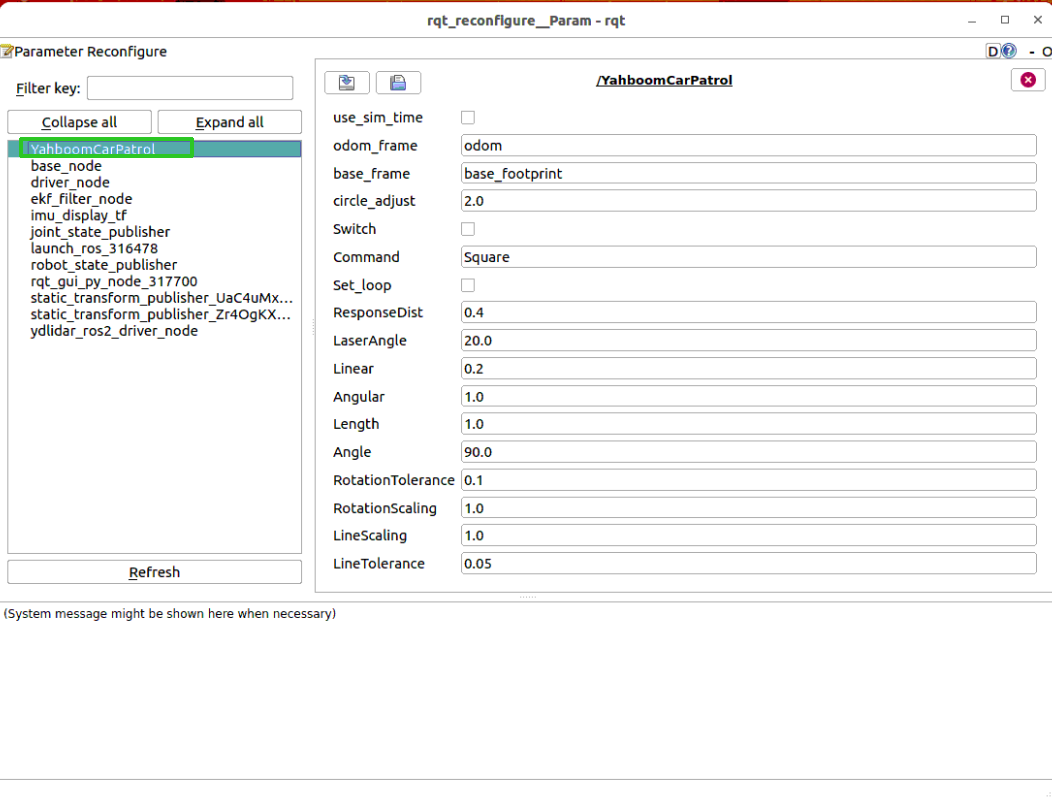
Click and select the YahboomCarPatrol node on the left side of the panel:
Command: Manually enter LengthTest, Circle or Square and press Enter (LengthTest/Circle/Square).Set_loop: Checking this means loop patrol; unchecking means execute only one round.Switch: After checkingSwitch: True, the robot immediately starts patrolling according to the set trajectory.
3.3 Core Parameter Description
| Parameter Name | Default Value | Description |
|---|---|---|
Command | Square | Patrol trajectory mode (LengthTest / Circle / Square) |
Switch | False | Patrol running main switch (check to start, uncheck to stop) |
Set_loop | False | Whether to loop patrol execution (True/False) |
Linear | 0.20 | Straight edge cruising forward linear velocity (m/s) |
Angular | 1.00 | Maximum turning angular velocity (rad/s) |
TurnLinear | 0.15 | Forward linear velocity during Ackermann chassis turning (m/s) |
Length | 1.00 | Straight line distance or square edge length (meters) |
Angle | 90.0 | Turning target angle (degrees, default 90° for square) |
ResponseDist | 0.40 | Lidar front obstacle avoidance stop safe response distance (meters) |
LaserAngle | 20.0 | Lidar front warning sector half-angle range (degrees, i.e., directly front ±20°) |
BuzzerEnabled | True | Whether to trigger buzzer alarm when stopping due to obstacle |
HeadingKp | 1.50 | Heading angle closed-loop correction proportional coefficient for straight-line driving |
LineTolerance | 0.02 | Straight edge distance arrival tolerance (meters) |
RotationTolerance | 0.03 | Turn arrival angle tolerance (rad) |
4. Core Source Code and State Machine Logic Analysis
Source Code Path:
xxxxxxxxxx$HOME/yahboomcar_ros2_ws/yahboomcar_ws/src/yahboomcar_bringup/yahboomcar_bringup/patrol_A1P.py
4.1 Square Patrol 8-Step State Machine Implementation
The square trajectory consists of 4 edges and 4 90° turns. The algorithm uses a counter index (0 ~ 7) for alternating progression, achieving strict geometric closure:
x def Square(self): """Alternately execute 4 straight edges and 4 angle turns""" # Even indices (0, 2, 4, 6) execute straight edges if self.index % 2 == 0: step_complete = self.advancing(self.Length) # Odd indices (1, 3, 5, 7) execute arc turns else: step_complete = self.Spin(self.Angle)
if step_complete: self.index += 1 if self.index >= 8: # All 8 steps completed self.index = 0 return True self.set_param('Switch', True)
return False4.2 Straight Edge Heading Correction and Anti-Collision Deceleration
The Ackermann chassis tends to develop angle deviation due to wheel slippage during straight-line driving. The advancing function calculates the current edge displacement through projected distance, introduces heading angle closed-loop correction through HeadingKp, and achieves smooth deceleration with brake time prediction:
xxxxxxxxxx    # 1. Calculate projected distance and remaining error for current straight edge    self.distance = projected_distance(        self.x_start, self.y_start, self.segment_start_yaw,        self.position.x, self.position.y,    )    self.error = target_distance - self.distance
    # 2. Heading angle closed-loop correction: calculate yaw deviation in real-time and publish steering micro-adjustment    heading_error = self.normalize_angle(self.segment_start_yaw - current_yaw)    heading_command = self.HeadingKp * heading_error    move_cmd.angular.z = max(-self.MaxHeadingAngular, min(self.MaxHeadingAngular, heading_command))        # 3. Soft deceleration and speed calculation    move_cmd.linear.x = speed_for_error(        self.error, self.Linear, self.MinLinear, self.LinearSlowdownDistance)
4.3 Lidar Obstacle Avoidance Closed-Loop and Buzzer Linkage During Patrol
During patrol execution, the program continuously listens to /scan point cloud data. When an obstacle approaches within the front sector LaserAngle, the robot automatically interrupts motion, locks velocity output and enables buzzer alarm; after the obstacle moves away, the buzzer automatically turns off and patrol smoothly resumes:
xxxxxxxxxx # Check if there is an approaching obstacle ahead if self.warning > 10: if self.moving: self.pub_cmdVel.publish(Twist()) self.moving = False self.get_logger().warning("Obstacle detected!") return False