Welcome to ROSMASTER A1 PRO repository
4.Forward Kinematics Design
Forward Kinematics Design
1. Content Description
This course explains how to call the functions in the MoveIt library to implement forward kinematics design of the robot arm. Forward kinematics design refers to computing the pose of the robot arm's end effector based on the joint angles. Here, in RViz, we specify the angle of each joint, and then let MoveIt2 plan and move to this pose.
2. Launch
Enter the following command in the terminal to launch the MoveIt2 simulation environment:
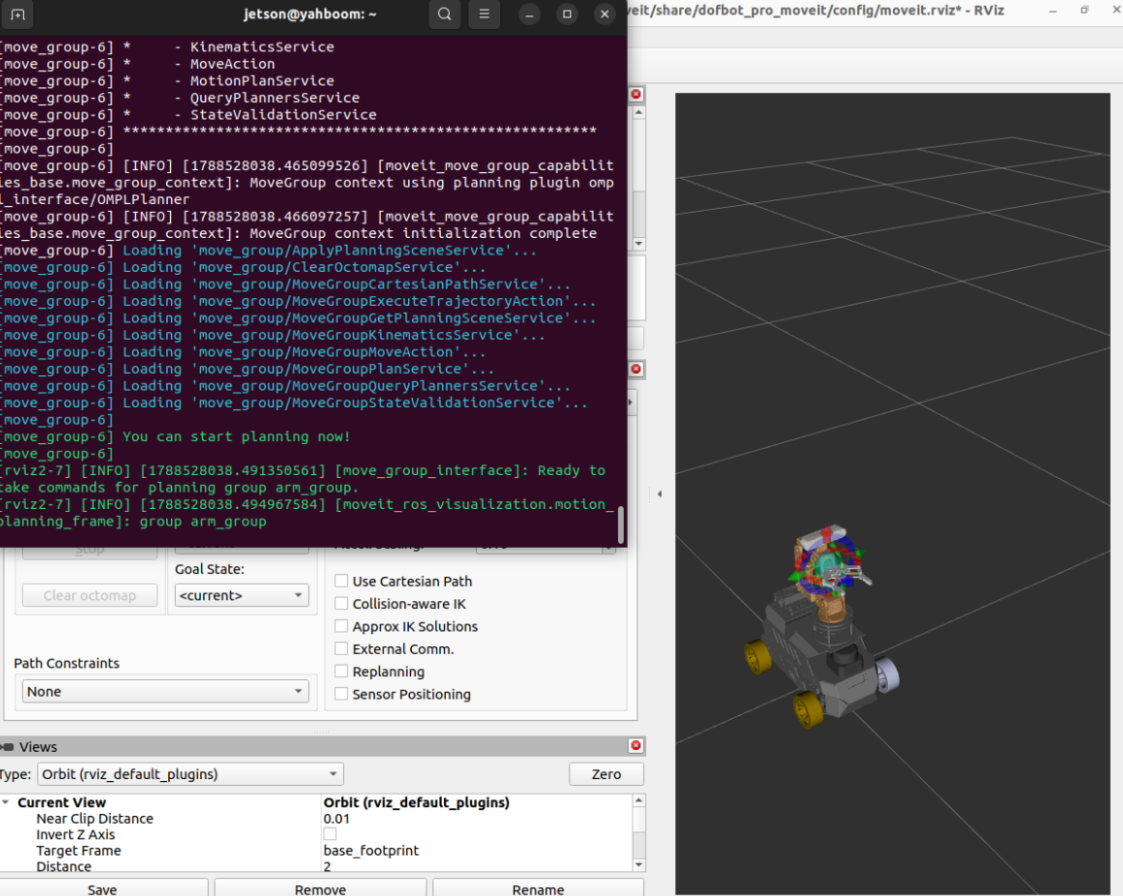
xxxxxxxxxxros2 launch dofbot_pro_moveit demo_3d.launch.pyOnce the program starts, when You can start planning now! appears in the terminal, it means the startup was successful, as shown in the figure below:
If you want the simulated robot arm to be linked with the real physical robot arm (optional), open another terminal to run the real-machine driver node:
xxxxxxxxxxros2 run movelt_demo SimulationToMachine(It is recommended not to start this node during the initial test. First verify that the obstacle-avoidance trajectory is correct in the pure RViz simulation environment before connecting to the real machine).
Then enter the following command in another terminal to launch the forward kinematics joint angle setting program:
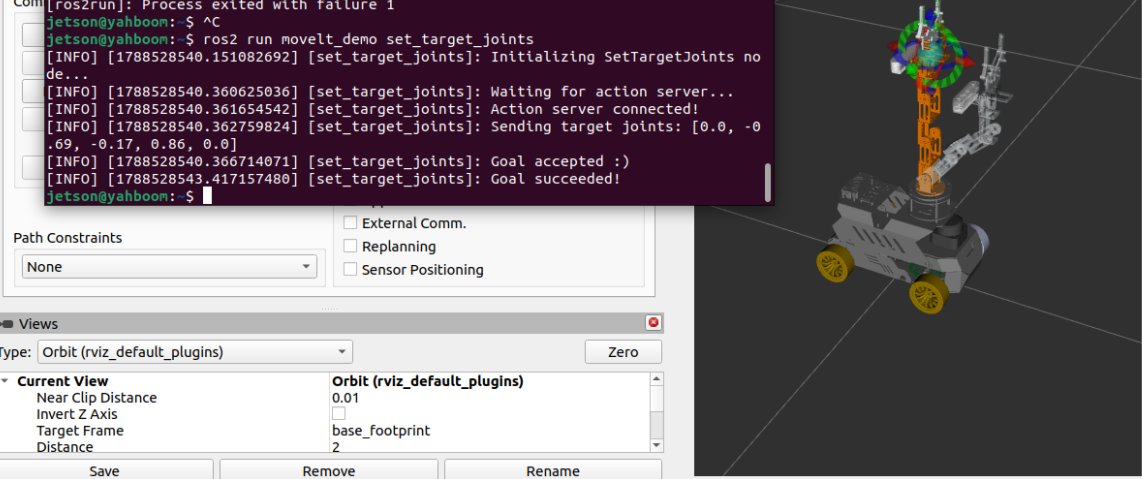
xxxxxxxxxxros2 run movelt_demo set_target_jointsAfter the program runs, the robot arm in RViz (as well as the physical robot arm) will smoothly plan and move to the target pose of each preset joint angle, as shown in the figure below:
3. Core Code Analysis
Program source code path:
~/yahboomcar_ros2_ws/dofbot_pro_ws/src/movelt_demo/movelt_demo/set_target_joints.py
3.1 Forward Kinematics Principles and Target Joint Configuration
Forward Kinematics (FK) refers to computing the 3D pose of the robot arm's end effector in the base coordinate frame from the angles of each joint, $\theta_1, \theta_2, ..., \theta_n$, using the link parameters.
The node sends the specified joint angles directly through the FollowJointTrajectory Action interface:
xxxxxxxxxximport rclpyfrom rclpy.node import Nodefrom rclpy.action import ActionClientfrom control_msgs.action import FollowJointTrajectoryfrom trajectory_msgs.msg import JointTrajectory, JointTrajectoryPointfrom builtin_interfaces.msg import Duration
class SetTargetJoints(Node):    def __init__(self):        super().__init__('set_target_joints')        self.get_logger().info("Initializing SetTargetJoints node...")                # 1. Create the Action client to connect to the controller        self._action_client = ActionClient(            self,             FollowJointTrajectory,             '/arm_group_controller/follow_joint_trajectory'        )                # 2. Robot arm joint names (kept fully consistent with URDF/SRDF)        self.joint_names = [            "arm1_Joint",             "arm2_Joint",             "arm3_Joint",             "arm4_Joint",             "arm5_Joint"        ]                # 3. Preset target joint angles (in radians)        # These correspond to the angle values of axes 1 through 5: [0.0, -0.69, -0.17, 0.86, 0.0]        self.target_joints = [0.0, -0.69, -0.17, 0.86, 0.0]                self.get_logger().info("Waiting for action server...")        self._action_client.wait_for_server()        self.get_logger().info("Action server connected!")
3.2 Constructing the Trajectory Point and Sending the Goal
Package the given joint angles into a JointTrajectoryPoint, set a smooth motion duration (3 seconds), and the controller will perform smooth interpolation based on spline curves:
    def send_goal(self):        goal_msg = FollowJointTrajectory.Goal()        trajectory = JointTrajectory()        trajectory.joint_names = self.joint_names                # Create a single trajectory endpoint        point = JointTrajectoryPoint()        point.positions = self.target_joints        point.velocities = [0.0] * len(self.target_joints)        point.time_from_start = Duration(sec=3, nanosec=0)  # Move smoothly into place in 3 seconds                trajectory.points.append(point)        goal_msg.trajectory = trajectory                self.get_logger().info(f"Sending target joints: {self.target_joints}")        self._send_goal_future = self._action_client.send_goal_async(goal_msg)        self._send_goal_future.add_done_callback(self.goal_response_callback)
    def get_result_callback(self, future):        result = future.result().result        if result.error_code == 0:            self.get_logger().info('Forward kinematics target pose executed successfully!')        else:            self.get_logger().error(f'Execution failed, error code: {result.error_code}')        rclpy.shutdown()