Welcome to ROSMASTER A1 PRO repository
3.robot-control plugin tool
robot-control Plugin Tool
robot-control Plugin Tool1. Course ContentCourse OverviewLearning Objectives2. Preparation Work3. OpenClaw Plugin Mechanism4. robot-control Plugin Working Principle5. Plugin Tool Management and Interactive Practice5.1 Viewing and Configuring Tools in WebChat Interface5.2 Direct Dialogue to Query Available Skills6. Core Source Code Analysis6.1 Plugin Entry and Tool Schema Definition (index.ts)6.2 Asynchronous MCP Client and Long Connection Maintenance
1. Course Content
Course Overview
robot-controlis the official core extension plugin in the OpenClaw platform specifically designed for robot drive control.It serves as a bidirectional bridge between the upper-level OpenClaw large model decision-making brain and the underlying robot hardware. Through the standard MCP (Model Context Protocol), it transparently forwards tool call instructions generated by the large model to the robot-side
ackermann_mcpservice, enabling full autonomous scheduling of chassis driving, arm motion planning, target grasping, and visual navigation.
Learning Objectives
Understand the role positioning and communication link of the
robot-controlplugin in the OpenClaw system architectureMaster plugin configuration, enable/disable, and status checking
Master methods for managing and debugging robot control tools in the OpenClaw WebChat interface
Important
This lesson targets the A1Pro Ackerman mobile robot (equipped with 6-DOF robotic arm and vision camera). The plugin fully encapsulates all atomic capabilities of Ackerman steering kinematics and spatial robotic arm grasping.
2. Preparation Work
Start the robot MCP service and underlying communication driver in the robot host machine terminal:
ros2 launch dofbot_pro_bringup mcp_service.launch.py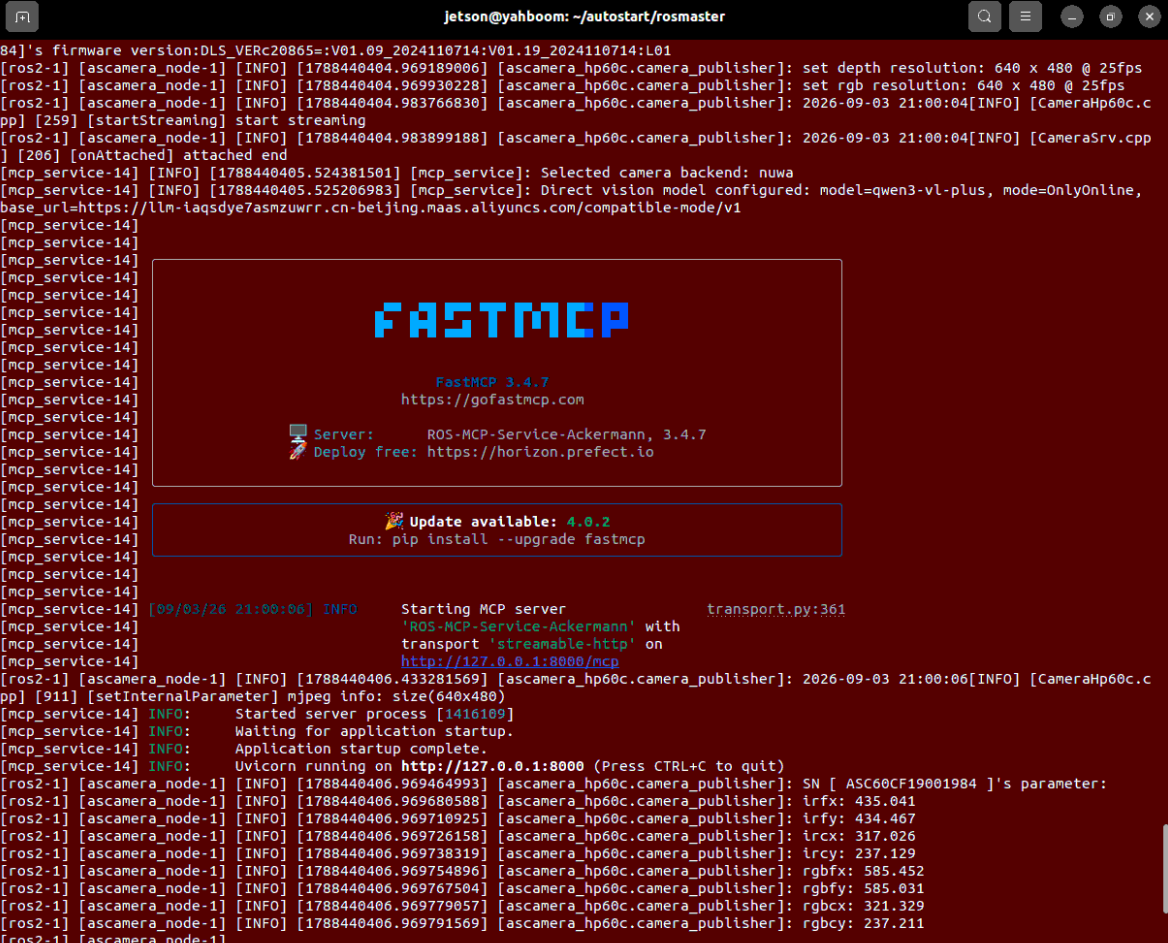
After the service starts, it will expose a JSON-RPC interface at http://localhost:8000/mcp for the robot-control plugin to invoke.
3. OpenClaw Plugin Mechanism
OpenClaw has modular plugin extension capabilities, where each plugin injects a dedicated set of tools (Tools) into the large model. Enter the following command in the OpenClaw host terminal to view the list of currently installed plugins:
xxxxxxxxxxopenclaw plugins listThe list includes a plugin named Robot-Control, indicating that the current system has robot control extension capabilities:
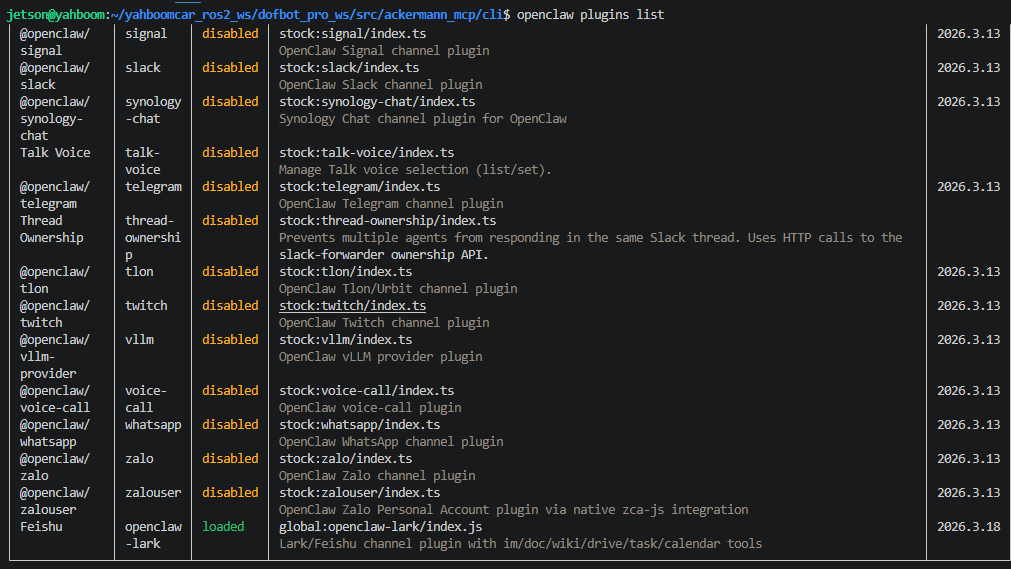
4. robot-control Plugin Working Principle
Intent Understanding and Parameter Extraction: The user sends natural language to OpenClaw (e.g., "drive the car forward 0.5 meters, then reset the robotic arm"), and the large model reads the tool list in the System Prompt, deciding to generate
MoveandInitArmPosetool calls with specific arguments;Plugin Interception and Protocol Packaging: The
robot-controlplugin intercepts this Tool Call and packages it into an MCP-standard JSON-RPC message;Network Routing and Distribution: The plugin delivers the request to the robot's
ackermann_mcpserver (port 8000) via HTTP long connection;Lower-Level Hardware Action Execution:
ackermann_mcpforwards the motion request to the ROS 2 communication stack, and the Ackerman chassis and arm servos complete the physical actions;Execution Result Closed-Loop Return: The hardware layer packages the status feedback as
common_response(includingexecution_resultand detailedreason), which is passed back through the MCP service and plugin to the large model for it to organize a natural language response to the user.
5. Plugin Tool Management and Interactive Practice
5.1 Viewing and Configuring Tools in WebChat Interface
Log into the OpenClaw WebChat operation interface, and click Agents → Tools in the left navigation bar;
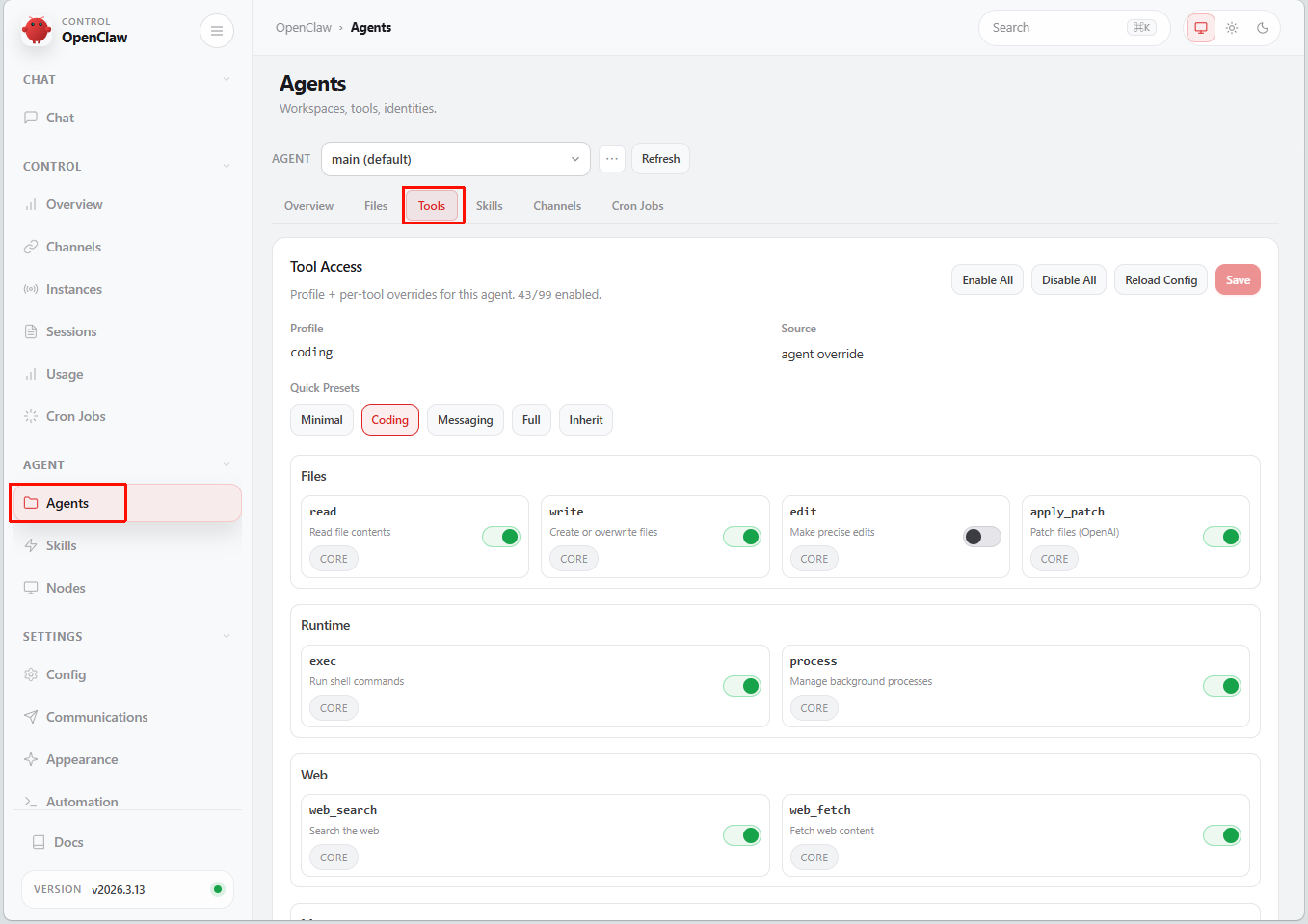
The page lists the currently enabled tool library. Scroll down to the
robot-controlplugin tool list to view all available control commands exposed by this plugin to the large model (such asMove,ControlSixArmJoint,InitArmPose,GraspArUcoTarget,SeeWhat,Navigation, etc.);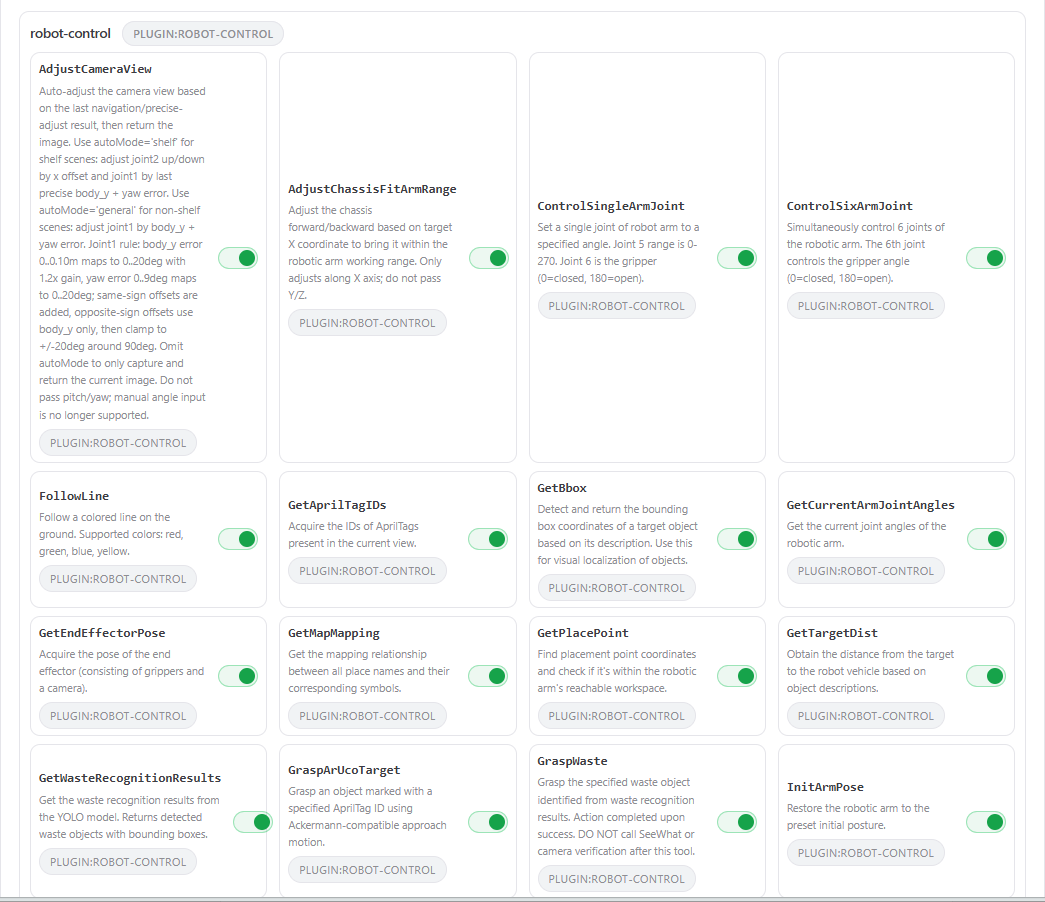
Enable/Disable Tools as Needed: All tools are enabled by default from the factory. If you want to restrict certain high-risk actions of the robot in specific tasks (e.g., only allow visual observation, prohibit chassis driving), simply click the switch button on the right side of the corresponding tool to disable it, then click Save to save the configuration and restart the OpenClaw gateway to take effect.
5.2 Direct Dialogue to Query Available Skills
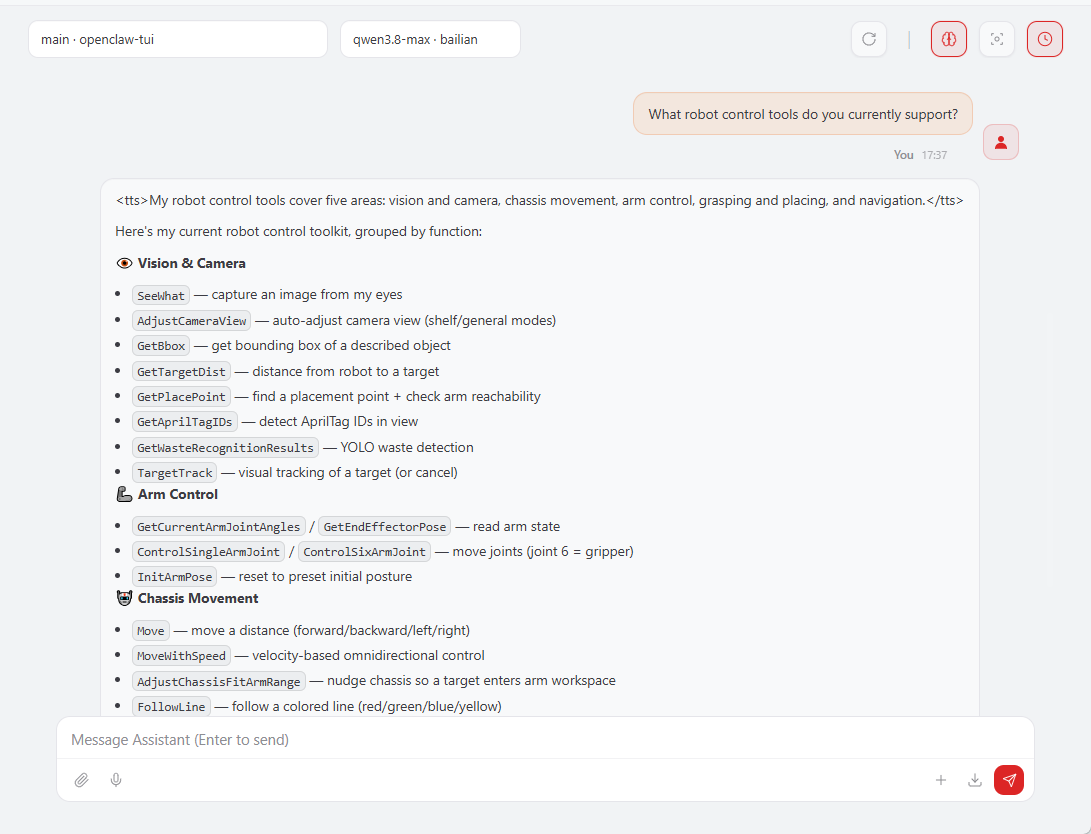
In the WebChat dialog box, directly ask OpenClaw: "What robot control tools do you currently support?", and the agent will list all underlying tool names and their usage descriptions dynamically registered by the robot-control plugin:
6. Core Source Code Analysis
6.1 Plugin Entry and Tool Schema Definition (index.ts)
Source Code Path: ~/.openclaw/extensions/robot-control/index.ts
The plugin is developed based on the OpenClaw Plugin SDK. The entry function registerRobotControlTools dynamically injects a toolset into the agent via api.registerTool. Taking the chassis movement tool Move as an example:
xxxxxxxxxx// robot-control plugin tool registration logicexport default function registerRobotControlTools(api: OpenClawPluginApi) { api.registerTool( { name: "Move", label: "Move", description: "Control the robot chassis to move a specified distance (forward/backward/left/right) based on Ackermann steering geometry.", parameters: Type.Object({ distance: Type.Number({ description: "Distance to move in meters" }), direction: Type.String({ enum: ["forward", "backward", "left", "right"], default: "forward", description: "Movement direction" }), }), async execute(_toolCallId, params) { try { // Call the remote robot-side Move tool via MCP client const result = await mcpClient.callTool("Move", { distance: params.distance, direction: params.direction, }); return json(result); } catch (err) { return json({ error: err instanceof Error ? err.message : String(err) }); } }, }, { name: "Move" }, );}6.2 Asynchronous MCP Client and Long Connection Maintenance
The plugin internally implements an automated maintenance mechanism for long-connection sessions with the server:
xconst MCP_ENDPOINT = "http://localhost:8000/mcp";
class McpClient { private sessionId: string | null = null; private initialized = false;
async ensureInitialized(): Promise<void> { if (this.initialized) return; // Send initialize negotiation handshake protocol await this.sendRequest("initialize", { protocolVersion: "2025-03-26", capabilities: {}, clientInfo: { name: "openclaw-robot-control-plugin", version: "1.0.0" }, }); await this.sendNotification("notifications/initialized"); this.initialized = true; }
async callTool(name: string, args: Record<string, unknown>) { await this.ensureInitialized(); // Initiate standard tools/call request return await this.sendRequest("tools/call", { name, arguments: args }); }}Through this layer of encapsulation, OpenClaw agents can transparently drive the chassis and robotic arm of the A1Pro robot as if calling local functions, endowing the robot with powerful embodied intelligent control capabilities.